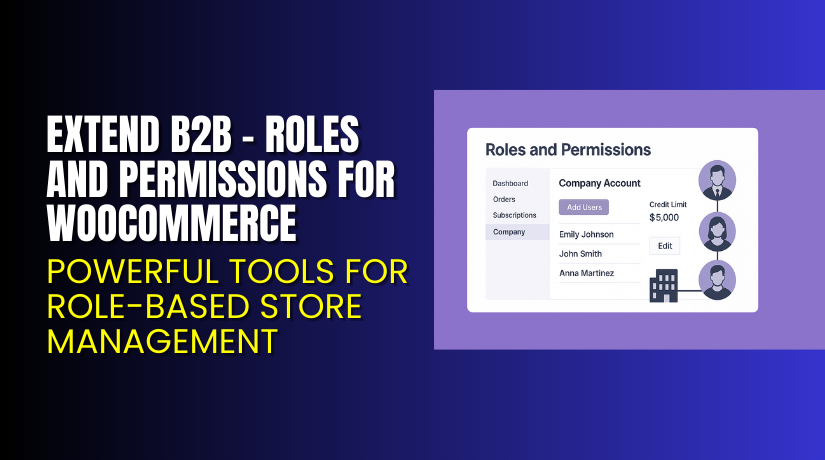
Extend B2B – Roles and Permissions for WooCommerce – Powerful Tools for Role-Based Store Management
Table of Contents
- Introduction
- What is Extend B2B – Roles and Permissions for WooCommerce?
- Features of Extend B2B – Roles and Permissions for WooCommerce
- How to Install and Configure Extend B2B – Roles and Permissions for WooCommerce
- Pricing & Plans for Extend B2B – Roles and Permissions
- My Experience with Extend B2B – Roles and Permissions
- Who Should Use This Plugin?
- Final Verdict
- FAQ
Introduction
Running a WooCommerce store is not always simple. Store owners manage customers, orders, products, and many background tasks. Many stores also handle B2B clients, wholesalers, or different user groups. These groups often need special access, custom pricing, or private store areas. This creates major challenges for store owners who want clear control over user roles and permissions.
Most store owners try using multiple plugins for access control. Some plugins hide prices, while others manage wholesale rules. These plugins often conflict with each other. They also fail to offer deep control over what each user role can see or do. This becomes a serious issue when your B2B business grows and customer demands change.
Extend B2B – Roles and Permissions for WooCommerce helps solve these problems in a simple way. It gives store owners full control over user roles, access rules, and what each visitor can see inside the store. You can manage what your customers, partners, team members, and wholesale buyers can view or access. In this article, we will explore Extend B2B, its features, installation process, pricing, and pros and cons. We will also compare how it performs for growing WooCommerce stores.
👉 If you ever need help installing or troubleshooting any plugin or extension, please try our Installation & Troubleshooting Services.
What is Extend B2B – Roles and Permissions for WooCommerce?
Extend B2B – Roles and Permissions for WooCommerce is a complete access control plugin designed for WooCommerce stores. It helps you manage user roles and decide what each role can see or use inside your store. You can set custom access for pages, products, categories, prices, and dashboard areas. This is important for stores working with B2B clients, wholesalers, teams, or partners.
This plugin is developed by WooCommerce and offers a clean interface with simple controls. You can create new user roles or update existing roles. Each role can have its own permissions. You can allow or block features like product visibility, price visibility, checkout access, or account access. This helps store owners keep full control over their store structure.
Extend B2B works well for stores that have different customer levels. It provides custom views and user-specific shopping experiences. It helps avoid plugin conflicts that usually happen with separate access control tools. The plugin is available in a Premium version with complete features.
Official Plugin Page:
Features of Extend B2B – Roles and Permissions for WooCommerce
| Feature | Description | Why It Matters |
| Role-Based Access | Assign unique permissions to each role. | Helps store owners control visibility easily. |
| Hide Prices or Products | Hide products or prices for selected user roles. | Saves time by removing manual restrictions. |
| Custom Role Creation | Create unlimited new roles with special permissions. | Improves user control and store flexibility. |
| Category & Page Restrictions | Restrict access to specific categories or pages. | Protects sensitive content or internal data. |
| Limit Checkout Access | Allow checkout only for selected roles. | Controls who can place orders in your store. |
| Custom Dashboard Permissions | Hide dashboard menus for selected roles. | Improves UX and keeps things simple. |
How to Install and Configure Extend B2B – Roles and Permissions for WooCommerce
- Download the plugin from your purchase URL.
- Go to your WordPress Dashboard → Plugins → Add New → Upload Plugin.
- Install and activate the plugin after upload.
- Go to Settings → Roles & Permissions inside WooCommerce.
- Configure the basic options like role access, product rules, and visibility.
- Test your store to ensure everything works with your theme.
- Check compatibility with your other extensions.
- Adjust access rules for each user role until they meet your store’s needs.
💡 If you face any configuration or compatibility issues, you can try our Installation & Troubleshooting Services.
Extend B2B – Roles and Permissions for WooCommerce – Pricing & Plans
| Monthly | Annualy |
| $99 | $8.25 |
Subscription includes
|
Subscription includes
|
Buy Extend B2B – Roles and Permissions for WooCommerce Now
Purchase Here → Buy Extend B2B Premium Now
💡 Your purchase supports the development team and helps me create more tutorials like this.


My Experience with Extend B2B – Roles and Permissions for WooCommerce
After testing this plugin on a live WooCommerce store, here is what I found:
Pros
- Very easy to install and configure.
- Clean interface with simple settings.
- Works smoothly with most WooCommerce themes.
- Stable performance with no major conflicts.
- Useful for wholesale or B2B business models.
- Offers detailed access control options.
- Good support from WooCommerce.
Cons
- No free version for basic users.
- Some features require manual testing.
- Limited styling options for restricted messages.
- May need additional plugins for advanced B2B functions.
Who Should Use This Plugin?
- WooCommerce store owners needing custom user access
- Wholesale or B2B stores managing different buyer levels
- Agencies handling multiple client stores
- Site owners wanting structured permission control
- Beginners who want a simple and powerful solution
- Stores with private sections or partner portals
- Membership or restricted-access websites
Useful Resources
- Official Plugin Page
- Official Support Page
- Developer Documentation
- WooHelpDesk Installation & Troubleshooting Services
Final Verdict
Extend B2B – Roles and Permissions for WooCommerce is a strong plugin for any store needing advanced access control. It helps store owners create unique customer experiences based on roles and permissions. The plugin is stable, simple, and effective for both small and large WooCommerce stores. If you want better control over who sees what, this plugin is a great choice.
👉 Buy Extend B2B Premium Now
💡 Need help installing or fixing it? Try our Installation & Troubleshooting Services.
FAQ Section
Q1. Is Extend B2B – Roles and Permissions for WooCommerce compatible with all WooCommerce themes?
Yes, it works with most standard WooCommerce themes. Always test before going live.
Q2. Can I use both free and premium versions?
You need to deactivate the free version before installing the premium version.
Q3. How do I get support?
You can contact the official support team using the plugin support page.



