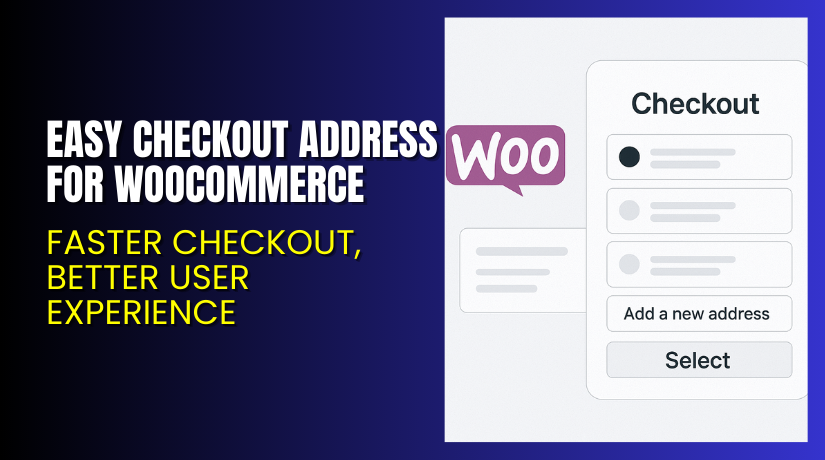
Easy Checkout Address for WooCommerce – Faster Checkout, Better User Experience
Table of Contents
- Introduction
- What is Easy Checkout Address for WooCommerce?
- Key Features of Easy Checkout Address
- How to Install and Configure Easy Checkout Address Plugin
- Pricing & Plans
- My Experience with the Plugin
- Who Should Use This Plugin?
- Final Verdict
- FAQ
Introduction
WooCommerce powers thousands of stores. But many store owners struggle to optimize the checkout flow. One common issue is repeated address entry for returning users. It creates friction, slows down the process, and can even lead to cart abandonment.
Customers expect speed. If they’re returning, they shouldn’t have to retype their billing and shipping information again. That’s where Easy Checkout Address for WooCommerce steps in.
This plugin solves a simple but vital problem. It allows users to save multiple addresses and choose from them during checkout. It also enables editing and managing saved addresses with ease.
This article will guide you through everything—plugin features, setup steps, pricing, pros and cons, and who it’s best suited for. We’ll also include support and installation options.
If you need assistance with installation or plugin configuration, check out our Installation & Troubleshooting Services.
What is Easy Checkout Address for WooCommerce?
Easy Checkout Address for WooCommerce is a user-focused plugin developed by WP1. It adds address book functionality directly into your WooCommerce store’s checkout flow.
Returning customers can choose, edit, or add a new billing or shipping address without filling out the form from scratch. This enhances usability and makes repeat purchases faster.
New users will see the default WooCommerce checkout form. But as soon as they place an order, their address gets saved. On their next visit, they can reuse it or add more.
It works out-of-the-box—no special configuration required. It also supports mobile checkout experiences and integrates smoothly with most themes.
Plugin Page: Buy Easy Checkout Address for WooCommerce
Support Page: Get Help Here
Documentation: View Official Documentation
Key Features of Easy Checkout Address
| Feature | Description | Why It Matters |
| Address Book for Users | Customers save multiple billing and shipping addresses | Makes future orders faster and more convenient |
| Default Address Pre-fill | Last-used address auto-filled at checkout | Saves time and reduces friction |
| Address Management | Customers can add, edit, or delete saved addresses | Gives full control over their delivery data |
| Separate Blocks | Shows billing and shipping address blocks | Keeps data organized and accessible |
| Mobile-Friendly Design | Fully responsive checkout experience | Works great on all devices |
| No Configuration Needed | Works immediately after activation | Ideal for beginners or non-technical users |
How to Install and Configure Easy Checkout Address Plugin
Installation is simple. Follow these steps:
- Purchase the Plugin
Go to the official plugin page and choose your preferred plan. - Download the Plugin File
After purchase, download the ZIP file from your WooCommerce account. - Install via WordPress Dashboard
Go to Plugins → Add New → Upload Plugin. Choose the file and click Install. - Activate the Plugin
Once installed, activate the plugin to make it live on your store. - Test the Checkout
No additional settings needed. Simply add a product to cart and go through the checkout as a new or returning customer. - Try Different Scenarios
- First-time customer: Form is blank
- Returning customer: Sees saved addresses
- Add/Edit addresses from the same checkout screen
If you need help at any step, use our Installation & Troubleshooting Services for professional support.
Pricing & Plans
Easy Checkout Address for WooCommerce offers simple, affordable pricing:
| Plan | Price | Billing | Includes |
| 1-Year Plan | $29 | Billed annually | Full plugin access, updates, and support |
| 2-Year Plan | $46.40 | Save 20% | Extended support, 2 years of updates |
- 30-day money-back guarantee
- Price includes updates and customer support
- Only available in USD
View and purchase directly via the official plugin store.
Buy Easy Checkout Address for WooCommerce
Want to add seamless address management to your checkout?
Buy Easy Checkout Address for WooCommerce Here
Your purchase supports the developer and helps us create helpful tutorials like this one. Choose between 1-year or 2-year plans based on your business needs.
My Experience with the Plugin
After testing the plugin on a live store, here’s what I found:


Pros:
- No configuration required
- Works with most WooCommerce themes
- Lightweight and fast
- Helpful for returning customers
- Fully responsive checkout
- Easy to install and maintain
- Supports billing and shipping address books
Cons:
- No backend address management for admins
- Limited customization options
- Doesn’t support syncing with external CRM tools
- Might need testing with custom checkout fields
Who Should Use This Plugin?
This plugin is ideal for:
- WooCommerce stores with repeat buyers
- Gift shops where customers ship to multiple addresses
- Agencies building optimized checkout flows
- Small to mid-sized stores looking to simplify checkout
- Users with minimal tech knowledge
If your store has high return customer rates, this is a must-have plugin.
Useful Resources
Here are some links to help you get started:
- Official Plugin Page
- Installation & Troubleshooting Services
- Official Documentation
- Contact WooCommerce Support
Final Verdict
If your WooCommerce store serves returning customers, improving the checkout experience is a top priority. Easy Checkout Address for WooCommerce makes that possible by enabling saved addresses, editable on the fly.
The plugin is easy to install, needs no configuration, and works immediately after activation. It’s especially useful for gift purchases, regular buyers, and businesses that want to reduce friction.
At just $29 per year, it’s affordable and delivers high value for money.
Buy Easy Checkout Address Plugin Now
Need help setting it up? We’ve got you covered with our Installation & Troubleshooting Services.
FAQ
Q1. Is the plugin compatible with all WooCommerce themes?
Yes, it works with all standard WooCommerce themes. Always test for best results.
Q2. Can customers add multiple addresses?
Yes. Each new address gets saved for future use and can be managed easily.
Q3. Do I need to configure anything?
No configuration is needed. Just install, activate, and it works right away.
Q4. How do I get support?
You can contact the developer through the official support page or visit the plugin documentation.



