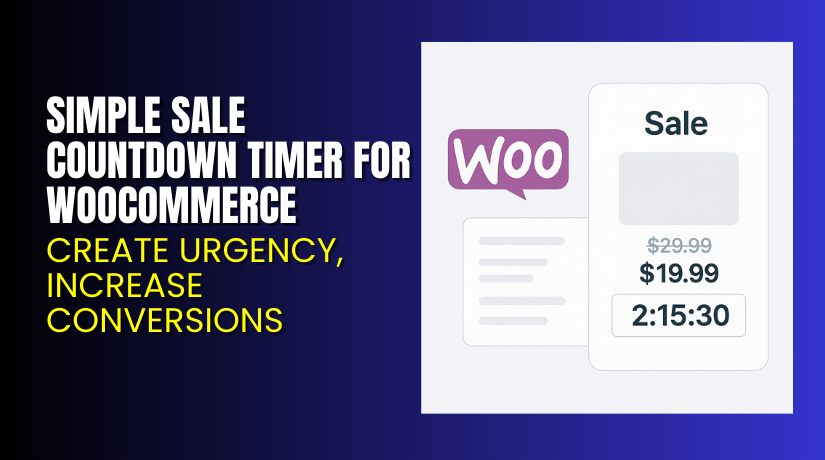
Simple Sale Countdown Timer for WooCommerce – Create Urgency, Increase Conversions
Table of Contents
- Introduction
- What is Simple Sale Countdown Timer for WooCommerce?
- Key Features of Simple Sale Countdown Timer
- How to Install and Configure Simple Sale Countdown Timer?
- Pricing & Plans
- My Experience with Simple Sale Countdown Timer
- Who Should Use This Plugin?
- Final Verdict
- FAQ
Introduction
Running a WooCommerce store often means juggling many plugins. One of the biggest challenges store owners face is boosting conversions during sales events.
Visitors may browse your store and add items to the cart. But without urgency, many leave without completing the purchase. Time-limited deals can fix this.
The Simple Sale Countdown Timer for WooCommerce is built to solve this. It adds countdown timers to your product and shop pages. These timers create urgency and push users to buy before the offer expires.
You can also bulk schedule discounts, manage timed deals, and customize the look of timers. In this article, we’ll explore everything about the plugin — what it does, its features, how to install it, pricing, pros and cons, and who should use it.
If you ever need help setting it up, try our Installation & Troubleshooting Services.
What is Simple Sale Countdown Timer for WooCommerce?
The Simple Sale Countdown Timer is a WooCommerce plugin that adds a countdown timer to your sale products. It helps increase conversions by creating urgency.
Developed by Avamaksa, the plugin displays timers on product pages and the shop page. It supports bulk scheduling, so you can set up offers for many products at once.
You can choose products or entire categories to go on sale. Set start and end dates, and the plugin will display timers automatically. It also supports variable products and WooCommerce Subscriptions.
You can even create a “Today’s Deals” page that shows all active discounts.
It is easy to use and lightweight. You don’t need coding knowledge. The plugin is updated regularly and is tested with the latest WooCommerce versions.
Official Plugin Page: Simple Sale Countdown Timer for WooCommerce
Support Page: WooCommerce Contact Page
Documentation: Official Vimeo Countdown Integration Guide
Key Features of Simple Sale Countdown Timer
| Feature | Description | Why It Matters |
| Countdown on Product Pages | Adds sale timers to shop and product pages | Creates urgency and increases conversions |
| Bulk Sale Scheduling | Apply discounts to many products at once | Saves time and effort |
| Custom “Today’s Deals” Page | Show all currently discounted products with timers | Promotes deals and encourages quick sales |
| Variable Product Support | Fully compatible with variable product types | Essential for stores with size/color options |
| Timer and Text Customization | Adjust text and timer appearance | Matches your store’s branding |
| Woo Subscriptions Compatible | Works with WooCommerce Subscriptions | Supports recurring sales offers |
| Dashboard View for Sales | Monitor and manage all scheduled sales | Central control for all promotions |
| Works with All Major Themes | Compatible with most WooCommerce-friendly themes | No theme breakage or layout issues |
These features make it an ideal plugin for running flash sales, limited-time offers, and seasonal promotions.
How to Install and Configure Simple Sale Countdown Timer?
Setting up the plugin is simple and beginner-friendly. Follow the steps below:
- Buy and download the plugin from the official WooCommerce page.
- Log into your WordPress dashboard.
- Navigate to Plugins → Add New → Upload Plugin.
- Upload the ZIP file you downloaded and click Install Now.
- After installation, click Activate.
- Go to the plugin settings area from the sidebar.
- Choose products or categories to go on sale.
- Set the sale price, discount type, and select start and end dates.
- Use the dashboard to view and manage ongoing or scheduled deals.
You can also:
- Bulk remove schedules.
- End sale offers early.
- Customize text and timer design.
Need help during setup? Use our WooCommerce Plugin Installation Service.
Pricing & Plans
The plugin is available in a single premium plan:
| Plan | Price | Includes |
| 1-Year Plan | $49 | All features, updates, customer support, 30-day refund |
- Cost: $49 per year
- Monthly Equivalent: $4.09/month (billed annually)
- Includes: Plugin updates and full support
- Refund Policy: 30-day money-back guarantee
- Discounts: Up to 40% during promotional sales
You can view and buy the plugin on the official WooCommerce store.
Buy Simple Sale Countdown Timer Now
Want to increase conversions with urgency?
Purchase the plugin here and start running time-sensitive promotions today.
Your purchase supports the developer and helps improve WooCommerce tools further.
Need help setting up? Try our WooCommerce Troubleshooting Services.


My Experience with Simple Sale Countdown Timer
We tested the plugin on a live WooCommerce store with multiple products. Here’s what we found.
Pros:
- Very easy to install and use
- Lightweight and does not slow down the site
- Timers show correctly on shop and product pages
- Bulk scheduling saves a lot of time
- Compatible with subscriptions and variable products
- Clean user interface with helpful options
- Useful for limited-time offers and flash sales
Cons:
- No free version available
- Styling may need basic CSS on some themes
- Only annual pricing — no monthly subscription
The pros easily outweigh the cons. It performs reliably and helps boost urgency during promotions.
Who Should Use This Plugin?
The Simple Sale Countdown Timer plugin is ideal for:
- WooCommerce stores running frequent sales
- Shop owners offering flash deals or seasonal promotions
- Agencies managing client stores
- Beginners who want a simple setup without coding
- Sellers of time-sensitive or limited-stock products
- Subscription-based stores with limited offers
If you’re serious about increasing conversions, this plugin is worth the small investment.
Useful Resources
These resources are great starting points for setup, support, and advanced configuration.
Final Verdict
The Simple Sale Countdown Timer for WooCommerce is a focused tool. It does one thing very well — creating urgency with countdown timers.
It’s easy to install, supports bulk actions, and integrates with subscription products. If you want to increase conversions with time-limited offers, this plugin is a smart and affordable choice.
Use this link to get started: Buy Simple Sale Countdown Timer for WooCommerce
Need help with setup? Get support from our expert service.
FAQ
Q1. Is Simple Sale Countdown Timer compatible with all WooCommerce themes?
Yes. It works with most standard WooCommerce-compatible themes.
Q2. Can I use this with WooCommerce Subscriptions?
Yes. The plugin supports subscription-based products.
Q3. Can I schedule multiple products at once?
Yes. Use bulk actions to apply sales to many products at the same time.
Q4. Is there a free version of the plugin?
No. Only a premium version is available at $49 per year.
Q5. Can I customize the timer text and style?
Yes. You can easily adjust timer labels and basic design.
Q6. How do I get official support?
Contact the team through the official WooCommerce support page.



