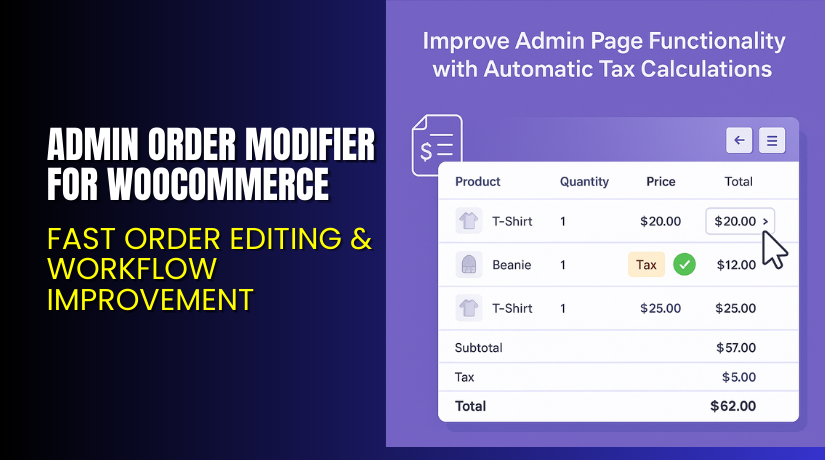
Admin Order Modifier for WooCommerce – Fast Order Editing & Workflow Improvement
Table of Contents
- Introduction
- What is Admin Order Modifier for WooCommerce?
- Features of Admin Order Modifier for WooCommerce
- How to Install and Configure Admin Order Modifier for WooCommerce
- Admin Order Modifier for WooCommerce – Pricing & Plans
- My Experience with Admin Order Modifier for WooCommerce
- Who Should Use This Plugin?
- Final Verdict
- FAQ
Introduction
Running a WooCommerce store needs clear workflows and fast order actions. Many store owners struggle with slow admin tasks each day. They edit orders, update items, change totals, or adjust customer data manually. These tasks take time and often break the checkout flow. Mistakes also happen when store teams work quickly during busy hours. Small errors can delay shipping or confuse customers. Store owners also face issues when updating orders after payment. They cannot change line items easily or adjust totals without risk. This creates stress and slows store operations. A tool that improves order editing is very helpful.
Admin Order Modifier for WooCommerce helps solve these problems. The plugin allows safe and smooth order editing directly inside the dashboard. You can change order items, edit totals, or update details quickly. The plugin removes the need for manual fixes or risky code edits. It supports faster workflows, better accuracy, and easy order handling.
In this article, we explore the plugin and its main features. You will learn the setup steps, benefits, pricing, pros, cons, and best use cases.
👉 If you ever need help installing or troubleshooting any plugin or extension, please try our Installation & Troubleshooting Services.
What is Admin Order Modifier for WooCommerce?
Admin Order Modifier for WooCommerce is a powerful tool for editing orders. It lets store owners change order items and totals with simple steps. You can adjust product quantities, remove items, or add new products inside any order. The plugin also updates taxes, shipping, fees, and order amounts automatically. This reduces manual mistakes and saves time during busy work hours.
This plugin is designed for WooCommerce stores that manage large order volumes. Many stores change orders after customers request updates. Without this plugin, the process is slow and confusing. With the plugin, edits are simple and safe. You can update orders without breaking payment records or invoice details.
The plugin is developed by WooCommerce and follows strict coding rules. It is available as a premium extension only. It integrates smoothly with the WooCommerce admin area.
The plugin is ideal for stores that often edit orders manually. It reduces errors, supports clear workflows, and helps teams work faster. It also improves customer satisfaction by enabling quick corrections when needed.
Official Plugin Page:
Features of Admin Order Modifier for WooCommerce
| Feature | Description | Why It Matters |
| Edit Order Line Items | Add, remove, or change products inside any order | Helps store owners update orders without confusion |
| Auto Recalculate Totals | Updates taxes, fees, and totals automatically | Saves time by removing manual calculations |
| Modify Shipping and Fees | Adjust shipping costs, add discounts, or create fees | Improves workflow and supports better UX |
| Safe Editing Mode | Protects payment data while editing orders | Prevents errors and ensures stable records |
| Supports Partial Changes | Edit only selected parts without a full rewrite | Makes work smooth and reduces admin stress |
How to Install and Configure Admin Order Modifier for WooCommerce
- Download the plugin from the official purchase page:
- Go to WordPress Dashboard → Plugins → Add New → Upload Plugin.
- Install and activate the plugin.
- Open WooCommerce → Settings → Orders to configure plugin options.
- Test the plugin after setup to ensure full compatibility.
- Apply sample edits on test orders before using them live.
💡 If you face any configuration or compatibility issues, you can try our Installation & Troubleshooting Services.
Admin Order Modifier for WooCommerce – Pricing & Plans
| Monthly | Annually |
| $6.59 | $79 |
Subscription includes
|
Subscription includes
|
Buy Admin Order Modifier for WooCommerce Now


Purchase Here → Buy Admin Order Modifier Premium Now
💡 Your purchase supports the development team and helps me create more tutorials like this.
My Experience with Admin Order Modifier for WooCommerce
After testing this plugin on a live WooCommerce store, here is what I found:
Pros
- Easy setup with simple admin controls
- Smooth editing for all order types
- Saves time for busy store teams
- Clean user interface and stable performance
- Good support from the WooCommerce team
Cons
- No free version available
- Limited styling options in some sections
- Advanced tax edits may need extra care
Who Should Use This Plugin?
- WooCommerce store owners want smooth order editing
- Agencies handling multiple client stores each month
- Beginners who want a simple, powerful tool for order changes
Useful Resources
- Official Plugin Page
- Official Plugin Support Page
- Developer Documentation
- WooHelpDesk Installation & Troubleshooting Services
Final Verdict
Admin Order Modifier for WooCommerce is a strong choice for stores needing clean order editing tools. It improves workflows, reduces errors, and saves time each day. If you want a safe and reliable way to update orders, this plugin is worth trying.
👉 Buy Admin Order Modifier Premium Now
💡 Need help installing or fixing it? Try our Installation & Troubleshooting Services.
FAQ
Q1. Is Admin Order Modifier for WooCommerce compatible with all themes?
Yes, it works with most standard WooCommerce themes. Always test before going live.
Q2. Can I switch from another order editing plugin?
Yes, but remove the old plugin before activating this one.
Q3. How do I get support?
You can contact the official WooCommerce team through their support page.



