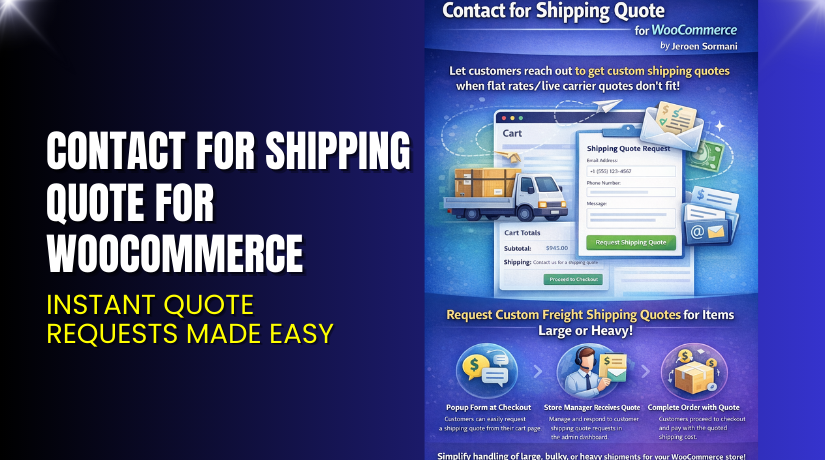
Contact for Shipping Quote for WooCommerce – Instant Quote Requests Made Easy
Table of Contents
- Introduction
- What is Contact for Shipping Quote for WooCommerce?
- Features of Contact for Shipping Quote for WooCommerce
- How to Install and Configure Contact for Shipping Quote for WooCommerce
- Contact for Shipping Quote for WooCommerce – Pricing & Plans
- My Experience with Contact for Shipping Quote for WooCommerce
- Who Should Use This Plugin?
- Final Verdict
- FAQ
Introduction
Running a WooCommerce store is not always simple. Many store owners face shipping problems due to complex rates, special product sizes, and different delivery rules. Standard shipping tools often fail when products need custom quotes. This creates confusion for customers, and many leave the checkout page without completing the order. Lost sales become a common issue for growing stores.
Customers also feel unsure when the shipping cost is unclear. They want a simple way to ask for a quote without calling or sending emails. Store owners also want a quick method to manage these custom requests. Many use manual forms, but those forms do not connect with WooCommerce orders. This results in more work and slow response time.
That is where Contact for Shipping Quote for WooCommerce becomes helpful. The plugin adds a clean “Contact for Quote” option for selected products. Customers can request custom shipping rates directly from the product page. Store owners can reply fast and update shipping details inside WooCommerce.
In this article, we will explore this plugin, its features, setup steps, pros and cons, pricing, and a quick comparison with similar tools.
👉 If you ever need help installing or troubleshooting any plugin or extension, you can try our Installation & Troubleshooting Services.
What is Contact for Shipping Quote for WooCommerce?
Contact for Shipping Quote for WooCommerce is a simple plugin that helps store owners collect shipping quote requests from customers. It replaces the normal shipping display with a direct inquiry option. This feature is useful for stores that sell products requiring special shipping arrangements. It also works well for oversized items, fragile items, or products with region-based rates.
The plugin is designed for WooCommerce stores that need more control over shipping costs. It allows customers to reach out using a clean form placed on the product page. Store owners receive the request by email and can reply with a custom quote. This improves customer trust and avoids abandoned carts caused by unclear shipping fees.
The plugin is developed by WooCommerce / Automattic, ensuring stability and regular updates. It is available as a single premium purchase on the WooCommerce Marketplace.
Features of Contact for Shipping Quote for WooCommerce
| Feature | Description | Why It Matters |
| Custom Quote Request Form | Adds a request form on selected product pages. | Helps store owners offer flexible shipping options. |
| Hide Add to Cart for Selected Items | Shows a “Request Quote” button instead of Add to Cart. | Avoids customer confusion for items with variable shipping. |
| Email Notification System | Sends requests directly to the store’s email. | Saves time and avoids missing customer requests. |
| Per-Product Configuration | Allows enabling the quote option only for specific products. | Gives better control over shipping operations. |
| Clean and Simple Layout | Provides a minimal form that fits most themes. | Improves user experience and increases leads. |
How to Install and Configure Contact for Shipping Quote for WooCommerce
- Download the plugin from the link.
- Go to WordPress Dashboard → Plugins → Add New → Upload Plugin.
- Upload the purchased ZIP file and click Install Now.
- Activate the plugin after the installation.
- Open Products → Edit Product → Shipping Quote Settings.
- Enable the “Contact for Shipping Quote” option for selected items.
- Save changes and test the form on your live product page.
- Check your email to confirm you received the quote requests.
💡 If you face any configuration or compatibility issues, you can try our Installation & Troubleshooting Services.
Contact for Shipping Quote for WooCommerce – Pricing & Plans
| Monthly | Annualy |
| $4.09 | $49 |
Subscription includes
|
Subscription includes
|
Buy Contact for Shipping Quote for WooCommerce Now


Purchase Here → Contact for Shipping Quote for WooCommerce
💡 Your purchase supports the development team and helps me create more tutorials like this.
My Experience with Contact for Shipping Quote for WooCommerce
Pros
- Setup is simple and takes only a few minutes.
- Works well with most WooCommerce themes.
- Email alerts are fast and reliable.
- Form is clean, direct, and easy for customers.
- Great support from the WooCommerce team.
Cons
- No free version is available.
- Limited styling options without custom CSS.
- Advanced form customizations require extra plugins.
- Not ideal for stores with hundreds of daily quote requests.
Who Should Use This Plugin?
- Store owners who sell oversized or heavy items
- Sellers with region-based or variable shipping rates
- Agencies managing custom shipping for clients
- Beginners who want a simple quote request system
- Businesses that want more control over shipping operations
Useful Resources
- Official Plugin Page
- Official Plugin Support Page
- Developer Documentation
- WooHelpDesk Installation & Troubleshooting Services
Final Verdict
If you run a WooCommerce store that needs flexible or custom shipping rules, Contact for Shipping Quote for WooCommerce is an excellent solution. It removes confusion, improves customer trust, and helps you manage complex shipping needs with ease. The plugin is stable, simple, and backed by the WooCommerce team.
Use the link below to get started and unlock more control over your shipping process today:
👉 Buy Contact for Shipping Quote for WooCommerce Premium Now
💡 Need help installing or fixing it? Try our Installation & Troubleshooting Services.
FAQ Section
Q1. Is Contact for Shipping Quote for WooCommerce compatible with all themes?
Yes. It works with most standard WooCommerce themes. Always test before going live.
Q2. Can I show the quote button only on selected products?
Yes. You can enable or disable it for each product.
Q3. How do I get support?
You can contact the official WooCommerce team using the Support Page.



