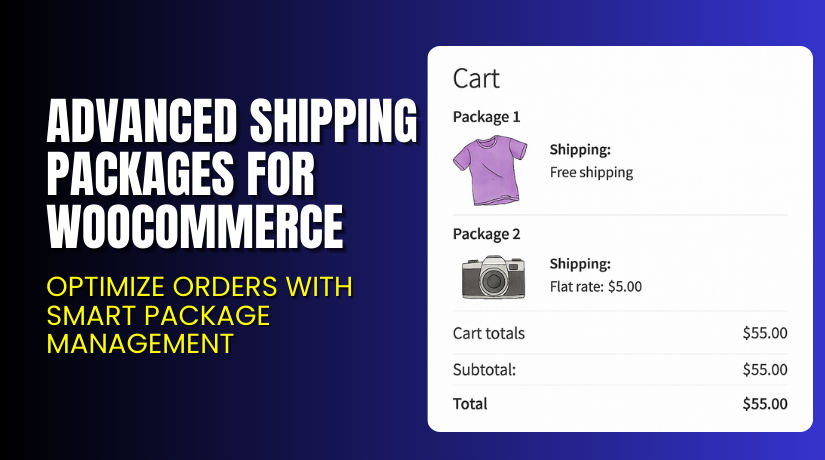
Advanced Shipping Packages for WooCommerce – Optimize Orders with Smart Package Management
Table of Contents
- Introduction
- What is Advanced Shipping Packages for WooCommerce?
- Features of Advanced Shipping Packages for WooCommerce
- How to Install and Configure Advanced Shipping Packages for WooCommerce
- Advanced Shipping Packages for WooCommerce – Pricing & Plans
- Real-World Use Cases & Benefits
- Who Should Use This Plugin?
- Final Verdict
- FAQ
Introduction
Running a WooCommerce store feels simple at first, but challenges grow fast. Store owners often face slow checkouts, abandoned carts, and low user engagement. Many customers add items to their cart but never finish the purchase. This is a common problem that affects sales and overall revenue. A small delay or extra click can make users drop the entire order. That is why smart redirection tools matter for every WooCommerce store.
Managing a WooCommerce store also means handling dozens of plugins. Many plugins promise fast results, but only a few truly improve conversions. Store owners look for tools that reduce steps and guide users toward the checkout page. A good plugin helps customers move through the buying journey smoothly. One such helpful tool is Add to Cart Redirect for WooCommerce. This plugin helps you control what happens after a customer clicks “Add to Cart.” You get full control over where customers go next.
In this article, we’ll explore Add to Cart Redirect for WooCommerce, its key features, installation steps, pros, cons, pricing, and alternatives. You will learn how this plugin can boost your conversions and simplify user flow.
👉 If you ever need help installing or troubleshooting any plugin, try our Installation & Troubleshooting Services.
What is the Add to Cart Redirect for WooCommerce?
Add to Cart Redirect for WooCommerce is a simple yet powerful plugin that controls user redirection after a product is added to the cart. It helps store owners guide customers to the right page after clicking the “Add to Cart” button. This plugin improves the shopping flow and reduces confusion for new visitors. It is designed for WooCommerce stores that want a smoother and more focused checkout process.
The plugin redirects customers to any page you choose. You can redirect users to the cart page, checkout page, product page, or any custom URL. This makes the buying process faster and more direct. By reducing extra steps, the plugin helps increase conversions and customer satisfaction.
The plugin is developed by WooCommerce and follows strict coding standards. It is available in Free and Premium versions, depending on the features you need. Store owners can use it for quick improvements without a heavy technical setup.
This plugin is easy to use, lightweight, and perfect for WooCommerce beginners. It gives full control over user actions and helps build a friction-free buying experience.
Official Plugin Page:
Features of the Add to Cart Redirect for WooCommerce
| Feature | Description | Why It Matters |
| Custom Redirect URL | Redirect users to any specific page after adding products. | Helps store owners control buying flow completely. |
| Redirect to Cart or Checkout | Sends users directly to the cart or checkout page. | Saves time by cutting extra shopping steps. |
| Product-Level Redirection | Set different redirect rules for different products. | Improves UX with personalized navigation. |
| Category Level Redirection | Redirect users based on category selection. | Helps organize the user journey across product groups. |
| Supports AJAX Add to Cart | Works with AJAX buttons for faster browsing. | Offers a smooth, fast cart experience. |
| Lightweight and Optimized | Designed for speed and stable performance. | Improves site load time and overall UX. |
How to Install and Configure the Add to Cart Redirect for WooCommerce
- Download the plugin from the Official WooCommerce Store.
- Go to WordPress Dashboard → Plugins → Add New → Upload Plugin.
- Upload the ZIP file and wait for the installation to finish.
- Activate the plugin from the Plugins page.
- Go to WooCommerce → Settings → Products → Add to Cart Redirect.
- Configure general settings based on your store flow.
- Add product-level rules if you need different redirects.
- Save settings and test redirection on multiple devices.
- Check compatibility with your theme and essential plugins.
- Monitor conversion changes after enabling redirection.
💡 If you face configuration issues or conflicts, try our Installation & Troubleshooting Services.
Advanced Shipping Packages for WooCommerce – Pricing & Plans
| Monthly | Annualy |
| $4.09 | $49 |
Subscription includes
|
Subscription includes
|
Buy Add to Cart Redirect for WooCommerce Now
Purchase Here → Buy Add to Cart Redirect Premium Now


💡 Your purchase supports the development team and helps us create more tutorials.
My Experience with the Add to Cart Redirect for WooCommerce
After testing this plugin on a live WooCommerce site, here’s what I learned.
Pros
- Very easy to install and use.
- Lightweight and does not slow the site.
- Works well with AJAX buttons and modern themes.
- Great for improving conversions.
- Flexible product-based redirect rules.
- Good customer support from WooCommerce.
Cons
- Limited styling options in the free version.
- Advanced rule options require a premium.
- Some themes need testing for AJAX support.
Who Should Use This Plugin?
This plugin is perfect for:
- Store owners want a fast checkout flow
- Agencies managing multiple WooCommerce clients
- Beginners need clear navigation
- Dropshipping stores want instant checkout
- Small shops with single-page checkout needs
Useful Resources
- Official Plugin Page
- Official Support Page
- Developer Documentation
- WooHelpDesk Installation & Troubleshooting Services
Final Verdict
If you want a simple plugin that redirects customers smoothly after adding a product to the cart, Add to Cart Redirect for WooCommerce is a great choice. It improves user flow, removes extra steps, and boosts conversions. The plugin is lightweight, stable, and ideal for both small and large stores.
👉 Buy Add to Cart Redirect Premium Now
💡 Need help installing or fixing it? Try our Installation & Troubleshooting Services.
FAQ Section
Q1. Is the Add to Cart Redirect compatible with all WooCommerce themes?
Yes, it works with most standard WooCommerce themes. Always test before going live.
Q2. Can I use both free and premium versions together?
No. You must deactivate the free version before installing the premium.
Q3. How do I get support?
You can contact the official support team through the WooCommerce Support Page.



