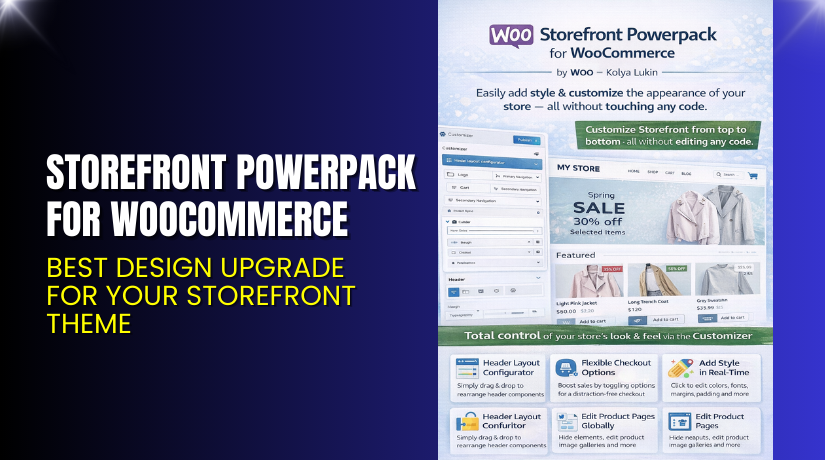
Storefront Powerpack for WooCommerce – Best Design Upgrade for Your Storefront Theme
Table of Contents
- Introduction
- What is Storefront Powerpack for WooCommerce?
- Features of Storefront Powerpack for WooCommerce
- How to Install and Configure Storefront Powerpack for WooCommerce
- Storefront Powerpack for WooCommerce — Pricing & Plans
- My Experience with Storefront Powerpack for WooCommerce
- Who Should Use This Plugin?
- Final Verdict
- FAQ
Introduction
Running a WooCommerce store is exciting, but it brings many challenges. Store owners want a clean design, simple navigation, and flexible layouts. However, the default Storefront theme offers limited control. Many users feel stuck because they cannot customize key areas without coding. They often depend on developers for small design changes that take time and increase project costs. This slows down growth and affects the user experience.
Store owners need more control over the header, footer, homepage, and layout. They want a way to adjust colors, sections, menus, and product displays without touching CSS or PHP files. They also want tools that work smoothly with WooCommerce updates. Many free customization plugins break the design or conflict with other extensions. This creates stress and makes store management harder.
This is where Storefront Powerpack for WooCommerce helps. It gives users a simple way to customize every part of the Storefront theme. You get point-and-click tools, layout controls, color settings, and powerful display options. The plugin removes design limits and helps store owners build a polished and professional online store.
In this article, we explore Storefront Powerpack for WooCommerce, its features, installation steps, pricing, pros and cons, and reasons to use it on your Storefront-based website.
👉 If you ever need help installing or troubleshooting any plugin or extension, please try our Installation & Troubleshooting Services.
What is Storefront Powerpack for WooCommerce?
Storefront Powerpack for WooCommerce is a powerful customization plugin designed specifically for the official Storefront theme. The plugin allows users to customize the entire Storefront layout using simple settings. You do not need coding skills or complex tools. It offers visual controls for the header, navigation, homepage, shop page, product page, and more. Everything works smoothly with WooCommerce because the plugin is built by the same team.
The plugin is developed by WooCommerce / Automattic, the company that built the Storefront theme. This gives it a strong advantage in terms of compatibility and long-term updates. Storefront Powerpack comes as a premium plugin available from the official WooCommerce marketplace.
Store owners can use it to modify colors, typography, components, buttons, and layout sections with simple panel settings. You also get homepage management tools that allow you to drag modules and build custom layouts. Product layouts and category displays can also be customized visually.
The plugin is ideal for beginners, agencies, and store owners who want strong design flexibility without custom code. It can replace many smaller design plugins and reduce conflicts inside the store.
Features of Storefront Powerpack for WooCommerce
| Feature | Description | Why It Matters |
| Visual Customizer Tools | Let’s users change colors, fonts, layouts, and spacing. | Helps store owners design their shop without coding. |
| Homepage Builder | Drag-and-drop modules for building custom homepages. | Saves time by giving you full control of the first impression. |
| Header & Footer Controls | Edit menus, logos, widgets, and layout easily. | Improves navigation and user experience across your store. |
| Product Page Customizer | Change product layout, gallery, and information display. | Improves conversions and boosts trust with better layouts. |
| Category Display Tools | Customize category grids and product arrangements. | Helps improve browsing and increases sales. |
| Full WooCommerce Compatibility | Works smoothly with all official WooCommerce plugins. | Reduces conflicts and ensures long-term stability. |
How to Install and Configure Storefront Powerpack for WooCommerce
- Download the plugin from the link.
- Go to WordPress Dashboard → Plugins → Add New → Upload Plugin.
- Upload the ZIP file and click Install Now.
- After installation, click Activate.
- Go to Appearance → Customize → Storefront Powerpack.
- Configure layout, colors, modules, header, and footer settings.
- Test the plugin with your theme and other active extensions.
💡 If you face any configuration or compatibility issues, you can try our Installation & Troubleshooting Services.
Storefront Powerpack for WooCommerce – Pricing & Plans
| Monthly | Annualy |
| $4.92 | $59 |
Subscription includes
|
Subscription includes 
|
Buy Storefront Powerpack for WooCommerce Now
Purchase Here → Buy Storefront Powerpack Premium
💡 Your purchase supports the WooCommerce development team and helps me create more tutorials like this.
My Experience with Storefront Powerpack for WooCommerce
Pros
- Easy setup with simple settings.
- Works smoothly with the Storefront theme.
- Visual controls reduce the need for CSS.
- Lightweight and fast performance.
- No conflicts with WooCommerce extensions.
- Good support and regular updates.
Cons
- Works only with the Storefront theme.
- No free version available.
- Some advanced design users may want more controls.
Who Should Use This Plugin?
- WooCommerce store owners want full control of Storefront design.
- Agencies managing multiple client websites with Storefront.
- Beginners want easy customization tools.
- Users who want to avoid custom coding.
- Shop owners need a fast, stable, and flexible layout solution.
Useful Resources
- Official Plugin Page
- Official Plugin Support Page
- Developer Documentation
- WooHelpDesk Installation & Troubleshooting Services
Final Verdict
Storefront Powerpack for WooCommerce is a strong tool for anyone using the Storefront theme. It offers simple and powerful design controls without slowing down your site. It gives you full control over layout, colors, sections, and product pages. If you want a stable, flexible, and easy customization system, this plugin is worth trying.
👉 Buy Storefront Powerpack Premium Now
💡 Need help installing or fixing it? Try our Installation & Troubleshooting Services.
FAQ Section
Q1. Is Storefront Powerpack compatible with all WooCommerce themes?
It works only with the Storefront theme. Always test before going live.
Q2. Can I use both free and premium versions?
There is no free version. You must install the premium one directly.
Q3. How do I get support?
You can contact the official WooCommerce team using the support page.



