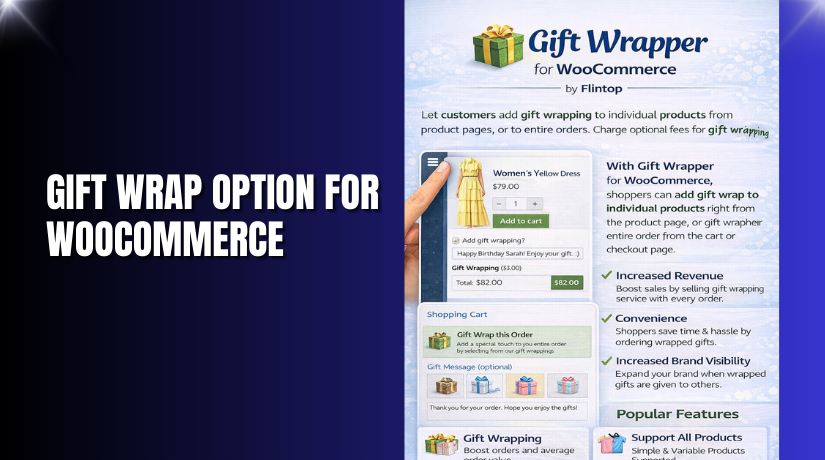
Gift Wrap Option for WooCommerce
Table of Contents
- Introduction
- What is Gift Wrap Option for WooCommerce?
- Key Features of Gift Wrap Option for WooCommerce
- How to Install and Configure Gift Wrap Option for WooCommerce
- Pricing & Plans
- My Experience with Gift Wrap Option for WooCommerce
- Who Should Use This Plugin?
- Final Verdict
- FAQ
Introduction
>Running an eCommerce store today means competing not only on price but also on customer experience. During the festive season or special occasions, users want more than just fast delivery. They want the joy of sending a beautifully wrapped gift.
>However, most WooCommerce stores lack a built-in gift-wrapping feature. Shoppers can’t personalize their orders or add a special touch.
>That’s where the Gift Wrap Option for WooCommerce> plugin helps. It allows you to add gift-wrapping options directly on your product, cart, or checkout pages. You can offer multiple designs, collect personal notes, and even charge for the service.
>In this article, we’ll go through what this plugin does, its features, setup steps, pricing, pros and cons, and who should use it.
>Need help installing this plugin? Check out our >Installation & Troubleshooting Services>.
What is Gift Wrap Option for WooCommerce?
Gift Wrap Option for WooCommerce> is a plugin developed by >KoalaApps> that lets store owners offer customizable gift-wrapping services.
>Customers can choose from different gift wrap designs, write personal messages, and select whether they want the gift wrapping on a single product or the whole cart.
>The plugin allows store admins to:
- >Create and manage multiple gift wrap designs
- >Set different prices for each design
- >Enable or disable gift wrap on certain products or categories
- >Use popups or inline displays
- >Customize styling, placement, and popup layout
>It also includes a dedicated dashboard to monitor which gift wraps perform best.
>This feature adds value to your store and helps increase average order value, especially during seasonal peaks.
>Official Plugin Page: >Smart Gift Wrap for WooCommerce>
> Support Page: >Contact KoalaApps>
> Documentation: >Smart Gift Wrap Plugin Docs
Key Features of Gift Wrap Option for WooCommerce
| Feature | Description | Why It Matters |
| Multiple Gift Wrap Designs | >Add different designs for all events | >Increases personalization and upsells |
| Custom Price Per Design | >Set a unique price for each wrap | >Generate additional revenue |
| Personal Notes | >Customers can add a message | >Enhances customer satisfaction |
| Design Rules | >Restrict gift wraps by product, category, or user role | >Ensures control and relevance |
| Display Locations | >Show options on product, cart, or checkout pages | >Meets users at every stage |
| Popup or Inline Display | >Offer gift wrap in a modal or on-page | >Matches your UI preferences |
| Shortcode Support | >Use shortcode anywhere on your site | >Adds flexibility to placements |
| Taxable Fees | >Make gift wrap charges taxable | >Maintains financial accuracy |
| Custom Styling | >Change colors, fonts, popup size | >Matches brand aesthetics |
| Sales Dashboard | >See which wraps perform best | >Data-driven decision making |
How to Install and Configure Gift Wrap Option for WooCommerce
>You can easily install the plugin by following these steps:
- >Download it from the >official plugin page>.
- >Go to WordPress Dashboard > Plugins > Add New>.
- >Click Upload Plugin> and select the ZIP file.
- >Click Install Now>, then Activate>.
- >Navigate to Settings > Gift Wrap>.
- >Create your first gift wrap design: name, price, image.
- >Set display locations: product, cart, or checkout.
- >Choose popup or inline view, and apply your styling.
- >Test the checkout process to ensure gift wrap is visible and functional.
>Need professional help? Try our >Installation & Troubleshooting Services>.
Pricing & Plans
| Plan | Price (USD) | Includes |
| Premium | >$49/year | >Free installation, 1-year support, 30-day money-back guarantee |
>The plugin is available only as a premium version. It’s well worth the investment if you want to boost engagement and increase revenue during high-volume sales periods.
>Purchase the plugin from >KoalaApps>.
Buy Gift Wrap Option for WooCommerce Now
>✅ Purchase Here → >Buy Gift Wrap Option for WooCommerce Premium Now
>By purchasing through this link, you support the developers and enable us to keep creating helpful tutorials.
<h2id=”section-6″>My Experience with Gift Wrap Option for WooCommerce


>After installing and testing the plugin, here’s what I found:
Pros
- >Multiple designs are easy to set up
- >Adds value to both store and customer
- >Smooth integration with cart and checkout pages
- >Highly customizable in terms of style and placement
- >Option to allow personal messages makes it special
- >Popup display is clean and user-friendly
- >Detailed dashboard for tracking wrap sales
Cons
- >No free version
- >Basic styling might require CSS tweaks for some themes
- >Need to test placement positions carefully for optimal UX
Who Should Use This Plugin?
>This plugin is suitable for:
- >Online stores selling gifts, fashion, or lifestyle items
- >WooCommerce shops preparing for holidays or special seasons
- >Store owners who want to increase AOV
- >Shops offering premium unboxing experiences
- >Merchants looking to improve user experience and satisfaction
>If your products are giftable, this plugin is a must-have.
Useful Resources
- >Plugin Purchase Page
- >Plugin Documentation
- >KoalaApps Support Contact
- >WooHelpDesk Installation Service
Final Verdict
>If you want to offer your customers a complete gifting experience, the Gift Wrap Option for WooCommerce> plugin delivers.
>It’s user-friendly, packed with features, and lets you create stunning, personalized gift wrap experiences. The added personal message feature is a nice touch, making the gift feel more special.
>With strong customization, smart rule-based control, and tracking tools, it’s built to enhance both UX and sales.
>Get started with the plugin today → >Buy Gift Wrap Option for WooCommerce Premium Now
>Need setup help? >Try our Installation & Troubleshooting Services>.
FAQ
Q1. Can I allow gift wrap on selected products only?
> Yes, you can enable it for specific products, categories, or all items.
Q2. Can customers add a personal note?
> Yes, they can write a custom message and you can set a character limit.
Q3. Is it possible to charge for gift wrapping?
> Yes, you can set different prices for each gift wrap design.
Q4. Where can I show the gift wrap option?
> You can show it on product, cart, or checkout pages in either popup or inline format.
Q5. How do I manage gift wrap rules?
>Use the built-in rule manager to create conditions by user role, category, or display location.



