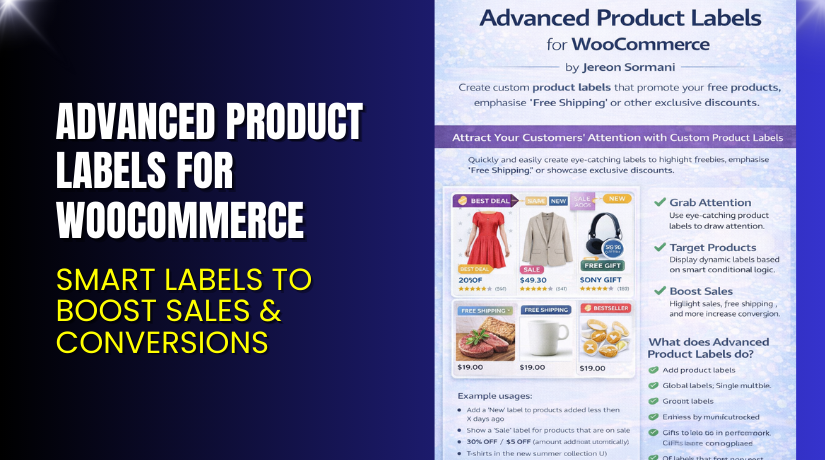
Advanced Product Labels for WooCommerce – Smart Labels to Boost Sales & Conversions
Table of Contents
- Introduction
- What is Advanced Product Labels for WooCommerce?
- Features of Advanced Product Labels for WooCommerce
- How to Install and Configure Advanced Product Labels for WooCommerce?
- Advanced Product Labels for WooCommerce – Pricing & Plans
- My Experience with Advanced Product Labels for WooCommerce
- Who Should Use This Plugin?
- Final Verdict
- FAQ
Introduction
Running a WooCommerce store is not simple today. Store owners face many challenges when trying to grab customer attention. Products often look the same, and shoppers skip items that do not stand out. Many stores lose sales because users do not notice discounts, new arrivals, or special deals. This makes product visibility a major issue for every WooCommerce owner.
Another big challenge is managing dozens of plugins. Every website runs multiple tools for SEO, design, marketing, and product management. With so many options, it becomes hard to know which plugin truly improves your store. Store owners want simple tools that highlight products, improve visibility, and increase conversions. They need features that work without heavy setup or coding.
That is where Advanced Product Labels for WooCommerce becomes useful. The plugin helps you add clear, eye-catching labels to any product. These labels highlight sales, discounts, features, and stock updates. Shoppers understand product value quickly, and this improves buying decisions.
In this article, we will explore the plugin, features, setup steps, pros, cons, pricing, and comparisons.
👉 If you ever need help installing or troubleshooting any plugin or extension, please try our Installation & Troubleshooting Services.
What is Advanced Product Labels for WooCommerce?
Advanced Product Labels for WooCommerce is a simple and powerful plugin that adds product labels across your store. These labels help you highlight discounts, create urgency, and promote special offers. The plugin shows custom text notices on product images and listings. This makes important information visible at a glance. Customers understand deals faster, and conversions improve naturally.
The plugin is developed by WooCommerce, a trusted name in the WordPress ecosystem. It is available as a premium plugin on the official WooCommerce marketplace. Store owners can create unlimited labels with rules based on product categories, prices, stock levels, and attributes. This gives full control over how and where labels appear.
The plugin is designed for all WooCommerce stores. You can use it to highlight “Sale,” “New,” “Hot,” “Clearance,” “Low Stock,” and more. It is lightweight and works with most themes. You do not need coding skills to use it.
It’s simple, fast, and made for store owners who want better product visibility without complex settings.
Official Plugin Page
Features of Advanced Product Labels for WooCommerce
| Feature | Description | Why It Matters |
| Custom Product Labels | Add custom labels like Sale, Hot, New, and Featured. | Helps store owners highlight important product details. |
| Dynamic Label Rules | Apply rules based on price, stock, category, or attributes. | Saves time by automating label display for many items. |
| Unlimited Label Creation | Create as many labels as needed for your store. | Improves store visibility and boosts conversions. |
| Simple Visual Editor | Easily design labels with text and colors. | Helps beginners customize labels without coding. |
| Works on Products & Archives | Show labels on product pages and category pages. | Enhances user experience across the entire store. |
How to Install and Configure Advanced Product Labels for WooCommerce?
Download the plugin from the official WooCommerce store using the purchase URL.
- Go to WordPress Dashboard → Plugins → Add New → Upload Plugin.
- Select the plugin file and click Install Now.
- Activate the plugin after installation.
- Go to WooCommerce → Settings → Product Labels.
- Create your first label and choose conditions.
- Set display rules for categories, prices, attributes, or stock.
- Save your settings and test the label on your live store pages.
- Make sure your theme is compatible with label styling.
- Check for conflicts with caching or optimization plugins.
💡 If you face any configuration or compatibility issues, you can try our Installation & Troubleshooting Services.
Advanced Product Labels for WooCommerce – Pricing & Plans
| Monthly | Annualy |
| $4.09 | $49 |
Subscription includes
|
Subscription includes 
|
Buy Advanced Product Labels for WooCommerce Now
Purchase Here → Buy Advanced Product Labels for WooCommerce Premium Now
💡 Your purchase supports the development team and helps me create more useful tutorials.
My Experience with Advanced Product Labels for WooCommerce
After testing the plugin on a live WooCommerce site, here are my findings:
Pros
- Easy setup with clean settings.
- Very stable and lightweight plugin.
- Strong rule-based system for dynamic labels.
- Works with most themes without design issues.
- Good support from the WooCommerce team
- Clear labels improve conversions quickly.
Cons
- No free version for testing.
- Styling options are basic.
- Does not support image-based labels.
- Some advanced stores may want more design choices.
Who Should Use This Plugin?
- WooCommerce store owners want better product visibility.
- Agencies managing many client stores need simple tools.
- Beginners want a clean and easy system.
- Stores with many products and dynamic discounts.
- Anyone wanting to highlight deals without coding.
Useful Resources
- Official Plugin Page
- Support Page
- Developer Documentation
- WooHelpDesk Installation & Troubleshooting Services
Final Verdict
Advanced Product Labels for WooCommerce is a reliable and simple plugin made for real store needs. It highlights important product details and improves visibility. Your customers see deals faster and make quick buying decisions. The plugin works well with most themes and does not slow down your site. It is a smart choice for stores that run sales, discounts, or seasonal offers.
If you want better product visibility with easy settings, this plugin is worth trying.
👉 Buy Advanced Product Labels for WooCommerce Premium Now
💡 Need help installing or fixing it? Try our Installation & Troubleshooting Services.
FAQ
Q1. Is Advanced Product Labels for WooCommerce compatible with all themes?
Yes, it works with most standard WooCommerce themes. Test before going live.
Q2. Can I use free and premium versions together?
No. You must deactivate the old version before using the premium.
Q3. How do I get support?
You can contact the official WooCommerce support team using their support page.



