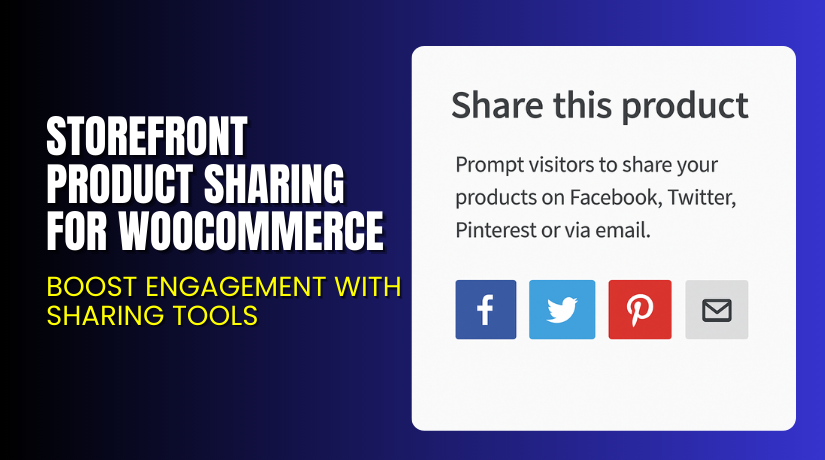
Storefront Product Sharing for WooCommerce – Boost Engagement with Sharing Tools
Table of Contents
- Introduction
- What is Storefront Product Sharing for WooCommerce?
- Features of Storefront Product Sharing for WooCommerce
- How to Install and Configure Storefront Product Sharing for WooCommerce
- Storefront Product Sharing for WooCommerce – Pricing & Plans
- My Experience with Storefront Product Sharing for WooCommerce
- Who Should Use This Plugin?
- Final Verdict
- FAQ
Introduction
Running a WooCommerce store requires strong tools that support customer engagement. Many store owners struggle to promote products in a simple and fast way. They want customers to share items easily across social platforms. But the default WooCommerce does not offer strong sharing options. This creates a gap in visibility and reduces possible sales. Simple tools can help increase reach without heavy marketing budgets. Storefront Product Sharing for WooCommerce offers this support in an easy form.
Customers also want a smooth experience while browsing products online. They prefer quick sharing buttons for copying links or sending items to friends. When these tools are missing, users lose interest and skip valuable steps. This results in lower engagement, fewer shares, and reduced conversions. A proper sharing extension can fix this problem quickly.
This article explains Storefront Product Sharing for WooCommerce in detail. You will learn how the plugin works and how it improves product visibility. You will also see features, installation steps, pricing details, pros, cons, and user guidance.
👉If you ever need help installing or troubleshooting any plugin or extension, you can use our Installation & Troubleshooting Services. This guide helps store owners decide whether Storefront Product Sharing for WooCommerce is the right solution for their store’s needs.
What is Storefront Product Sharing for WooCommerce?
Storefront Product Sharing for WooCommerce is a simple extension that adds clean sharing buttons to your product pages. It allows customers to share product links on popular social networks with one click. This plugin focuses on giving users an easy way to promote their products online. It improves visibility by allowing fast sharing without complex settings. Many store owners use this plugin to drive organic traffic.
Storefront Product Sharing for WooCommerce is developed by WooCommerce. The company builds official extensions that follow high coding standards. This plugin is available as a free tool and works directly with the Storefront theme. The free version includes basic sharing buttons that work for most small stores. There is no premium version for this plugin. The extension integrates smoothly with the Storefront theme layout.
The plugin works best for stores using the Storefront theme. It places sharing icons in a clean and structured layout. You do not need coding knowledge to use this plugin. It is lightweight, fast, and easy to configure. It fits well with mobile layouts and supports several major platforms. It is one of the simplest tools for adding sharing buttons to WooCommerce stores.
Features of Storefront Product Sharing for WooCommerce
| Feature | Description | Why It Matters |
| Social Sharing Buttons | Adds Facebook, Twitter, Pinterest, and Email sharing options. | Helps store owners gain more visibility and product reach. |
| Storefront Theme Integration | Works perfectly with the Storefront theme design. | Saves time by giving a smooth layout without custom development. |
| Lightweight and Fast | Adds features without slowing down site performance. | Improves user experience and prevents drop-offs. |
How to Install and Configure Storefront Product Sharing for WooCommerce
- Download the plugin from the official WooCommerce marketplace.
- Go to WordPress Dashboard → Plugins → Add New → Upload Plugin.
- Install the ZIP file and activate the plugin.
- Go to Appearance → Storefront → Extensions to confirm plugin visibility.
- The plugin automatically adds sharing buttons to your product pages.
- Test the plugin to ensure compatibility with your Storefront theme and other extensions.
💡 If you face configuration or compatibility issues, you can try our Installation & Troubleshooting Services.
Storefront Product Sharing for WooCommerce – Pricing & Plans
The plugin is completely free to install on your WooCommerce store. You also receive free updates to ensure the plugin stays secure and compatible with the latest WordPress and WooCommerce versions. The official team also offers free customer support, so you can get help whenever you need it.
Buy Storefront Product Sharing for WooCommerce Now
Purchase Here – Storefront Product Sharing for WooCommerce


👉 Your purchase supports the development team and helps me create more tutorials like this.
My Experience with Storefront Product Sharing for WooCommerce
After testing Storefront Product Sharing for WooCommerce on a live store, I found the plugin simple and stable. It adds the required sharing buttons without heavy setup. The plugin uses clean code and loads very fast. It works great for stores wanting quick sharing support without complex features.
Pros
- Very easy setup for beginners
- Clean design optimized for Storefront theme
- Lightweight and fast loading
- Free to use
- Works well on mobile layouts
Cons
- Limited styling options
- No premium or extra features
- Only works best with the torefront theme
Who Should Use This Plugin?
- WooCommerce store owners want simple sharing options
- Agencies managing stores built with the Storefront theme
- Beginners needing a fast and lightweight sharing tool
Useful Resources
- Official Plugin Page
- Official Plugin Support Page
- Developer Documentation
- WooHelpDesk Installation & Troubleshooting Services
Final Verdict
Storefront Product Sharing for WooCommerce is a simple plugin that works well for Storefront theme users. It adds essential sharing buttons and improves product visibility. If you want a lightweight, stable, and free plugin for social sharing, this extension is worth trying. Use the link below to get started and boost customer engagement today.
👉 Buy Storefront Product Sharing for WooCommerce Now
💡 Need help installing or fixing it? Try our Installation & Troubleshooting Services.
FAQ Section
Q1. Is Storefront Product Sharing for WooCommerce compatible with all themes?
It works best with Storefront, but it may work with other themes after testing.
Q2. Can I add custom sharing icons using this plugin?
The default plugin does not support custom icons or styles.
Q3. How do I get support?
You can contact the official support team through the WooCommerce Support Page.



