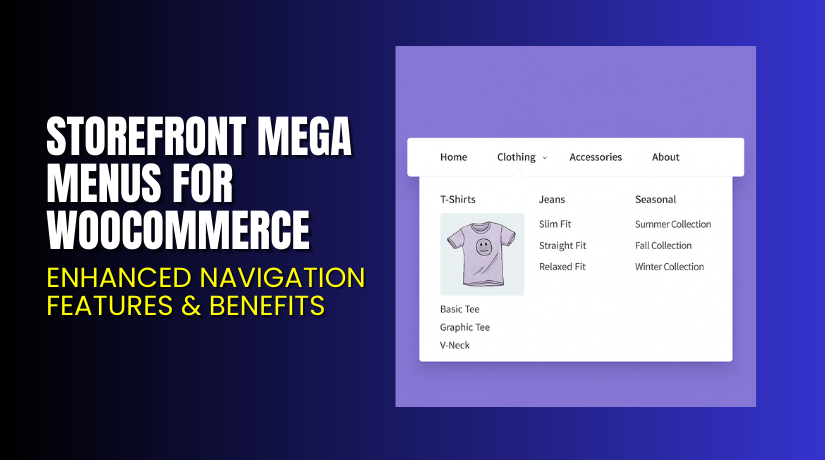
Storefront Mega Menus for WooCommerce – Enhanced Navigation Features & Benefits
Table of Contents
- Introduction
- What is Storefront Mega Menus for WooCommerce?
- Features of Storefront Mega Menus for WooCommerce
- How to Install and Configure Storefront Mega Menus for WooCommerce
- Pricing & Plans
- My Experience with Storefront Mega Menus for WooCommerce
- Who Should Use This Plugin?
- Final Verdict
- FAQ
Introduction
Running a WooCommerce store is not always simple. Store owners often manage many plugins for layout, design, and product navigation. Each plugin adds value, but many also create confusion. Users face slow navigation because of long product lists. Customers also struggle to find products inside deep category structures. This reduces user trust and affects your overall store performance.
A clear menu system can fix many of these issues. Customers need quick paths to products, categories, and pages. A mega menu helps by showing large menus with clear sections. It keeps your store organized and helps customers reach important pages in fewer clicks.
Many store owners also want simple controls. They avoid complex builders or heavy menu tools. A lightweight and stable mega menu plugin works best for them. Storefront Mega Menus for WooCommerce helps in this exact area. It offers a clean way to create large menus without code. It also works smoothly with the Storefront theme.
In this article, we will explore Storefront Mega Menus for WooCommerce, its features, setup steps, pricing, pros, cons, and final verdict.
👉 If you ever need help installing or troubleshooting any plugin or extension, please try our Installation & Troubleshooting Services.
What is Storefront Mega Menus for WooCommerce?
Storefront Mega Menus for WooCommerce is a simple plugin that adds advanced menu features to WooCommerce stores. It helps store owners build large menu layouts with columns, links, images, and product sections. The plugin is designed for the Storefront theme, so it fits naturally with the overall design. It delivers clean menus that load fast and work well on mobile devices.
This plugin is built by WooCommerce, the official team behind the Storefront theme. It ensures stable performance, secure coding, and full compatibility with major WooCommerce extensions. It is available as a premium extension only. You can buy it from the official WooCommerce marketplace.
The plugin is useful for stores with many categories. It helps group related items under clear menu blocks. Users can add widgets inside menus, which offers more control. You can show product lists, featured categories, or custom HTML using simple options.
Features of Storefront Mega Menus for WooCommerce
| Feature | Description | Why It Matters |
| Custom Mega Menu Builder | Allows creation of mega menus using widget areas. | Helps store owners design layouts quickly. |
| Storefront Theme Integration | Works natively with Storefront theme styles. | Ensures stable layout without design issues. |
| Widget Support | Adds product widgets, category widgets, and custom options. | Improves navigation and highlights key products. |
| Multiple Column Layouts | Allows multi-column menu structures. | Helps customers scan product options faster. |
| Mobile Friendly Design | Menus collapse cleanly on mobile screens. | Enhances user experience for mobile shoppers. |
How to Install and Configure Storefront Mega Menus for WooCommerce
- Purchase the plugin from the link.
- Log in to your WordPress Dashboard.
- Go to Plugins → Add New → Upload Plugin.
- Upload the ZIP file that you downloaded.
- Activate the plugin after installation.
- Go to Appearance → Menus → Manage Mega Menu Widgets.
- Create new widget areas for your menu items.
- Add widgets like categories, products, or HTML blocks.
- Assign the widget area to any menu item.
- Test your layout to check compatibility with other plugins.
💡 If you face any configuration or compatibility issues, you can try our Installation & Troubleshooting Services.
Storefront Mega Menus for WooCommerce – Pricing & Plans
| Monthly | Anuualy |
| $3.25 | $39 |
Subscription includes
|
Subscription includes
|
Buy Storefront Mega Menus for WooCommerce Now


Purchase Here → Storefront Mega Menus for WooCommerce
💡 Your purchase supports the development team and helps me create more tutorials like this.
My Experience with Storefront Mega Menus for WooCommerce
Pros
- Easy setup using widgets
- Clean design without heavy scripts
- Perfect fit for the Storefront theme
- No coding needed for layout changes
- Stable performance even on large stores
- Good documentation and official support
Cons
- Works only with the Storefront theme
- Styling options are limited
- No built-in drag-and-drop builder
- Requires widgets for menu content
Who Should Use This Plugin?
This plugin is ideal for:
- Store owners using the Storefront theme
- Stores with many categories and subcategories
- Beginners who want simple mega menus
- Agencies building multiple Storefront-based stores
- Users who prefer lightweight and clean design options
Useful Resources
- Official Plugin Page
- Official Support Page
- Developer Documentation
- WooHelpDesk Installation & Troubleshooting Services
Final Verdict
Storefront Mega Menus for WooCommerce is a strong choice for Storefront users. It delivers clean, fast, and simple mega menus. It does not overload your site with scripts or complex tools. It improves navigation and helps customers reach products faster. If you are using the Storefront theme, this plugin is worth trying.
👉 Buy Storefront Mega Menus Premium Now
💡 Need help installing or fixing it? Try our Installation & Troubleshooting Services.
FAQ Section
Q1. Is Storefront Mega Menus for WooCommerce compatible with all themes?
It works best with the Storefront theme. Other themes may not match its layout.
Q2. Can I use both free and premium versions?
There is no free version. It is available only as a premium plugin.
Q3. How do I get support?
You can contact the official WooCommerce support team through the Support Page.



