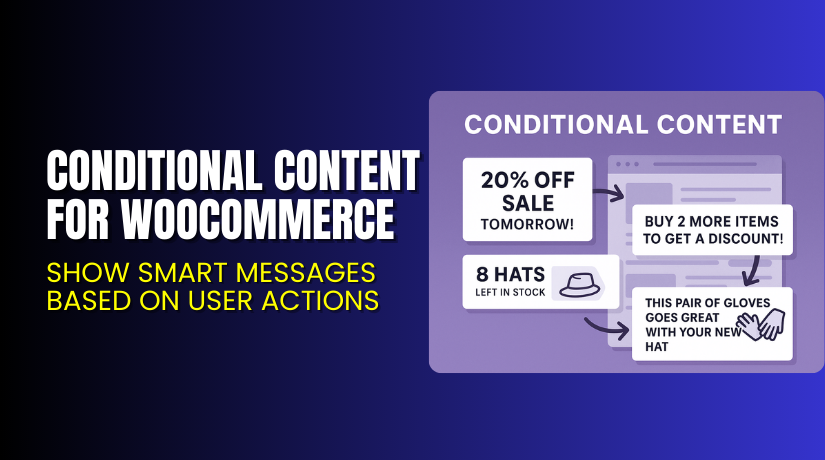
Conditional Content for WooCommerce – Show Smart Messages Based on User Actions
Table of Contents
- Introduction
- What is Conditional Content for WooCommerce?
- Key Features of Conditional Content
- How to Install and Configure Conditional Content?
- Pricing & Plans
- My Experience with Conditional Content
- Who Should Use This Plugin?
- Final Verdict
- FAQ
Introduction
Your WooCommerce store needs to speak to the right people at the right time. But WooCommerce doesn’t let you show targeted content out of the box.
Imagine this: A customer adds three products to the cart, but doesn’t qualify for a discount. Wouldn’t it be great to show a message encouraging them to add one more?
This is where Conditional Content for WooCommerce steps in. It lets you show messages, banners, or any content based on powerful rules.
You can target products, users, cart values, stock levels, sale dates, and much more.
In this article, we’ll explore the plugin’s features, setup process, pricing, and the best ways to use it in real stores.
Need help with plugin setup or configuration? Try our Installation & Troubleshooting Services
What is Conditional Content for WooCommerce?
Conditional Content for WooCommerce is a plugin that lets you display content on your site based on triggers you define.
You can create reusable messages and decide when and where they appear. These messages can show on product pages, cart pages, or even for specific users or user roles.
This plugin is developed by Element Stark, a team known for practical WooCommerce extensions.
Use cases range from marketing messages to urgent stock notices. You can alert users when a product is almost out of stock or show a discount table based on quantity.
Plugin Page: Official Plugin Page
Documentation: View Plugin Documentation
Support Page: Contact Support
Key Features of Conditional Content
| Feature | Description | Why It Matters |
| Content Rules Engine | Display content using custom rules | Target specific users and actions |
| Multiple Locations | Show content on product, cart, or checkout | Full control over display |
| Stock-Level Messages | Show content when stock is low | Create urgency |
| Cart-Based Conditions | Trigger messages based on cart value or items | Boost order values |
| Role-Based Messaging | Show different content to different users | Personalize user experience |
| Dynamic Pricing Integration | Match messages to your pricing logic | Clear promotion strategy |
Where and How You Can Use This Plugin?
You can display content in these scenarios:
- On Product Pages
Show sale alerts, pricing tables, or stock warnings. - In the Cart
Display upsell messages when certain items are added. - To Specific Users or Roles
Reward logged-in users with exclusive notices. - For Certain Product Categories
Highlight sales or bundle offers within categories. - During a Sale Period
Show a countdown or promotional note during sale dates.
How to Install and Configure Conditional Content?
Installation is simple and takes only a few minutes:
- Purchase the plugin from the official site.
- Download the plugin ZIP file.
- In your WordPress admin, go to Plugins → Add New.
- Upload the ZIP file and click Install Now.
- Activate the plugin.
- Go to WooCommerce → Conditional Content.
- Create new content blocks.
- Set the display rules and choose the output location.
- Test it on your store’s frontend.
You can manually insert content using a template tag, or choose from built-in output locations.
Need help? Use our Installation & Troubleshooting Services
Pricing & Plans
| Plan | Price | Includes |
| 1-Year Plan | $49/year | All features, updates, and support |
- $4.09/month (billed yearly)
- No free version available
- All core functionality included in one license
Buy the Plugin: Get Conditional Content for WooCommerce
My Experience with Conditional Content
I tested the plugin on a store that sells seasonal apparel and electronics.
Pros
- Easy to set up with flexible rule options
- Messages show in the right place and time
- Works well with Dynamic Pricing
- Clean backend interface
- Lightweight and theme-friendly
Cons
- No visual design editor (content is HTML-based)
- Limited styling unless custom CSS is used
- Doesn’t support advanced scheduling (like daily time slots)
Still, the ability to show context-specific content adds significant marketing value.
Who Should Use This Plugin?
This plugin is perfect for:
- Store owners running discounts or limited-time offers
- Admins who use Dynamic Pricing plugins
- Businesses needing product- or cart-triggered alerts
- Developers building client-specific content experiences
- B2B stores with role-based pricing or offers
This may not be for you if:
- You need drag-and-drop content builders
- Your store has only a few static products
Example Use Cases


Here’s how real businesses might use Conditional Content:
- Urgency Messages
“Only 3 left in stock – order now!” - Sales Notifications
“This item goes on sale next week!” - Cart-Based Alerts
“Add one more item to get free shipping.” - User Role Offers
“Wholesale customers save 10% on this item.” - Dynamic Pricing Display
Show pricing tiers directly on product pages. - Cross-Selling Suggestions
“Complete your outfit – Add this hat too!”
Each case improves communication and helps customers make quicker decisions.
Available Display Rules
The plugin supports dozens of targeting rules. Some of the most useful include:
Product-Level Rules
- Specific products or categories
- Product price range
- Product stock level
- Sale status or date range
- Product attributes
Cart-Level Rules
- Cart total value
- Cart contains certain products
- Cart has products from certain categories
User-Level Rules
- Show content to specific users
- Show content to specific user roles (e.g., Wholesale, Subscriber)
These allow powerful combinations. For example:
“Show this banner to wholesale users if cart total is over $200.”
Useful Resources
Use these resources to configure, customize, and troubleshoot your content setup.
Final Verdict
Conditional Content for WooCommerce is one of the smartest ways to show the right message to the right person at the right time.
Whether you’re running a storewide promotion, managing B2B clients, or simply trying to drive more conversions—this plugin gives you the flexibility you need.
It helps you target messages with precision and show them exactly where they matter.
If you’re serious about WooCommerce marketing, this plugin is worth adding to your toolkit.
Buy it now: Get Conditional Content for WooCommerce
Want done-for-you setup? Use our Installation Services
FAQ
Q1. Can I use this to show content only on certain products?
Yes, you can target specific products, categories, or price ranges.
Q2. Can I show messages to logged-in users only?
Yes, it supports both user role and specific user targeting.
Q3. Does this work with other plugins like Dynamic Pricing?
Yes, it’s a great companion to pricing rules and discounts.
Q4. Can I show a message in the cart based on items added?
Yes, you can create rules based on cart items or totals.
Q5. Is coding required?
No. But for advanced layouts, some HTML or CSS can help.
Q6. Is support included?
Yes, 1-year support and updates are included with your license.



