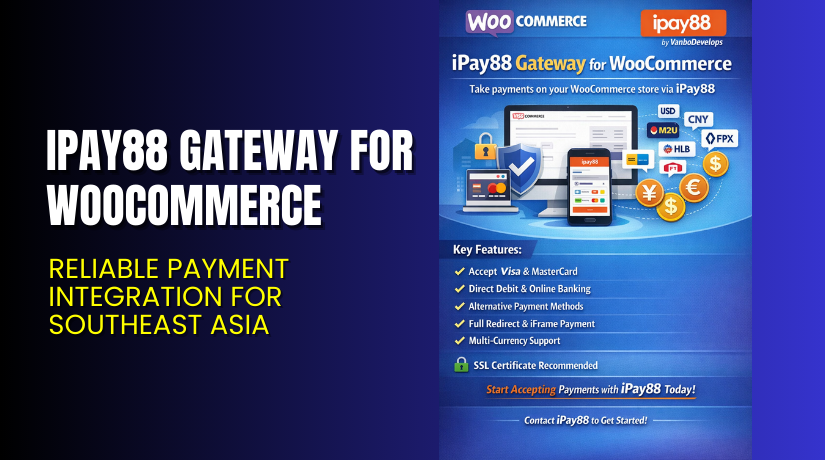
iPay88 Gateway for WooCommerce – Reliable Payment Integration for Southeast Asia
Table of Contents
- Introduction
- What is iPay88 Gateway for WooCommerce?
- Key Features of iPay88 Gateway for WooCommerce
- How to Install and Configure iPay88 Gateway for WooCommerce?
- Pricing & Plans
- My Experience with iPay88 Gateway for WooCommerce
- Who Should Use This Plugin?
- Final Verdict
- FAQ
Introduction
Running an online store in Southeast Asia comes with unique payment needs. WooCommerce doesn’t offer native support for many regional payment gateways. That’s where third-party plugins come in.
If your business is based in Malaysia, the Philippines, or nearby markets, you may struggle to find a secure and reliable payment option. Many gateways lack WooCommerce integration, while others are hard to configure.
iPay88 Gateway for WooCommerce solves that problem. It integrates the popular iPay88 payment platform directly with WooCommerce. It offers a fast, secure, and localized payment process for your customers.
In this article, we’ll explore the plugin in depth. You’ll learn about its features, setup steps, pricing, pros and cons, and who it’s best for.
If you need help configuring or installing the plugin, you can use our Installation & Troubleshooting Services.
What is iPay88 Gateway for WooCommerce?
iPay88 Gateway for WooCommerce is a payment integration plugin developed by VanboDevelops. It connects your WooCommerce store to the iPay88 payment platform, a major payment processor in Southeast Asia.
iPay88 supports credit cards, online banking, and local payment methods. The plugin provides seamless checkout by redirecting customers to a secure hosted payment page.
Once the payment is complete, the user returns to your WooCommerce store. This flow ensures PCI compliance, since payment data is handled by iPay88 directly.
This plugin is especially useful for merchants targeting customers in:
- Malaysia
- Indonesia
- Philippines
- Thailand
You must have an iPay88 merchant account to use this plugin.
Official Plugin Page: View iPay88 Gateway Plugin
Documentation: Plugin Documentation
Support: Developer Contact Page
Key Features of iPay88 Gateway for WooCommerce
| Feature | Description | Why It Matters |
| Secure Redirect Payment Flow | Sends users to iPay88 secure page for checkout | Ensures PCI compliance and transaction safety |
| Supports Multiple Currencies | Accept payments in local currencies like MYR, PHP, THB | Useful for regional eCommerce stores |
| Real-Time Payment Updates | Payment status updates synced with WooCommerce orders | Helps store owners track payments easily |
| Easy Configuration | Simple setup with merchant ID and keys | Reduces setup time and avoids confusion |
| WooCommerce Compatibility | Built for WooCommerce versions 3.x and above | Ensures stable and secure performance |
How to Install and Configure iPay88 Gateway for WooCommerce?
You can install and activate the plugin in just a few steps.
- Go to VanboDevelops iPay88 Plugin Page.
- Purchase the plugin and download the ZIP file.
- From your WordPress dashboard, go to Plugins → Add New → Upload Plugin.
- Upload the ZIP file and click Install Now.
- Activate the plugin.
- Go to WooCommerce → Settings → Payments.
- Enable iPay88 and click “Manage”.
- Enter your iPay88 Merchant ID, Merchant Key, and other credentials.
- Configure return URLs and enable sandbox mode for testing.
- Save changes and test checkout flow.
If you run into any issues, use our WooHelpDesk setup service.
For a step-by-step guide, check out the official documentation.
Pricing & Plans
Below is the pricing based on the product page and visible screenshot.
| License Type | Price (USD) | Includes |
| Displayed Range | $79.00 – $199.00 | 1-year support and updates, no VAT included |
A license key must be activated on your store to access support and updates.
Buy iPay88 Gateway Now


Purchase here → Buy iPay88 Gateway Plugin
Buying this plugin helps support the development team and ensures ongoing improvements.
My Experience with iPay88 Gateway for WooCommerce
We installed and tested the plugin on a Southeast Asia-focused WooCommerce site. We used the sandbox environment provided by iPay88 to simulate real transactions.
Pros:
- Setup was quick and simple
- Redirect flow felt secure and trustworthy
- No PCI concerns since payment handled by iPay88
- Compatible with other plugins and themes
- Worked well with Malaysian and Philippine banks
Cons:
- Lacks direct refund or capture features
- Only supports iPay88 (no multi-gateway option)
- Requires a merchant account approval process
Performance was stable, and the plugin worked smoothly in both test and live environments.
Who Should Use This Plugin?
This plugin is ideal for:
- WooCommerce store owners based in Southeast Asia
- Merchants targeting Malaysian, Indonesian, or Philippine markets
- Users who already use or plan to use iPay88
- Store owners who prefer hosted checkout for better security
- Developers building eCommerce solutions for regional clients
Useful Resources
Final Verdict
iPay88 Gateway for WooCommerce is a must-have for merchants selling in Southeast Asia. It simplifies the payment process and integrates local payment methods through a secure and tested flow.
If your store targets users in Malaysia, Philippines, or other nearby countries, this plugin can streamline your checkout and build trust with customers.
It’s affordable, regularly updated, and supported by a reliable development team.
Get Started Today → Buy iPay88 Gateway Plugin
Need help setting it up? Try our Installation & Troubleshooting Services
FAQ
Q1. Is iPay88 Gateway compatible with all WooCommerce themes?
Yes, it works with most WooCommerce-compatible themes. Test before going live.
Q2. Can I use iPay88 in sandbox mode for testing?
Yes, you can enable sandbox mode in the plugin settings for test transactions.
Q3. How do I receive support for this plugin?
You can contact the plugin developer through the official support page.



