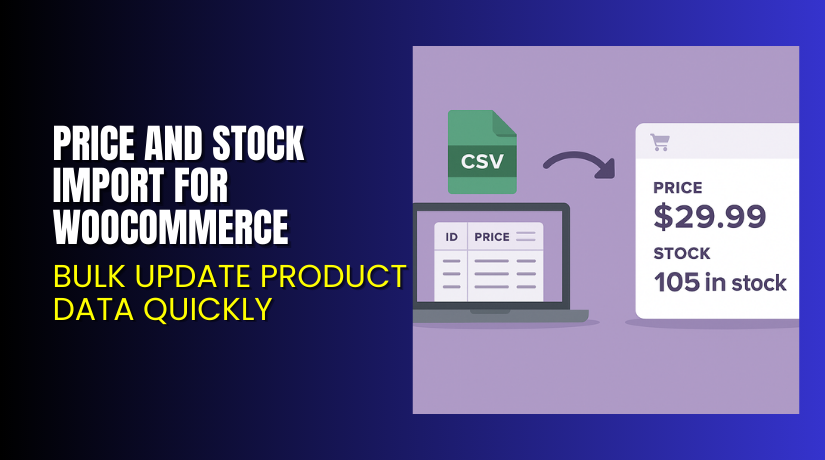
Price and Stock Import for WooCommerce – Bulk Update Product Data Quickly
Table of Contents
- Introduction
- What is Price and Stock Import for WooCommerce?
- Key Features of Price and Stock Import for WooCommerce
- How to Install and Configure Price and Stock Import for WooCommerce?
- Pricing & Plans
- My Experience with Price and Stock Import for WooCommerce
- Who Should Use This Plugin?
- Final Verdict
- FAQ
Introduction
Managing stock and pricing manually takes time. WooCommerce’s built-in tools work, but they’re not made for bulk updates.
If you run a large store or change prices frequently, you need a faster way to manage product data.
Price and Stock Import for WooCommerce helps you bulk update regular prices, sale prices, and stock levels with a simple CSV file. No field mapping. No complicated settings.
In this guide, we’ll cover how the plugin works, key features, installation steps, pricing, pros, cons, and ideal use cases.
Need help installing or configuring the plugin? Use our Installation & Troubleshooting Services.
What is Price and Stock Import for WooCommerce?
Price and Stock Import for WooCommerce is a plugin built by Kestrel Commerce that allows WooCommerce store owners to update their product prices and stock quantities in bulk using CSV files.
The plugin focuses on doing one thing well — updating stock and pricing, fast and safely.
You can:
- Export current prices and stock
- Edit the CSV in Excel or Google Sheets
- Reimport with a few clicks
- Preview the changes before applying them
It supports:
- Simple and variable products
- WooCommerce Subscriptions product types
- Updates by Product ID or SKU
There’s no need for complex field mapping or bloated CSV templates. It’s clean, simple, and fast.
Official Plugin Page: Price and Stock Import for WooCommerce
Support Page: Kestrel Support
Contact Page: Contact the Developer
Key Features of Price and Stock Import for WooCommerce
| Feature | Description | Why It Matters |
| CSV Import & Export | Export product price and stock data | Enables fast edits in bulk |
| Update by SKU or ID | Choose how your rows match WooCommerce products | Offers flexibility for different workflows |
| Supports Sale & Regular Prices | Edit both price types in the same file | Ideal for promos and flash sales |
| Stock Quantity Control | Change stock levels for any product or variation | Helps keep inventory accurate |
| Safe Import Testing | Preview changes before applying them | Reduces risk of errors during updates |
| Minimal Columns | Only includes relevant fields in the CSV | Makes spreadsheets easier to manage |
| Real-Time Import Stats | See import progress live | Confirms how many rows are processed |
| No Field Mapping Needed | Works out of the box with default WooCommerce structure | Saves setup time for every import |
| Compatible with Subscriptions | Works with WooCommerce Subscriptions product types | Great for SaaS or membership stores |
How to Install and Configure Price and Stock Import for WooCommerce?
Setting up the plugin is simple. Here’s how to do it:
- Purchase the plugin from the official product page.
- Download the .zip file.
- Go to your WordPress Dashboard → Plugins → Add New.
- Click Upload Plugin, select the file, and click Install Now.
- Activate the plugin.
- Visit the plugin panel in WooCommerce → Import/Export Tools.
- Click Export to download a CSV with current price and stock data.
- Edit values in your spreadsheet editor (Excel, Google Sheets, etc.).
- Re-import the file using the Import tab.
- Preview your changes, then click Apply.
Pro tip:
- Always use the test import preview feature to avoid live mistakes.
- Keep SKU or Product ID intact to avoid import errors.
Need help during setup? Try our Installation & Troubleshooting Services.
Pricing & Plans
| Plan | Price | Includes |
| Premium | $79.00 / year | Use on 1 site, plugin updates, and full support |
This plugin is only available as a paid product. No free or trial version exists.
What’s included:
- Full access to all CSV import/export tools
- Compatibility with WooCommerce Subscriptions
- Ongoing updates
- Email-based support from the Kestrel team
Buy Price and Stock Import for WooCommerce Now
The license is valid for one website and includes updates for 12 months.
My Experience with Price and Stock Import for WooCommerce
We tested the plugin on a store with 400+ products across multiple categories, including variable products.


Here’s what stood out:
Pros:
- Very fast import speed
- Accurate results with no broken product data
- Test preview is a lifesaver
- Clean CSV format without clutter
- Simple enough for non-tech users
- Real-time import progress keeps you informed
Cons:
- No scheduler or auto-import feature
- CSV editing still requires careful formatting
- Limited fields — focuses only on stock and pricing
Overall, the plugin does what it promises — without trying to do too much. That simplicity is a strength for most stores.
Who Should Use This Plugin?
This plugin is ideal for:
- WooCommerce stores with large catalogs
- Vendors with frequent price or stock changes
- Dropshipping stores syncing data with suppliers
- Subscription-based businesses needing fast updates
- Retailers running promotions with mass price changes
If you manage more than 50 products and update them regularly, this plugin will save hours of work.
Useful Resources
Helpful links to get started:
Final Verdict
Price and Stock Import for WooCommerce is the plugin you need if you manage inventory or prices at scale.
The interface is clean. The CSV format is simple. There’s no fluff — just the fields you need.
It’s great for stores that want to:
- Keep stock levels accurate
- Update prices during sales
- Sync vendor data without headaches
- Work faster without exporting unnecessary fields
At $79/year, the value is clear. The time saved on updates can pay for itself in a few uses.
Buy Price and Stock Import for WooCommerce Today
Need help installing it? Use our Installation & Troubleshooting Services.
FAQ
Q1. Can I import stock and prices for variable products?
Yes. The plugin supports variations and regular products.
Q2. Does this plugin support import by SKU?
Yes. You can match products by SKU or Product ID.
Q3. Will this plugin update sale prices as well?
Yes. Both regular and sale prices can be edited via CSV.



