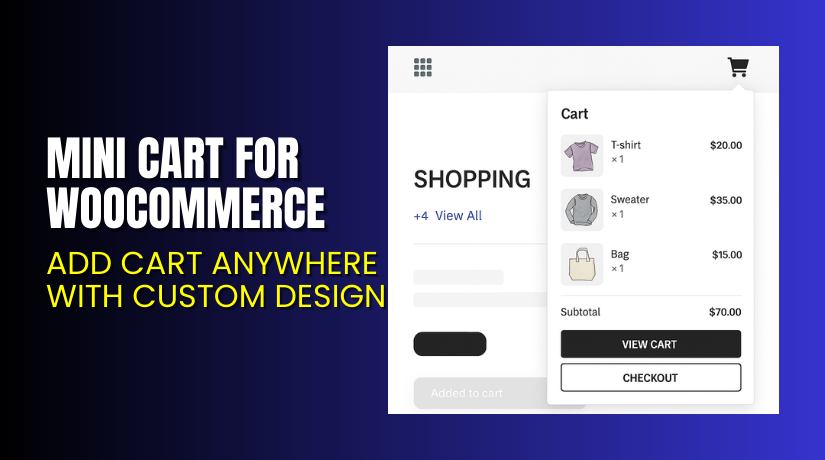
Mini Cart for WooCommerce – Add Cart Anywhere with Custom Design
Table of Contents
- Introduction
- What is Mini Cart for WooCommerce?
- Key Features of Mini Cart for WooCommerce
- How to Install and Configure the Plugin?
- Pricing & Plans
- My Experience with the Mini Cart Plugin
- Who Should Use This Plugin?
- Final Verdict
- FAQ
Introduction
Running a WooCommerce store means balancing design, speed, and usability. One area where many stores struggle is the shopping cart experience. A cluttered or hard-to-find cart can lead to lost sales.
Many customers abandon their cart simply because they can’t find it. Some want to edit items without reloading the cart page. Others want to check prices or product quantity while shopping.
The Mini Cart for WooCommerce plugin from Extendons solves this problem. It allows you to place a mini or fly-out cart anywhere on your site. Customers can view or update their cart without leaving the current page.
In this guide, we’ll explore everything about this plugin. From features and pricing to how it works and how it can improve conversions.
Need help installing it? Use our Installation & Troubleshooting Services.
What is Mini Cart for WooCommerce?
Mini Cart for WooCommerce is a plugin by Extendons. It adds a customizable mini cart anywhere on your website. It replaces the default cart link with a dynamic, interactive version.
With this plugin, you can:
- Add cart icons in your top menu
- Display a sticky or side cart
- Show item count and price dynamically
- Let users apply coupons and edit cart items instantly
The plugin is compatible with most WooCommerce themes and is mobile-friendly. You can show cart items on hover or click, use animation, and even design your own cart icon.
Plugin Version: 1.3.8
Last Update: May 27, 2025
Developer: Extendons
Compatibility: WooCommerce 2.6.0+ and WordPress 4.6+
Official Plugin Page: View Plugin on Extendons
Support: Extendons Support
Documentation: Official Documentation
Contact: Get in Touch with Extendons
Key Features of Mini Cart for WooCommerce
| Feature | Description | Why It Matters |
| Add cart in menu or anywhere | Place cart in header, footer, or content area | Makes the cart visible and accessible |
| Use shortcodes | Display cart with shortcode on any page | Adds flexibility for custom designs |
| Fly-out and mini cart display | Show cart on hover or as a static widget | Reduces cart abandonment |
| Sticky cart | Always visible on screen as users scroll | Helps users review orders faster |
| Side cart with animation | Slide-in cart from left or right | Creates modern UX and improves conversions |
| 13 prebuilt cart icons | Choose from multiple icons or upload your own | Matches your brand look |
| Item count and product preview | Show number of items and product details | Keeps shoppers informed |
| Enable coupon use in cart | Let customers redeem coupons in side cart | Encourages faster checkouts |
| Full cart customization | Edit colors, text, button styles | Maintain design consistency across your store |
| Add-to-cart alerts | Show notification on product addition | Confirms actions and improves experience |
How to Install and Configure the Plugin?
Follow these easy steps:
- Buy the plugin from the Extendons Plugin Page.
- Download the ZIP file after purchase.
- Log in to your WordPress dashboard.
- Go to Plugins → Add New → Upload Plugin.
- Upload the ZIP and click Install → Activate.
- Navigate to WooCommerce → Mini Cart Settings.
- Choose the cart type: fly-out, sticky, or side cart.
- Select your preferred cart icon and design settings.
- Add cart to menu or use shortcode to place it anywhere.
- Save settings and test cart display on mobile and desktop.
Need expert setup? Visit our Installation & Troubleshooting Services.
Pricing & Plans
| Plan | Price (USD) | Includes |
| Community | $49.00 | 1-year updates, 12-month support, 30-day money-back guarantee |
There is one version available at a single price.
Buy the Mini Cart for WooCommerce Plugin Now
My Experience with the Mini Cart Plugin
We tested this plugin on a WooCommerce site that needed better cart UX. Setup took just a few minutes. We chose the sticky cart with a fly-in animation and custom icon.


It worked right away. Cart updates were instant. The sticky cart kept users engaged throughout checkout. No page reloads, no confusion. Coupon fields and quantity edits worked great.
Pros
- Lightweight and fast
- Easy to configure
- Fully mobile-responsive
- Custom icons and design options
- Real-time cart updates
- No coding required
Cons
- No free version
- Limited layout templates
- Some advanced customizations may need CSS
Who Should Use This Plugin?
The Mini Cart plugin is perfect for:
- Stores that want to reduce cart abandonment
- WooCommerce shops needing a visible and mobile-friendly cart
- Clothing stores, digital shops, or any site with quick add-to-cart flows
- Web developers who need a shortcode-based cart for landing pages
- Beginners needing a plug-and-play solution for cart visibility
Useful Resources
- Plugin Sales Page – Extendons
- Plugin Documentation – Setup Guide
- Extendons Support
- Extendons Contact Page
- WooHelpDesk Installation & Troubleshooting Services
Final Verdict
The Mini Cart for WooCommerce plugin is simple, flexible, and powerful. It replaces static cart links with a dynamic shopping cart experience.
Your customers can add items, apply coupons, and view totals—all without leaving the current page. It helps reduce friction, boost conversions, and improve mobile experience.
At just $49, it’s one of the most affordable UX upgrades for WooCommerce stores.
Buy the Mini Cart Plugin for WooCommerce
Need help installing or configuring it? Try our WooHelpDesk Installation Service
FAQ
Q1. Can I display the mini cart in my site’s main menu?
Yes. You can show the cart in your header, footer, or anywhere using a shortcode.
Q2. What kind of cart options does this plugin offer?
You can use a mini cart, fly-out cart, sticky cart, or slide-in side cart.
Q3. Can customers apply coupon codes directly in the cart?
Yes. The plugin supports coupon input directly from the side or sticky cart.



