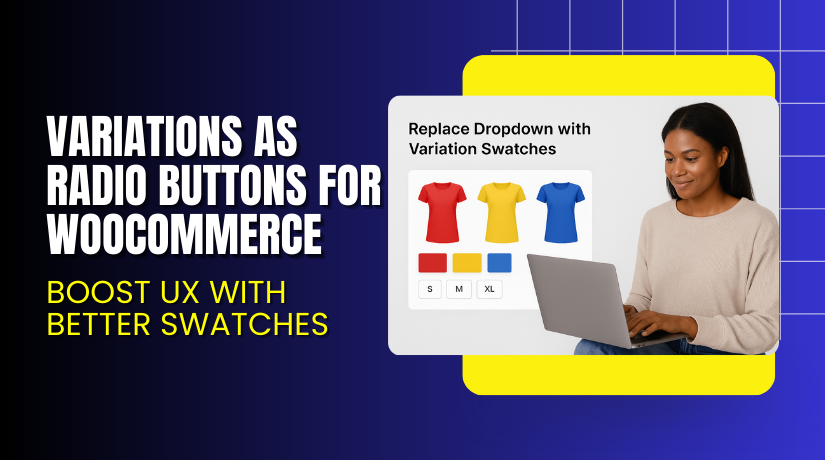
Variations as Radio Buttons for WooCommerce – Boost UX with Better Swatches
Table of Contents
- Introduction
- What is Variations as Radio Buttons for WooCommerce?
- Key Features of Variations as Radio Buttons
- How to Install and Configure the Plugin?
- Pricing & Plans
- My Experience with the Plugin
- Who Should Use This Plugin?
- Final Verdict
- FAQ
Introduction
Running a WooCommerce store comes with many challenges. One of the biggest? Giving your customers a clear, easy way to choose product variations.
The default variation dropdowns can confuse users. They may not understand which option is selected or even miss variations altogether. This leads to poor shopping experience and fewer conversions.
That’s where Variations as Radio Buttons for WooCommerce helps. It lets you replace those dropdowns with clean, clickable swatches.
With this plugin, you can turn boring selection boxes into colorful buttons, images, or labels. This makes your products more appealing and easier to shop.
In this article, we’ll walk you through the plugin’s features, installation, pricing, and real-world benefits. Plus, we’ll guide you on how to get help with setup if needed.
Need help with configuration? Try our Installation & Troubleshooting Services.
What is Variations as Radio Buttons for WooCommerce?
Variations as Radio Buttons for WooCommerce is a user experience enhancement plugin. It replaces the standard variation dropdowns with swatches. These swatches can be:
- Colored buttons
- Image swatches
- Text labels
The plugin is made by Extendons and works well with WooCommerce product variations. It also allows style customizations like button shapes, borders, and tooltips.
Customers can make variation selections faster and more visually. It also reduces selection errors and boosts conversion rates.
Plugin Version: 1.0.7
Last Updated: December 9, 2024
Developer: Extendons
Compatible With: WooCommerce 2.6.0+ and WordPress 4.6+
Official Plugin Page: View Plugin on Extendons
Support Page: Get Support
Documentation: Official Plugin Docs
Contact: Reach Extendons
Key Features of Variations as Radio Buttons
| Feature | Description | Why It Matters |
| Variation swatches | Replace dropdowns with radio buttons | Improves usability and clarity |
| Multiple swatch types | Use color, image, or text buttons | Matches any product style |
| Show swatches on shop page | Enable variation preview outside product page | Improves browsing speed |
| Customizable button shapes | Choose square or round buttons | Aligns with brand styling |
| Tooltip support | Show extra info on hover | Helps users make informed choices |
| Out-of-stock visibility | Show, blur, or hide unavailable variations | Sets proper expectations |
| Display rules | Enable swatches for all or specific products | Keeps full control |
| Personalized variation image swatches | Click or hover to view image swatches | Improves visual presentation |
| Responsive design | Works smoothly on all screen sizes | Essential for mobile shopping |
How to Install and Configure the Plugin?
Getting started is easy. Follow these steps:
- Purchase the plugin from Extendons Official Plugin Page
- Download the ZIP file from your account.
- Go to WordPress → Plugins → Add New → Upload Plugin.
- Upload and install the file. Click Activate.
- Head to WooCommerce → Variation Swatches Settings.
- Choose swatch type: color, image, or label.
- Assign swatch styles to individual products or globally.
- Customize swatch size, shape, borders, and hover effects.
- Save and test on the front end.
Need professional setup help? Use our WooHelpDesk Plugin Setup Services
Pricing & Plans
| Plan | Price (USD) | Includes |
| Community | $49.00 | 1-year updates, 12-month support, 30-day money-back guarantee |
There’s only one premium version and no free plan.
You can get it now: Buy Variations as Radio Buttons Plugin – Premium
My Experience with the Plugin
We tested this plugin on a live WooCommerce store. The goal was to replace dropdowns with image-based variation selectors.


Setup took under 15 minutes. The UI was intuitive. Swatches loaded fast, even on mobile.
We appreciated how easy it was to apply different styles to different products. Product pages felt more modern. Customers also completed purchases faster.
Pros
- Easy setup and configuration
- Boosts user engagement and product selection
- Fully responsive across devices
- Great support team response times
- Custom styles for each variation
Cons
- No free version
- Might need minor CSS for advanced styling
- Only one layout at a time for variation display
Who Should Use This Plugin?
This plugin is ideal for:
- Store owners selling products with multiple variations
- Clothing or fashion stores with color or size swatches
- Electronics shops needing image-based options
- Store owners who want to improve user experience
- Mobile-first stores looking for touch-friendly UI
Useful Resources
- Plugin Sales Page – Extendons
- Plugin Documentation
- Support Portal – Extendons
- Extendons Contact Page
- WooHelpDesk Installation & Troubleshooting Services
Final Verdict
If you want to make your WooCommerce product pages cleaner and more user-friendly, the Variations as Radio Buttons plugin is a must-have.
It replaces standard dropdowns with clickable swatches that look modern and function better. Whether you sell clothes, tech, or furniture, this tool helps users find and choose the right variation fast.
For just $49, it’s a powerful upgrade for your WooCommerce store. The boost in user experience and faster checkouts makes it worth every dollar.
Get the Plugin Now – Buy Premium Version
Need help setting it up? Our experts are ready: WooHelpDesk Plugin Installation & Support
FAQ
Q1. Can I apply radio buttons to only selected products?
Yes. You can enable swatches for all products or specific ones only.
Q2. Does it support image, color, and text swatches together?
Yes. You can mix and match swatch types per attribute or variation.
Q3. Is the plugin mobile responsive?
Yes. It works well on all screen sizes including tablets and phones.



