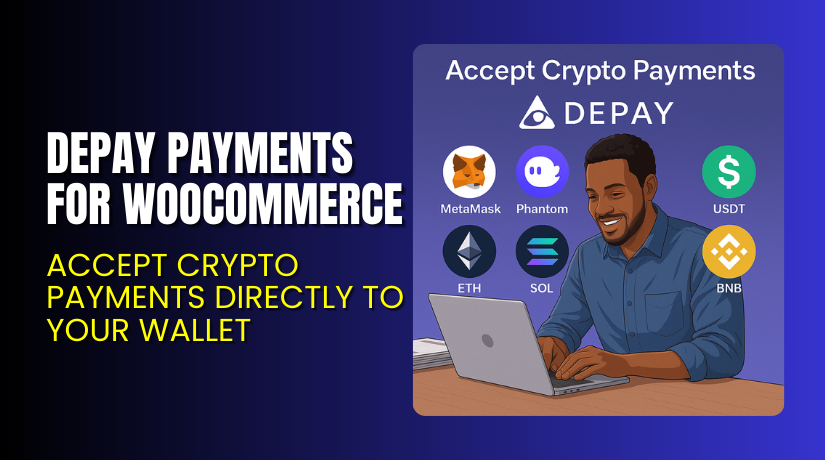
DePay Payments for WooCommerce – Accept Crypto Payments Directly to Your Wallet
Table of Contents
- Introduction
- What is DePay Payments for WooCommerce?
- Key Features of DePay Payments
- How to Install and Configure DePay Payments for WooCommerce
- Pricing & Plans
- My Experience with DePay Payments
- Who Should Use This Plugin?
- Final Verdict
- FAQ
Introduction
Running a WooCommerce store often requires managing payment gateways. Traditional payment processors charge high fees, delay payouts, and introduce compliance headaches.
If you’re looking to accept crypto payments without third-party intervention, DePay Payments for WooCommerce is the solution. This plugin enables wallet-to-wallet crypto payments, giving you complete control over your funds.
With support for major blockchains and thousands of tokens, DePay is an ideal choice for Web3-ready stores, NFT projects, and digital service providers.
In this guide, we’ll break down what DePay does, its installation, pricing, key features, pros and cons, and how to get started.
Need help with setup or integration? Use our Installation & Troubleshooting Services
What is DePay Payments for WooCommerce?
DePay Payments for WooCommerce is a crypto payment plugin that allows direct wallet-to-wallet transactions on your store. It is built by DePay AG, a Switzerland-based Web3 payments company.
This plugin removes middlemen and lets store owners accept payments directly in their crypto wallets. Payments are powered by DeFi technology, enabling real-time token conversion at the time of checkout.
With DePay, you can:
- Accept thousands of tokens like ETH, USDC, USDT, and MATIC
- Choose your preferred token for receiving payments
- Accept payments on Ethereum, Polygon, BNB Chain, Solana, and more
- Add crypto price tags to your WooCommerce products
It works perfectly for digital products, NFTs, crypto-native services, and eCommerce projects targeting global users.
Official Website: DePay.com
Plugin Page: DePay WooCommerce Plugin
Documentation: Official Setup Docs
Key Features of DePay Payments
| Feature | Description | Why It Matters |
| Wallet-to-Wallet Payments | Funds go directly to your wallet without any intermediaries | You control your money instantly and securely |
| Accept Any Token | Accept thousands of tokens across major blockchains | Flexibility for customers to pay in the crypto they prefer |
| DeFi-Powered Conversions | Instant conversion into the token of your choice | Ensures you always receive your desired token |
| Multi-Chain Support | Ethereum, BNB, Polygon, Solana, Arbitrum, Avalanche, and more | Reach customers across all major blockchain networks |
| Item Price Denomination | Display product prices in crypto (e.g. 0.12 ETH, 1.1 MATIC) | Clear pricing for crypto users |
| Easy WooCommerce Setup | Install the plugin and start accepting crypto in minutes | Fast onboarding with no technical complexity |
| NFT or DEPAY Unlocking | Unlock advanced features using DEPAY token or NFT | Promotes decentralization and loyalty |
| Open Source Support | Free plan offers 0% transaction fees using open source code | Developers and DIY users benefit without any cost |
How to Install and Configure DePay Payments for WooCommerce
Setting up DePay is simple and takes just a few minutes. Follow these steps:
- Visit the DePay Plugin Page and download the plugin.
- Go to your WordPress dashboard → Plugins → Add New → Upload Plugin.
- Upload the plugin ZIP file and click “Install Now”.
- Activate the plugin once installed.
- Navigate to DePay → Settings in your dashboard.
- Connect your wallet (e.g., MetaMask, Phantom).
- Choose the token(s) you want to receive payments in.
- Enable DePay checkout on your product or store-wide settings.
For help with custom configuration or blockchain integration, try our Installation & Troubleshooting Services.
Pricing & Plans
DePay offers several pricing tiers based on your usage, feature needs, and commitment:
| Plan | Rate | Includes |
| Open Source | Free | 0% transaction fees, open source only, limited platform features |
| Standard | 1.5% flat | No additional fees, access to managed integrations, payment plugins |
| Pro | 1.5% flat | Unlock with DEPAY token or NFT, full platform access, no limitations |
| Enterprise | As low as 0.5% | Requires high volume, unlock with DEPAY or NFT, premium customization |
- No hidden fees
- Pay only when transactions occur
- Open Source plan has 0% transaction cost, but excludes platform features
- All paid plans support managed integrations and plugins
For most WooCommerce store owners, the Standard plan is a good starting point.
View complete pricing details on DePay’s Pricing Page
Buy DePay Payments for WooCommerce
Ready to start accepting crypto payments directly?
DePay’s WooCommerce plugin is available now for quick setup. Choose a plan based on your volume and feature needs.
Get DePay Now → Download DePay for WooCommerce
Your support helps continue the development of decentralized payment technologies.
My Experience with DePay Payments
We implemented DePay on a demo WooCommerce site selling digital NFTs and services.


Pros
- Installation took under 10 minutes
- Full compatibility with MetaMask and Phantom wallets
- Payments settled instantly into the configured wallet
- Support for MATIC, ETH, and stablecoins was seamless
- No external gateways or third-party accounts required
Cons
- Requires a basic understanding of crypto wallets
- Not ideal for users unfamiliar with DeFi tools
- Unlocking Pro or Enterprise plans needs DEPAY tokens or NFTs
Overall, DePay is a strong payment plugin for stores that want crypto-first checkout options.
Who Should Use This Plugin?
DePay Payments is best suited for:
- WooCommerce store owners in Web3 or blockchain markets
- Digital product sellers (eBooks, NFTs, services)
- NFT marketplace operators
- Merchants who want fast, low-fee international payments
- Brands that accept USDC, ETH, MATIC, or altcoins
- Developers building crypto-native eCommerce
Useful Resources
To get the most out of your DePay integration, explore the following:
- Official Setup Documentation
- List of Supported Tokens
- DePay Github for Developers
- Installation & Troubleshooting Help
Community support is also available on Discord and Telegram.
Final Verdict
DePay Payments for WooCommerce is a reliable and forward-thinking crypto gateway. It eliminates the middleman, puts store owners in control, and supports payments in a decentralized way.
With simple setup, wide blockchain compatibility, and strong security, it’s a top pick for anyone looking to add crypto checkouts to WooCommerce.
Whether you want to receive stablecoins, native tokens, or altcoins, DePay makes the process smooth and secure.
Get Started with DePay Now → Start Accepting Crypto
For setup or support, visit our DePay Installation & Troubleshooting Services
FAQ
Q1. Is DePay compatible with all WooCommerce themes?
Yes. It works with most WooCommerce-compatible themes. Test before going live.
Q2. Which wallets does DePay support?
DePay supports wallets like MetaMask, Phantom, and others across major blockchains.
Q3. Can I accept stablecoins like USDC or USDT?
Yes. You can accept and receive payments in major stablecoins.
Q4. How does token conversion work?
DePay uses DeFi protocols to convert incoming tokens into your preferred one instantly.
Q5. What happens to unsupported tokens?
Unsupported tokens are automatically converted or rejected based on your setup.



