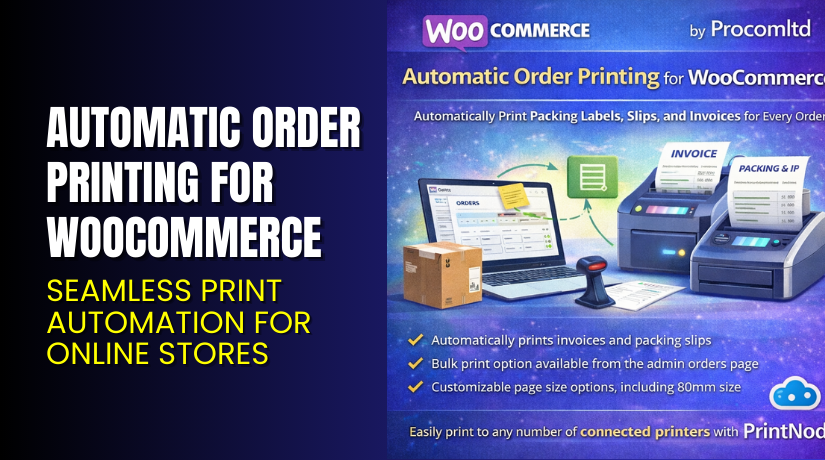
Automatic Order Printing for WooCommerce – Seamless Print Automation for Online Stores
Table of Contents
- Introduction
- What is Automatic Order Printing for WooCommerce?
- Key Features of Automatic Order Printing
- How to Install and Configure the Plugin
- Pricing & Plans
- My Experience with Automatic Order Printing
- Who Should Use This Plugin?
- Final Verdict
- FAQ
Introduction
Managing a WooCommerce store includes more than just online sales. You also need efficient order processing. This means picking, packing, and printing invoices or order slips. For many store owners, this task becomes repetitive and time-consuming.
Printing each order manually slows down workflow. Staff waste time opening PDFs and clicking “Print” every time. Delays can frustrate customers, especially when shipping speed matters.
Automatic Order Printing for WooCommerce offers a hands-free solution. It lets you automatically print orders as they come in. You can route them to any printer on your network. This reduces manual labor and speeds up your entire fulfillment process.
In this guide, you’ll learn what this plugin does, how to use it, its benefits, features, pricing, and more.
Need help with installation? Try our Installation & Troubleshooting Services.
What is Automatic Order Printing for WooCommerce?
Automatic Order Printing for WooCommerce is a premium plugin that automatically prints new orders as soon as they are placed.
Developed by Procomltd, the plugin connects your WooCommerce site to local or remote printers. It eliminates the need to manually open and print each order.
You can:
- Print receipts, packing slips, or invoices automatically
- Use thermal or standard printers
- Send orders to multiple printers based on conditions
- Choose what type of document to print
- Customize templates for your business needs
This plugin is ideal for retail stores, restaurants, warehouses, and any business that prints orders regularly.
- Plugin Page: Automatic Order Printing for WooCommerce
- Documentation: Official Plugin Docs
- Support Contact: WooCommerce Support
Key Features of Automatic Order Printing
| Feature | Description | Why It Matters |
| Real-Time Printing | Print orders immediately after checkout | No delays or manual effort |
| Printer Mapping | Assign printers to order types or locations | Improves workflow in large stores |
| Multiple Format Support | Print invoices, receipts, or packing slips | Customize based on your process |
| Cloud or Local Printing | Use local printers or cloud services | Works with any infrastructure |
| Template Customization | Edit print layout to match brand | Keeps documents on-brand |
| Multi-Printer Setup | Route different orders to different printers | Ideal for restaurants or multi-warehouse setups |
| Order Filters | Choose which order statuses trigger printing | Control what gets printed |
| Secure Integration | Encrypted connection to printing app | Keeps order data safe |
How to Install and Configure the Plugin
Follow these steps to get started:
- Purchase the plugin from Automatic Order Printing on WooCommerce.com.
- Download the plugin ZIP file from your WooCommerce account.
- Go to WordPress Dashboard → Plugins → Add New → Upload Plugin.
- Upload and activate the plugin.
- Install the companion printing app on your device (as described in the documentation).
- Connect your WooCommerce store to the printing app using API keys.
- Map your printer(s) to order types.
- Customize print templates as needed.
Full setup instructions are in the official documentation.
Need help setting it up? Try our Installation & Troubleshooting Services.
Pricing & Plans
| Plan | Price | Includes |
| 1 Year Plan | $119/year | Full plugin, updates, and support |
- Billed at $9.92/month, annually
- One year of updates and support is included
- Use on a single WooCommerce store
Buy Automatic Order Printing Now
✅ Purchase Here → Buy on WooCommerce Marketplace
Purchasing supports the developers and gives you access to professional support.
My Experience with Automatic Order Printing
We tested this plugin in a warehouse environment with 50+ daily orders. Here’s what we found:


Pros
- Saves 1–2 minutes per order in printing time
- Works with both thermal and regular printers
- Easy to map printers based on order status
- Simple setup with step-by-step instructions
- Great for teams with limited technical experience
- Reliable print job delivery with almost zero errors
Cons
- Requires installation of a desktop print app
- No direct support for mobile-based printing
- Custom print styling may need HTML/CSS
Who Should Use This Plugin?
Automatic Order Printing for WooCommerce is ideal for:
- Stores with high daily order volume
- Local businesses with same-day delivery
- Restaurants printing kitchen receipts
- Multi-warehouse operations
- Fulfillment centers or dropshippers
- Store owners who want to save staff time
Useful Resources
- Official Plugin Page
- Documentation & Setup Guide
- WooCommerce Support
- WooHelpDesk Installation Services
Final Verdict
Automatic Order Printing for WooCommerce helps businesses save time and automate a repetitive task.
If you’re printing multiple orders per day, this plugin will quickly pay for itself. It boosts productivity, reduces errors, and ensures that packing slips or order receipts are ready instantly.
At $119 per year, the price is affordable for most growing stores. The setup process is simple, and documentation is easy to follow.
→ Buy the Plugin from WooCommerce
Need expert setup help? Use our Installation & Troubleshooting Services
FAQ
Q1. Can I use the plugin with any printer?
Yes, it supports most standard and thermal printers via a companion app.
Q2. Does it work with all order types?
Yes. You can customize which order statuses trigger printing.
Q3. Can I print automatically on multiple printers?
Yes. You can assign different printers to different types of orders.
Q4. Is the setup complicated?
No. Follow the official documentation for easy configuration.
Q5. Is the plugin compatible with custom templates?
Yes, you can edit templates using HTML/CSS.



