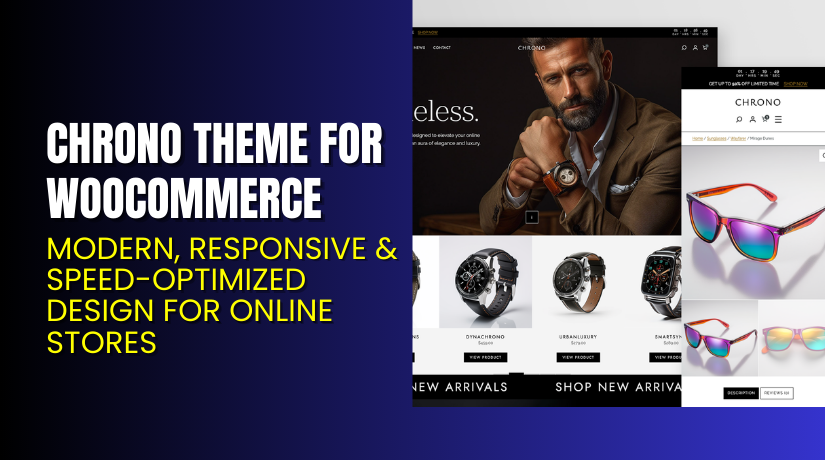
Chrono Theme for WooCommerce – Modern, Responsive & Speed-Optimized Design for Online Stores
Table of Contents
- Introduction
- What is Chrono Theme for WooCommerce?
- Features of Chrono Theme for WooCommerce
- How to Install and Configure Chrono Theme
- Chrono Theme — Pricing & Plans
- My Experience with Chrono Theme
- Who Should Use This Theme?
- Final Verdict
- FAQ
Introduction
Running a WooCommerce store isn’t easy. Store owners often struggle to find a theme that combines design, speed, and usability. Many themes promise flexibility but fail to deliver when it comes to performance and WooCommerce compatibility. A slow or cluttered design can directly impact sales, SEO rankings, and user trust.
Most online stores need a theme that loads fast, looks professional, and works well with all plugins. Unfortunately, many themes slow down your store or require heavy customization. As a result, store owners spend more time fixing issues than focusing on growth.
That’s where Chrono Theme for WooCommerce makes a difference. It’s a modern, lightweight theme designed to give your online store a clean, responsive, and conversion-friendly look. Whether you sell fashion, tech, or handmade items, Chrono offers a professional design that adapts beautifully across all devices.
In this article, we’ll explore Chrono Theme for WooCommerce, its main features, installation process, pricing, and user experience. We’ll also highlight the pros and cons so you can make the right choice for your online store.
👉 If you ever need help installing or troubleshooting any plugin or theme, please try our Installation & Troubleshooting Services.
What is Chrono Theme for WooCommerce?
Chrono Theme for WooCommerce is a responsive and performance-driven WordPress theme built specifically for WooCommerce stores. It’s designed and developed by Organic Themes, a trusted name known for clean, accessible, and SEO-friendly WordPress themes.
Chrono Theme blends modern design with speed optimization. It gives your store a professional layout that looks perfect on all devices — desktop, tablet, or mobile. The theme also supports full site editing (FSE), which means you can customize every section easily using the WordPress block editor.
It’s available in both Free and Premium versions. The free version provides a minimal layout and essential WooCommerce styling, while the premium version offers enhanced customization, demo content, and priority support.
Whether you’re building your first WooCommerce store or upgrading an existing one, Chrono Theme provides a solid base. It’s fast, lightweight, and built with clean code to ensure compatibility with the latest versions of WordPress and WooCommerce.
Features of Chrono Theme for WooCommerce
| Feature | Description | Why It Matters |
| Full Site Editing (FSE) | Customize headers, footers, and templates using the WordPress block editor. | Helps store owners design without coding knowledge. |
| WooCommerce Integration | Seamlessly integrates product pages, carts, and checkout layouts. | Ensures a consistent look and feel across your store. |
| Responsive Design | Adapts perfectly to mobile, tablet, and desktop screens. | Improves user experience and increases sales conversions. |
| Lightweight and Fast | Uses minimal scripts and optimized code for better speed. | Boosts page loading time and SEO performance. |
| Pre-Built Templates | Includes ready-to-use layouts for home, shop, and blog pages. | Saves time during setup and customization. |
| Customizable Colors and Fonts | Modify design elements directly from the WordPress Customizer. | Lets you align the theme with your brand identity. |
How to Install and Configure Chrono Theme for WooCommerce
- Download the theme from the link.
- Go to your WordPress Dashboard → Appearance → Themes → Add New → Upload Theme.
- Upload the downloaded .zip file and click Install Now.
- Activate the theme once installation completes.
- Go to Appearance → Editor (FSE) to begin customizing your pages.
- Configure colors, typography, and layouts using the Site Editor.
- Test the theme with your installed plugins to ensure full compatibility.
💡 If you face any configuration or compatibility issues, you can try our Installation & Troubleshooting Services.
Chrono Theme – Pricing & Plans
| Theme/Plugin Pack | All Access | Developer |
| $59/year | $99/year | $249/year |
| Download just the Organic Theme and Plugins. | Download all Organic Themes and Plugins. | Unlimited licenses for all products. |
|
|
|
Buy Chrono Theme Now
Purchase Here → Buy Chrono Theme Premium Now


💡 Your purchase supports the Organic Themes team and helps them continue developing clean, high-performance WooCommerce themes.
My Experience with Chrono Theme for WooCommerce
After testing the Chrono Theme on a live WooCommerce store, here’s what I found:
Pros
- Lightweight and extremely fast performance.
- Easy customization with the WordPress block editor.
- Mobile-friendly and optimized for SEO.
- Clean design that suits any business type.
- Great support and documentation from Organic Themes.
Cons
- Free version offers limited customization options.
- No built-in page builder support for complex layouts.
- Premium pricing may be high for small beginners.
Who Should Use This Theme?
- WooCommerce store owners are looking for a clean, responsive design.
- Agencies that manage multiple WooCommerce client websites.
- Bloggers and creators who want an integrated shop layout.
- Beginners who prefer a simple setup with fast performance.
- Developers who want a theme that’s lightweight and developer-friendly.
Useful Resources
- Official Theme Page
- Official Support Page
- Developer Documentation
- WooHelpDesk Installation & Troubleshooting Services
Final Verdict
If you’re looking for a lightweight, professional, and easy-to-customize WooCommerce theme, Chrono Theme for WooCommerce is a solid choice. It combines modern design, clean code, and performance optimization.
Whether you run a small store or a growing eCommerce brand, Chrono Theme offers everything you need for a smooth shopping experience. Its minimal design ensures that your products remain the center of attention.
👉 Buy Chrono Theme Premium Now
💡 Need help installing or configuring it? Try our Installation & Troubleshooting Services.
FAQ Section
Q1. Is Chrono Theme compatible with all WooCommerce extensions?
Yes, it works smoothly with most official WooCommerce extensions. Test before launch for best results.
Q2. Can I use both free and premium versions?
No. You must deactivate the free version before installing the premium one.
Q3. How can I get technical support?
You can reach the official team via the Organic Themes Support Page.



