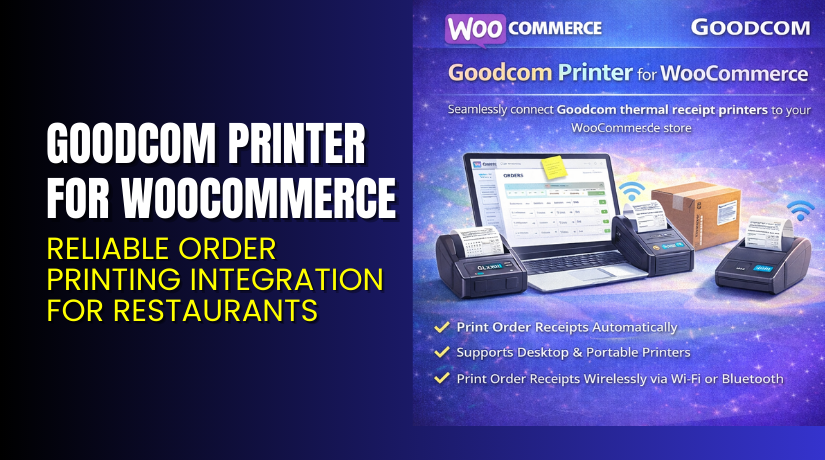
Goodcom Printer for WooCommerce – Reliable Order Printing Integration for Restaurants
Table of Contents
- Introduction
- What is Goodcom Printer for WooCommerce?
- Key Features of Goodcom Printer for WooCommerce
- How to Install and Configure Goodcom Printer for WooCommerce?
- Pricing & Plans
- My Experience with Goodcom Printer for WooCommerce
- Who Should Use This Plugin?
- Final Verdict
- FAQ
Introduction
Running a WooCommerce-based restaurant or food store brings unique challenges. Real-time order printing, timely customer updates, and managing multiple vendors can get overwhelming. Store owners often face delays in confirming online orders, errors in printing, and syncing restaurant status with their site.
The Goodcom Printer Plugin for WooCommerce solves these issues. It connects WooCommerce with Goodcom’s Android-based handheld printers. This ensures smooth and automated order receipt printing, even for complex setups like multi-vendor restaurants.
In this guide, we’ll cover what the Goodcom Printer Plugin does, how to install it, its features, pricing, pros and cons, and who it’s best for.
If you need help setting up this plugin or resolving compatibility issues, we offer dedicated Installation & Troubleshooting Services.
What is Goodcom Printer for WooCommerce?
Goodcom Printer for WooCommerce is a plugin designed for restaurant owners and food vendors. It connects WooCommerce order management with Goodcom’s Android POS printer devices. Once integrated, the plugin allows orders to be printed in real time on a handheld printer.
The plugin is developed by Goodcom Technology, a company specializing in Android POS hardware and cloud printing solutions. The plugin works with the GcAnyOrder app, which is installed on the printer itself.
This integration ensures restaurants can:
- Print order receipts instantly after a customer places an order.
- Automatically send confirmation emails with delivery times.
- Control restaurant open/close status through the mobile printer app.
- Manage printers remotely via the WordPress dashboard.
- Handle multi-vendor setups using WCFM or Dokan.
The plugin also supports extra features like customizable HTML receipt templates, delivery time settings, and multi-plugin compatibility for various WooCommerce food order extensions.
Official Plugin Page: Goodcom Printer Plugin for WooCommerce
Documentation: Goodcom Printer Official Documentation
Support: Contact Goodcom
Key Features of Goodcom Printer for WooCommerce
| Feature | Description | Why It Matters |
| Real-Time Order Printing | Prints WooCommerce orders on handheld printers using the GcAnyOrder app. | Reduces delay and eliminates manual handling of online orders. |
| HTML Receipt Templates | Supports fully editable HTML-based receipt templates. | Allows brand customization and clearer order format. |
| Email Confirmation & Delivery Time | Sends emails to customers after restaurant confirms the order. | Keeps customers informed and improves service transparency. |
| Remote Printer Management | Control printer settings, updates, and status via WordPress backend. | Saves time and avoids technical delays. |
| Restaurant Open/Close Toggle | Sync open/close status between GcAnyOrder app and WooCommerce. | Avoids wrong orders when the restaurant is closed. |
| Multi-Vendor Compatibility | Integrates with WCFM and Dokan plugins for multiple vendors. | Helps manage different restaurants from a single platform. |
| Extra Plugin Support | Works with WooFood, ByConsole, ExWooFood, and others. | Supports existing food ordering workflows. |
How to Install and Configure Goodcom Printer for WooCommerce?
- Request the latest plugin version directly from Goodcom.
- In your WordPress Dashboard, go to Plugins → Add New → Upload Plugin.
- Upload the plugin ZIP file and click Install Now.
- After installation, click Activate Plugin.
- Go to Settings → Goodcom Printer Settings and enter configuration details.
- Install additional modules if using multi-vendor or delivery scheduling plugins.
- Test compatibility with your existing theme and other plugins.
If you run into issues or need setup support, consider our Goodcom Plugin Installation Service.
Pricing & Plans
The official Goodcom website does not list direct pricing for the plugin. You need to contact their team to request the latest version or a custom package based on your store setup.
Most installations involve using the plugin in combination with Goodcom’s hardware, including their Android POS printers.
Note: Pricing may vary based on device selection, plugin features, and additional add-ons like multi-vendor support.
To get accurate and updated pricing, contact them via the Goodcom Contact Page.
Buy Goodcom Printer Plugin Now
Ready to integrate Goodcom Printer into your WooCommerce store?
Get started with the official team directly and configure your POS printing.
Purchase or Request Plugin → Buy Goodcom Printer Plugin


Buying from the official site ensures support, updates, and access to extra modules.
If you need help during setup, our Installation & Troubleshooting Services are available.
My Experience with Goodcom Printer for WooCommerce
We tested the plugin with a multi-vendor restaurant setup using WCFM.
Pros:
- Seamless order printing on handheld printers.
- Easy open/close sync between app and website.
- Custom receipt layouts using HTML.
- Supports WooFood and other food plugins.
- No need to log in to backend for basic controls.
Cons:
- No one-click install from WordPress plugin directory.
- No public pricing – must contact vendor.
- Setup requires working knowledge of POS printers.
Who Should Use This Plugin?
This plugin is a solid choice for:
- WooCommerce stores that need real-time order printing.
- Restaurants using Goodcom POS hardware.
- Multi-vendor food marketplaces using WCFM or Dokan.
- Business owners wanting remote printer and product control.
- Developers building advanced food delivery workflows.
Useful Resources
Final Verdict
If your WooCommerce restaurant or food business depends on reliable, real-time order processing, the Goodcom Printer Plugin is worth considering. It’s designed for seamless integration with Goodcom’s hardware and supports advanced features like multi-vendor printing, open/close toggles, and remote printer control.
It’s not a plug-and-play option available in the WordPress repository, but the added functionality is valuable for food delivery businesses looking to automate workflows.
Use the link below to explore more or request access.
Buy Goodcom Printer Plugin from the Official Site Explore & Buy Now
Need help setting it up? Visit our Installation & Troubleshooting Services.
FAQ
Q1. Is Goodcom Printer compatible with all WooCommerce themes?
Yes, it works with most standard themes. Testing is recommended before going live.
Q2. Can I use both free and premium versions?
The plugin isn’t listed in the WordPress repository. Contact Goodcom directly for access and updates.
Q3. How do I get support?
Reach out to Goodcom via their Contact Page. For setup help, use WooHelpDesk Services.



