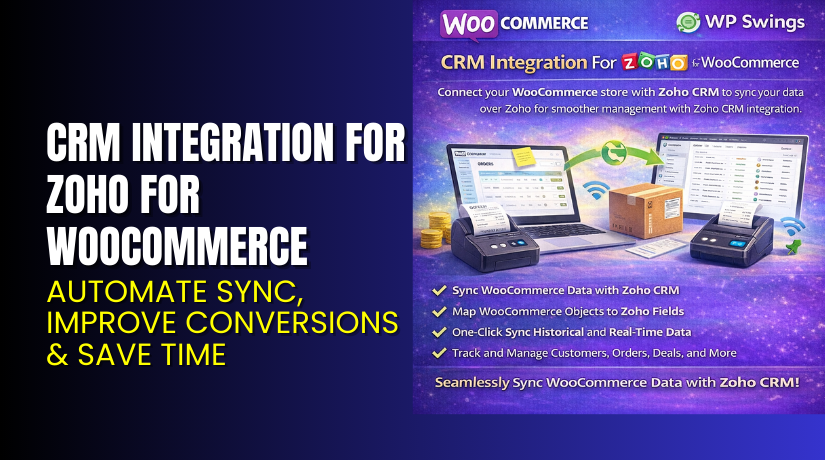
CRM Integration for Zoho for WooCommerce – Automate Sync, Improve Conversions & Save Time
Table of Contents
- Introduction
- What is CRM Integration for Zoho for WooCommerce?
- Key Features of CRM Integration for Zoho for WooCommerce
- How to Install and Configure CRM Integration for Zoho
- Pricing & Plans
- My Experience with CRM Integration for Zoho
- Who Should Use This Plugin?
- Final Verdict
- FAQ
Introduction
Running a WooCommerce store requires constant data syncing between multiple tools. Manual entry between your store and CRM is both time-consuming and error-prone. This can lead to poor lead management, missed sales opportunities, and cluttered customer data.
That’s where CRM Integration for Zoho by WP Swings comes in. It automates syncing between WooCommerce and Zoho CRM in real-time. You can transfer products, orders, contacts, and even abandoned carts with ease.
This plugin is especially helpful for store owners managing memberships, subscriptions, or custom feeds. Whether you run a single WooCommerce store or manage multiple clients, this plugin helps centralize customer data without the hassle.
In this article, we’ll explore how the plugin works, its key features, pricing, pros and cons, and how it compares to similar tools. We’ll also walk through the setup process with real-use cases.
If you need any assistance with setup or customization, consider using our Installation & Troubleshooting Services.
What is CRM Integration for Zoho for WooCommerce?
CRM Integration for Zoho for WooCommerce is a robust plugin designed to bridge your online store with Zoho CRM. It syncs products, contacts, orders, abandoned carts, and more automatically.
The plugin is built by WP Swings, a well-known WordPress development company focused on WooCommerce tools.
It supports both free and premium versions, but most advanced features are included in the premium plan.
You can:
- Sync WooCommerce data in real-time to Zoho CRM
- Fetch products from Zoho to WooCommerce
- Set up custom feeds to send specific data
- Sync abandoned carts, subscriptions, memberships, and more
The plugin is frequently updated and compatible with the latest WordPress (6.8.x) and WooCommerce (10.2.x) versions.
Official Plugin Page: CRM Integration for Zoho
Support Page: WP Swings Support
Documentation: Official Plugin Docs
Key Features of CRM Integration for Zoho for WooCommerce
| Feature | Description | Why It Matters |
| Bulk Data Sync | Sync all past data like orders and contacts to Zoho CRM. | Saves time during initial setup. |
| Two-Way Product Sync | Updates made in WooCommerce reflect in Zoho CRM and vice versa. | Keeps product catalogs aligned. |
| Abandoned Cart Sync | Track and sync data for users who left carts. | Helps recover lost sales. |
| Contact Form 7 Support | Sync form entries directly to Zoho CRM. | Simplifies lead collection. |
| Subscription & Membership Sync | Automatically syncs member and subscription data. | Useful for recurring businesses. |
| Multi-Currency Support | Send orders in different currencies. | Helps global stores manage data correctly. |
| HPOS Compatibility | Supports WooCommerce’s High-Performance Order Storage system. | Ensures stable sync for large stores. |
| Event Ticket Manager Support | Sync ticket sales to Zoho. | Useful for event-based businesses. |
How to Install and Configure CRM Integration for Zoho
- Purchase the Plugin:
Download from WP Swings product page. - Install the Plugin:
Go to WordPress Dashboard → Plugins → Add New → Upload Plugin. - Activate It:
Once installed, activate the plugin. - Configure Settings:
Go to Settings → Zoho CRM Integration. Connect your Zoho account. - Set Up Feeds:
Create custom feeds for contacts, orders, or products. - Test Compatibility:
Ensure the plugin works with your current theme and other plugins.
Need help? Try our Installation & Troubleshooting Services.
Pricing & Plans
| Plan | Price | Includes |
| 1 Site Plan | $129.00/year | Full plugin access, updates, and 1-year support |
| 5 Site Plan | $297.00/year | Full plugin access, updates, and 1-year support |
| 10 Site Plan | $619.00/year | Full plugin access, updates, and 1-year support |
| 30-Day Guarantee | Included | Risk-free trial with refund policy |
Note: All plans come with 1-year free support and regular updates.
Buy CRM Integration for Zoho for WooCommerce Now
Purchase Here → Buy Plugin Now
Your purchase supports the plugin developers and helps create more helpful tutorials.


My Experience with CRM Integration for Zoho
We tested this plugin on a live WooCommerce site selling digital courses and subscriptions. Here are the results:
Pros:
- Easy setup with clear documentation
- Bulk sync worked perfectly on first try
- Stable even with other plugins active
- Saved over 3 hours a week in manual syncing
- Support team responded within 12 hours
Cons:
- Requires separate plugins for some features (e.g. Contact Form 7)
- No built-in analytics or reporting
- Setup can be slightly technical for beginners
Overall, it’s a powerful tool that streamlines operations if you use Zoho CRM regularly.
Who Should Use This Plugin?
This plugin is ideal for:
- WooCommerce store owners who use Zoho CRM
- Agencies managing multiple WordPress stores
- Subscription or membership-based businesses
- Store owners running marketing campaigns via Zoho
- Site owners who want to recover abandoned carts
Useful Resources
Final Verdict
If you’re looking for a reliable Zoho-WooCommerce connector, CRM Integration for Zoho is a top choice. It automates time-consuming tasks and keeps your store and CRM data synced without manual effort.
From syncing subscriptions to managing multi-currency orders, this plugin does it all.
Use the link below to get started with the premium version today.
Buy CRM Integration for Zoho Premium Now → Visit Product Page
Need help? Try our Installation & Troubleshooting Services.
FAQ
Q1. Is CRM Integration for Zoho compatible with all WooCommerce themes?
Yes, it works with most standard themes. Test it on staging before live use.
Q2. Can I use both free and premium versions together?
No, you must deactivate the free version before using the premium.
Q3. How do I get support?
Visit the WP Swings Support Page or refer to the Documentation.



