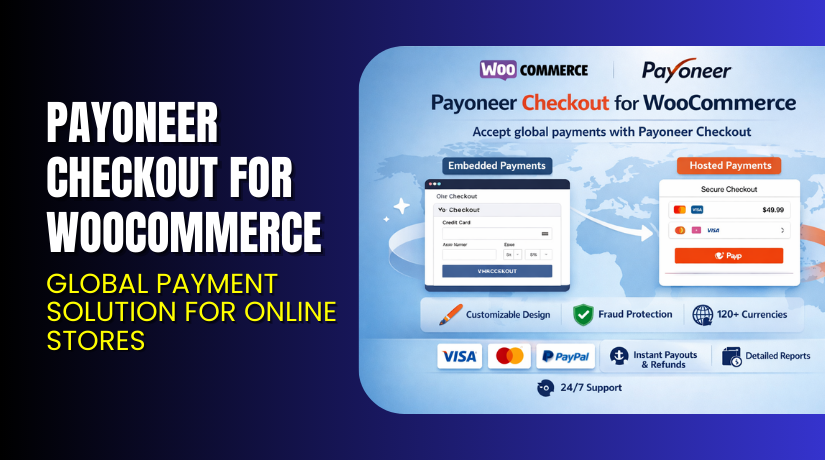
Payoneer Checkout for WooCommerce – Global Payment Solution for Online Stores
Table of Contents
- Introduction
- What is Payoneer Checkout for WooCommerce?
- Key Features of Payoneer Checkout
- How to Install and Configure Payoneer Checkout
- Pricing & Plans
- My Experience with Payoneer Checkout
- Who Should Use This Plugin?
- Final Verdict
- FAQ Section
Introduction
Running an international WooCommerce store means you need a secure, flexible, and fast way to accept payments. Many store owners struggle with:
- High transaction fees from payment gateways
- Limited support for global currencies
- Complex refund processes
- Low payment acceptance rates
- Limited fraud protection
If you sell globally or plan to, your payment system must meet international needs. That’s where Payoneer Checkout for WooCommerce comes in.
This plugin helps WooCommerce merchants accept card and local payments in over 120 currencies. It offers seamless setup, fraud prevention, and branded payment flows.
In this article, we’ll cover what Payoneer Checkout is, how it works with WooCommerce, its top features, setup guide, pros and cons, and resources.
👉 If you ever need help installing or troubleshooting any plugin or extension, please try our Installation & Troubleshooting Services.
What is Payoneer Checkout for WooCommerce?
Payoneer Checkout is a global payment processing solution for ecommerce merchants. It’s built to support small and mid-sized businesses operating online stores.
When integrated with WooCommerce, it allows store owners to accept:
- Major credit cards (Visa, Mastercard, Amex)
- Local and regional payment methods
- Payments in 120+ currencies
It also supports responsive design, so shoppers on any device get a fast and secure checkout.
Once installed, the plugin allows for embedded or hosted checkout options. Businesses can choose the design and flow that suits their store best.
By using Payoneer, you also unlock other services:
- FX currency conversion at competitive rates
- Ability to pay suppliers
- Local bank withdrawals
- Fraud detection tools
- Transparent settlement process
Official Plugin Page(WooCommerce): WooCommerce Extension Store
Official Plugin Page: Payoneer Checkout
Key Features of Payoneer Checkout
| Feature | Description | Why It Matters |
| Global Payment Support | Accepts credit cards and local methods in 120+ currencies | Helps increase international sales |
| Hosted or Embedded Checkout | Choose between seamless hosted flow or embedded widget | Gives control over branding and UX |
| Responsive Design | Optimized for desktop, tablet, and mobile users | Provides a smooth buyer experience |
| Local Currency Settlements | Withdraw funds in your local currency | Simplifies accounting and improves cash flow |
| Daily Settlements | Receive your funds quickly every business day | Improves liquidity and trust |
| Built-in Fraud Protection | Enhanced fraud prevention tools included | Lowers risk of chargebacks and fraud |
| Chargeback Management | Supports dispute resolution assistance | Protects seller reputation |
| Easy Refunds | Process refunds via WooCommerce or Payoneer dashboard | Streamlines operations |
| Local Support | Multilingual support based on seller region | Helps resolve issues faster |
How to Install and Configure Payoneer Checkout
Getting started is simple and requires only a few steps:
- Register for Payoneer Checkout
- Go to Payoneer Checkout for WooCommerce.
- Complete the registration and onboarding steps
- Download the Plugin
- Either download it from the Payoneer documentation
- Or install it from the WooCommerce Extensions Store
- Install the Plugin in WordPress
- In your WordPress admin, go to Plugins > Add New
- Upload or search for “Payoneer Checkout”
- Click “Install” and then “Activate”
- Enable the Payment Gateway
- Go to WooCommerce > Settings > Payments
- Enable Payoneer Checkout
- Test transactions to simulate orders and refunds
- Customize the Checkout Experience
- Choose hosted or embedded option
- Add your store’s branding and language preferences
- Test on desktop and mobile before going live
💡 If you face any configuration or compatibility issues, try our Installation & Troubleshooting Services.
Pricing & Plans
Payoneer does not list public pricing for the Checkout plugin. However, here’s what you should know:
- The plugin itself is free to install
- Payoneer charges transaction-based fees, but details vary by country and business type
- Pricing is transparent, with no hidden fees once you’re onboarded
- Competitive FX conversion rates and daily settlements are included
- You must have, or be willing to set up, a Hong Kong entity and maintain monthly volume above USD $20,000 to be eligible
To get specific pricing, apply for Payoneer Checkout and speak to your account manager.
Apply here: Payoneer Checkout
Buy Payoneer Checkout for WooCommerce Now
✅ Register Now → Start with Payoneer Checkout
💡 Your registration helps unlock localized payments and global customer access.


My Experience with Payoneer Checkout
We tested Payoneer Checkout on a WooCommerce demo store targeting international customers. Here’s what stood out:
Pros
- Quick setup and onboarding
- Secure and compliant checkout process
- Real-time local payment support in multiple currencies
- Multilingual support for shoppers and admins
- Professional appearance with responsive design
- Refunds and transactions easy to manage
Cons
- Not available to every merchant by default
- Requires business incorporation in Hong Kong for approval
- Requires minimum monthly transaction volume
- Some limitations in branding with hosted checkout
Who Should Use This Plugin?
Payoneer Checkout is ideal for:
- WooCommerce stores selling internationally
- Medium-sized businesses with regular global traffic
- Merchants needing faster settlements and fraud protection
- Businesses looking for multi-currency support
- Stores that want a flexible, mobile-optimized checkout solution
It may not suit very small stores or those focused only on local customers.
Useful Resources
- Payoneer WooCommerce Integration
- WooCommerce Product Page
- Payoneer Help Center
- Installation & Troubleshooting Services
Final Verdict
Payoneer Checkout for WooCommerce is a powerful solution for global payments. With support for multiple currencies, faster settlements, and secure checkouts, it helps ecommerce stores scale internationally.
If you’re already using WooCommerce and want to expand into new regions, this plugin can help increase conversions while lowering payment risks.
It’s not the best fit for all stores — especially if you don’t meet the volume or entity requirements. But for eligible merchants, it’s a strong alternative to other international gateways.
👉 Register for Payoneer Checkout Now
💡 Need help installing or fixing it? Try our Installation & Troubleshooting Services.
FAQ Section
Q1. What payment methods does Payoneer Checkout support?
It supports Visa, Mastercard, Amex, and local payment methods in over 120 currencies.
Q2. Does Payoneer Checkout work on mobile?
Yes, the checkout is fully responsive for mobile, tablet, and desktop devices.
Q3. How do I get support if something goes wrong?
WooCommerce handles plugin issues. For transactions, contact Payoneer support or your account manager.
Q4. Is there a minimum requirement to apply?
Yes. You must have or set up a Hong Kong business entity and meet monthly sales volume requirements.
Q5. Can refunds be processed through WooCommerce?
Yes. Refunds can be handled either in WooCommerce or through the Payoneer dashboard.



