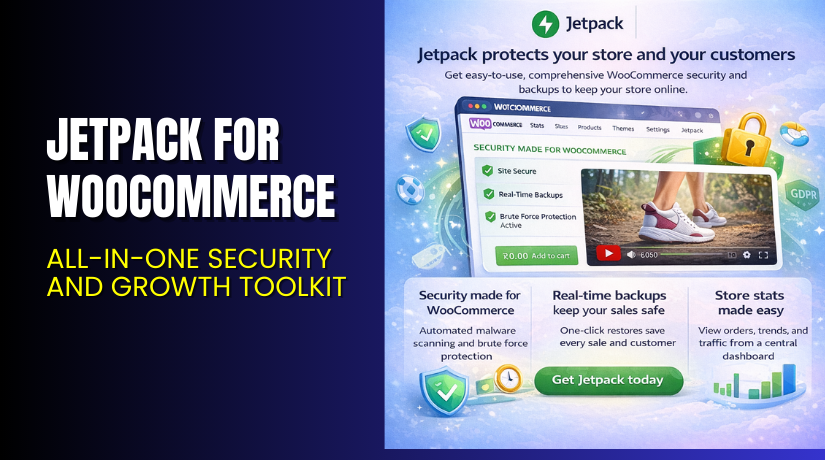
Jetpack for WooCommerce – All-in-One Security and Growth Toolkit
Table of Contents
- Introduction
- What is Jetpack?
- Key Features of Jetpack
- How to Install and Configure Jetpack
- Pricing & Plans
- My Experience with Jetpack
- Who Should Use This Plugin?
- Final Verdict
- FAQ
Introduction
Running a WooCommerce store is not easy. You must manage plugins for speed, backups, SEO, spam protection, and more. Each one adds complexity and increases the chances of conflicts.
Jetpack is built to simplify this. It offers multiple tools under one roof. Whether you need daily backups, anti-spam protection, or performance upgrades, Jetpack has it.
Most store owners face three major issues:
- Poor security and regular site downtime
- Slower site loading and bad SEO
- Spam, broken forms, and lack of insights
Jetpack solves these with a bundle of features that are easy to install and manage.
In this guide, we explore everything about Jetpack. You’ll learn what it does, how to install it, its pricing, features, and how it compares to alternatives.
Need help setting it up? Try our Jetpack Installation & Troubleshooting Services.
What is Jetpack?
Jetpack is a powerful all-in-one plugin suite for WordPress and WooCommerce websites.
It is developed by Automattic, the same team behind WordPress.com. Jetpack combines multiple extensions like backup, anti-spam, SEO, analytics, and more into one powerful plugin.
Jetpack is ideal for store owners who want simplicity. You don’t need to install 10 different plugins for speed, backup, or stats. Jetpack handles it all from one dashboard.
It offers both free and premium versions. The free version gives basic security and performance tools. Premium plans unlock daily backups, malware scanning, priority support, and advanced analytics.
Official Plugin Page: https://jetpack.com/
Developer Documentation: https://developer.jetpack.com/
Key Features of Jetpack
| Feature | Description | Why It Matters |
| VaultPress Backup | Real-time backups with 10GB storage | Keep your store safe from crashes |
| Akismet Anti-Spam | Blocks spam from comments and forms | Protects your brand and saves time |
| Jetpack Scan | Malware scanner and security alerts | Prevents hacking and downtime |
| Jetpack Boost | Speeds up loading and improves SEO | Better speed means more sales |
| Social Sharing | Auto-post to Facebook, X, LinkedIn | Save time and improve reach |
| Site Stats | Track visitors, pages, and conversions | Helps you make data-based decisions |
| VideoPress | Ad-free video hosting | Better engagement without ads |
| Newsletter & Monetization | Tools to grow subscribers and income | Simplifies store marketing |
Each feature is integrated smoothly. You don’t need to switch tools or worry about compatibility.
How to Install and Configure Jetpack
Setting up Jetpack is quick and simple.
Follow these steps:
- Download Jetpack from jetpack.com or your WordPress dashboard.
- Go to WordPress → Plugins → Add New → Upload Plugin.
- Install and activate Jetpack.
- Connect it with your WordPress.com account.
- Choose your plan – Free or Premium.
- Configure settings via WordPress → Jetpack → Settings.
Jetpack auto-detects your theme and active plugins. So, it avoids most conflicts.
Having issues?
Get expert help with our Jetpack Installation & Troubleshooting Services.
Pricing & Plans
Jetpack offers bundle plans and individual services. All prices below are billed yearly with 50% off the first year.
Bundle Plans
| Plan | Price | Includes |
| Security | $9.95/month (was $19.95) | VaultPress Backup, Scan, Akismet (10k API calls) |
| Growth | $9.95/month (was $19.95) | Stats, Social, Newsletter, Monetization |
| Complete | $24.95/month (was $49.95) | All security and growth features |
These bundles help you save more compared to buying each service separately.
Individual Add-ons
| Service | Price | Includes |
| VaultPress Backup | $4.95/month | Real-time backup with 10GB storage |
| Scan | $4.95/month | 24/7 malware scan and alerts |
| Akismet Anti-Spam | $4.95/month | 10,000 API calls/month |
| Jetpack Boost | $9.95/month | Speed and SEO boost |
| Social | $4.95/month | Auto-post to social media |
| VideoPress | $4.95/month | High-quality, ad-free video hosting |
| Stats | $8.33/month | Advanced site analytics |
All plans come with a 14-day refund policy and priority support.
Buy Jetpack Now


Want to secure and grow your store in one step?
Jetpack makes it easy. No need to manage 10 plugins or spend hours troubleshooting issues.
✅ Purchase Here → Buy Jetpack Premium Now
Your purchase helps the Jetpack team and supports more tutorials like this.
My Experience with Jetpack
I tested Jetpack on a WooCommerce clothing store with 100+ products.
Here’s what I observed:
Pros
- Very easy to set up and configure
- Automatic backups work without slowing the site
- Excellent spam filtering for blog and contact forms
- Real-time malware scan is accurate and fast
- Stats are simple but useful
- Speed boost improved Google PageSpeed scores by 15 points
Cons
- Some features feel basic compared to standalone tools
- Price may feel high if you don’t use all features
- Requires WordPress.com account to work
Overall, Jetpack works well and is stable. It reduces plugin clutter and is perfect for beginners and small businesses.
Who Should Use This Plugin?
Jetpack is ideal for:
- WooCommerce store owners who want better speed and security
- Beginners who need easy setup without tech skills
- Agencies managing multiple client websites
- Bloggers or small business owners who publish content regularly
Useful Resources
Use these resources for setup, updates, and help.
Final Verdict
Jetpack is a solid all-in-one solution for WooCommerce stores. It covers backups, malware scans, spam protection, speed boost, and more.
Instead of installing 8–10 different plugins, Jetpack does it all. It’s stable, easy to use, and backed by WordPress experts.
If you’re looking for a reliable plugin that helps your store grow, Jetpack is worth it.
Start today and unlock premium features.
Need help installing it? Try our Installation & Troubleshooting Services.
FAQ
Q1. Is Jetpack compatible with all WooCommerce themes?
Yes, it works with most standard WooCommerce themes. Always test before going live.
Q2. Can I use both free and premium versions?
You can start free but must deactivate it before installing premium.
Q3. How do I get support?
Use the official support channels. Paid plans get priority support.



