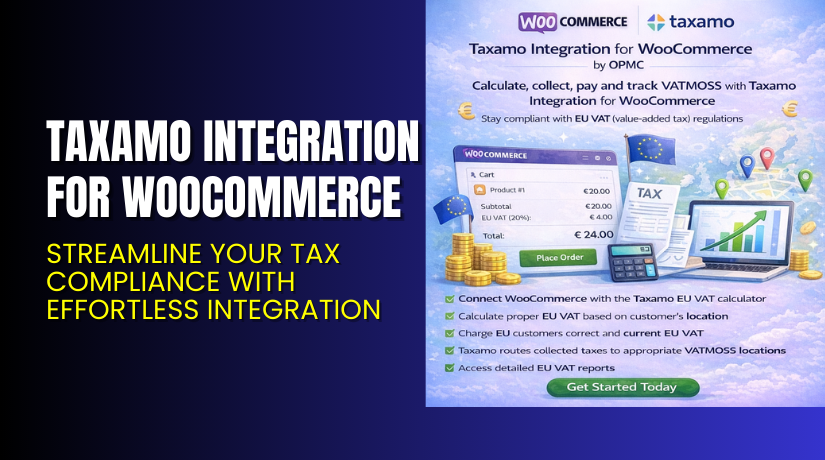
Taxamo Integration for WooCommerce – Streamline Your Tax Compliance with Effortless Integration
Table of Contents
- Introduction
- What is Taxamo Integration for WooCommerce?
- Key Features of Taxamo Integration for WooCommerce
- How to Install and Configure Taxamo Integration for WooCommerce
- Taxamo Integration for WooCommerce – Pricing & Plans
- My Experience with Taxamo Integration for WooCommerce
- Who Should Use This Plugin?
- Final Verdict
- FAQ
Introduction
Running a WooCommerce store can be complex, especially with multiple extensions to manage. One of the biggest challenges is ensuring that you stay compliant with tax regulations across various regions. Managing sales tax can be cumbersome, especially for store owners who deal with customers in multiple countries. Taxamo Integration for WooCommerce is a plugin designed to simplify this process by automating the tax calculation and reporting for your store.
This plugin integrates with WooCommerce seamlessly and helps you comply with international tax regulations. It ensures that the correct tax rates are applied to each transaction based on the customer’s location. By using this plugin, you can avoid the common issue of manual tax calculations, which can lead to errors and compliance risks. This article will explore how Taxamo Integration for WooCommerce works, its features, installation process, pricing, and how it compares to other tax plugins available for WooCommerce.
If you ever run into issues with installing or configuring the plugin, our Installation & Troubleshooting Services are available to assist you.
What is Taxamo Integration for WooCommerce?
Taxamo Integration for WooCommerce is a plugin that automates the calculation of sales tax for WooCommerce stores. It ensures compliance with international tax laws by determining the correct tax rate based on the customer’s location, including VAT (Value Added Tax) for European Union countries. Developed by Taxamo, this plugin is available in both free and premium versions, making it accessible to a variety of store owners.
The plugin automatically calculates taxes at the point of sale and provides detailed reports, which can be essential for businesses that need to file tax returns. With the increasing complexity of tax rules, especially for stores that sell across borders, Taxamo makes it easy to stay compliant and avoid errors.
You can find more details and purchase the plugin on the official page.
Key Features of Taxamo Integration for WooCommerce
| Feature | Description | Why It Matters |
| Automatic Tax Calculation | The plugin automatically calculates tax rates based on the customer’s location. | Helps store owners comply with tax regulations without manual intervention. |
| Compliance with Global Tax Laws | Taxamo integrates with global tax rules, including VAT and U.S. sales tax. | Saves time and reduces errors by applying correct tax rates based on location. |
| Detailed Tax Reporting | Provides detailed tax reports for filing tax returns. | Improves transparency and simplifies tax filing for store owners. |
How to Install and Configure Taxamo Integration for WooCommerce
- Download Taxamo Integration for WooCommerce from the link.
- Go to your WordPress Dashboard → Plugins → Add New → Upload Plugin. Upload the plugin file and click “Install Now.”
- After installation, activate the plugin from the Plugins section.
- Navigate to Settings → Taxamo Integration. Configure your tax settings, including tax rules and regions.
- Ensure the plugin is compatible with your theme and other extensions. You can test it by placing a test order from different regions.
👉If you face any configuration or compatibility issues, you can try our Installation & Troubleshooting Services for a smooth experience.
Taxamo Integration for WooCommerce – Pricing & Plans
| 1 Year Plan | 2 Year Plan |
| $79 | $126.40 |
Subscription includes
|
Subscription includes
|
Buy Taxamo Integration for WooCommerce Now
Purchase Taxamo Integration Premium Now
💡 Your purchase supports the development team and helps us create more tutorials like this.


My Experience with Taxamo Integration for WooCommerce
After testing Taxamo Integration for WooCommerce on a live WooCommerce site, here’s what I found:
Pros
- Easy Setup: Installs and configures quickly with no complex steps.
- Stable Performance: Works smoothly without causing site issues.
- Good Support: The Taxamo team provides responsive and helpful support.
Cons
- Premium Pricing: The paid version may be expensive for small businesses.
- Limited Styling Options: Customization for tax display on the front end is restricted.
- Free Version Limitations: The free version lacks many advanced features available in the premium plan.
Who Should Use This Plugin?
- WooCommerce store owners who want to automate tax compliance and focus on growing their business will find Taxamo Integration for WooCommerce a valuable tool.
- Agencies managing multiple WooCommerce sites will benefit from its scalability and ease of use.
- Beginners looking for a simple solution to manage taxes will appreciate its user-friendly setup and straightforward configuration.
Useful Resources
- Official Plugin Page
- Official Plugin Support Page
- Developer Documentation
- WooHelpDesk Installation & Troubleshooting Services
Final Verdict
If you’re looking for a reliable WooCommerce plugin that handles your tax compliance needs without breaking your site, Taxamo Integration for WooCommerce is a great choice. It automates tax calculations, ensures compliance with global tax laws, and saves you time.
👉 Buy Taxamo Integration Premium Now
💡 Need help installing or fixing it? Try our Installation & Troubleshooting Services.
FAQ Section
Q1. Is Taxamo Integration compatible with all WooCommerce themes?
Yes, it works with most standard WooCommerce themes. Always test before going live.
Q2. Can I use both free and premium versions?
You’ll need to deactivate the free version before installing the premium version.
Q3. How do I get support?
Contact the official team via the Plugin Support Page.



