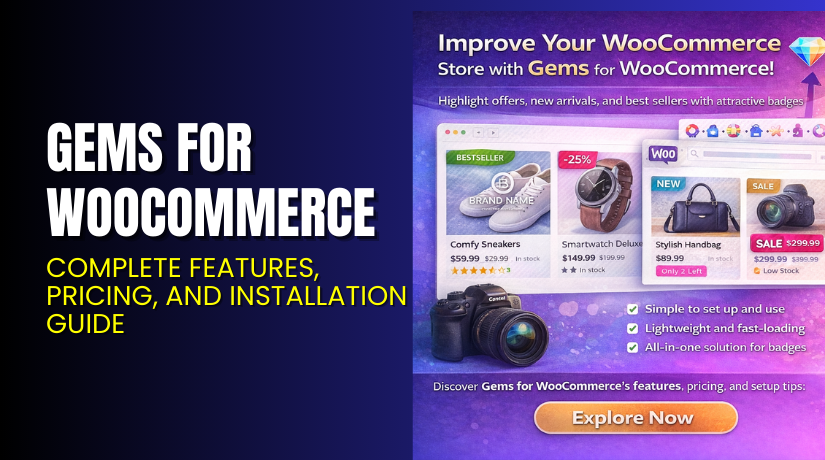
Gems for WooCommerce – Complete Features, Pricing, and Installation Guide
Table of Contents
- Introduction
- What is Gems for WooCommerce?
- Features of Gems for WooCommerce
- How to Install and Configure Gems for WooCommerce
- Gems for WooCommerce – Pricing & Plans
- My Experience with Gems for WooCommerce
- Who Should Use This Plugin?
- Final Verdict
- FAQ
Introduction
Running a WooCommerce store is not always simple. Store owners manage products, orders, customers, discounts, and many other tasks each day. Many store owners also install many plugins to improve sales or speed. But using too many tools can create confusion and slow down your workflow. You may also face bugs or design issues when plugins do not work well together.
Most store owners need extra features to make the buying journey simple. They need tools to show offers, highlight deals, display badges, or draw attention to key items. But finding a perfect plugin that handles these tasks is not easy. Many plugins are heavy, slow, or lack clear options. This makes users feel lost while setting them up.
This is where Gems for WooCommerce becomes useful. It helps store owners improve product display with clear and attractive badges. These badges help highlight offers, new items, and best sellers. With simple settings, store owners can improve conversions without using many tools.
In this article, we will explore Gems for WooCommerce, its features, pricing, setup steps, pros and cons, and usage tips.
👉 If you ever need help installing or troubleshooting any plugin or extension, please try our Installation & Troubleshooting Services.
What is Gems for WooCommerce?
Gems for WooCommerce is a product badge and highlight plugin designed for WooCommerce stores. It adds visual badges to products to help customers notice important items. These badges may include “Sale,” “New,” “Limited Stock,” “Best Seller,” or any custom text. The plugin allows you to create clean badges that match your store style. It also improves user attention and helps increase conversions.
The plugin is developed by Cherrypick Studios, a trusted provider of WooCommerce tools. It is available in both Free and Premium versions. The free version offers simple badges and basic style settings. The premium version includes advanced designs, extra layout choices, and full customization tools.
Store owners can use Gems for WooCommerce to improve the look of product listings. The plugin works with most WooCommerce themes and major page builders. It is also lightweight and does not slow down your store. This makes it a good choice for store owners who want a powerful yet simple product badge solution.
Features of Gems for WooCommerce
| Feature | Description | Why It Matters |
| Custom Product Badges | Add custom text, style, or icons to product badges. | Helps store owners highlight key products. |
| Pre-designed Badge Templates | Offers ready designs for quick badge setup. | Saves time by using built-in layouts. |
| Advanced Display Rules | Set rules for sale items, stock levels, or categories. | Improves conversions across product pages. |
| Badge Position Control | Choose badge position on product images. | Ensures perfect placement on all devices. |
| Lightweight and Fast | Designed for speed and smooth performance. | Improves UX and keeps the site loading fast. |
How to Install and Configure Gems for WooCommerce
- Download the plugin from the Gems for WooCommerce official page.
- Go to your WordPress Dashboard → Plugins → Add New → Upload Plugin.
- Install and activate the plugin.
- Open WooCommerce → Gems Settings and set your badge style.
- Create new badges and assign them to specific products or categories.
- Test the badges on your store to ensure proper placement and compatibility.
💡 If you face any configuration or compatibility issues, you can try our Installation & Troubleshooting Services.
Gems for WooCommerce – Pricing & Plans
Gems for WooCommerce is available for $49 per year, making it an affordable choice for store owners who want clean product badges without a high cost. The yearly plan includes regular product updates and improvements, so your store always gets the latest features. You also receive customer support, which helps you solve setup or display issues quickly.
The plugin also comes with a 30-day money-back guarantee, giving you complete peace of mind. If Gems for WooCommerce does not suit your store’s needs, you can request a full refund within the first month—simple and risk-free.
Buy Gems for WooCommerce Now
Purchase Here → Buy Gems for WooCommerce Premium Now


💡 Your purchase supports the development team and helps me create more helpful guides.
My Experience with Gems for WooCommerce
After testing Gems for WooCommerce on a live WooCommerce store, here is what I found:
Pros
- Easy to install and configure
- Clean badge designs with good style control
- Works with most WooCommerce themes
- Lightweight and fast
- Good support from the developer
- Flexible rule settings for product groups
Cons
- Some badge styles require the premium version
- Limited fonts in the free version
- No animation effects
- Few layout choices in the free version
Who Should Use This Plugin?
- WooCommerce store owners want better product visibility
- Agencies managing multiple WordPress clients needing clean badge tools
- Beginners wanting a simple yet powerful badge system
- Stores running sales, special offers, or new product launches
- Sites needing fast and lightweight design tools
Useful Resources
- Official Plugin Page:
- Official Plugin Support Page:
- Developer Documentation:
- WooHelpDesk Installation & Troubleshooting Services:
Final Verdict
Gems for WooCommerce is a clean, simple, and powerful product badge plugin. It helps highlight key items and improves customer attention. The plugin is easy to set up and works smoothly with most WooCommerce themes. If you want a reliable way to improve product visibility without slowing down your site, then this plugin is worth trying.
Use the link below to get started and unlock premium features today.
👉 Buy Gems for WooCommerce Premium Now
💡 Need help installing or fixing it? Try our Installation & Troubleshooting Services.
FAQ
Q1. Is Gems for WooCommerce compatible with all WooCommerce themes?
Yes, it works with most standard WooCommerce themes. Always test before going live.
Q2. Can I use both free and premium versions?
You must deactivate the free version before installing the premium version.
Q3. How do I get support?
You can contact the official support team through the Plugin Support Page.