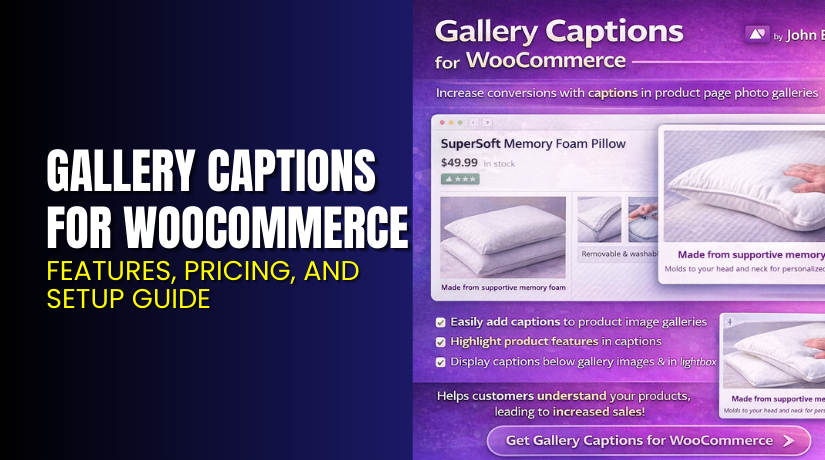
Gallery Captions for WooCommerce – Features, Pricing, and Setup Guide
Table of Contents
- Introduction
- What is Gallery Captions for WooCommerce?
- Features of Gallery Captions for WooCommerce
- How to Install and Configure Gallery Captions for WooCommerce
- Gallery Captions for WooCommerce – Pricing & Plans
- My Experience with Gallery Captions for WooCommerce
- Who Should Use This Plugin?
- Final Verdict
- FAQ
Introduction
Running a WooCommerce store means handling many product details each day. Store owners try to improve product pages, but small elements still affect sales and user trust. One common issue is missing caption support for product gallery images. Many themes show only the main product title but ignore captions inside the gallery. This creates confusion for buyers who want more context about product colors, styles, angles, or variations.
Shoppers often check gallery images before reading descriptions. When images lack captions, users may misunderstand product features. This can increase returns and reduce conversions. A clean caption system helps buyers identify image details quickly. It also improves accessibility and search visibility.
This is where Gallery Captions for WooCommerce becomes useful. The plugin adds caption support to all product gallery images in a simple and clean way. It lets you display helpful text below each gallery image. This gives customers extra information and improves overall clarity.
In this article, we will explore Gallery Captions for WooCommerce, its key features, installation steps, pricing, pros and cons, and who should use it.
👉 If you ever need help installing or troubleshooting any plugin or extension, you can try our Installation & Troubleshooting Services.
What is Gallery Captions for WooCommerce?
Gallery Captions for WooCommerce is a helpful extension that adds custom captions to your WooCommerce product gallery images. The plugin displays the caption directly under each gallery image. This creates a clear and informative visual layout for product pages. It works for shops that showcase clothing, accessories, furniture, handmade items, and similar visual products.
The plugin is developed by WooCommerce / Automattic and follows their high coding standards. It integrates smoothly with WooCommerce and works with most modern WordPress themes. The plugin improves user experience by allowing store owners to highlight image-specific details, like materials, design notes, variations, angles, or features.
Many store owners use alt text or descriptions, but customers cannot see that information on the front end. This plugin solves that problem by making captions visible to users without any manual coding. It is simple to set up and easy to manage.
You can add captions using the WordPress media editor. The plugin then displays them automatically on product pages.
Official Plugin Page:
Features of Gallery Captions for WooCommerce
| Feature | Description | Why It Matters |
| Caption Display for Gallery Images | Shows captions below each product gallery image. | Helps customers understand product details. |
| Theme-Compatible Design | Works with major WooCommerce themes. | Saves time by avoiding manual edits or fixes. |
| Automatic Caption Retrieval | Pulls captions directly from WordPress media. | Ensures images always stay updated and consistent. |
| Improved Accessibility | Adds meaningful text for screen readers. | Supports all users and improves accessibility compliance. |
| SEO-Friendly Captions | Uses proper markup for search engines. | Boosts SEO and helps Google understand product images. |
How to Install and Configure Gallery Captions for WooCommerce
- Download the plugin from the link.
- Go to WordPress Dashboard → Plugins → Add New → Upload Plugin.
- Install and activate the plugin.
- Open Products → Edit Product → Gallery Images.
- Add captions inside each gallery image using the media editor.
- Save the product and preview the gallery.
- Test the plugin to ensure compatibility with your theme and extensions.
💡 If you face configuration or compatibility issues, you can try our Installation & Troubleshooting Services.
Gallery Captions for WooCommerce – Pricing & Plans
| Monthly | Annually |
| $2.42 | $29 |
Subscription includes
|
Subscription includes
|
Buy Gallery Captions for WooCommerce Now


Purchase Here → Buy Gallery Captions for WooCommerce Premium Now
💡 Your purchase supports the development team and helps me create more detailed tutorials.
My Experience with Gallery Captions for WooCommerce
After testing Gallery Captions for WooCommerce on a live store, here’s what I noticed.
Pros
- Simple and fast setup.
- Lightweight and clean code.
- Works with most WooCommerce themes.
- Captions help reduce customer confusion.
- No need for custom coding.
- SEO-friendly text output.
- Good support from the WooCommerce team.
Cons
- No advanced styling options.
- Does not include custom design layouts.
- Premium cost may feel high for small stores.
- Limited control over caption placement.
Who Should Use This Plugin?
This plugin is great for:
- WooCommerce store owners want clear image captions
- Shops selling clothing, accessories, furniture, decor, or artwork
- Agencies managing visual-heavy products for clients
- Beginners who need simple caption support without coding
- Store owners are improving accessibility or SEO goals
Useful Resources
- Official Plugin Page
- Official Plugin Support Page
- Developer Documentation
- WooHelpDesk Installation & Troubleshooting Services
Final Verdict
Gallery Captions for WooCommerce is a helpful and reliable plugin for any WooCommerce store that wants better image clarity. It improves the shopping experience by adding clear, readable captions to product gallery images. It requires no technical skills and works smoothly with most themes. If your store relies heavily on product visuals, this plugin is worth using.
👉 Buy Gallery Captions for WooCommerce Premium Now
💡 Need help installing or fixing it? Try our Installation & Troubleshooting Services.
FAQ
Q1. Is Gallery Captions for WooCommerce compatible with all WooCommerce themes?
Yes, it works with most standard WooCommerce themes. Always test before going live.
Q2. Can I use both free and premium versions?
You must deactivate the free version before installing the premium version.
Q3. How do I get support?
You can contact the team through the official WooCommerce support page.



