Fixing the Issue of Delivery Date Fields Not Showing at WooCommerce Checkout
Table of Contents
- Introduction
- Common Reasons Why the Delivery Date Field Is Missing in WooCommerce Checkout
- Impact on Customer Experience and Order Management
- How to Fix the Delivery Date Field Not Showing on WooCommerce Checkout
- Top WooCommerce Delivery Plugins in 2025
- Contact WooCommerce Support
- Conclusion
Introduction
In WooCommerce, the delivery date field is a critical component that allows customers to select their preferred delivery dates during the checkout process. This feature enhances user experience and aids in efficient order management. However, there are instances where the delivery date field does not appear on the WooCommerce checkout page. Understanding the technical reasons behind this issue is essential for implementing effective solutions.
Common Reasons Why the Delivery Date Field Is Missing in WooCommerce Checkout
- Virtual Products in Cart
If a customer’s cart contains only virtual products—items that don’t require shipping—WooCommerce automatically hides shipping-related fields, including the delivery date. To display the delivery date field, ensure that physical products are present in the cart. - Unconfigured Shipping Methods
Certain shipping methods, like Local Pickup, may not show the delivery date field if not properly configured. To resolve this, enable the “Enable for local pickup” option in your shipping settings. This ensures the delivery date field appears during checkout for customers selecting Local Pickup. - Shipping Address Outside Defined Zones
WooCommerce uses shipping zones to determine available shipping methods. If a customer’s address doesn’t match any defined zone, no shipping methods are available, and the delivery date field won’t appear. Ensure all potential customer locations are covered within your shipping zones. Enabling “Shipping options > Debug mode” in WooCommerce settings can help identify and fix misconfigurations. - Theme or Plugin Conflicts
Delivery date field appearance may be affected by custom themes or plugins that alter the checkout layout. To diagnose this, temporarily switch to a default WooCommerce theme and deactivate other plugins. If the delivery date field appears, reactivate your theme and plugins one by one, testing each time to identify the conflict. Once identified, adjust the settings or seek support from the developer. - Plugin Settings After Updates
Updating plugins can sometimes reset specific configurations, causing the delivery date field to disappear. For instance, certain delivery date plugins have settings to enable or disable the delivery date field for specific product categories. After an update, these settings might revert to default values. Review and adjust the plugin settings post-update to ensure the delivery date field is enabled for the desired product categories. - Missing Order Processing Method
If the “Order Processing Method” isn’t set within a WooCommerce shipping method, the delivery date field may not display. Check your shipping method configurations to ensure an order processing method is assigned. Navigate to your shipping zones, manage the relevant zone, and assign the appropriate shipping method.
Impact on Customer Experience and Order Management
The missing delivery date field in WooCommerce checkout can affect both customer satisfaction and order handling.
How It Affects Customers
Customers like to choose their delivery dates to plan their orders. If this option is missing, they may feel uncertain about when their order will arrive, leading to frustration and possibly abandoning their cart. Showing the delivery date at checkout builds trust and makes customers more likely to complete their purchase.
Challenges for Store Owners
Without a clear delivery date, managing orders and inventory becomes harder. Store owners may struggle with prioritizing shipments and keeping stock levels balanced, which can cause delays and unhappy customers. Adding a delivery date field helps with better planning and smooth operations.
Making sure the delivery date field appears at checkout improves both the shopping experience and business efficiency. By identifying and fixing the issue, you can keep customers happy and ensure smooth order management.
How to Fix the Delivery Date Field Not Showing on WooCommerce Checkout
Making sure customers can choose a delivery date during checkout is important for a smooth shopping experience. If this field is missing, it can cause confusion and delays. Below are common reasons for this issue and how to fix them.
1. Cart Only Contains Virtual Products
WooCommerce automatically hides shipping-related fields, including the delivery date, if the cart has only virtual products that don’t require shipping.
Solution:
- Check product settings to make sure physical products are not marked as “virtual.”
- If your store has both virtual and physical products, configure it to show the delivery date field only when physical items are in the cart.
2. Shipping Methods Are Not Configured
Some shipping methods, like Local Pickup, do not show the delivery date field by default.
Solution:
- Go to your WooCommerce shipping settings and enable the “Enable for local pickup” option to ensure the delivery date appears at checkout.
3. Shipping Address Is Outside Defined Zones
WooCommerce requires shipping zones to determine available methods. If a customer’s address is not in a configured zone, the system may not show shipping options, including the delivery date.
Solution:
- Make sure all customer locations are included in your shipping zones.
- Enable “Debug mode” under WooCommerce > Shipping options to find and fix shipping zone errors.
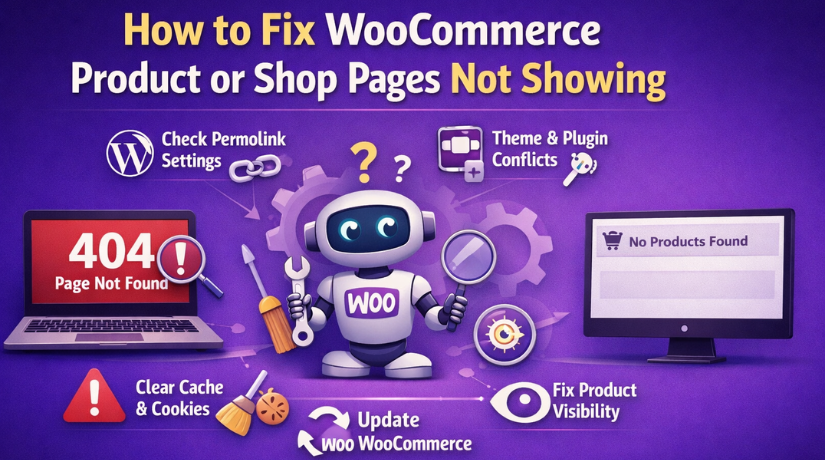
4. Theme or Plugin Conflicts
A custom theme or a plugin that modifies the checkout page can hide the delivery date field.
Solution:
- Temporarily switch to a default WooCommerce theme and disable other plugins.
- If the field reappears, reactivate the plugins one by one to find the one causing the issue. Adjust settings or contact the developer for help.
5. Plugin Settings Changed After Updates
Sometimes, plugin updates reset settings, causing the delivery date field to disappear.
Solution:
- After updating your delivery date plugin, check its settings and make sure the field is enabled for the correct product categories.
6. Missing Order Processing Method
If no order processing method is assigned to a shipping method, the delivery date field may not appear.
Solution:
- Check WooCommerce > Shipping zones, manage the shipping methods, and assign an order processing method.
7. Compatibility Issues with Checkout Blocks
Some delivery date plugins do not work with WooCommerce’s checkout blocks.
Solution:
- Use the default WooCommerce checkout page instead of checkout blocks.
- Contact the plugin developer to check for updates that add compatibility.
8. Outdated Plugins or Themes


Running outdated plugins or themes can cause conflicts and hide the delivery date field.
Solution:
- Regularly update WooCommerce, themes, and plugins to ensure everything works correctly.
9. Plugin Conflicts
If multiple plugins provide similar features, they may interfere with each other and prevent the delivery date field from showing.
Solution:
- Identify and disable any conflicting plugins.
- Consider using a well-rounded WooCommerce delivery plugin that includes all necessary features to avoid compatibility issues.
Top WooCommerce Delivery Plugins in 2025
Enhancing your WooCommerce store’s delivery capabilities is essential for customer satisfaction and operational efficiency. Below is a selection of top delivery plugins for 2025, each offering unique features to meet diverse business needs.
- WooCommerce Advanced Shipping
This plugin enables the creation of custom shipping rates based on conditions like weight, volume, and destination. Its user-friendly interface allows for easy setup of complex shipping rules without technical expertise.
Key Features:
- Customizable shipping rates based on multiple conditions
- Supports various shipping methods
- User-friendly interface for easy configuration
- AfterShip Tracking
AfterShip Tracking provides real-time tracking information, enhancing the post-purchase experience. It allows attachment of tracking numbers to orders and creation of a branded tracking page, reducing customer inquiries.
Key Features:
- Real-time tracking updates
- Branded tracking information page
- Automated notifications for shipment statuses
- WooCommerce Shipment Tracking Pro
This plugin supports integration with multiple carriers, offering accurate tracking information. It seamlessly integrates with the WooCommerce order details page and emails, ensuring customers have easy access to their tracking data.
Key Features:
- Supports a wide range of shipping carriers
- Integration with order details and emails
- Provides accurate tracking information
- WooCommerce Weight Based Shipping
Ideal for stores with products of varying weights, this plugin calculates shipping costs based on product weight. It allows setting multiple shipping rules to ensure fair and accurate shipping charges.
Key Features:
- Calculates shipping costs based on weight
- Supports multiple shipping rules
- Ensures accurate shipping charges
- Easyship WooCommerce Shipping Rates
Easyship offers real-time shipping rates and automates label generation directly from the WooCommerce dashboard. It integrates with multiple carriers, providing customers with various shipping options at checkout.
Key Features:
- Real-time shipping rates
- Automated label generation
- Integration with multiple carriers
- WooCommerce Shipping & Tax
This comprehensive plugin allows customization of shipping options and automatic tax calculations. It offers flexible shipping rates and real-time shipping calculations, streamlining the checkout process.
Key Features:
- Customizable shipping options
- Automatic tax calculations
- Real-time shipping calculations
- ELEX EasyPost WooCommerce Plugin
Integrating with major carriers like FedEx, UPS, USPS, and Canada Post, this plugin provides real-time shipping rates, label generation, and tracking. It automates the shipping process, ensuring accurate rates and efficient order fulfillment.
Key Features:
- Supports multiple major carriers
- Real-time shipping rates
- Automated label generation and tracking
- WooCommerce Table Rate Shipping PRO by JEM Products
This plugin offers flexible shipping options based on conditions like weight, price, quantity, and destination. It’s ideal for stores requiring advanced shipping calculations and custom rates.
Key Features:
- Flexible shipping options
- Advanced shipping calculations
- Customizable rates based on various conditions
- WooCommerce Local Pickup Plus
Enhancing the standard local pickup option, this plugin allows customers to select a pickup location during checkout. It’s beneficial for businesses with multiple physical locations, offering convenience to customers.
Key Features:
- Multiple pickup location selection
- Scheduling options for pickup
- Improves customer convenience
- WooCommerce ShipStation Integration
Connecting WooCommerce stores to ShipStation, this plugin supports multiple carriers and offers real-time shipping rates. It centralizes order management and automates label printing, streamlining the fulfillment process.
Key Features:
- Integration with ShipStation
- Supports multiple carriers
- Automated label printing and order management
Contact WooCommerce Support
If you’ve tried all the recommended solutions and still face issues with the delivery date field in WooCommerce, it’s best to seek professional help. You can contact WooCommerce support at +1 888 602 0119 (US & Canada). Additionally, you can join our WooCommerce chat, where you can get the proper solution for your issue.
Conclusion
The delivery date field in WooCommerce checkout helps improve customer experience and order management. If it’s missing, checking product settings, shipping configurations, and plugin compatibility can help resolve the issue. Keeping everything updated and troubleshooting conflicts can prevent future problems.