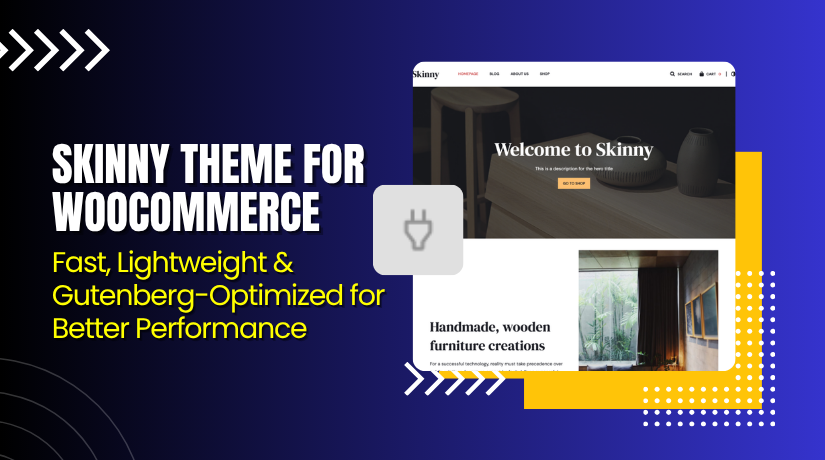
Skinny Theme for WooCommerce – Fast, Lightweight & Gutenberg-Optimized for Better Performance
Table of Contents
- Introduction
- What is Skinny Theme for WooCommerce?
- Features of Skinny Theme for WooCommerce
- How to Install and Configure Skinny Theme for WooCommerce
- Skinny Theme for WooCommerce – Pricing & Plans
- My Experience with Skinny Theme for WooCommerce
- Who Should Use This Theme?
- Final Verdict
- FAQ
Introduction
Running a WooCommerce store is exciting, but it’s not always simple. Many store owners struggle with themes that slow down their website, cause layout issues, or fail to look professional on all devices. Some themes are too heavy and require coding knowledge to customize. Others break easily when you install plugins or updates. These problems affect your site speed, SEO, and customer trust.
That’s why choosing the right WooCommerce theme is so important. You need something that’s fast, lightweight, and compatible with modern tools like Gutenberg. It should make your products look beautiful while ensuring your store performs smoothly.
In this article, we’ll explore Skinny Theme for WooCommerce — a minimal, responsive, and Gutenberg-ready WordPress theme. You’ll learn about its features, pricing, pros and cons, and how to install it.
👉 If you ever need help installing or troubleshooting any theme or extension, please try our Installation & Troubleshooting Services.
What is Skinny Theme for WooCommerce?
Skinny Theme for WooCommerce is a modern, lightweight WordPress theme built for eCommerce stores. It’s designed by Codestag, a trusted WordPress theme developer known for clean, well-coded designs. The theme works perfectly with Gutenberg and WooCommerce, making it ideal for store owners who want a minimal and stylish look.
Skinny provides a flexible layout that focuses on simplicity and speed. It helps you create professional-looking stores without complex settings or heavy page builders. You can customize colors, typography, and product layouts using the WordPress Customizer.
The theme is available in both free and premium versions. The free version gives you basic design features, while the premium plan unlocks advanced layouts, styling options, and priority support.
Official Plugin Page: https://codestag.com/themes/skinny/
Support Page: https://codestag.com/support/
Features of Skinny Theme for WooCommerce
| Feature | Description | Why It Matters |
| Minimal and Elegant Design | Offers a clean, distraction-free layout perfect for modern stores. | Helps highlight your products and improve user experience. |
| WooCommerce Ready | Fully integrates with WooCommerce to manage products and checkout easily. | Ensures smooth performance and compatibility with WooCommerce plugins. |
| Gutenberg Compatible | Works perfectly with the WordPress block editor for easy content creation. | Saves time by allowing visual edits without coding. |
| Responsive Layout | Adapts to all screen sizes — mobile, tablet, and desktop. | Improves conversions by providing a seamless shopping experience. |
| Lightweight and Fast | Optimized for speed and minimal load times. | Enhances SEO and improves customer satisfaction. |
| Customizable Options | Includes flexible typography and color settings. | Let’s you match the theme to your brand’s style. |
| Clean Code and SEO Friendly | Built with WordPress standards and SEO best practices. | Helps your store rank higher in search engines. |
How to Install and Configure Skinny Theme for WooCommerce
- Download the theme from the link.
- Go to your WordPress Dashboard → Appearance → Themes → Add New → Upload Theme.
- Upload the ZIP file and click Install Now.
- Once installed, click Activate to enable the theme.
- Navigate to Appearance → Customize to adjust settings like logo, colors, fonts, and homepage layout.
- Set up your WooCommerce pages (Shop, Cart, Checkout) and test for compatibility.
💡 If you face any configuration or compatibility issues, try our Installation & Troubleshooting Services.
Skinny Theme for WooCommerce – Pricing & Plans
| Skinny | Theme Bundle | Lifetime |
| $69 | $129 | $299 |
|
|
|
Buy Skinny Theme for WooCommerce Now
Purchase Here → Buy Skinny Theme Premium Now
💡 Your purchase supports the Codestag team and helps create more great themes and tutorials.


My Experience with Skinny Theme for WooCommerce
After testing Skinny Theme on a live WooCommerce site, here’s what I noticed:
Pros
- Extremely fast and lightweight.
- Clean, modern design with great typography.
- Easy to customize without coding knowledge.
- Excellent integration with Gutenberg and WooCommerce.
- Reliable updates and responsive support from Codestag.
Cons
- Limited header and footer layout options in the free version.
- No built-in mega menu or advanced sliders.
- Requires manual setup for some design sections.
Overall, the theme offers a professional look with high performance and stability.
Who Should Use This Theme?
- WooCommerce store owners want a clean and minimal design.
- Agencies managing multiple WordPress eCommerce projects.
- Beginners seeking a simple and lightweight theme that works out of the box.
- Developers looking for a well-coded, SEO-friendly base theme for customization.
- Bloggers or portfolio owners who want to add shop functionality easily.
Useful Resources
- Official Plugin Page
- Official Support Page
- Developer Documentation
- WooHelpDesk Installation & Troubleshooting Services
Final Verdict
If you’re looking for a minimal, beautiful, and high-performing WooCommerce theme, Skinny Theme is an excellent choice. It keeps your store fast, elegant, and easy to manage.
👉 Buy Skinny Theme Premium Now
💡 Need help installing or fixing it? Try our Installation & Troubleshooting Services.
FAQ
Q1. Is Skinny Theme compatible with all WooCommerce plugins?
Yes, it works with most WooCommerce extensions and follows WordPress coding standards.
Q2. Can I use both free and premium versions together?
No, deactivate the free version before installing the premium one.
Q3. How do I get official support?
You can contact Codestag directly via their Support Page.



