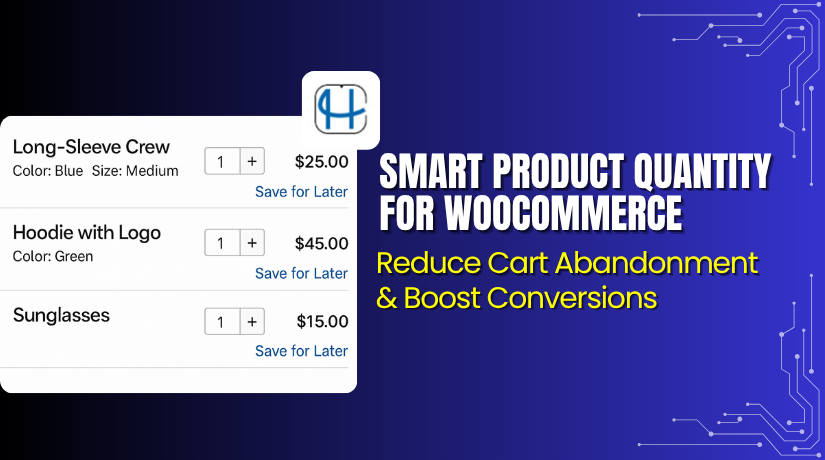
Smart Product Quantity for WooCommerce – Control Product Quantities with Precision
Table of Contents
- Introduction
- What is Smart Product Quantity for WooCommerce?
- Key Features of Smart Product Quantity for WooCommerce
- How to Install and Configure Smart Product Quantity
- Pricing & Plans
- My Experience with Smart Product Quantity
- Who Should Use This Plugin?
- Final Verdict
- FAQ
Introduction
WooCommerce offers basic quantity management. But many stores need more control. Selling in fixed batches or setting purchase limits isn’t easy with default options.
Store owners often want to:
- Set minimum or maximum quantities
- Sell in predefined quantity steps (like 3, 6, 9)
- Control float quantities (like 0.5, 1.5)
- Restrict quantity for specific variations
Smart Product Quantity for WooCommerce solves all these problems. It gives you full control over how quantities are handled in your store. Whether you’re managing wholesale, packaged goods, or fractional sales — this plugin makes it simple.
In this guide, we cover its features, pricing, setup steps, pros and cons, and ideal use cases. We’ll also point you to expert help if needed.
Need installation help? Use our Installation & Troubleshooting Services.
What is Smart Product Quantity for WooCommerce?
Smart Product Quantity for WooCommerce is a quantity management plugin for WooCommerce. It lets you define minimum, maximum, and step values for product quantities.
The plugin is useful for stores that:
- Sell bulk or pack-based items
- Deal in decimals or float values
- Want to restrict purchase behavior
This plugin is developed by HighAddons, and it works with WordPress 5+ and WooCommerce 5+. It’s also compatible with HPOS (High-Performance Order Storage) and multisite environments.
You can apply quantity rules globally or per product. You can also control how errors are shown to customers on the cart page.
The plugin is available in a single premium plan, priced at $49/year.
Official Plugin Page: Smart Product Quantity for WooCommerce
Documentation: Plugin Documentation
Support Page: Contact for Support
Key Features of Smart Product Quantity for WooCommerce
| Feature | Description | Why It Matters |
| Min/Max Quantity Rules | Define minimum or maximum purchase limits. | Prevent underbuying or overbuying. |
| Quantity Step Control | Set step intervals like 2, 5, or 10. | Useful for bundle sales or fixed units. |
| Float Quantity Support | Allow decimals like 0.5 or 1.5. | Ideal for liquids, fabrics, or weight-based items. |
| Variation-Specific Settings | Apply different rules for product variations. | Gives granular control per option. |
| Error Messaging | Show cart page messages for invalid quantity input. | Reduces confusion and improves usability. |
| HPOS Compatibility | Works with WooCommerce’s new storage system. | Future-proof and optimized. |
| Multisite Ready | Fully supports WordPress multisite setups. | Good for agencies and networks. |
| Admin Dashboard Float View | Allows float quantities in backend orders. | Ensures smooth management from admin side. |
How to Install and Configure Smart Product Quantity
The plugin is simple to install and configure:
- Buy the plugin from the official product page.
- Download the plugin ZIP file.
- Log in to your WordPress dashboard.
- Go to Plugins → Add New → Upload Plugin.
- Upload and install the ZIP file.
- Click Activate Plugin.
- Navigate to WooCommerce → Smart Quantity Settings.
- Set global quantity rules or go to individual product settings.
- Customize error messages and quantity steps as needed.
- Save changes and test on the frontend cart.
If anything doesn’t work as expected, try our Installation & Troubleshooting Services.
Pricing & Plans
| Plan | Price (USD) | Includes |
| Premium | $49 / year | Full features + updates + 1 year of support |
There is no free version. The $49 annual plan provides complete access, updates, and support.
It is a cost-effective solution for quantity control across different business models.
Buy Smart Product Quantity for WooCommerce Now
Buy Now → Get the Plugin
Your purchase supports plugin development and gives you access to updates and support.
Also, by buying through our service, you support ongoing tutorials and custom service offerings.


My Experience with Smart Product Quantity
We tested this plugin on a WooCommerce store selling fabric in meters. Here’s what we found:
Pros
- Easy to set up and configure
- Supports both integer and decimal quantities
- Works well with simple and variable products
- Compatible with latest WooCommerce and HPOS
- Good cart-level validation
- Lightweight and stable performance
Cons
- Limited design customization for messages
- Does not support per-user role quantity rules
- No built-in analytics for quantity limits used
For most users, these are minor concerns. The core features work flawlessly.
Who Should Use This Plugin?
Smart Product Quantity for WooCommerce is perfect for:
- Wholesale stores that sell in bulk packs
- Stores selling liquids or fabrics by weight or meter
- Subscription box businesses with fixed quantities
- Agencies building quantity-restricted client stores
- Food businesses selling fixed-weight items
- WooCommerce shops needing more control than default options
If quantity matters to your pricing model or product handling, this plugin is a must.
Useful Resources
- Official Plugin Page
- Plugin Documentation
- Contact for Support
- WooHelpDesk Installation & Troubleshooting Services
Final Verdict
Default WooCommerce quantity options are basic. They don’t offer enough flexibility for advanced stores.
Smart Product Quantity for WooCommerce fills this gap perfectly. Whether you need float quantities, batch rules, or variation-specific limits — this plugin does it all.
It works out of the box and is highly compatible with current WooCommerce systems.
If your store depends on strict quantity handling, this plugin will save you time, reduce errors, and increase operational control.
At just $49/year, it’s one of the most affordable and practical WooCommerce plugins available.
Need help setting it up? Use our Installation & Troubleshooting Services for a worry-free setup.
FAQ
Q1. Can I set different quantity rules for each variation?
Yes, you can define quantity settings per variation individually.
Q2. Does it support decimal quantities like 0.5 or 1.25?
Yes, float values are fully supported in both frontend and backend.
Q3. Is the plugin compatible with HPOS?
Yes, it is HPOS-ready and works with the latest WooCommerce updates.



