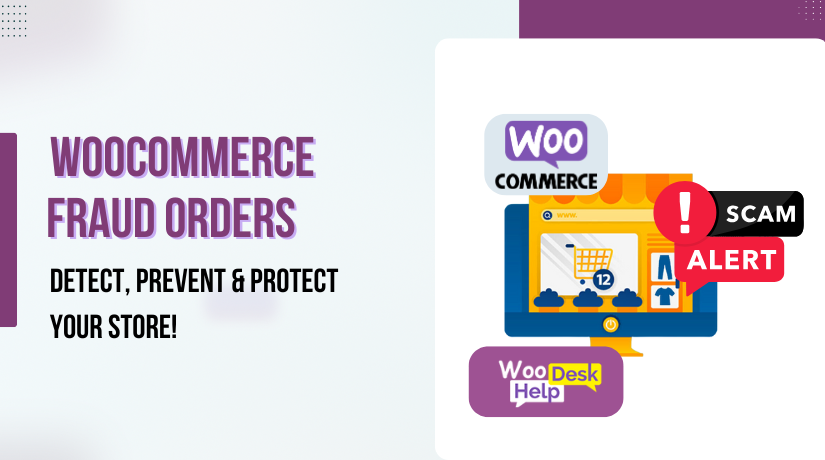
WooCommerce Fraud Orders: How to Detect, Prevent, and Protect Your Store from Scams
Table of Contents
- Understanding WooCommerce Fraud Orders
- Introduction: The Growing Problem of WooCommerce Fraud Orders
- Types of Fraud in WooCommerce
- How Fraudsters Target WooCommerce Stores
- How to Detect Fraudulent Orders in WooCommerce
- How to Manually Verify Suspicious Orders
- Using Fraud Detection Tools for WooCommerce
- Best Practices to Prevent Fake Orders on WooCommerce
- How to Stop Fake Orders on WooCommerce
- Best WooCommerce Anti-Fraud Plugins & Tools
- Additional Security Measures to Prevent Fraud
- Handling WooCommerce Chargeback Fraud & Legal Considerations
- Understanding WooCommerce Chargeback Fraud
- Preventing Chargeback Fraud in WooCommerce
- How to Dispute Chargeback Fraud
- Legal Considerations & Compliance for WooCommerce Stores
- Final Security Tips & Best Practices for WooCommerce Fraud Prevention
- Keep WooCommerce and Plugins Updated
- Require Strong Customer Passwords
- Set Order Limits for Guest Users
- Regularly Monitor Transaction Logs
- Educate Your Team on Fraud Prevention
- Conclusion
Understanding WooCommerce Fraud Orders
Fraud is a growing problem for WooCommerce store owners. Online scams are increasing daily. If you run an eCommerce business, you must stay alert. Fraudulent orders can harm your store financially and damage customer trust. This section explains WooCommerce fraud orders, why they happen, and the common types of fraud.
Introduction: The Growing Problem of WooCommerce Fraud Orders
What Are WooCommerce Fraud Orders?
A WooCommerce fraud order is any unauthorized or fraudulent purchase made on your store. Scammers conduct fictitious orders using automated bots, phony accounts, and stolen credit cards. These fraudulent transactions cause financial loss and create unnecessary work for store owners.
Why Is Fraud Increasing in WooCommerce Stores?
More people than ever are shopping online. However, this also attracts cybercriminals. WooCommerce’s popularity and open-source nature make it a frequent target, especially for stores without updated security plugins or proper configuration.
How Fraud Can Harm Your Store
Ignoring fraud can be costly. Here’s how fraudulent orders impact WooCommerce businesses:
-
-
-
-
- Financial Loss – Refunds, chargebacks, and stolen goods cost money.
- Increased Chargebacks – Too many chargebacks can get your payment gateway blocked.
- Loss of Customer Trust – Shoppers avoid stores with security issues.
- Wasted Time & Resources – Processing and refunding fake orders takes valuable time.
- Risk of Account Suspension – Payment processors could mark your account as dangerous.
-
-
-
Fraud affects both small and large businesses. If you don’t take action, you could lose money and credibility. This guide will help you prevent fake orders on WooCommerce and secure your store.
Types of Fraud in WooCommerce
Fraudsters use different tactics to scam online stores. These are the most prevalent forms of WooCommerce fraud.
-
-
-
-
- Credit Card Fraud
-
-
-
Among the most prevalent scams is this one. Criminals make transactions using credit card information that has been stolen. Later, the real card owner disputes the charge, leading to a chargeback fraud. Your store loses money, and you may also face penalties from your payment provider.
-
-
-
-
- Chargeback Fraud (Friendly Fraud)
-
-
-
Some buyers intentionally abuse chargebacks. After making a purchase and receiving it, they ask their bank for a refund. They assert that they either did not approve the purchase or never received the item. This type of WooCommerce chargeback fraud can be difficult to fight.
-
-
-
-
- Fake WooCommerce Spam Orders
-
-
-
Scammers use bots to place hundreds of fake orders. Your website may become slower as a result of these phony WooCommerce spam orders overloading your system. Some fraudsters do this to test stolen credit cards with small purchases. Others aim to disrupt your business for malicious reasons.
-
-
-
-
- Account Takeover Fraud
-
-
-
Hackers steal customer login credentials and access accounts. Once inside, they change details, place orders, and misuse saved payment methods. Account takeovers often happen due to weak passwords or phishing attacks.
-
-
-
-
- Refund & Return Fraud
-
-
-
Some scammers take advantage of store refund policies. They order items, request a refund, and keep the product. In some cases, they return a different or damaged item to trick the store. Without proper security, businesses lose money on fraudulent refunds.
-
-
-
-
- Promo Code & Discount Abuse
-
-
-
To draw more customers, several retailers use discount codes. However, scammers create multiple fake accounts to misuse these promotions. They exploit coupons to buy items at extremely low prices. This affects profit margins and damages marketing campaigns.
How Fraudsters Target WooCommerce Stores
-
-
-
-
- Lack of Security Measures
-
-
-
Fraud protection is often not implemented by new store owners. Without security tools, scammers find it easy to exploit weaknesses.
-
-
-
-
- High-Risk Transactions Go Unchecked
-
-
-
Fraudsters often target stores that don’t manually review large or suspicious orders. Stores that automatically process all transactions are more vulnerable.
-
-
-
-
- Use of Automated Bots
-
-
-
Bots can flood your store with fake WooCommerce spam orders in seconds. This slows down your site and makes fraud detection harder.
-
-
-
-
- Weak Passwords and Poor User Protection
-
-
-
If your store doesn’t require strong passwords, account takeover fraud becomes easy. Cybercriminals hack weak accounts and misuse stored payment details.
-
-
-
-
- Lack of Fraud Prevention Tools
-
-
-
Without fraud detection plugins, scammers can operate without restriction. Using tools like WooCommerce Anti-Fraud can help block suspicious transactions.
How to Detect Fraudulent Orders in WooCommerce
Detecting fraud early can save your WooCommerce store from financial loss. Scammers use clever tricks to place fake orders. Some fraud looks like real purchases at first. Nonetheless, there are indicators that can assist you in identifying WooCommerce fraudulent orders before it’s too late.
-
-
-
-
- Signs of Fraudulent Orders in WooCommerce
-
-
-
Not all fraud is obvious. Some scammers use stolen credit cards. Others create fake accounts to exploit your store. Here are some important warning indicators to look out for.
-
-
-
-
- Mismatched Billing and Shipping Addresses
-
-
-
Fraudsters often enter different billing and shipping details. A stolen credit card belongs to someone else. The scammer sends the product to a new address. If you see mismatched details, verify the order before shipping.
-
-
-
-
- Unusually Large Orders from New Customers
-
-
-
Scammers may place big orders quickly. They buy expensive products in bulk. A sudden high-value order from a new account is suspicious. Always review these transactions carefully.
-
-
-
-
- Multiple Failed Transactions Before a Successful Payment
-
-
-
Fraudsters test stolen cards by making small purchases first. If you notice several failed attempts from the same user, be cautious. This could mean they are trying different credit card numbers.
-
-
-
-
- Orders from High-Risk Locations
-
-
-
Some countries have a high rate of WooCommerce fraud orders. If you receive an order from an unfamiliar region, investigate further. Using WooCommerce Anti-Fraud tools can help block risky locations.
-
-
-
-
- Suspicious Email Addresses
-
-
-
Scammers often use fake or temporary emails. If an email looks random or has no customer history, check the order manually. Many fake WooCommerce spam orders come from disposable email accounts.
-
-
-
-
- Unusually Fast Checkout Process
-
-
-
Real customers take time to browse before buying. Fraudsters rush through checkout to avoid detection. If an order is completed within seconds, it could be a red flag.
-
-
-
-
- Multiple Orders from the Same IP Address
-
-
-
Some scammers place many fake orders using different details. If multiple transactions come from the same IP, be cautious. Utilize fraud detection software to keep an eye on questionable activities.
How to Manually Verify Suspicious Orders
Make an extra effort to confirm an order if it looks questionable.
-
-
-
-
- Contact the Customer – Call or email them to confirm the order.
- Check IP Address & Location – See if the order is from a high-risk area.
- Verify the Payment Method – Use fraud prevention tools to check card details.
- Delay Shipping for High-Risk Orders – Hold suspicious orders until verification is complete.
-
-
-
Manually checking orders helps prevent fraud. It also protects your store from unnecessary chargebacks.
Using Fraud Detection Tools for WooCommerce
Fraud prevention tools can automatically detect and block risky orders. Some popular options include:
-
-
-
-
- WooCommerce Anti-Fraud – Assigns risk scores (0–100), auto-holds or cancels high-risk orders, and supports advanced rules like country blocking or SMS verification.
- FraudLabs Pro – Provides API-based checks, geolocation, email validation, and configurable risk scoring (free tier available).
- Stripe Radar – Built-in machine learning fraud detection for Stripe users—no extra plugin needed; blocks suspicious payments instantly and reduces false declines.
- Signifyd – AI-driven with chargeback guarantee (covers losses from approved fraudulent orders).
- YITH WooCommerce Anti-Fraud – Comprehensive risk indicators, proxy/VPN detection, and automated holds.
-
-
-
By using these technologies, you can keep your store safe and lower the chance of fraud.
Best Practices to Prevent Fake Orders on WooCommerce
Preventing fraud is easier than dealing with chargebacks and lost revenue. Scammers target stores that lack security measures. They exploit weak payment systems and checkout processes. If you manage a WooCommerce store, you need to take action to prevent fraudulent orders.
In this section, we will cover effective fraud prevention strategies. These methods help secure transactions and protect your business from scammers.
How to Stop Fake Orders on WooCommerce
-
-
-
-
- Use Secure Payment Gateways
-
-
-
Choosing a reliable payment gateway is the first step in fraud prevention. Payment providers like Stripe, PayPal, and Authorize.net have built-in security features. They use encryption and fraud detection to block suspicious transactions.
Secure payment gateways reduce the risk of credit card fraud. They also offer protection against WooCommerce chargeback fraud. Always enable fraud filters available in your payment gateway settings.
-
-
-
-
- Enable 3D Secure Authentication
-
-
-
3D Secure authentication adds an extra security layer during checkout. Customers must authenticate themselves before completing a transaction. A one-time password (OTP) is sent by banks to the cardholder’s email or phone number.
By doing this, thieves are unable to use credit card information they have obtained. Payment providers like Visa Secure (formerly Verified by Visa), Mastercard Identity Check, and others offer this feature. Enabling 3D Secure authentication reduces unauthorized transactions.
-
-
-
-
- Implement CAPTCHA on Checkout Pages
-
-
-
Bots often place fake WooCommerce spam orders to test stolen cards. Adding CAPTCHA helps block automated fraud attempts.
WooCommerce allows you to enable Google reCAPTCHA at checkout. It verifies that the user is human. This simple step can prevent fake orders on WooCommerce and reduce spam.
-
-
-
-
- Restrict Multiple Orders from the Same IP Address
-
-
-
Fraudsters sometimes place multiple orders using different details. However, they often use the same IP address.
In a short period of time, you can block several orders from the same IP. This prevents bulk fake purchases and fake WooCommerce spam orders. Use WooCommerce security plugins to track and limit suspicious IP addresses.
-
-
-
-
- Verify High-Risk Orders Manually
-
-
-
Some transactions need extra verification before processing. Look for red flags like:
-
-
-
-
- Shipping and billing addresses are not the same.
- Orders from high-risk countries.
- Unusually large orders from new customers.
-
-
-
Get in touch with the consumer if an order looks questionable. Request further confirmation, such as a phone call. Holding high-risk orders until verification is complete prevents fraud losses.
-
-
-
-
- Monitor Orders from High-Risk Regions
-
-
-
Some regions have higher fraud rates than others. If your store receives orders from unfamiliar locations, be cautious.
You can block high-risk countries using WooCommerce settings. If you sell globally, set up manual verification for these orders. This helps prevent fraudulent transactions from risky locations.
-
-
-
-
- Blacklist Fraudulent Emails, IPs, and Card Numbers
-
-
-
If you have received WooCommerce fraud orders before, blacklist those users.
-
-
-
-
- Block email addresses associated with fraudulent transactions.
- Blacklist IP addresses linked to spam orders.
- Use fraud prevention tools to detect stolen card numbers.
-
-
-
By maintaining a blacklist, you reduce the chances of repeated fraud attempts.


Best WooCommerce Anti-Fraud Plugins & Tools
Fraud prevention plugins help automate security checks. These tools analyze transaction patterns and block risky orders. Below are the best WooCommerce fraud prevention plugins.
-
-
-
-
- WooCommerce Anti-Fraud
-
-
-
This plugin assigns every order a risk score and flags high-risk transactions for manual verification or automatic cancellation. It supports customizable rules (e.g., IP blocking, risky emails) and recent updates include AI enhancements and SMS verification for suspicious orders.
-
-
-
-
- FraudLabs Pro
-
-
-
Uses cloud-based AI and multiple data checks (IP, email, device, geolocation) to assign fraud scores and manage blacklists. Offers a free plan and strong integration.
-
-
-
-
- Signifyd
-
-
-
Provides AI-driven detection with a chargeback guarantee—covers losses from fraud on approved orders. Ideal for larger stores needing hands-off protection.
-
-
-
-
- Sift
-
-
-
Machine learning focuses on behavioral analysis, account takeovers, and bot detection. Blocks suspicious users in real time.
-
-
-
-
- NoFraud / Anti-Fraud Shield
-
-
-
NoFraud provides real-time verification and chargeback prevention. Complementary options like Anti-Fraud Shield focus on blocking spam registrations, fake orders, and restrictions based on IP, device, email, order totals, or gateways.
-
-
-
-
- Stripe Radar
-
-
-
If using Stripe (or WooPayments), enable Radar for automatic ML-based blocking of fraudulent payments—no additional setup required.
Additional Security Measures to Prevent Fraud
-
-
-
-
- Keep WooCommerce and Plugins Updated
-
-
-
Continue following the update best practices outlined earlier: enable auto-updates for security plugins, regularly check core/theme versions, and remove unused plugins to minimize vulnerabilities.”
-
-
-
-
- Require Strong Customer Passwords
-
-
-
Weak passwords make account takeover fraud easier. Force customers to use strong passwords when creating accounts. For extra security, urge them to turn on two-factor authentication (2FA).
-
-
-
-
- Set Order Limits for Guest Users
-
-
-
Guest checkout is convenient, but it also invites fraud. Limit the number of guest orders per day. Encourage customers to create accounts for better fraud tracking.
-
-
-
-
- Regularly Monitor Transaction Logs
-
-
-
Keep an eye on your store’s transaction history. Look for unusual patterns, such as:
-
-
-
-
- The same user made several unsuccessful purchases.
- Orders were placed in large quantities quickly.
- Orders with shipping and billing addresses that are different.
-
-
-
Reviewing transaction logs helps detect fraud before it causes damage.
-
-
-
-
- Educate Your Team on Fraud Prevention
-
-
-
Your staff should know how to spot fraud. Train employees to recognize warning signs and handle suspicious orders. An informed team can avoid expensive errors.
Handling WooCommerce Chargeback Fraud & Legal Considerations
Chargeback fraud is a major problem for WooCommerce store owners. Fraudsters exploit chargebacks to get free products and refunds. Too many chargebacks can harm your business. Payment providers may block your account if chargebacks increase.
In this section, we will cover WooCommerce chargeback fraud, how to prevent it, and legal compliance.
Understanding WooCommerce Chargeback Fraud
-
-
-
-
- What Is a Chargeback?
-
-
-
When a customer disputes a transaction, they file a chargeback. The customer receives a reimbursement from the bank. This process is meant to protect buyers from fraud. However, some customers abuse chargebacks to get refunds dishonestly.
-
-
-
-
- How Chargeback Fraud Happens
-
-
-
Fraudsters make a purchase and then dispute it. They claim they never received the product or didn’t authorize the transaction. The bank usually favors the customer. As a result, the store loses both the product and the payment.
This is also called friendly fraud, but it is anything but friendly. It costs businesses billions every year.
Preventing Chargeback Fraud in WooCommerce
-
-
-
-
- Use Clear and Detailed Product Descriptions
-
-
-
Customers sometimes dispute charges due to confusion. Provide accurate product descriptions and images. Make sure they understand what they are buying.
-
-
-
-
- Provide Tracking and Delivery Confirmation
-
-
-
Always use trackable shipping methods. Require signature confirmation for high-value orders. This helps prove the item was delivered if a customer claims otherwise.
-
-
-
-
- Have a Clear Refund and Return Policy
-
-
-
A well-defined refund policy reduces chargeback disputes. Make it visible on your website. Let customers know how refunds work before they buy.
-
-
-
-
- Use Secure Payment Gateways
-
-
-
Payment providers like Stripe, PayPal, and Authorize.net have fraud prevention features. They help block unauthorized transactions. Enabling these settings can prevent fraudulent chargebacks.
-
-
-
-
- Enable 3D Secure Authentication
-
-
-
3D Secure authentication requires customers to verify payments. It adds an extra layer of security. This makes it harder for scammers to file false disputes.
-
-
-
-
- Keep Transaction Records and Proof of Purchase
-
-
-
Save customer invoices, emails, and shipping details. These records help when disputing WooCommerce chargeback fraud claims.
How to Dispute Chargeback Fraud
If a customer files a chargeback fraudulently, you can fight back. Here’s how to respond:
-
-
-
-
- Contact the Customer First
-
-
-
Sometimes disputes happen due to misunderstandings. Reach out to the customer and clarify the issue. Resolving problems directly can prevent unnecessary chargebacks.
-
-
-
-
- Gather Evidence for the Dispute
-
-
-
Banks require proof to reverse chargebacks. Collect the following:
-
-
-
-
- Order confirmation emails.
- Tracking and delivery proof.
- Customer communication records.
- Transaction details.
- Submit a Chargeback Dispute to the Payment Provider
-
-
-
Send all collected evidence to your payment provider. Explain why the chargeback is fraudulent. You have a better chance of winning the argument if you have a solid case.
Legal Considerations & Compliance for WooCommerce Stores
-
-
-
-
- PCI DSS Compliance for Payment Security
-
-
-
WooCommerce stores handling card payments must follow PCI DSS compliance. This protects customer payment data from fraud. Use secure payment gateways to meet these security standards.
-
-
-
-
- GDPR Compliance for Customer Data Protection
-
-
-
If you serve customers in the EU, GDPR rules apply. Clearly state how you collect and store customer data. Get consent before processing personal information.
-
-
-
-
- Reporting Fraud to Authorities
-
-
-
If you detect serious fraud, report it to law enforcement. Notify your payment provider as well. This helps prevent repeat attacks on your store.
Final Security Tips & Best Practices for WooCommerce Fraud Prevention
Fraud prevention is an ongoing process. Scammers constantly find new ways to exploit online stores. You need to be proactive in order to be safe. You can prevent fraudulent orders on WooCommerce and lower financial losses by using the appropriate security measures.
In this final section, we will cover the best security practices to prevent WooCommerce fraud orders and keep your store safe.
Keep WooCommerce and Plugins Updated
-
-
-
-
- Why Updates Are Important
-
-
-
Outdated plugins and themes create security risks. Hackers exploit old versions to gain access to stores. Keeping WooCommerce updated guarantees that you have access to the most recent security patches.
-
-
-
-
- How to Keep Everything Updated
-
- Enable automatic updates for security plugins.
- Regularly check for new versions of WooCommerce and themes.
- Remove outdated or unused plugins that may have vulnerabilities.
-
-
-
Updating software helps prevent security loopholes that scammers can exploit.
Require Strong Customer Passwords
-
-
-
-
- The Risk of Weak Passwords
-
-
-
Weak passwords make account takeover fraud easy. Hackers use brute-force attacks to guess login details. Once inside, they can place fraudulent orders or steal customer data.
-
-
-
-
- How to Strengthen Customer Accounts
-
- Require passwords with a mix of letters, numbers, and symbols.
- Limit login attempts to prevent brute-force attacks.
- Encourage customers to use two-factor authentication (2FA).
-
-
-
Forcing strong passwords helps protect user accounts from fraudsters.
Set Order Limits for Guest Users
-
-
-
-
- Why Guest Checkout Increases Fraud Risks
-
-
-
Guest checkout allows scammers to place orders without verification. Since they don’t need an account, tracking fraudulent activity is harder.
-
-
-
-
- How to Reduce Fraud with Order Limits
-
- Limit how many orders a visitor may place in a single day.
- Require email verification for guest purchases.
- Encourage customers to create accounts for better security.
-
-
-
Revisit guest checkout limits and verification steps from earlier recommendations to reduce risks from unverified orders.
Regularly Monitor Transaction Logs
-
-
-
-
- Why You Should Monitor Transactions
-
-
-
Fraudsters often follow patterns. Watching your order logs helps identify unusual activity.
-
-
-
-
- What to Look For
-
- The same user made several unsuccessful attempts to make a payment.
- Large orders placed within a short time.
- Orders from high-risk countries or suspicious locations.
-
-
-
Reviewing order history helps catch WooCommerce fraud orders before they become a bigger problem.
Educate Your Team on Fraud Prevention
-
-
-
-
- Why Staff Training Is Important
-
-
-
If your employees don’t recognize fraud, they may unknowingly process fake orders. Training helps your team identify scams and take action.
-
-
-
-
- What Your Team Should Know
-
- How to spot WooCommerce chargeback fraud.
- The importance of verifying high-risk transactions.
- How to use fraud detection tools effectively.
-
-
-
An informed team can help reduce fraudulent orders and protect your business.
Conclusion
Fraud is a serious threat to WooCommerce store owners. Scammers use stolen cards, fake accounts, and bots to exploit weaknesses. Ignoring security can lead to chargebacks, revenue loss, and reputational damage.
To prevent WooCommerce fraud orders, use secure payment gateways, enable 3D Secure authentication, and monitor transactions. To identify questionable activity, install anti-fraud plugins like WooCommerce Anti-Fraud.
Protect your store by verifying high-risk orders and updating security settings. Educate your team to recognize fraud and take action.
By following these WooCommerce fraud prevention strategies, you can reduce risks and keep your store safe. Stay proactive and secure your business today!