WooCommerce Subscription Not Working? Here’s How to Fix It
Table of Contents
- Introduction
- What Is WooCommerce Subscriptions and Why It Matters
- Key Benefits of Using WooCommerce Subscriptions
- Common Signs That Subscriptions Are Not Working
- WooCommerce Subscription Emails Not Sending
- Payments Not Processing or Orders Not Generating
- Causes Behind WooCommerce Subscription Failures
- Fixes for WooCommerce Subscription Failures
- Best Plugins to Improve Subscription Management
- When to Contact a WooCommerce Expert
- Get Help from WooHelpDesk
- Conclusion
Introduction
Managing a WooCommerce store is both thrilling and difficult. When everything works, it brings smooth sales and happy customers. But when things break, especially subscriptions, it can hurt your revenue.
Many store owners face this common issue: “WooCommerce subscription not working.” Payments fail. Emails don’t send. Orders don’t generate. Both you and your clients may become confused by this.
When your store offers recurring products or services, subscription failures can severely impact your business. Missed payments or failed renewals can mean lost income and unhappy subscribers.
We’ll explain why WooCommerce Subscriptions might not function correctly in this blog article. We’ll also guide you through common symptoms, causes, and solutions. By the end, you’ll know how to fix your subscription issues and avoid them in the future.
What Is WooCommerce Subscriptions and Why It Matters
Many WooCommerce stores use the robust plugin WooCommerce Subscriptions. It helps you sell products or services with recurring payments. These can be weekly, monthly, or yearly.
Here’s what you can sell with WooCommerce Subscriptions:
- Membership plans
- Online courses
- Software or digital services
- Subscription boxes with books, coffee, or food
The billing procedure is automated by the plugin. This eliminates the need for you to manually bill clients each month. Once a customer subscribes, the plugin takes care of:
- Creating renewal orders
- Charging their card on schedule
- Sending confirmation emails
That’s why this plugin is so useful for WooCommerce store owners.
Key Benefits of Using WooCommerce Subscriptions
Using WooCommerce Subscriptions can help your business grow in many ways. Let’s look at the main benefits and why they matter for store owners.
Predictable Income
With recurring payments, your store earns income on a regular basis. This helps you plan better and forecast your monthly or yearly revenue. A stable cash flow also supports business growth and better inventory planning.
Less Manual Work
The plugin automates tasks like billing, invoicing, and renewal reminders. You don’t need to manually charge customers or send renewal emails. Time is saved, and the likelihood of human error is decreased.
Improved Customer Loyalty
Subscriptions keep customers coming back without reordering each time. When users stay subscribed, your business builds long-term trust and loyalty. Higher lifetime value per client results from this.
Flexible Payment Options
WooCommerce Subscriptions supports multiple payment gateways like Stripe and PayPal. Customers are free to select the approach they like and trust. This flexibility can increase your sign-up and renewal rates.
Easy to Customize Plans
Offering weekly, monthly, or annual billing cycles is simple. Customers also get options to pause, cancel, or upgrade plans. This flexibility improves their experience and keeps them subscribed longer.
Automated Communication
The plugin sends emails for new subscriptions, renewals, and payment updates. This keeps customers informed about their account and builds confidence. Every step is taken care of for you, so you don’t need to remember it.
Because of these characteristics, WooCommerce Subscriptions is an effective solution for modern eCommerce sites. But when any part of it stops working, it affects all these benefits. That’s why fixing subscription errors quickly is important for your store’s success.
Common Signs That Subscriptions Are Not Working
When WooCommerce subscriptions stop working, the signs are often clear. These problems affect payments, orders, and customer experience. If not resolved quickly, they may result in revenue loss and frustrated customers.
The following are the most typical signs that store owners deal with:
- Renewal orders are not being created automatically
- Payments are not processing or are getting declined
- Subscription status stays “pending” without updating
- Emails for renewals or new subscriptions are not sent
Your subscription system is probably malfunctioning if you observe any of these problems. Many of these symptoms are linked to deeper problems in your setup. Let’s examine their causes and how they impact your store.
WooCommerce Subscription Emails Not Sending
Missing emails are among the most frequent problems. Emails are important for both the store owner and the customer. They confirm new subscriptions, renewals, and failed payments.
If subscription emails are not working, customers may get confused or leave.
Here are some common email issues:
- New subscription email not received
- Renewal email not sent
- Email not triggered for subscription renewal
There are several reasons why these emails fail:
- Disabled email notifications
Verify that emails are enabled by going to WooCommerce → Settings → Emails. If unchecked, WooCommerce will not send them. - Missing or edited email templates
If your email template files are outdated or broken, they may not send. - SMTP or server configuration problems
Many hosting providers block the default WordPress email system. To resolve this, you might need to configure SMTP using a plugin like WP Mail SMTP. - Plugin conflicts or outdated WooCommerce versions
Some plugins can stop WooCommerce from triggering email hooks. Verify that all of your themes and plugins are compatible and up to date.
To confirm if emails are being triggered:
- Use a plugin like Email Log to track email activity.
- Check the WooCommerce status and logs for email-related errors.
Payments Not Processing or Orders Not Generating
If renewal orders are not created, or payments fail, your subscriptions are broken. These problems often happen together and can affect many users at once.
Some store owners report that:
- woocommerce renewal orders not generating
- woocommerce subscription not processing payments
- woocommerce subscriptions payments failure
These problems have the following causes:
- Cron jobs are not running
WooCommerce uses scheduled actions (WP-Cron) to trigger renewals. If these fail, renewal orders don’t generate. - Payment gateways not configured correctly
Incorrect API keys or webhook settings can stop automatic payments. Always test your gateway in sandbox mode before going live.
Customer payment method is outdated
The renewal attempt will be unsuccessful if the card on file has expired.
- WooCommerce should retry, but it must be configured in Retry Rules under subscription settings.
- Plugin conflicts
Security, caching, or optimization plugins can interfere with background processes.
To check for these issues:
- Go to WooCommerce → Status → Scheduled Actions
- Look for failed or pending actions
- Retry or manually run missed renewals if needed
Causes Behind WooCommerce Subscription Failures
Understanding the real causes behind WooCommerce subscription problems is critical. Many store owners try fixes without knowing what’s actually broken. That often leads to more confusion and wasted time.
Here are the most common and overlooked causes of WooCommerce subscription failures:
- Payment Gateway Misconfiguration
One major cause of failed subscriptions is a misconfigured payment gateway. If the settings are not correct, payments will not process.
Payment gateways like Stripe or PayPal require API keys and webhook setup. If these keys are missing, expired, or incorrect, transactions will fail silently.
Also, some gateways require special settings for recurring payments. If these are disabled, recurring payments may not work at all.
This leads to:
- woocommerce subscriptions payments failure
- woocommerce subscription not processing payments
- woocommerce automatic subscription renewal failed
- Failed or Stuck Cron Jobs (Scheduled Actions)
WooCommerce relies on scheduled tasks called cron jobs to handle renewals. These tasks automatically create new orders and process payments.
If your site’s cron system is broken or delayed, renewals won’t happen. This results in:
- woocommerce renewal orders not generating
- woocommerce subscription order not created
Reasons cron jobs might fail include:


- Hosting restrictions on background tasks
- Conflicts with other plugins
- Disabled WP-Cron function in wp-config.php
- Outdated or Expired Customer Payment Methods
If a customer’s card has expired or lacks funds, renewals will fail. WooCommerce can retry payments, but only if retry rules are set up.
Without proper retry settings, the system may mark renewals as failed and stop trying. This leads to:
- failed renewal payments woocommerce
- Status stuck in “pending” or “on-hold”
- Customers never know unless emails are triggered
- Plugin Conflicts or Theme Incompatibility
Not all plugins work well together. Some may block or override WooCommerce functions. Others might change how checkout or renewal processes run.
These conflicts may cause:
- Subscriptions to not renew
- Orders to remain stuck in the queue
- Emails not being triggered
Additionally, your active theme can be out-of-date or badly coded. That can stop subscription logic from working correctly.
- Manual Edits or Custom Code Errors
Custom code changes made to WooCommerce can affect subscriptions. If developers change core files or override templates, it may break subscription hooks.
This causes issues like:
- Missing renewal triggers
- Emails not firing
- Subscription status stuck at “pending”
Fixes for WooCommerce Subscription Failures
Now that we understand what causes subscription issues, let’s focus on how to fix them. These fixes will help restore renewals, email notifications, and payment processing. Follow these steps carefully to resolve each issue without causing more problems.
- Fixing Payment Gateway Configuration Errors
Start by checking the settings of your payment gateway plugin. Go to WooCommerce → Settings → Payments and click on your active gateway.
Steps to check:
- Verify that API keys are correct and active.
- Make sure webhooks are enabled and working.
- Ensure that recurring payments are supported and turned on.
For Stripe, log in to the Stripe dashboard. Confirm webhook events for payment success, failures, and subscriptions are enabled.
Also, test your gateway using a sandbox or staging site before going live. This helps you avoid customer-facing errors during renewals.
- Solving Cron Job and Scheduled Action Failures
WooCommerce uses WP-Cron to handle subscription tasks. If these tasks fail, renewal orders won’t generate.
Here’s what to do:
- Go to WooCommerce → Status → Scheduled Actions.
- Filter by “Failed” or “Pending” actions.
- Retry any failed or stuck subscription-related tasks.
Installing the WP Crontrol plugin is another option. It helps you monitor and fix WP-Cron issues. If your site uses caching or performance plugins, make sure they don’t block cron requests.
Install a genuine cron job on your hosting server for increased dependability. This is more stable than WP-Cron and runs tasks on time.
- Updating Customer Payment Methods
Renewal attempts may fall through because the customer’s card has expired. WooCommerce can retry payments, but only if retry rules are active.
To fix this:
- Go to WooCommerce → Subscriptions → Settings.
- Enable the automatic retry rules for failed payments.
- Set up the retry schedule (e.g., 1 day, 3 days, 5 days).
Also, notify customers when payments fail. They should be able to update their card info in their account dashboard. By doing this, late payments are avoided, and client happiness rises.
- Resolving Plugin and Theme Conflicts
Incompatible plugins can block renewals or order creation. Prior to activating new plugins on your live site, always test them in a staging environment.
To troubleshoot:
- Deactivate non-essential plugins one by one.
- After each deactivation, test if subscriptions work.
- Check logs under WooCommerce → Status → Logs for error messages.
Additionally, temporarily change to a default theme, such as Storefront. If issues go away, your current theme may be causing conflicts.
Make sure all plugins, WooCommerce, and your theme are up to date. Older versions often cause compatibility problems with the subscriptions plugin.
- Reversing Errors from Custom Code or Manual Edits
If your developer added custom code, test whether it’s causing the issue. Disable custom snippets or remove edits to WooCommerce templates.
Avoid editing WooCommerce core files directly. Instead, use action hooks or filters through a child theme. This ensures updates won’t break your site or subscriptions.
If you’re unsure, restore the original version of the file and test again. You can also seek help from a WooCommerce expert if the issue is complex.
Fixing subscription problems takes time, but each step moves you closer to a stable store. Once your fixes are in place, test everything again—renewals, emails, and payment flows.
Best Plugins to Improve Subscription Management
Not all WooCommerce subscription plugins offer the same features. It could be time to think about better solutions if you’re having trouble with errors.
Here are a few reliable subscription plugins:
- WooCommerce Subscriptions (by WooCommerce)
This is the official plugin for managing recurring payments. It integrates smoothly with payment gateways and offers full automation for renewals and emails.
- Subscriptions for WooCommerce by WebToffee
A more user-friendly option with features like pause, resume, and cancel. It works well for basic and advanced subscription setups.
- YITH WooCommerce Subscription
A great choice for digital products, memberships, and simple subscriptions. It has a clean dashboard and flexible plan settings.
- Autoship Cloud
Best for physical product subscriptions like vitamins, coffee, or pet food. It syncs with fulfillment tools and supports delivery scheduling.
These plugins help prevent:
- Failed renewals
- Order generation issues
- Missing emails
Always test plugins on a staging site before switching them. By doing this, issues with your live store are avoided.
When to Contact a WooCommerce Expert
Some problems require deep knowledge of WooCommerce and server systems. If you’ve tried everything and still face issues, it’s time to get help.
Here’s when to reach out to a professional:
- Cron jobs fail even after plugin fixes
- Custom code breaks subscription flow
- Subscription emails still do not send
- Gateway errors keep returning
- Subscription status stuck for many customers
An expert can:
- Audit your full WooCommerce setup
- Repair database or cron issues
- Fix plugin conflicts and broken custom code
- Set up proper email and payment testing
Get Help from WooHelpDesk
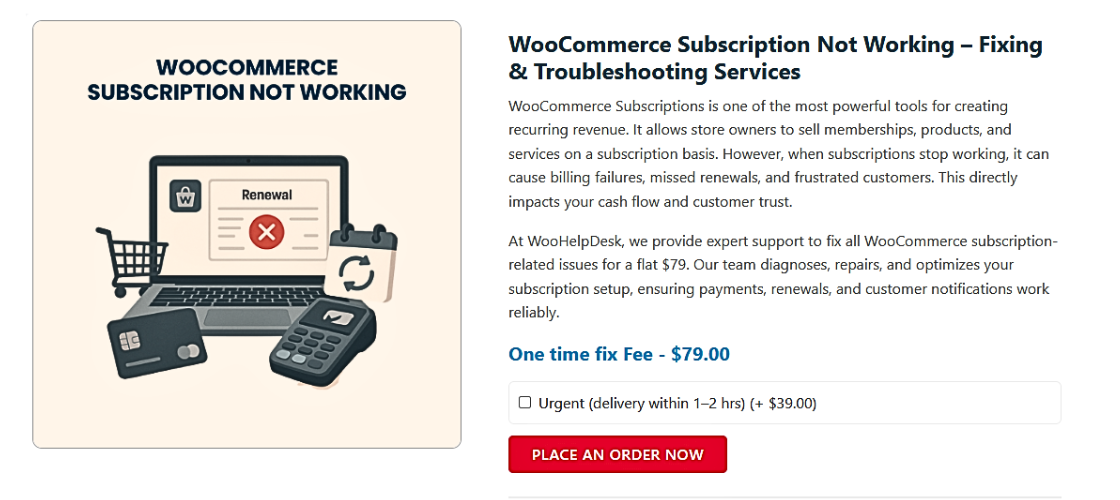
At WooHelpDesk, we specialize in solving complex WooCommerce issues. Whether it’s broken subscriptions, payment failures, or email problems—we’ve seen it all.
Let our experts:
- Debug your system
- Fix plugin and server issues
- Optimize your store for reliable subscriptions
If your WooCommerce subscription is not working, don’t wait. Fixing it today protects your revenue tomorrow.
Conclusion
WooCommerce Subscriptions is a powerful tool for recurring sales, but issues like failed payments, missing emails, and stuck statuses can disrupt your store. In this guide, we explored common symptoms, root causes, and practical fixes to get your system back on track. We also highlighted reliable plugins and when to seek expert help. Early resolution of these issues guarantees consistent revenue, improved client satisfaction, and seamless invoicing. If you’re still facing issues, don’t wait—reach out to WooHelpDesk for expert support and personalized troubleshooting.