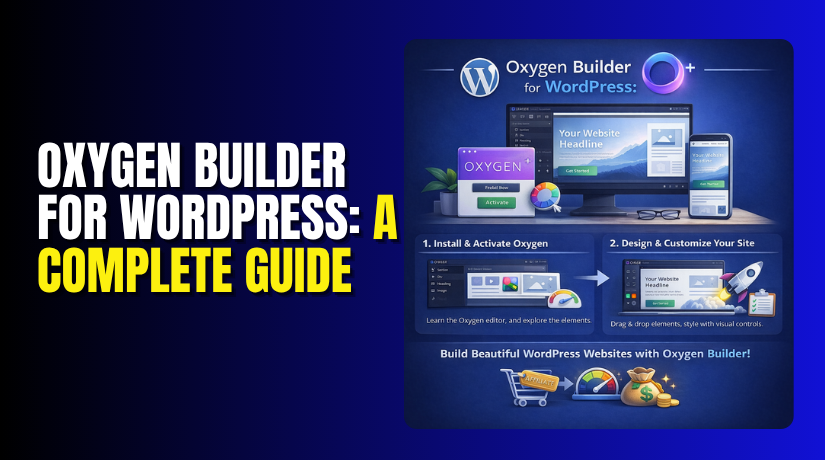
Oxygen Builder for WordPress: A Complete Guide to Installation and Comparison with Elementor
Table of Contents
- Introduction
- Who is Oxygen Builder For?
- What is Oxygen Builder in WordPress?
- What are the Key Features, Pros & Cons of Oxygen Builder?
- How to Add Oxygen Builder to WordPress?
- Is Oxygen Builder Better than Elementor?
- Final Verdict
Introduction
Oxygen Builder is a powerful, visual website builder for WordPress. It was built by Soflyy, the same team behind the popular WP All Import plugin. Unlike most page builders, Oxygen doesn’t just add a layer on top of your existing theme. Instead, it completely replaces the WordPress theme system. This makes it a true site builder, not just a page builder.
When you install and activate Oxygen, it takes over the design of your entire site. It disables your current WordPress theme. This gives you complete control over the structure of your headers, footers, sidebars, and all other template parts. You are essentially building a custom theme using a visual, drag-and-drop interface.
Who is Oxygen Builder For?
Oxygen Builder is not for everyone. It is specifically designed for developers, designers, and agencies who need complete control over their code and site performance. It is for people who understand HTML, CSS, and the fundamentals of responsive web design.
The user reviews and expert opinions consistently highlight one key point: Oxygen Builder is not for beginners. While it has a visual interface, its true power is unlocked through advanced features. These include dynamic data binding (which often requires PHP knowledge), conditional logic for displaying elements, and manual breakpoints for responsive design.
What is Oxygen Builder in WordPress?
The most important thing to understand about Oxygen is that it is a site builder, not just a page builder. Popular page builders like Elementor or WPBakery work as a plugin that adds features to your existing theme.
They allow you to design individual pages and posts, but the overall framework of your site (the header, footer, and layout) is still controlled by your theme. Oxygen flips this model on its head. When you activate Oxygen, it disables your active WordPress theme entirely. It becomes the theme.
This is why it is often called a “theme-less” or “theme replacement” system. You design every single part of your website visually, from the top of the header to the bottom of the footer, without any theme restrictions.
How It Works: The Theme Replacement System?
- This theme-replacement approach is the source of both Oxygen’s incredible power and its steep learning curve.
- By bypassing the WordPress theme system, Oxygen generates clean, efficient HTML and CSS code.
- It does not load the unnecessary bloat that is often found in multi-purpose WordPress themes.
- However, this also means you cannot just install Oxygen and expect your site to look like the demo.
- You must build everything yourself. This is where the true power lies. You are not limited by a theme’s options. You can create any layout you can imagine.
What are the Key Features, Pros & Cons of Oxygen Builder?
Key Features of Oxygen Builder
Oxygen Builder is packed with advanced features that cater to professional web designers and developers.
- Theme Replacement System: Oxygen completely disables your WordPress theme. You design headers, footers, and all templates visually. This gives you total design freedom.
- Visual, Drag-and-Drop Interface: Oxygen provides a true front-end visual editor. You can click on any element on your page and edit its properties in real-time. The changes are instant and intuitive.
- Global Styling and Components: You can create global colors, fonts, and design elements. These can be reused across your entire site. If you update a global element, it changes everywhere, saving you immense time.
- Reusable Parts: You can save any group of elements as a “Reusable Part.” This is perfect for creating consistent call-to-action sections, testimonials, or other content blocks.
- Powerful WooCommerce Integration: Oxygen includes a complete WooCommerce builder. You can design custom product pages, shop archives, and the cart and checkout pages. This gives you total control over your online store’s look and feel.
- Dynamic Data Integration: Oxygen can display dynamic content from custom fields, ACF (Advanced Custom Fields), Meta Box, and Pods. This is essential for building custom post types, directory sites, or any project that relies on dynamic data.
- Conditions and Advanced Logic: You can use conditional logic to show or hide elements based on user roles, page types, or custom rules. For example, you can show a specific banner only to logged-in users.
- Custom CSS, JS, and PHP: Oxygen gives you full control to add custom CSS classes, custom JavaScript, and even PHP code within your design. This is a developer’s dream.
- Responsive Design Controls: Oxygen provides granular controls for mobile, tablet, and desktop views. You can manually adjust the design for each device breakpoint.
- Efficient and Clean Code Output: Oxygen is designed to output clean, semantic HTML and highly optimized CSS and JavaScript. This is a key reason for its superior performance.
- Figma to Oxygen Integration: You can copy and paste designs directly from Figma into the Oxygen builder. This streamlines the workflow for designers and developers.
Pros of Oxygen Builder
- Unmatched Performance and Speed: The clean code output leads to exceptionally fast loading times. Performance is a primary reason why developers choose Oxygen.
- Total Design Freedom: You are not limited by a theme. You can build any layout you imagine without restrictions.
- One-Time, Lifetime Licensing: Oxygen offers a lifetime license with unlimited site usage. This is a significant cost-saving benefit compared to annual subscriptions.
- Superior WooCommerce Control: The built-in WooCommerce builder gives you complete design control over your online store.
- Developer-Friendly Workflow: Features like custom code injection, dynamic data, and conditional logic make it a joy for professionals.
- No jQuery Bloat: Oxygen uses modern, lean JavaScript, avoiding the performance overhead of jQuery.
Cons of Oxygen Builder
- Steep Learning Curve: Oxygen is not beginner-friendly. It requires a solid understanding of CSS and web design principles.
- No Free Version: Unlike Elementor, there is no free version of Oxygen. You must purchase a license to use it.
- Smaller Template Library: Compared to Elementor’s massive template library, Oxygen offers fewer pre-designed templates and starter sites.
- Fewer Built-in Widgets: Elementor comes with over 100 widgets. Oxygen has a more streamlined set of core elements, requiring you to build more from scratch or use third-party add-ons.
- Plugin and Theme Compatibility Issues: Because Oxygen replaces the theme system, some plugins designed to work with traditional themes may not function correctly.
- Steeper Learning Curve for Clients: If you build sites for clients, they will need to learn Oxygen’s interface to make basic edits, which can be more complex than Elementor.
How to Add Oxygen Builder to WordPress?
Adding Oxygen Builder to your WordPress site is a straightforward process. However, before you begin, you must be aware of its “theme replacement” nature. Once activated, your current theme will be disabled. It is always a good idea to create a full backup of your site before proceeding.
Step 1: Purchase and Download the Oxygen Plugin
- First, you need to purchase an Oxygen Builder license from their official website (oxygenbuilder.com).
- After your purchase, you will receive a download link for the plugin’s .zip file.
- Save this file to your computer.
Step 2: Install the Oxygen Plugin


- Log in to your WordPress admin dashboard.
- Go to Plugins > Add New.
- Click the Upload Plugin button at the top of the page.
- Click Choose File and select the Oxygen .zip file you downloaded.
- Click Install Now.
- After the installation is complete, click Activate Plugin.
Step 3: Activate Oxygen (The Critical Step)
Once the plugin is activated, you will be redirected to a “Let’s Get Started” wizard. This is where the magic happens. You will see two options:
- Activate Oxygen:
- This is the most common choice. Clicking this will activate the Oxygen Builder and disable your current WordPress theme.
- Your site will now be powered entirely by Oxygen.
- The front-end will appear blank because you haven’t designed anything yet.
- Run in Safe Mode:
- This mode allows you to test Oxygen while keeping your existing theme active.
- This is useful for troubleshooting or for development sites, but it is not the intended way to use Oxygen for a live site.
For most users, you will click Activate Oxygen.
Step 4: Navigate the Oxygen Dashboard
After activation, you will see the Oxygen dashboard. You can access it by hovering over Oxygen in the WordPress admin sidebar. Here, you will find the main tools for building your site:
- Templates: This is where you will create your global site templates, such as the header, footer, and single post layout.
- Pages: This section lists all your WordPress pages. You can open any page in the Oxygen builder to design its content.
- Settings: Here you can configure global settings, CSS, JavaScript, and other advanced options.
Step 5: Start Designing
- To start building, go to Oxygen > Pages.
- Hover over any page and click Edit with Oxygen.
- This will launch the visual builder, and you can begin designing your site from scratch.
Is Oxygen Builder Better than Elementor?
This is the central question. The answer depends entirely on who is asking. There is no universally “better” tool; there is only the tool that is better for your specific skills and project requirements.
| Feature | Oxygen Builder | Elementor |
| Approach | Theme Replacement (disables your theme) | Page Builder Plugin (works with your theme) |
| Target User | Developers, designers, agencies | Beginners, freelancers, small business owners |
| Free Version | No free version | Yes, a free version is available |
| Pricing Model | One-time payment (lifetime license) | Annual subscription (for Pro) |
| WooCommerce Builder | Yes, built-in | Yes, with Pro version |
| Clean Code Output | Excellent (lean CSS/JS) | Moderate (can be bloated) |
| Learning Curve | Steep | Gentle |
| Third-Party Ecosystem | Smaller, but growing | Massive (hundreds of add-ons) |
| Templates & Starter Sites | Fewer | 300+ Pro templates |
Final Verdict
The choice between Oxygen Builder and Elementor is a clear choice between power and performance vs. ease-of-use and a vast ecosystem.
Choose Elementor if:
- You are a beginner, blogger, or small business owner with a limited budget and tight deadlines.
- You want a drag-and-drop builder that works instantly with your existing theme.
- You value a massive library of templates, widgets, and third-party add-ons.
- You prefer an annual subscription model over a larger one-time payment.
Choose Oxygen Builder if:
- You are a developer, designer, or agency owner who is comfortable with HTML, CSS, and responsive design principles.
- Performance, page speed, and clean code are your top priorities.
- You want complete design freedom without being limited by a theme.
- You build many websites and want the incredible value of a one-time, lifetime license for unlimited sites.
Oxygen Builder is not a replacement for Elementor; it is a different category of tool. It is the choice for professionals who want to build high-performance, custom WordPress sites from the ground up, without any compromises. If you fit that description, Oxygen is not just better; it is the best tool for the job.
Have questions before starting with WooCommerce & WordPress? Get support here at WooHelpDesk.



