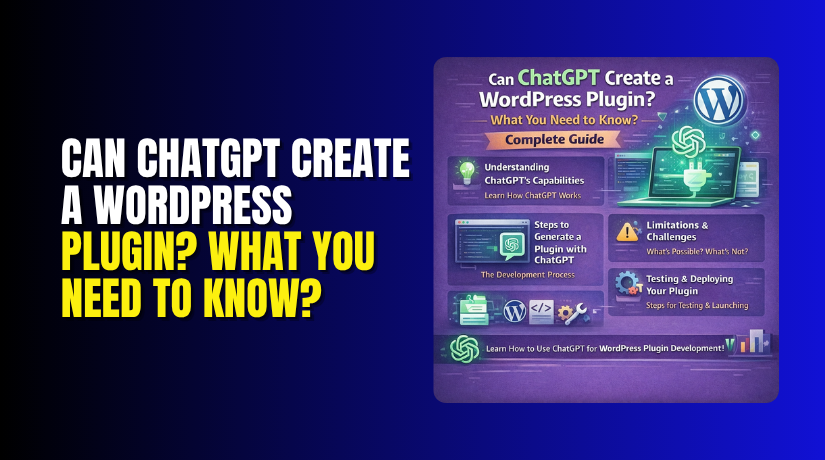
Can ChatGPT Create a WordPress Plugin? What You Need to Know? Complete Guide
Table of Contents
- Introduction
- What is ChatGPT?
- How ChatGPT Understands Code?
- What are the Key Features, Pros of ChatGPT?
- How to Connect or Add ChatGPT to WordPress?
- Can ChatGPT Create a WordPress Plugin?
- Final Verdict
Introduction
Imagine asking an AI to build a WordPress plugin for you. You describe what you want. The AI writes the code instantly. Your plugin is ready in minutes.
This sounds like science fiction. But it is now reality. ChatGPT can indeed create WordPress plugins. It can write code, debug errors, and even explain complex functions.
But there is a catch. AI-generated code is not perfect. It often contains security holes. It may not follow WordPress best practices. It can fail in unexpected ways.
This guide will answer your biggest question: Can ChatGPT create a WordPress plugin? You will learn exactly what ChatGPT can and cannot do. You will see real examples and testing results.
By the end, you will know when to use AI for plugin development. You will also understand when to hire a real developer.
What is ChatGPT?
ChatGPT is an artificial intelligence chatbot created by OpenAI. It was launched in November 2022. The name stands for Generative Pre-trained Transformer.
ChatGPT is a large language model (LLM). It was trained on massive amounts of text and code from the internet. This training includes books, articles, websites, and software repositories.
You can ask ChatGPT questions in plain English. It understands natural language very well. It responds with human-like answers.
How ChatGPT Understands Code?
- ChatGPT learned to write code during its training. It studied millions of code examples. It learned programming languages like PHP, JavaScript, Python, and HTML.
- It also learned WordPress-specific functions. It knows hooks, filters, shortcodes, and the WP_Query class. It understands how plugins should be structured.
- This makes ChatGPT useful for WordPress developers. It can generate plugin code on demand.
ChatGPT Versions
- Several versions of ChatGPT exist today. GPT-3.5 is the free version. It is good for basic tasks. GPT-4 is more powerful and accurate. GPT-4 Turbo is even better for coding.
- The latest versions have larger context windows. They can remember more of your conversation. This helps with complex plugin development.
What are the key features and pros of ChatGPT?
Key Features of ChatGPT
- Natural Language Understanding: You do not need to write code. Just describe your plugin in simple words. ChatGPT will translate your request into working PHP.
- Code Generation: ChatGPT writes complete PHP functions and classes. It can create a full plugin file with proper headers. It adds hooks, actions, and filters correctly.
- Debugging Assistance: When your plugin breaks, ChatGPT helps find the error. Paste your error message into the chat. ChatGPT explains the problem and suggests fixes.
- Code Explanation: New to WordPress development? Ask ChatGPT to explain any function. It breaks down complex code into simple terms. This is great for learning.
- Multiple Programming Languages: ChatGPT handles PHP, JavaScript, CSS, HTML, and SQL. You can build the entire plugin stack with one tool.
- Pattern Recognition: ChatGPT knows common WordPress patterns. It will use register_activation_hook correctly. It adds nonces to forms. It escapes output properly.
- Documentation Generation: ChatGPT writes comments and README files. This saves time when sharing your plugin with others.
Pros of ChatGPT for Plugin Development
- Saves Enormous Time: Writing code from scratch takes hours. ChatGPT generates it in seconds. One developer rebuilt a broken plugin in just one hour using ChatGPT.
- Very Low Cost: ChatGPT Plus costs $20 per month. Hiring a developer costs $50-$150 per hour. For simple plugins, AI is far cheaper.
- Great Learning Tool: Beginners can learn by studying AI-generated code. You can ask follow-up questions about each line. This builds real skills.
- Available 24/7: Need help at 3 AM? ChatGPT is always online. No waiting for developer availability or forum replies.
- Rapid Prototyping: Test your plugin idea quickly. Get a working prototype in minutes. Validate the concept before investing serious money.
- No Setup Required: ChatGPT works in your browser. No software to install. No server to configure. No API keys to manage for basic use.
- Handles Repetitive Tasks: Writing the same type of code over and over? Let ChatGPT do it. Focus your energy on the unique parts of your plugin.
How to Connect or Add ChatGPT to WordPress?
There are two main ways to add ChatGPT to your WordPress site. You can use a plugin or build a custom integration.
Method 1: Using a Ready-Made Plugin (No Coding)
This is the easiest method. It works for most users.
Step 1: Go to your WordPress dashboard. Navigate to Plugins > Add New.
Step 2: Search for “AI Engine”. This is one of the most popular ChatGPT plugins.
Step 3: Click Install Now, then Activate. The plugin adds a new menu item to your dashboard.
Step 4: Get your OpenAI API key. Go to platform.openai.com and sign in. Navigate to API Keys and click Create new secret key. Copy the key immediately.
Step 5: Paste the API key into the AI Engine settings. Choose your model (GPT-4 or GPT-3.5 Turbo). Save your settings.
Step 6: Add a ChatGPT chatbot to any page. Use the shortcode [mwai_chatbot]. Or use the dedicated Gutenberg block.
Other good plugins include:
- WP AI Assistant – Chatbot with visual builder
- AI ChatBot – Simple chatbot for customer support
- ChatGPT for WordPress – Adds AI content generation
Method 2: Custom Integration via OpenAI API (For Developers)


This method gives you full control. You need coding skills.
Step 1: Register for an OpenAI account and get your API key.
Step 2: Install the OpenAI PHP client library. Use Composer or download it manually.
Step 3: Create a custom plugin. Add a function that sends requests to the OpenAI API.
Step 4: Process the API response. Display the AI output on your site.
Step 5: Handle errors and rate limits. The API has usage restrictions.
This approach is best for developers building custom AI tools.
Can ChatGPT Create a WordPress Plugin?
The short answer is yes. ChatGPT can create a WordPress plugin. But there are important limitations you must understand.
AI-generated code requires careful security review. Studies consistently show that large language models produce insecure code by default.
Common vulnerabilities include:
- Missing input sanitization – User data goes directly into SQL queries
- No output escaping – Data displayed without escaping creates XSS holes
- Missing nonce verification – Forms are vulnerable to CSRF attacks
- SQL injection risks – Custom $wpdb queries often lack proper preparation
- Capability checks missing – Admin functions may be accessible to subscribers
Always review AI-generated code before using it on a live site. Run security plugins like Wordfence. Test with a staging environment.
What ChatGPT Can Create?
- Complete Plugin Files: ChatGPT generates the main PHP file. It adds the plugin header, defines constants, and registers hooks. It creates a fully functional plugin skeleton.
- Custom Post Types and Taxonomies: Need a new post type? ChatGPT writes the register_post_type code. It adds labels, supports features, and sets rewrite rules.
- Shortcodes and Blocks: ChatGPT creates shortcode functions. It generates the HTML output and registers the shortcode. It can also create basic Gutenberg blocks.
- Admin Settings Pages: ChatGPT writes code for plugin settings. It uses the WordPress Settings API correctly. It adds sections, fields, and sanitization callbacks.
- Database Tables and Queries: ChatGPT creates custom tables using dbDelta(). It writes $wpdb queries for inserting, updating, and selecting data.
- REST API Endpoints: ChatGPT registers custom REST routes. It adds permission callbacks and handles requests.
- Hooks and Filters: ChatGPT uses WordPress actions and filters properly. It adds add_action and add_filter calls with correct priorities.
What ChatGPT Cannot Do Reliably?
- Complex Business Logic: ChatGPT struggles with multi-step workflows. Payment processing, subscription handling, and membership systems are too complex. Edge cases often break the AI’s logic.
- Security Hardening: AI-generated code often has security flaws. One study found ChatGPT code was more vulnerable than human code. GPT-4.1 scored only 1.5 out of 10 on security tests. Missing input sanitization and output escaping are common problems.
- Full Testing: ChatGPT does not test its own code. It cannot run your plugin or verify compatibility. You must test everything yourself.
- WordPress Coding Standards: ChatGPT does not always follow WordPress best practices. It may use deprecated functions. It might not escape output properly. It can miss nonce verification.
- New WordPress Features: ChatGPT’s training data ends at a cutoff date. It does not know about recent WordPress updates. New hooks or functions may be missing.
- Plugin Conflicts: ChatGPT does not know what other plugins you use. It cannot predict conflicts. You must test compatibility yourself.
- Performance Optimization: AI-generated code is not always efficient. Database queries may be slow. Assets may load on every page. Performance tuning requires human expertise.
Final Verdict
So, can ChatGPT create a WordPress plugin? The answer is yes, but with important caveats.
For simple plugins (contact forms, custom post types, shortcodes), ChatGPT works very well. The code is often ready to use after minor adjustments. You can save hours of development time.
For complex plugins (e-commerce, membership systems, payment gateways), ChatGPT is not reliable. It will produce code that looks correct but often fails. Security vulnerabilities are common. You need a real developer for these projects.
The best approach is to use ChatGPT as your coding assistant. Let it generate the initial structure. Let it write repetitive functions. Let it help you debug. But always review, test, and secure the final code yourself.
For non-developers, the safest path is using existing ChatGPT integration plugins. They are tested, supported, and updated regularly. You get AI features without the security risks of custom code.
ChatGPT is a revolutionary tool for WordPress development. It will not replace developers anytime soon. But it will make good developers much faster. Use it wisely, and it will save you countless hours. Use it carelessly, and it will create security nightmares. The choice is yours.
Have questions before starting with WooCommerce & WordPress? Get support here at WooHelpDesk.



