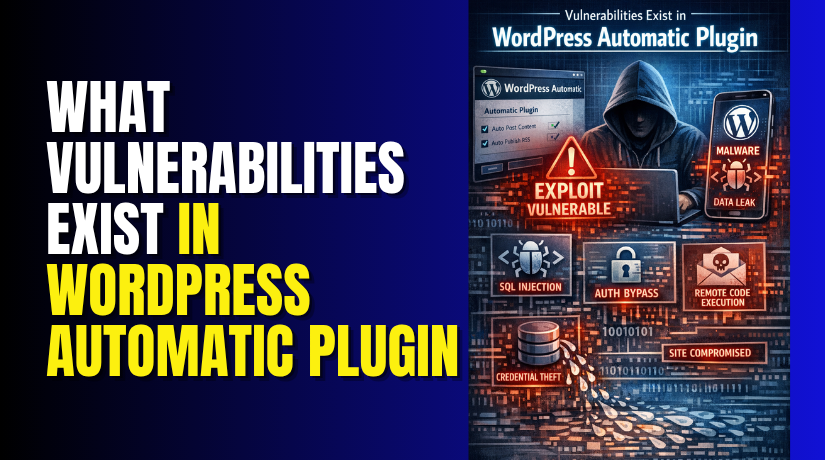
What Vulnerabilities Exist in WordPress Automatic Plugin?
Table of Contents
- Introduction: Why the WordPress Automatic Plugin Vulnerability Matters
- The Main Confirmed Vulnerability in WordPress Automatic
- Other Vulnerabilities Reported Alongside the SQL Injection Issue
- Why These Vulnerabilities Are a Serious Security Concern
- How These Vulnerabilities Can Impact a WordPress Website
- Which Websites Are Most at Risk
- Which Versions Were Affected and Why Version Checking Matters
- What Site Owners Should Do Immediately
- Sources and References
- Conclusion
Introduction: Why the WordPress Automatic Plugin Vulnerability Matters
The WordPress Automatic plugin vulnerability became a major concern for site owners. This issue was not about WordPress core itself. It was linked to a specific plugin many users installed for content automation. That is why this topic needs clear and focused attention. When a plugin handles large tasks, it also holds important site access and data paths. If a weakness appears there, the full website can face risk.
This problem matters because plugin flaws can harm normal business websites fast. A blog, store, or company site can all be affected. Many website owners trust plugins to run daily tasks without trouble. They expect updates, imports, and automation to work safely. But when a serious plugin flaw appears, that trust can break very quickly. A single weak point may expose data, damage settings, or open the site to attack.
This is why the issue received strong attention from WordPress users. It was not a small bug or display error. It was a security matter that could affect site safety. For website owners in the USA, this kind of issue can also affect customer trust. If a website is attacked, recovery can take time and money. That makes the plugin issue important for both security and business.
In this section, the focus stays only on the real vulnerability in this plugin. We are not discussing general WordPress risks here. We are only looking at what made this plugin vulnerable and why it mattered so much.
The Main Confirmed Vulnerability in WordPress Automatic
The main confirmed issue was a WordPress Automatic plugin SQL injection flaw. This was the most serious problem connected to the plugin. In simple words, SQL injection happens when bad input reaches the database query. That weak handling can allow an attacker to interfere with database actions. A website database stores important content, settings, and user details. So any weakness at that level becomes a major danger.
This WordPress Automatic plugin security issue was serious because database access can affect the whole website. If an attacker reaches that point, they may read data, change data, or create more damage later. That is why SQL injection is treated as a critical flaw. It does not stay limited to one small page or setting. It can spread risk across the full site environment.
The danger becomes even greater when the flaw is easy to target. Website owners may not notice the attack early. In many cases, the site may still look normal at first. But behind the scenes, harmful actions may already be happening. That is what made this plugin issue so important. It was not just a plugin error. It was a direct security risk that needed urgent attention.
Other Vulnerabilities Reported Alongside the SQL Injection Issue
The SQL injection flaw was not the only concern here. The plugin was also linked with other serious security weaknesses. These issues made the overall WordPress Automatic plugin security issue much more alarming for website owners. When one plugin carries several risks, the chance of deeper damage becomes higher.
One reported problem involved arbitrary file download. This means an attacker may try to access files that should stay private. Those files can include settings, saved data, or technical details. If exposed, that information may help attackers plan the next step. Even a small file leak can create a bigger security problem later.
Another reported issue involved SSRF, or server-side request forgery. In simple terms, this can make a site send requests it should not send. That may let an attacker reach internal resources or test hidden paths. Most site owners will never see this activity on the front end. But the risk can still grow quietly inside the website environment.
The plugin was also connected with path traversal concerns. This issue may allow access to files outside the intended folder path. A secure plugin should keep file access limited and controlled. But when path checks are weak, attackers may push beyond safe areas. That can expose files that were never meant to be reached.
These reported issues matter because each one targets a different area. Together, they create a wider attack surface for the website.
Key risks linked with these issues:
- file exposure through unsafe download access
- hidden server requests through SSRF behavior
- unsafe file path access through traversal flaws
Why These Vulnerabilities Are a Serious Security Concern
A plugin becomes more dangerous when it has several weaknesses together. One flaw may open the door, while another expands the damage. That is why this case raised strong concern among WordPress users. The risk was not limited to one small feature or setting.
These vulnerabilities are serious because they can affect both data and control. Attackers may not stop at reading one file or testing one request. They may use one weakness to search for another. This creates a chain of risk that becomes harder to stop. For many website owners, that kind of layered threat is hard to detect early.
The danger also grows because many users trust automation plugins heavily. They often run in the background and handle regular site tasks. If a plugin with deep access becomes weak, the whole site can suffer. A store, service site, blog, or business platform may all face trouble.
That is why this issue deserves close attention. It was not just a small plugin bug. It showed how multiple weaknesses in one tool can create real security pressure for WordPress websites.
How These Vulnerabilities Can Impact a WordPress Website
A serious plugin flaw can affect more than one website area. It can touch data, access, files, and daily site activity. That is why this issue worried many site owners quickly. The risk was not limited to one tool setting. It could spread across the full website environment.
The biggest danger starts with the database. A weak point there can expose stored site information. That may include content, settings, user records, and admin details. If attackers reach this level, the website becomes harder to trust. Important data may be viewed, changed, or removed without approval.
Another major risk involves unauthorized access. Attackers often use one flaw to create another opening. Once they gain deeper access, they may add harmful changes quietly. These changes may not appear on the front end first. The website can still look normal for some time. But hidden damage may already be growing inside.


File exposure is another serious concern in this case. If private files become reachable, attackers gain useful information fast. That information may help them understand site structure and weak points. It may also support future attacks on the same website. This is where a WordPress Automatic plugin exploit becomes especially dangerous. One weakness can help trigger larger security problems later.
These vulnerabilities can also hurt normal website operations. A business site may lose customer trust after a security event. A blog may show broken content or suspicious changes. An online store may face downtime, login trouble, or data risk. Even a small attack can lead to cleanup costs and lost time.
Common effects site owners may face:
- database data exposure or silent changes
- unknown admin activity or access misuse
- private file leaks or server-level risk
- site trust and brand damage
Which Websites Are Most at Risk
The most exposed websites are those using outdated plugin versions. If the plugin stays old, the risk stays active longer. Many site owners delay updates during busy work periods. That small delay can create a large security gap.
Websites with weak maintenance habits are also at higher risk. Some users install plugins and rarely review them later. They may ignore update notices or security warnings. That makes it easier for hidden issues to remain in place.
Small business websites often face this problem more than others. They may not have a full-time technical team watching plugin health. A local service site, small store, or personal blog can miss early signs. By the time the issue is noticed, the damage may already be done.
Sites that depend heavily on automation tools need extra care. These plugins often connect with content, files, and important settings. If one automation plugin becomes weak, the whole setup can suffer. That is why version checks, updates, and regular reviews matter so much for website safety.
Which Versions Were Affected and Why Version Checking Matters
Website owners should first check which plugin version they are using. This step sounds small, but it matters a lot. A security problem is only clear when the installed version is known. Many users remember plugin names, but not version numbers. That creates confusion during a serious plugin alert.
In this case, older vulnerable releases created the main risk. If a website still runs an affected version, the danger remains active. A patched release only helps after the update is installed. That is why version checking should be the first action. It tells you whether your site may still be exposed.
Version checking also helps site owners act with more confidence. It removes guesswork and supports faster decisions. You can compare your installed version with the safe release. You can also review update notes and security notices. This makes the WordPress Automatic plugin vulnerability easier to understand and manage.
Why version checking matters:
- it confirms whether your site may still be exposed
- it helps you plan the next security steps
- it reduces delay during a plugin security issue
What Site Owners Should Do Immediately
After checking the version, update the plugin without delay. This is the most important first fix. An old version can leave the site open longer. A quick update reduces that window of risk. It also helps block repeat attacks using known weak points.
Next, review all administrator accounts on the website. Look for unknown users or strange account activity. If something looks unusual, take action quickly. Remove unknown access and reset all strong passwords. This includes WordPress, database, hosting, and FTP logins.
Then check the website for other warning signs. Review security logs, plugin changes, and uploaded files. Watch for unexpected edits, new folders, or hidden scripts. If the site shows strange behavior, scan it fully. A WordPress Automatic plugin security issue may not stop at one visible problem.
You should also review the database for unusual changes. Important settings, content, or user records may be altered. If compromise is suspected, use a clean backup carefully. Do not restore blindly without checking the cause first. A full review helps stop the same issue from returning.
Immediate actions to take:
- update the plugin right away
- review admin users and password safety
- scan files, logs, and database activity
- check backups before restoring anything
Sources and References
- CVE-2024-27956 – SQL Injection in WordPress Automatic Plugin (CVE Details)
- Patchstack – WordPress Automatic Plugin SQL Injection Vulnerability
- Wordfence Threat Intelligence – WordPress Automatic Plugin Vulnerabilities
- WordPress.org – WordPress Automatic Plugin Page
- OWASP – SQL Injection Overview
Note: The above sources are provided for reference purposes. Always verify security advisories from official vendor channels before taking action on your website.
Conclusion
The WordPress Automatic plugin had serious security weaknesses that site owners could not ignore. The issue was more than a simple plugin bug. It created real risk for data, files, and website control. That is why fast action matters. Check the plugin version, update it, and review the site carefully. If you need help checking your website, cleaning infected files, or securing plugin settings, contact WooHelpDesk for expert WordPress support.



