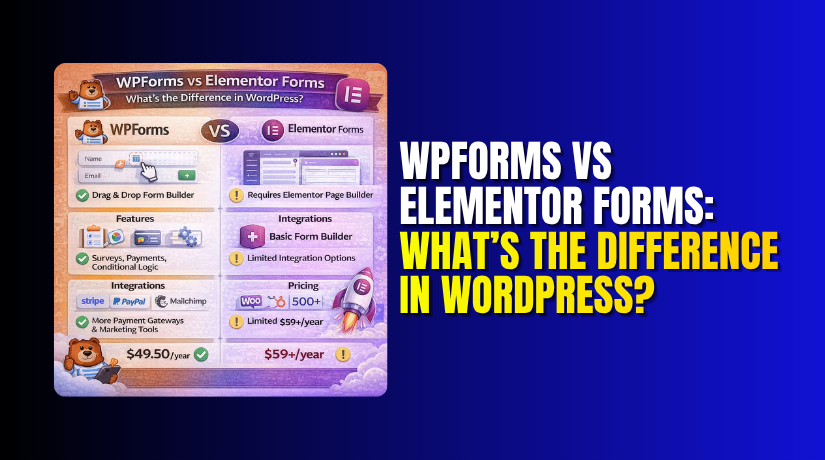
WPForms vs Elementor Forms: What’s the Difference in WordPress?
Table of Contents
- Introduction
- What is WPForms?
- What are the Key Features, Pros and Cons of WPForms?
- What is Elementor Forms?
- What are the Key Features, Pros and Cons of Elementor Forms?
- What is the Difference Between WPForms and Elementor Forms?
- Which One Should You Choose?
- Final Verdict
Introduction
Forms are the bridge between you and your audience. Whether you need a simple contact form, a complex payment system, or a multi-page survey, the tool you choose shapes how visitors interact with your site. Two popular options in the WordPress ecosystem are WPForms and Elementor Forms. But they serve very different purposes.
Elementor Forms is a widget inside the Elementor Pro page builder, treating forms as just another design element on your page. WPForms, on the other hand, is a dedicated form-building plugin with over 2 million users. It is designed specifically to create powerful forms with features like payment processing, conditional logic, & integrations. This fundamental difference in approach shapes everything from how you build forms to what you can accomplish with them.
This guide provides a comprehensive, unbiased comparison of WPForms and Elementor Forms. You’ll learn about their key features, strengths, limitations, and real-world performance. By the end, you’ll know exactly which tool fits your specific needs.
What is WPForms?
WPForms is a drag-and-drop form builder plugin for WordPress, launched in 2016 by the team behind WPBeginner. It is one of the most widely used form plugins, with over 2 million registered users. WPForms Lite is available for free on WordPress.org, while WPForms Pro unlocks advanced features like payment gateways, marketing integrations, and extensive form templates.
WPForms is built around the idea that form creation should be intuitive and accessible to everyone, regardless of technical skill. The plugin provides a dedicated form builder interface—a clean, focused environment with no distractions.
Every feature is purpose-built for forms, from the drag-and-drop field editor to the advanced settings panel. This specialization means you can create a professional-looking form in under two minutes using one of over 2,000 pre-built templates.
What are the Key Features, Pros and Cons of WPForms?
Key Features
- Drag-and-Drop Builder: The dedicated form builder lets you add, remove, and rearrange fields visually. You can see exactly where each field will appear and preview changes in real-time.
- Over 2,000 Pre-Built Templates: Choose from templates for contact forms, surveys, order forms, job applications, event registrations, and more. This library covers virtually every use case and saves enormous time.
- 35+ Form Fields (Free) and 50+ (Pro): The free version includes text, email, phone, dropdown, checkboxes, radio buttons, and textareas. Pro adds advanced fields like file uploads, signatures, payment processing, star ratings, Likert scales, and Net Promoter Score fields.
- Payment Gateways: WPForms Pro integrates with PayPal, Stripe, and Square, allowing you to collect payments, deposits, and subscriptions directly through your forms.
- Marketing Integrations: Native integrations include Mailchimp, Constant Contact, AWeber, ActiveCampaign, ConvertKit, Drip, and Zapier for connecting to hundreds more tools.
- Spam Protection: Built-in reCAPTCHA and honeypot technology block automated submissions without annoying real users.
- Conditional Logic: Show or hide fields based on user selections, creating smart, adaptive forms that only ask relevant questions.
- Multi-Page Forms: Break long forms into manageable sections with progress bars to improve completion rates.
- Entry Management: Store and manage all form submissions directly in your WordPress dashboard. Export data to CSV for spreadsheet analysis.
- File Uploads: Allow users to upload images, documents, or other files with your forms.
- User Registration: Create custom registration forms that integrate with WordPress user accounts.
Pros of WPForms
- Extremely Easy to Use: The dedicated form builder is intuitive even for beginners. You can create a functional contact form in under three minutes without any prior experience.
- Massive Template Library: With over 2,000 pre-built templates, you rarely need to start from scratch. Find templates for contact forms, surveys, order forms, job applications, event registrations, and more.
- Dedicated Form Builder Interface: Unlike Elementor, which treats forms as one widget among many, WPForms provides a clean, focused environment specifically for form creation. No distractions, no competing widgets.
- Advanced Field Types: The Pro version includes signature fields, file uploads, star ratings, Likert scales, and Net Promoter Score fields—elements that Elementor Forms lacks entirely.
- Strong Payment Processing: Native integration with PayPal, Stripe, and Square lets you collect payments, deposits, and subscriptions directly through forms.
- Comprehensive Conditional Logic: Show or hide fields based on user selections, creating dynamic, adaptive forms that only ask relevant questions.
- Excellent Integrations: Native connections to major email marketing platforms and Zapier support make WPForms a hub for your marketing stack.
- User Rating: WPForms scores 4.4/5 for ease-of-use and 4.0/5 for value for money in independent reviews.
Cons of WPForms
- Pro Features Require Upgrade: While the free version is generous, advanced features like payment processing, file uploads, and conditional logic require WPForms Pro.
- Annual Pricing: WPForms Pro starts at $49.50 per year, which is reasonable but an ongoing cost. The free version remains available indefinitely.
- Some Integrations Require Additional Add-Ons: While core integrations are included, some specialized connections may require separate add-ons.
- Learning Curve for Advanced Features: While basic forms are simple, mastering conditional logic and advanced settings takes time.
- No Free Payment Processing: You cannot accept payments with the free version—this requires Pro.
What is Elementor Forms?
Elementor Forms is the built-in form widget included with Elementor Pro, the premium version of the popular WordPress page builder. With over 15 million websites using Elementor, its form widget is a convenient option for users already in the Elementor ecosystem.
Elementor treats forms as just another design element within its page builder. The philosophy is simple: if you’re already building your site with Elementor, why switch to a separate tool for forms? The form widget offers basic functionality with extensive styling controls, allowing you to create forms that match your site’s design perfectly.
What are the Key Features, Pros and Cons of Elementor Forms?
Key Features
- Live Form Design: You design forms directly in the frontend, seeing changes in real-time as you work.
- 20 Field Types: Includes text, email, dropdown, checkboxes, radio buttons, number, and date fields. Advanced fields like file upload require third-party services.
- Styling Flexibility: Extensive design controls for colors, typography, borders, spacing, and animations. Forms can be customized to match any brand aesthetic.
- Multi-Step Forms: Create forms with multiple steps, though setup is less intuitive than dedicated builders.
- Spam Protection: Includes reCAPTCHA and honeypot features.
- Basic Integrations: Connects with Mailchimp, ActiveCampaign, and other marketing tools. Zapier integration expands possibilities.
- Conditional Logic: Basic field showing/hiding based on user selections, though less advanced than dedicated form builders.
- Submission Storage: Elementor can store form submissions, though management is basic compared to dedicated form plugins.
- Custom Email Notifications: Configure email recipients, subjects, and content.
- Webhook Support: Send form data to external services.
Pros of Elementor Forms


- Integrated with Your Page Builder: If you’re already using Elementor Pro to design your site, the form widget is a natural extension. No need to install a separate plugin.
- Live Frontend Design. You see exactly what your form will look like as you build it. This visual feedback accelerates design iteration.
- Powerful Styling Controls: Elementor’s design tools let you customize every visual aspect of your form—colors, fonts, spacing, borders, animations, and more.
- Part of Elementor Pro: Forms come bundled with Elementor Pro, so there’s no separate purchase if you already have the page builder.
- Mobile Responsive: Elementor’s responsive controls let you customize how forms appear on different devices.
- Lightweight for Simple Forms: For basic contact forms, Elementor Forms does the job without adding another plugin.
- Good for Landing Pages: If you’re building a landing page in Elementor, adding a form is seamless.
- User Rating: Elementor is rated 4.5-5.0 by users who praise its ease of use and customization capabilities.
Cons of Elementor Forms
- Requires Elementor Pro: The form widget is not available in the free version of Elementor. You must purchase the full Elementor Pro package.
- No Standalone Forms: You cannot create a form without first creating or editing a page. Forms are tied to specific pages from the moment they’re created.
- No Pre-Built Templates: Unlike WPForms, Elementor Forms starts with a blank form. You have to build every form from scratch.
- Limited Field Types: Only 20 field types compared to WPForms’ 35+ free and 50+ Pro. Missing advanced fields like signatures, file uploads, and star ratings.
- No Native File Uploads: File uploads require third-party services like Dropbox or custom integrations.
- No Payment Processing: Elementor Forms cannot collect payments natively. You would need separate plugins like WooCommerce or Stripe integrations.
- Conditional Logic is Basic: While you can show or hide fields, the logic is simpler than dedicated form builders.
- Form Management is Clunky: To create a similar form for a different page, you must duplicate the entire page rather than just the form.
- Performance Concerns: Some users report that Elementor can slow down sites, especially with complex designs.
- No Dedicated Entry Management: Form submissions are stored but management options are limited compared to dedicated form plugins.
What is the Difference Between WPForms and Elementor Forms?
This table provides a comprehensive comparison of WPForms and Elementor Forms based on 2026 data.
| Comparison Factor | WPForms | Elementor Forms | Better |
| Core Purpose | Dedicated form builder plugin | Form widget within Elementor Pro page builder | Depends on need |
| Approach | Forms-first, specialized tool | Design-first, forms as widget | WPForms (for forms) |
| Standalone Installation | Yes, installs as separate plugin | Requires Elementor Pro | WPForms |
| Free Version | Yes (WPForms Lite) | No (Elementor free has no forms) | WPForms |
| Starting Price | $49.50/year (Pro) | Elementor Pro from $59/year | WPForms (slightly cheaper) |
| Dedicated Form Builder | Yes, purpose-built interface | No, forms created inside page builder | WPForms |
| Pre-Built Templates | 2,000+ templates | No templates, start from blank | WPForms |
| Field Types (Free) | 35+ field types | 0 (requires Pro) | WPForms |
| Field Types (Paid) | 50+ field types | 20 field types | WPForms |
| File Uploads | Yes (Pro) | No (requires third-party) | WPForms |
| Signature Fields | Yes (Pro) | No | WPForms |
| Payment Processing | PayPal, Stripe, Square (Pro) | No native payment | WPForms |
| Conditional Logic | Advanced (show/hide fields) | Basic (show/hide only) | WPForms |
| Multi-Page Forms | Yes (Pro) | Yes | Tie |
| Styling Control | Good | Excellent (full Elementor design tools) | Elementor |
| Live Frontend Design | Preview mode | Yes (design on live page) | Elementor |
| Marketing Integrations | Extensive (Mailchimp, Constant Contact, etc.) | Basic (Mailchimp, ActiveCampaign) | WPForms |
| Zapier Integration | Yes | Yes | Tie |
| Entry Management | Dedicated dashboard | Basic storage | WPForms |
| Spam Protection | reCAPTCHA, honeypot | reCAPTCHA, honeypot | Tie |
| User Registration | Yes (Pro) | No | WPForms |
| Email Notifications | Advanced | Basic | WPForms |
| File Type Restrictions | Yes | No | WPForms |
| Ease of Use for Beginners | Very easy, dedicated interface | Requires Elementor knowledge | WPForms |
| Best For | Complex forms, payments, data collection | Simple forms within Elementor sites | Depends on need |
Which One Should You Choose?
Choose WPForms If:
- You need advanced form features: If your forms require file uploads, signature fields, payment processing, or complex conditional logic, WPForms Pro is the clear choice.
- You want a dedicated form builder: The purpose-built interface makes form creation faster and more intuitive, especially for non-technical users.
- You value time savings: The 2,000+ pre-built templates mean you can have a professional form ready in under two minutes.
- You need to accept payments: WPForms integrates natively with PayPal, Stripe, and Square, making it ideal for registration fees, product orders, or donation forms.
- You want to collect file uploads: If your forms need to accept documents, images, or other files, WPForms handles this natively.
- You prefer a free version to test: WPForms Lite lets you build functional forms without commitment.
- You manage multiple forms: The dedicated entry management system helps you track submissions across all your forms.
Choose Elementor Forms If:
- You’re already an Elementor Pro user: If you’re building your entire site with Elementor, using its built-in form widget eliminates the need for another plugin.
- You prioritize visual design: Elementor’s styling controls give you complete freedom to make forms that match your brand perfectly.
- You need simple forms only: For basic contact forms, newsletter signups, or simple inquiries, Elementor Forms does the job without adding complexity.
- You design live: The frontend design experience lets you see exactly how your form looks as you build it.
- You want fewer plugins: Keeping your site lean by using built-in Elementor features can reduce plugin maintenance overhead.
- You’re building landing pages: For single-purpose pages where the form is the main conversion element, Elementor’s integrated workflow is efficient.
Final Verdict
WPForms and Elementor Forms serve fundamentally different audiences, and the right choice depends entirely on your needs and existing tools.
Choose WPForms if you need advanced form functionality, payment processing, file uploads, or a dedicated form-building experience. WPForms is a specialized tool designed from the ground up for forms. Its 2,000+ pre-built templates, 50+ field types, native payment integrations, and comprehensive conditional logic make it ideal for complex forms like job applications, event registrations, payment forms, and surveys.
The dedicated builder interface is intuitive even for beginners, and the free version lets you test core functionality without commitment. For businesses that rely on forms to collect data, accept payments, or manage registrations, WPForms delivers the power and reliability needed.
Choose Elementor Forms if you’re already an Elementor Pro user and only need simple forms like contact or newsletter signups. Elementor Forms integrates seamlessly into your existing page builder workflow, with excellent styling controls that match your site’s design perfectly.
The live frontend design experience lets you see exactly what you’re building. However, the form functionality is basic compared to dedicated form builders. You get 20 field types, no file uploads without third-party services, no payment processing, and limited conditional logic. If your forms are simple and you’re already in the Elementor ecosystem, this convenience may outweigh the limitations.
Both tools have their place. WPForms is the specialist—powerful, flexible, and designed for serious form work. Elementor Forms is the convenient side tool for users already committed to Elementor. Choose based on your needs, not just popularity.
Have questions before starting with WooCommerce & WordPress? Get support here at WooHelpDesk.



