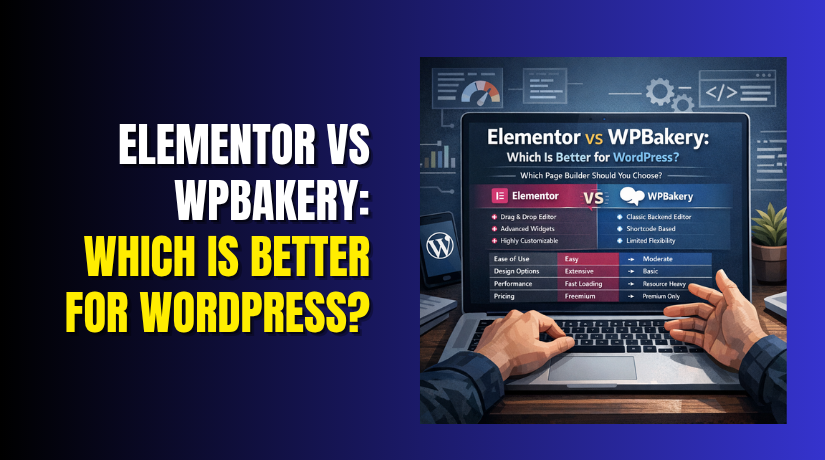
Elementor vs WPBakery: Which Is Better for WordPress?
Table of Contents
- Elementor vs WPBakery: Which Is Better for WordPress?
- What Is Elementor in WordPress?
- What Is WPBakery in WordPress?
- Elementor vs WPBakery: Main Difference You Should Know First
- Which Builder Is Easier to Use for Beginners?
- Elementor vs WPBakery Performance: Which One Feels Better on a Website?
- Design Flexibility and Editing Experience Compared
- Theme Compatibility and Long-Term Site Management
- Elementor vs WPBakery Comparison Based on Real User Needs
- Conclusion
Elementor vs WPBakery: Which Is Better for WordPress?
Choosing the right page builder can shape your full website experience. Both tools help build pages without hard coding. Still, they do not feel the same during real work. That is why many users search for Elementor vs WPBakery before starting a new website or editing an old one. This comparison matters because your builder affects design speed, editing comfort, and future site updates. A wrong choice can slow your work and create layout problems later. A smart choice can make page building easier and more flexible. In this Elementor vs WPBakery comparison, we will first understand both builders clearly. Then it becomes easier to decide which is better Elementor or WPBakery for your WordPress website.
What Is Elementor in WordPress?
Elementor is a drag-and-drop page builder for WordPress websites. It lets you build pages on the front end. This means you can see design changes live. You do not need to guess how the page will look. That makes editing faster and more comfortable for many users. Elementor uses sections, columns, and widgets in a clear way. You can build landing pages, service pages, homepages, and custom layouts easily. It is popular because the editor feels modern and simple. Many users like Elementor vs WPBakery for beginners discussions because Elementor often feels easier from the first click.
Elementor is often used for:
- Custom homepages
- Service and landing pages
- Sales pages
- Mobile-friendly page layouts
What Is WPBakery in WordPress?
WPBakery is also a page builder plugin for WordPress. It has been around for many years. Many older premium themes include it by default. WPBakery allows both backend and frontend editing. That gives users two ways to manage page design. However, its editing style often feels different from Elementor. On many websites, WPBakery is already built into the theme structure. Because of that, many site owners continue using it. When people compare Elementor vs WPBakery, they usually want to know which builder feels easier, more modern, and better for daily WordPress work.
Elementor vs WPBakery: Main Difference You Should Know First
The biggest difference between these builders is the editing experience. Both help you design WordPress pages without coding. But they do not work in the same way. This is where the real Elementor vs WPBakery comparison starts.
Elementor gives you a live visual editor on the front end. You can drag items, move sections, and watch changes happen instantly. This makes design work feel smooth and clear. The editor is built to help users work faster.
WPBakery also supports page building, but the workflow feels older. It offers both backend and frontend editing. On many websites, users still work more from the backend layout view. That process can feel less direct during page design.
Another important difference is how both builders fit into websites. Elementor is often used as a flexible builder for modern page design. WPBakery is often found on older sites or premium themes that already include it. That is why which is better Elementor or WPBakery often depends on how the site was built and how you want to manage it later.
Which Builder Is Easier to Use for Beginners?
For most new users, Elementor feels easier from the start. The interface is simple, clean, and more visual. You can click on a section and edit it right away. This helps users understand page structure without much confusion.
WPBakery can still be useful, but beginners may need more time. Its editing style can feel less natural, especially on complex pages. Some users may also find the layout controls less clear during first use.
Here is a simple beginner-focused view:
| Point | Elementor | WPBakery |
| First-time editing feel | More visual and direct | Can feel less clear |
| Learning curve | Easier for most users | Slightly harder for beginners |
| Live design control | Strong and simple | Available, but less smooth |
| Best fit for new users | Very suitable | Better for existing setups |
In most cases, Elementor vs WPBakery for beginners is not a close match. Elementor usually wins because it reduces confusion and saves time. If someone is starting a fresh WordPress site, Elementor often feels like the easier and more comfortable option.
Elementor vs WPBakery Performance: Which One Feels Better on a Website?
Performance matters when choosing any WordPress page builder. A slow website can hurt user experience and search visibility. That is why many users compare Elementor vs WPBakery performance before making a final choice.
The truth is simple. Both builders can affect page speed. The final result depends on how the builder is used. It also depends on your theme, hosting, images, caching, and extra plugins. A page builder alone does not decide everything.
Elementor gives a modern design experience, but heavy layouts can add weight. Too many widgets, effects, and add-ons can slow a page. This usually happens when users build large pages without proper control.
WPBakery can also affect performance in a different way. On some websites, it adds extra layout code and shortcode-based structure. That can make pages feel heavier, especially on older setups. This is one reason many users check Elementor vs WPBakery comparison before choosing a builder for long-term use.
Here is a simple performance view:
| Performance Point | Elementor | WPBakery |
| Works well on optimized sites | Yes | Yes |
| Can become heavy with overuse | Yes | Yes |
| Feels more modern in workflow | Yes | Less often |
| Often found on older setups | Less common | More common |
Design Flexibility and Editing Experience Compared
Design freedom is another major part of this comparison. A builder should help you create layouts without stress. It should also let you control small design details easily.
Elementor gives strong visual control during page editing. You can manage spacing, fonts, colors, columns, and sections in one clear interface. This makes page building easier for users who want fast design changes. It also helps when building custom pages from scratch.
WPBakery can still handle page layouts well, but the process often feels less smooth. Some controls may take more steps. On complex pages, the editing flow may not feel as clear as Elementor.
Elementor is often better for:
- Fast visual editing
- Custom landing page design
- Easier layout control
- Cleaner workflow for daily updates
When users compare Elementor vs WPBakery, they often care about real work comfort. In that area, Elementor usually feels more flexible and easier to manage. For many modern websites, that makes a big difference during everyday editing.


Theme Compatibility and Long-Term Site Management
Choosing a page builder is not only about design tools. It also affects future editing, theme changes, and daily site management. This is an important part of any Elementor vs WPBakery comparison.
Elementor works well with many modern WordPress themes. It is often used on websites built for flexible design control. This makes it easier to update layouts later. It also helps site owners manage pages without depending too much on one theme.
WPBakery is different in many cases. It is often bundled with older premium themes. Because of that, some websites rely heavily on it. If the theme changes later, page layouts may need extra work. This can make long-term management harder for some users.
Here is the main difference in simple terms:
- Elementor usually gives more freedom with modern themes
- WPBakery is often more connected to theme-based setups
- Elementor can feel easier during future redesign work
- WPBakery may require more care on older websites
This is why which is better Elementor or WPBakery depends partly on your site setup. A new website usually needs flexibility. An older website may need stability first.
Elementor vs WPBakery Comparison Based on Real User Needs
The best choice becomes clear when you look at real use cases. Not every WordPress user has the same goal. Some are starting new websites. Others are managing existing pages.
For beginners
Elementor is usually the better fit for first-time users. The editor feels clear and easy to understand. That is why Elementor vs WPBakery for beginners is a common search.
For older websites
WPBakery may still make sense on an older site. This is true when the theme already uses it everywhere. In that case, switching builders may create more work.
For modern website design
Elementor feels more suitable for fresh page design. It offers a smoother workflow and better visual control. This helps users build pages faster.
For long-term flexibility
Elementor often gives better long-term control for future edits. WPBakery can still work well, but it may feel more limited later.
In this part of the Elementor vs WPBakery discussion, the answer becomes practical. Elementor is often better for new builds and easier management. WPBakery can still be useful when an existing website already depends on it.
Conclusion
After this Elementor vs WPBakery comparison, the answer is clearer. For most modern WordPress websites, Elementor is the better choice. It feels easier to use, more visual, and more flexible. That is why many users asking which is better Elementor or WPBakery often choose Elementor in the end.
Elementor is especially strong for:
- New WordPress websites
- Simple page editing
- Better design control
- Faster learning for new users
WPBakery still has value on older websites. It can be the practical option when a theme already depends on it. But for fresh builds, Elementor usually feels more comfortable. In most Elementor vs WPBakery for beginners cases, Elementor gives the smoother start.
If you are still unsure between Elementor and WPBakery, expert help can save time. If your builder causes layout, editing, or speed issues, WooHelpDesk can help you fix them. Their team can guide you toward the right setup for your WordPress website.



