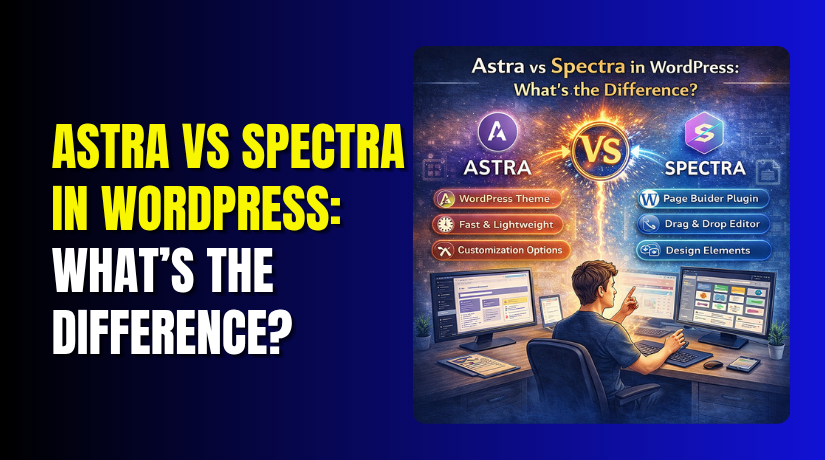
Astra vs Spectra in WordPress: What’s the Difference?
Table of Contents
- Introduction
- What is Astra?
- What are the Key Features, Pros and Cons of Astra?
- What is Spectra?
- What are the Key Features, Pros and Cons of Spectra?
- What is the Difference Between Astra and Spectra in WordPress?
- Which One Should You Choose?
- Final Verdict
Introduction
If you’ve ever browsed for WordPress themes or plugins, you’ve likely encountered Astra and Spectra. Brainstorm Force, the same company behind popular tools like Starter Templates, Convert Pro, and Schema Pro, develops both. They share a common ecosystem and work beautifully together.
But this close relationship often creates confusion. Many WordPress users wonder: are these two products competing with each other? Do I need both? What does each one actually do?
The confusion is understandable. Both Astra and Spectra help you build better websites. Both prioritize speed and performance. Both come from the same trusted developer. Yet they serve fundamentally different purposes.
Astra is a WordPress theme that controls your site’s layout, structure, headers, footers, and overall design foundation. It is the framework upon which your entire website is built.
Spectra is a WordPress plugin that enhances the Gutenberg block editor by adding advanced blocks, design controls, and styling options. It helps you create richer, more dynamic content within your pages.
This guide provides a complete, unbiased comparison of Astra and Spectra. You’ll learn exactly what each product does, their key features, strengths, limitations, and how they complement each other.
By the end, you’ll know whether you need one, both, or neither for your WordPress project.
What is Astra?
Astra is a lightweight, highly customizable WordPress theme designed to provide a fast and flexible foundation for your website. It is one of the most popular WordPress themes available, with over a million active installations and a 4.9/5 rating.
Astra is built around a modular philosophy. You enable only the features you actually need, keeping your site lean and fast . The theme starts as a lightweight skeleton (under 50KB) and you add “muscle” only where you want it via modules or the block editor.
Astra works seamlessly with the WordPress Block Editor (Gutenberg) and all major page builders like Elementor and Beaver Builder. This flexibility means you can build using whichever tools you prefer.
What are the key features, pros, and Cons of Astra?
Key Features of Astra
- Lightweight Core: Astra’s core code is exceptionally small. It uses vanilla JavaScript instead of jQuery, eliminating render-blocking scripts that slow down sites. The theme loads only what you need, when you need it.
- Modular Architecture: You can enable or disable modules based on your needs. Each module adds about 5-15KB, giving you granular control over what loads on your site. This modular approach keeps your site fast even as you add features.
- Starter Templates: Astra includes access to over 200 starter templates through the Starter Templates plugin. These professionally designed demos can be imported with one click and are available for Gutenberg, Elementor, and Beaver Builder.
- Header and Footer Builder: The drag-and-drop header builder lets you create custom headers with rows, columns, and elements like logos, menus, buttons, and social icons. Mobile headers can be configured separately.
- Global Color and Typography Controls: Set your brand colors and fonts once, and they apply across your entire site. Astra Pro adds advanced typography presets and more color options.
- WooCommerce Integration: Astra includes robust WooCommerce features including product layouts, off-canvas filters, quick view, dropdown carts, and sticky add-to-cart bars. These features help maximize e-commerce conversions.
- Page-Level Overrides (Pro): Each page can override global settings. Disable headers, footers, or sidebars on specific landing pages with one click. This is a powerful feature for agencies and marketers.
- Custom Layouts (Pro): Insert content anywhere on your site using conditional logic. Add banners, notices, or custom sections to specific pages, post types, or user roles.
- Performance Optimization: Astra ships with minimal CSS and JavaScript. Fonts can be self-hosted to reduce external requests. The theme is built to help you achieve excellent Core Web Vitals scores.
Pros of Astra
- Extremely Fast: Astra consistently scores 88-100 on performance tests. Its lightweight codebase ensures fast loading times out of the box.
- Massive Ecosystem: With over a million active installations, Astra has an enormous community. You’ll find countless tutorials, resources, and third-party add-ons.
- Huge Template Library: Over 200 starter templates cover virtually every industry and use case. You can launch a professional site in minutes.
- Flexible for Any Builder: Works seamlessly with Gutenberg, Elementor, Beaver Builder, and Brizy. No lock-in to a single builder.
- Excellent WooCommerce Support: Robust e-commerce features that often replace multiple separate plugins. Quick view, off-canvas filters, and sticky add-to-cart are Pro features.
- Proven Reliability: Astra has been actively developed for years and is trusted by millions. Regular updates ensure compatibility with the latest WordPress versions.
Cons of Astra
- Pro Features Add Up: While the free version is generous, advanced features like sticky headers, custom layouts, and WooCommerce enhancements require Astra Pro ($47-49/year).
- Can Feel Overwhelming: The extensive options and settings can overwhelm beginners. Finding specific controls takes time.
- Upsells in Dashboard: The free version displays prompts to upgrade. Some users find these distracting.
- Not Fully Block-First: While Astra works with Gutenberg, its architecture predates Full Site Editing. Some settings still live in the Customizer rather than the Site Editor.
- Per-Site Licensing: Astra Pro licenses are typically per website, which can become expensive for agencies managing many client sites.
What is Spectra?
Spectra (formerly known as Ultimate Addons for Gutenberg) is a WordPress plugin that extends the functionality of the Gutenberg block editor. It adds advanced blocks, design controls, and pre-built patterns to help you create sophisticated page layouts without leaving the native editor.
Spectra is built to enhance what WordPress already provides. Instead of replacing Gutenberg with a proprietary page builder, Spectra adds powerful blocks and design tools that integrate seamlessly into the editor you already know.
The plugin focuses on performance and portability. Blocks load CSS and JavaScript only when they are actually used on a page. Content created with Spectra remains readable HTML, so you can disable the plugin without breaking your site.
What are the Key Features, Pros and Cons of Spectra?
Key Features of Astra
- Container and Layout Controls: The Container block gives you complete control over spacing, alignment, flex settings, and responsive behavior. You can set different padding, margin, and visibility for desktop, tablet, and mobile.
- Global Styles and Presets: Set typography, color palettes, and spacing defaults that apply across all Spectra blocks. This ensures consistent design throughout your site.
- Copy-Paste Styles: Save time by copying styling from one block and applying it to others. This feature is invaluable for maintaining consistency across multiple elements.
- Custom CSS at Block Level: Add custom CSS to individual blocks without touching your theme files. CSS variables support helps maintain consistency with theme.json settings.
- Animations: Add entrance and hover animations to any block. Animation JavaScript loads only when animations are actually used on the page.
- Template Kits and Patterns: Import pre-designed page layouts and block patterns directly from the Spectra library. Designs inherit your theme’s colors and typography.
- Display Conditions: Control which blocks appear based on user role, device type, browser, or login status. This is a Pro feature.
Pros of Spectra


- Native Gutenberg Workflow: Spectra stays close to core WordPress, so there’s no steep learning curve. The interface feels familiar to anyone who has used the block editor.
- Excellent Performance: Spectra loads assets only when blocks are actually used. Pages stay lightweight and fast. One reviewer achieved sub-1 second load times using Spectra.
- Portable Content: Content created with Spectra remains readable HTML. Disable the plugin and your content doesn’t break—it just loses advanced styling.
- Over 1 Million Active Installations: Spectra has a large, active user base and over 1,500 five-star reviews. The plugin is battle-tested and reliable.
- Compatible with Any Theme: Spectra works with any WordPress theme, not just Astra. You can use it with GeneratePress, Kadence, Blocksy, or any block-ready theme.
- Active Development: Brainstorm Force releases regular updates with new features and compatibility fixes. Recent updates added container queries and improved asset loading.
- No jQuery Dependency: Spectra uses vanilla JavaScript, avoiding the performance bottlenecks associated with jQuery.
- The Free Version is Generous: The free version includes 30+ blocks and many design controls. You can build sophisticated sites without ever upgrading.
Cons of Spectra
- Pro Required for Dynamic Content: To pull data from custom fields or create custom post loops, you need Spectra Pro. This is essential for content-heavy or membership sites.
- Can Add DOM Weight: Deeply nested container structures can increase DOM size. This can affect Largest Contentful Paint (LCP) if not managed carefully.
- Animation Overuse Risks: Adding animations everywhere can hurt Interaction to Next Paint (INP) scores. Use animations sparingly.
- Learning Curve for Advanced Features: While basic blocks are simple, mastering the container layout system and responsive controls takes time.
- Form Features Are Basic: The free form block handles simple contact forms but lacks advanced features like multi-page forms or complex logic. For serious forms, you’ll need dedicated plugins.
What is the Difference Between Astra and Spectra in WordPress?
This is the most important question. While Astra and Spectra come from the same developer and work well together, they serve completely different purposes.
| Comparison Factor | Astra | Spectra | Winner |
| What It Is | WordPress theme | Gutenberg plugin | N/A |
| Primary Role | Controls site structure, layout, headers, footers | Adds blocks and design tools to the editor | N/A |
| Core Function | Provides the foundation for your website | Enhances content creation capabilities | N/A |
| Free Version | Yes (feature-rich) | Yes (30+ blocks) | Tie |
| Active Installations | 1+ million | 1+ million | Tie |
| Starter Templates | 200+ pre-built websites | Template kits and patterns | Astra |
| Block Library | None (works with any blocks) | 30+ free blocks, more in Pro | Spectra |
| Header Builder | Yes (drag-and-drop) | No | Astra |
| Footer Builder | Yes | No | Astra |
| Global Colors/Typography | Yes (Customizer) | Yes (editor-level) | Both |
| WooCommerce Features | Extensive (quick view, off-canvas filters, sticky cart) | Basic block support | Astra |
| Page Builder Integration | Works with Elementor, Beaver, Gutenberg | Gutenberg only | Astra |
| Dynamic Content | Via hooks/Custom Layouts | Loop Builder, ACF integration (Pro) | Spectra |
| Popup Builder | No | Yes (Pro) | Spectra |
| Performance | 88-100/100 scores | Sub-1 second load times | Tie |
| Best For | Site structure, WooCommerce, agencies | Content design, dynamic pages, block-lovers | Depends on need |
Which One Should You Choose?
Your choice depends entirely on what you’re building and your preferred workflow.
Choose Astra If:
- You need a complete site foundation: Astra handles headers, footers, sidebars, and overall layout. It’s the starting point for your entire website.
- You’re building an e-commerce store: Astra’s WooCommerce features (quick view, off-canvas filters, sticky add-to-cart) are robust and conversion-focused.
- You prefer using Elementor or Beaver Builder: Astra integrates seamlessly with all major page builders.
- You want pre-built starter sites: With 200+ templates, you can import a complete website and customize it quickly.
- You manage multiple client sites: Astra’s page-level overrides and custom layouts make client work efficient.
Choose Spectra If:
- You love the block editor: Spectra enhances Gutenberg without replacing it. If you prefer working in the native editor, Spectra is the natural choice.
- You want to avoid page builders: Spectra keeps your content lightweight and portable. Disable the plugin and your content remains readable.
- You need dynamic content: Spectra Pro’s Loop Builder and ACF integration are essential for membership sites, directories, or custom post displays.
- You want popups and advanced forms: Spectra Pro includes a popup builder and forms block that reduce the need for separate plugins.
- You’re building a content-rich site: Blocks like Tabs, Accordions, Table of Contents, and Testimonials help organize and present content effectively.
Choose Both If:
- You want the best integrated experience: Astra and Spectra share global design settings through theme.json, and Starter Templates often use Spectra blocks.
- You’re building a site from scratch with Gutenberg: Use Astra for structure and Spectra for content design. It’s a powerful, performant combination.
- You want one support ecosystem: Both come from Brainstorm Force, so you have a unified support experience.
Final Verdict
Astra vs Spectra serve fundamentally different purposes, and the right choice depends on what you’re building.
Choose Astra if you need a complete site foundation. Astra controls your site’s structure, headers, footers, and overall layout. It’s a theme that works with any page builder or block editor.
With over a million active installations, robust WooCommerce features, and 200+ starter templates, Astra is the proven workhorse for websites of all types. If you’re building an e-commerce store, a business site, or managing multiple client sites, Astra provides the reliable foundation you need.
Choose Spectra if you want to supercharge your content creation. Spectra is a plugin that adds advanced blocks and design controls to the Gutenberg editor. It lets you build rich, dynamic pages without leaving the native WordPress interface.
With 30+ free blocks, container layouts, global styles, and powerful Pro features like the Loop Builder and Popup Builder, Spectra is perfect for content-focused sites. If you love the block editor and want to avoid heavy page builders, Spectra is your tool.
The best of both worlds is using them together. Astra provides the house; Spectra furnishes it. Together, they create a fast, flexible, future-proof WordPress ecosystem.
Starter Templates use Spectra blocks, global design tokens flow seamlessly between them, and support comes from the same trusted team. For most modern WordPress sites, the Astra + Spectra combination is a winning formula.
Whether you choose one or both, you’re building on tools developed by Brainstorm Force—a company known for reliability, performance, and long-term support. Your site will be in good hands.
Have questions before starting with WooCommerce & WordPress? Get support here at WooHelpDesk.



