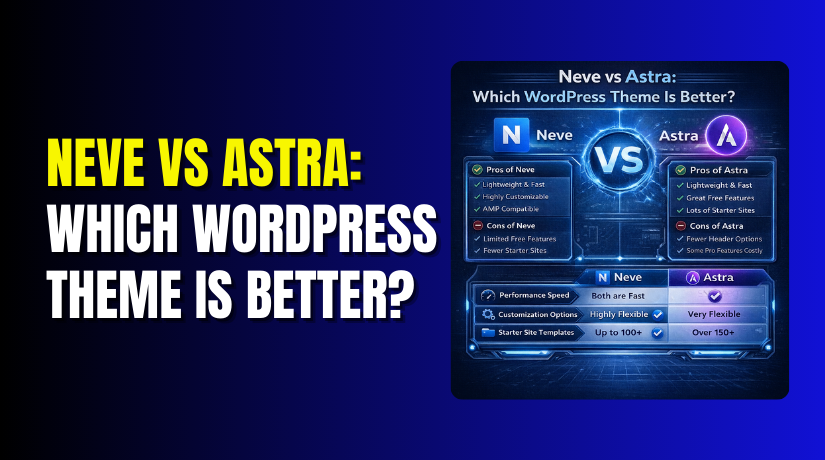
Neve vs Astra: Which WordPress Theme Is Better?
Table of Contents
- Introduction
- What is the Neve Theme?
- What are the Key Features, Pros and Cons of a Neve Theme?
- What is Astra Theme?
- What are the Key Features, Pros and Cons of Astra Theme?
- Which is Better: Neve or Astra?
- Final Verdict
Introduction
Choosing a WordPress theme is one of the most important decisions for your website. It affects your site’s speed, design flexibility, SEO performance, and overall user experience. Two themes consistently rank at the top for performance and popularity: Neve and Astra.
Both themes are lightweight, fast-loading, and highly customizable. Both have millions of active installations and near-perfect user ratings. Both offer generous free versions with powerful premium upgrades. So how do you choose?
Neve, developed by ThemeIsle, is a mobile-first theme designed for speed and simplicity. It excels at AMP integration and offers a clean, modern approach to website building. Astra, created by Brainstorm Force, is one of the most advanced themes in the WordPress repository with over 2.4 million active installations. It combines blazing-fast performance with deep WooCommerce integration.
This guide provides a comprehensive, unbiased comparison of Neve and Astra in 2026. You’ll learn about their key features, strengths, weaknesses, and real-world performance. You’ll see detailed comparisons of speed, WooCommerce capabilities, pricing, and starter templates.
By the end, you’ll know exactly which theme fits your specific needs.
What is the Neve Theme?
Neve is a lightweight, multi-purpose WordPress theme developed by ThemeIsle, the team behind the popular Hestia theme. It is designed with a mobile-first approach, making it an excellent choice for blogs, small businesses, startups, agencies, e-commerce stores, and personal portfolio sites.
Neve is built around speed and simplicity. The theme uses Vanilla JavaScript instead of jQuery, which significantly improves loading times and overall performance. Its minimalist design ensures that you get a fast, responsive website without unnecessary bloat.
The theme is fully compatible with all major page builders, including Elementor, Gutenberg, Brizy, Beaver Builder, Visual Composer, SiteOrigin, and even Divi (in the Pro version). This flexibility allows you to build any type of website using your preferred tools.
Key Specifications
- Developer: ThemeIsle
- Active Installations: 100,000+
- Rating: 4.8/5 on WordPress.org
- Starter Sites: 200+ templates across multiple page builders
- Price: Free version; Pro starts at $69/year for unlimited sites
Neve shines in mobile performance. With built-in AMP (Accelerated Mobile Pages) support, your site loads instantly on smartphones and tablets. The header and footer builder gives you complete design control without coding.
The WooCommerce Booster adds professional e-commerce features like wishlists, quick view, and optimized checkout layouts.
What are the Key Features, Pros and Cons of a Neve Theme?
Key Features of Neve Theme
- Lightweight and Fast Performance: Neve’s core code is exceptionally small, contributing to its blazing-fast loading times. It uses Vanilla JavaScript instead of jQuery, eliminating render-blocking scripts. In speed tests, Neve achieves perfect 100/100 scores on PageSpeed Insights for both mobile and desktop, with a Time to First Byte (TTFB) of approximately 51ms.
- 200+ Starter Templates: Neve offers an extensive library of starter sites that can be imported with one click. These templates are designed for various niches and industries, and they come pre-optimized for Core Web Vitals. Currently, there are 122 templates for Elementor, 92 for Gutenberg, 48 for Brizy, and 99 for BeaverBuilder. The Pro version adds templates for Divi and Thrive Architect.
- Mobile-First Design with AMP Support: Neve is built with mobile users as the priority. The theme fully supports Accelerated Mobile Pages (AMP), ensuring lightning-fast performance on smartphones and tablets. This mobile optimization directly contributes to better SEO rankings, as Google prioritizes mobile-first indexing.
- Header and Footer Builder: The custom header and footer builder gives you complete control over your site’s navigation. You can create sticky headers, transparent headers, and mobile-optimized menus. The Pro version adds conditional headers that change based on page or user role.
- WooCommerce Booster: The Pro version includes a dedicated WooCommerce Booster with features like quick view, wishlist, optimized checkout layouts, product gallery sliders, and sticky add-to-cart buttons. These features help maximize conversions and create a professional online store experience.
- Template Cloud: Pro users can save custom templates to the Neve Cloud account and transfer them seamlessly between websites. This feature integrates smoothly with popular page builders, making it easy to maintain consistent designs across multiple sites.
- Elementor Booster: The Elementor Booster add-on provides 9 extra widgets including review boxes, flip cards, typed headlines, share buttons, progress circles, team members, banners, content switchers, and custom fields.
- Blog Booster: Enhance your blog with additional options for layouts, metadata control, and reading experiences.
- Custom Layouts: Add custom content or code at any hook location. Create specialized footers and headers with complete design freedom.
Pros of Neve Theme
- Exceptional Mobile Performance: Neve’s AMP support and mobile-first architecture deliver outstanding speed on smartphones. This directly impacts your search rankings and user engagement.
- Unlimited Site License: Unlike many competitors that charge per website, Neve’s Pro version can be used on unlimited sites. This makes it incredibly cost-effective for agencies and freelancers.
- Huge Template Variety: With over 200 starter sites spread across multiple page builders, you’re guaranteed to find a design that fits your project. The ability to import individual templates from different starter sites lets you mix and match elements for unique designs.
- Powerful WooCommerce Features: The WooCommerce Booster adds professional e-commerce functionality without requiring multiple separate plugins. Features like wishlists and quick views improve the shopping experience.
- Excellent Documentation and Support: Neve provides 200+ video tutorials and 300+ pages of documentation. Support responses are typically received within one business day.
- No jQuery Dependency: By using Vanilla JavaScript instead of jQuery, Neve eliminates a common source of slowdowns. This technical choice contributes to its excellent performance scores.
- Flexible Page Builder Compatibility: Works with all major page builders, giving you freedom to choose your preferred tools.
- AMP Integration: Built-in AMP support ensures your mobile pages load instantly, improving both user experience and SEO.
- Clean, Modern Code: The theme is written with professional coding standards, ensuring stability and security.
- Affordable Pricing: The Pro version is reasonably priced and offers excellent value, especially considering the unlimited site license.
Cons of Neve Theme
- Free Version Limitations: While the free version is generous, many advanced features like the WooCommerce Booster, Elementor Booster, and conditional headers require the Pro upgrade.
- Learning Curve for Advanced Features: The extensive options and multiple booster add-ons can overwhelm beginners. Mastering all features takes time.
- Some Features Require Plugins: Unlike Astra which includes certain features in the core, Neve relies on booster plugins for advanced functionality. This means installing additional plugins for some features.
- Smaller Community Than Astra: With 100,000+ active installations, Neve’s community is smaller than Astra’s 2.4+ million. This means fewer third-party tutorials and resources.
- WooCommerce Features Are Pro-Only: Basic WooCommerce templates are included in the free version, but conversion-focused features like wishlists and quick view require the Pro upgrade.
- TTFB Slightly Higher Than Astra: In speed tests, Neve’s TTFB measured 51ms compared to Astra’s 47ms. While both are excellent, Astra has a marginal edge.
- No Built-In Schema Markup: While Neve supports SEO plugins, it doesn’t include built-in schema markup like Astra does. You’ll need a separate SEO plugin.
- Fewer Starter Templates Than Astra: Astra offers over 250 starter templates compared to Neve’s 200+. Both are extensive, but Astra has a slight edge.
- Conditional Headers Require Pro: The ability to show different headers on specific pages is a Pro-only feature.
What is Astra Theme?
Astra is a fast, lightweight, and highly customizable WordPress theme developed by Brainstorm Force. It is one of the most popular themes in the WordPress repository with over 2.4 million active installations and a near-perfect 4.9/5 rating.


Astra is built around speed and flexibility. The theme’s core code is only 50KB, making it one of the lightest themes available. Despite its small footprint, it offers extensive customization options and deep integration with popular page builders.
The theme is designed to work seamlessly with all major page builders, including Elementor, Beaver Builder, Gutenberg, and Brizy. It also includes built-in schema markup for better SEO performance.
- Developer: Brainstorm Force
- Active Installations: 2,453,898+
- Rating: 4.9/5 on WordPress.org
- Starter Templates: 250+ across multiple page builders
- Price: Free version; Pro starts at $49/year
Astra dominates WooCommerce integration with features like infinite scroll, off-canvas sidebar, quick view, and dropdown cart. Its massive library of starter templates (250+) covers virtually every industry and use case. The theme’s built-in schema markup helps your content display better in search results.
What are the Key Features, Pros and Cons of Astra Theme?
Key Features of Astra Theme
- Ultra-Lightweight Core: Astra’s core code is only 50KB, making it one of the fastest themes available. In speed tests, Astra achieves perfect 100/100 scores on PageSpeed Insights for both mobile and desktop, with a Time to First Byte (TTFB) of approximately 47ms.
- 250+ Starter Templates: Astra offers an extensive library of starter sites with over 250 pre-built templates. These are available for Elementor (180+ designs), Beaver Builder, Brizy, and Gutenberg. The templates are crafted for high conversion rates and optimized for fast loading times.
- Deep WooCommerce Integration: Astra is built from the start with e-commerce in mind. It offers approximately 15 specialized WooCommerce features including infinite scroll for continuous product browsing, off-canvas sidebar for easy filtering, quick view for product previews, dropdown cart functionality, and checkout page optimization.
- Built-In Schema Markup: Astra comes with built-in schema markup, which adds rich snippets to your articles automatically. This helps your content display more effectively in Google search results with star ratings, author information, and other rich data.
- Header and Footer Builder: The advanced header builder lets you customize every aspect of your site’s navigation. Options include sticky headers, transparent headers, and the ability to add buttons, widgets, and custom HTML. The Pro version adds even more flexibility.
- Global Color Palette: Set your brand colors once and apply them consistently across your entire site. The global color palette ensures design consistency without manual tweaking.
- Extensive Customization Options: Astra allows you to customize every detail without writing code. You can adjust colors, typography, layouts, spacing, and more through the WordPress Customizer.
- Page Builder Compatibility: Seamlessly integrates with Elementor, Beaver Builder, Gutenberg, and Brizy. The starter templates are pre-built for each builder, ensuring smooth workflows.
- SEO Optimization: Clean, semantic HTML code and built-in schema markup provide an excellent foundation for search engine optimization. The theme works perfectly with popular SEO plugins like Yoast and Rank Math.
- Plugin Compatibility: Astra integrates seamlessly with popular plugins including LearnDash, LifterLMS, and CartFlows. This makes it an excellent choice for online courses and optimized checkout flows.
- Modular Architecture: Enable only the features you need. Astra’s modular design keeps your site lean by loading only what you actually use.
- Huge Community: With over 2.4 million active installations, Astra has one of the largest WordPress theme communities. This means extensive tutorials, third-party resources, and active support forums.
Pros of Astra
- Exceptional Speed: Astra consistently ranks among the fastest WordPress themes available. The 50KB core and modular architecture ensure your site loads instantly.
- Massive Template Library: With over 250 starter templates across multiple page builders, you’ll find designs for virtually any industry or use case.
- Unmatched WooCommerce Features: Astra’s 15+ specialized e-commerce features, including infinite scroll, off-canvas sidebar, and quick view, make it one of the best choices for online stores.
- Built-In Schema Markup: Automatic schema generation improves your search visibility without requiring additional plugins.
- Global Design Controls: Set colors, fonts, and styles once and apply them everywhere. This saves time and ensures design consistency.
- Proven Track Record: With over 2.4 million installations and 5,462 five-star ratings, Astra has the trust of millions of website owners.
- Excellent for E-Commerce: The combination of WooCommerce features, speed optimization, and conversion-focused templates makes Astra ideal for online stores.
- Free Version Is Generous: The free version includes powerful features and many starter templates, making it viable for simple sites without upgrading.
- Modular Design: Enable only the features you need, keeping your site lean and fast.
- Strong SEO Foundation: Clean code and built-in schema markup give you an SEO advantage out of the box.
Cons of Astra
- Free Version Lacks Advanced WooCommerce Features: While basic WooCommerce templates are free, features like infinite scroll, quick view, and off-canvas sidebar require Astra Pro.
- Per-Site Pricing for Agencies: Unlike Neve’s unlimited site license, Astra Pro licenses are typically per website. This can become expensive for agencies managing many client sites.
- Learning Curve for Beginners: The extensive options and customization controls can overwhelm new users. Mastering all features takes time.
- Can Become Bloated with Addons: While the core is lean, adding multiple premium modules and plugins can increase page weight if not managed carefully.
- Starter Templates Quality Varies: Some templates are more polished than others. You may need to customize extensively to achieve a premium look.
- No Lifetime License Option: Astra operates on an annual subscription model without a lifetime payment option, unlike some competitors.
- Pro Features Add Up: Building a fully-featured site may require multiple premium addons, increasing overall cost.
- Smaller Global Community Than Divi: While Astra has a large community, it’s still smaller than themes like Divi or Elementor.
- Documentation Can Be Overwhelming: With so many features, finding specific answers in the documentation can sometimes be challenging.
- WooCommerce Features Not All Pro-Level: Some advanced e-commerce features require additional plugins beyond Astra Pro.
Which is Better: Neve or Astra?
This is the central question. Based on comprehensive analysis of performance, features, pricing, and user experiences, here is a detailed comparison.
| Comparison Factor | Astra | Neve | Better |
| Active Installations | 2.4+ million | 100,000+ | Astra |
| WordPress.org Rating | 4.9/5 | 4.8/5 | Astra |
| Core Size | 50KB | Extremely lightweight | Tie |
| Time to First Byte (TTFB) | 47ms | 51ms | Astra |
| PageSpeed Scores | 100/100 | 100/100 | Tie |
| AMP Support | Yes | Yes (Mobile-first) | Tie |
| jQuery Dependency | Yes | No (Vanilla JavaScript) | Neve |
| Total Starter Templates | 250+ | 200+ | Astra |
| Elementor Templates | 180+ | 122 | Astra |
| Gutenberg Templates | Extensive | 92 | Astra |
| Beaver Builder Templates | Yes | 99 | Neve |
| Divi Templates (Pro) | No | 10 | Neve |
| Thrive Architect Templates (Pro) | No | 10 | Neve |
| Template Mix-and-Match | No | Yes | Neve |
| Template Cloud Storage | No | Yes | Neve |
| Built-in Schema Markup | Yes | No (Requires plugin) | Astra |
| WooCommerce Features | 15+ specialized features | Wishlist, Quick View, Gallery | Tie |
| Wishlist Feature | No | Yes (Pro) | Neve |
| Infinite Scroll | Yes (Pro) | Yes (Pro) | Tie |
| Off-Canvas Sidebar | Yes (Pro) | Yes (Pro) | Tie |
| Quick View | Yes (Pro) | Yes (Pro) | Tie |
| Dropdown Cart | Yes (Pro) | Yes (Pro) | Tie |
| Sticky Add-to-Cart | Yes (Pro) | Yes (Pro) | Tie |
| WooCommerce Booster | Built-in Astra Pro | Separate Booster plugin | Astra |
| Elementor Widgets | Extensive | 9 extra widgets (Pro) | Tie |
| Blog Layout Options | Extensive | Blog Booster (Pro) | Tie |
| Global Color Palette | Yes | Yes | Tie |
| Header/Footer Builder | Yes | Yes | Tie |
| Conditional Headers | Yes (Pro) | Yes (Pro) | Tie |
| Sticky Headers | Yes (Pro) | Yes (Pro) | Tie |
| Custom Layouts/Hooks | Yes (Pro) | Yes (Pro) | Tie |
| Elementor Compatibility | Excellent | Excellent | Tie |
| Gutenberg Compatibility | Excellent | Excellent | Tie |
| Beaver Builder Compatibility | Excellent | Excellent | Tie |
| Brizy Compatibility | Yes | Yes | Tie |
| Divi Compatibility | No | Yes (Pro) | Neve |
| Thrive Architect Compatibility | No | Yes (Pro) | Neve |
| Visual Composer Compatibility | No | Yes | Neve |
| SiteOrigin Compatibility | No | Yes | Neve |
| Pro Starting Price | $49/year | $69/year | Astra |
| Unlimited Sites License | No (Per site) | Yes | Neve |
| Lifetime License Option | No | No | Tie |
| Money-Back Guarantee | Yes | Yes | Tie |
| Support Response Time | 24/7 email | Within 1 business day | Astra |
| Documentation | Extensive | 200+ videos, 300+ pages | Tie |
| Community Size | Massive (2.4M users) | Growing | Astra |
| Ease of Use for Beginners | Moderate learning curve | Beginner-friendly | Neve |
| Best For | WooCommerce, SEO, large template libraries | Mobile-first, agencies, unlimited sites, Divi users | Depends on needs |
Final Verdict
Choose Astra if you prioritize an extensive template library, built-in SEO schema, and advanced WooCommerce features. Astra’s 250+ starter templates give you more design options out of the box, and the built-in schema markup provides an SEO advantage without requiring additional plugins.
For e-commerce stores, Astra’s 15+ specialized WooCommerce features create a powerful foundation for online selling. At $49/year for single sites, it’s also more affordable for individual projects. The massive community of 2.4+ million users means you’ll always find help and resources when needed.
Choose Neve if you value mobile-first performance, unlimited site licensing, and broader page builder compatibility. Neve’s AMP support ensures lightning-fast mobile experiences, and the unlimited site license at $69/year makes it the clear winner for agencies and freelancers building multiple websites. The wishlist feature gives Neve an edge for e-commerce stores focused on customer loyalty.
If you use page builders beyond Elementor and Gutenberg, Neve’s compatibility with Divi, Thrive Architect, Visual Composer, and SiteOrigin offers more flexibility. Both themes are exceptional, and your decision ultimately comes down to Astra for extensive templates and SEO features, or Neve for mobile-first performance and unlimited site licensing.
Have questions before starting with WooCommerce & WordPress? Get support here at WooHelpDesk.



