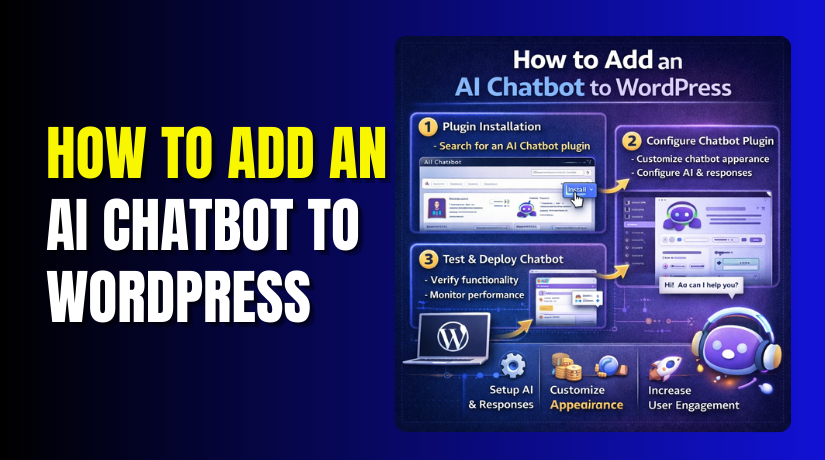
How to Add an AI Chatbot to WordPress: Step-by-Step Guide
Table of Contents
- Introduction
- What is an AI Chatbot in WordPress?
- What are the Key Features of AI Chatbot in WordPress?
- What are the Benefits of AI Chatbot in WordPress?
- How to Add or Create an AI Chatbot in WordPress?
- What are the Best Practices for AI Chatbots?
- Final Verdict
Introduction
Imagine having a customer service representative available 24 hours a day, 7 days a week. One that never sleeps, never takes breaks, and can handle multiple conversations simultaneously. This is not a dream. It is an AI chatbot.
Artificial intelligence has transformed how websites interact with visitors. AI chatbots can answer questions instantly, guide users through your site, and even complete transactions without human intervention. They learn from your content and improve over time.
WordPress powers over 43% of all websites. Adding an AI chatbot to your WordPress site is now easier than ever. With the right plugin, you can have an intelligent assistant running in minutes.
The benefits are substantial. Businesses using AI chatbots report higher customer satisfaction, reduced support costs, and increased conversions. Visitors get immediate answers. You get more time to focus on growing your business.
This guide walks you through everything you need to know about adding an AI chatbot to your WordPress website. You will learn what AI chatbots are, their key features, and the benefits they bring. Most importantly, you will follow step-by-step instructions to install, configure, and launch your own AI chatbot.
By the end, your WordPress site will have a smart, helpful AI assistant ready to engage your visitors 24/7.
What is an AI Chatbot in WordPress?
An AI chatbot is a software application that uses artificial intelligence to simulate human conversations. It understands natural language questions and provides relevant answers based on your website’s content and training data .
How AI Chatbots Work?
AI chatbots on WordPress typically operate through a simple process:
- User asks a question in the chat window
- The chatbot analyzes the question using natural language processing
- It searches your website content, FAQs, or knowledge base for relevant information
- It generates a response using AI models like ChatGPT, Claude, or Gemini
- The answer appears in the chat instantly
Modern AI chatbots can maintain conversation context, remember previous questions, and provide follow-up answers naturally .
Types of AI Chatbot Implementations
There are two main ways AI chatbots work with WordPress:
- Plugin-Based Chatbots:
- These are the most common approaches.
- You install a WordPress plugin that adds chatbot functionality directly to your site.
- The plugin handles the interface, connects to AI services, and displays the chat widget.
- Examples include Sentient AI, MxChat, and AI Engine.
- External API Integration:
- Some solutions connect your WordPress site to external AI services through APIs.
- This approach offers more flexibility but requires more technical knowledge.
- The miniOrange ChatGPT app, for example, creates a secure bridge between your site and ChatGPT.
The “Bring Your Own API Key” Model
Most WordPress AI chatbot plugins use a “bring your own API key” approach. This means:
- You sign up for an account with an AI provider like OpenAI, Google Gemini, or Anthropic Claude
- You obtain an API key from that provider
- You enter the key into your WordPress plugin settings
- Your site sends user questions to the AI provider and receives answers
- You pay the AI provider directly based on usage
This model gives you full control over your costs and data. The plugin itself remains free while you manage your own AI account.
Where Chatbots Appear?
AI chatbots can appear on your WordPress site in several ways:
- Floating chat widget that stays in the corner of every page
- Inline chat embedded in specific pages using shortcodes
- Popup chat that appears after a delay or based on user behavior
- Full-page chat for dedicated support sections
Most plugins offer flexible placement options so you can choose what works best for your visitors.
What are the Key Features of AI Chatbot in WordPress?
Modern AI chatbot plugins for WordPress come packed with powerful features. Understanding these helps you choose the right solution for your needs.
- Natural Language Understanding
- The core of any AI chatbot is its ability to understand human language.
- Advanced plugins use large language models (LLMs) like GPT-4, Claude, or Gemini to comprehend complex questions.
- They understand context, intent, and even emotional tone.
- This means visitors can ask questions naturally without using specific keywords.
- Custom Training on Your Content
The best chatbots learn from your specific content. You can train them using:
- Your website pages and blog posts
- FAQ documents and knowledge bases
- PDF files and Word documents
- Product descriptions and catalogs
This training ensures answers are accurate and relevant to your business. The chatbot becomes an expert on your specific products and services.
- Multilingual Support
- Many AI chatbots now support multiple languages.
- REVE Chat offers support for over 40 languages with real-time translation.
- WP AI Assistant includes community translations and multilingual training data.
- This helps you serve global audiences without additional effort.
- Conversational Forms
- AI chatbots can replace traditional contact forms.
- Instead of filling out long forms, visitors answer questions conversationally.
- The chatbot collects information and creates support tickets, appointment bookings, or lead records automatically.
- Human Handover
- When AI cannot resolve an issue, the conversation should transfer seamlessly to a human agent.
- Plugins like Tidio and Quidget offer built-in handover capabilities.
- The chat history transfers with the conversation so agents have full context.
- Image and File Processing
- Advanced chatbots can now handle visual content.
- MxChat allows visitors to upload PDF files and chat with them directly.
- Some plugins can generate images using DALL·E or process uploaded photos.
- Analytics and Insights
You need to know how your chatbot performs. Leading plugins provide dashboards showing:
- Number of conversations
- Resolution rates
- Common questions
- User satisfaction scores
- Cost per conversation
This data helps you improve your chatbot over time.
- Customizable Appearance
Your chatbot should match your brand. Most plugins let you customize:
- Chat bubble colors and position
- Font styles and sizes
- Avatar images and names
- Welcome messages and greetings
- Button designs and layouts
- Multi-Platform Integration
Many chatbots connect beyond your website. They can integrate with:
- Facebook Messenger
- Instagram Direct
- Slack and Microsoft Teams
- Email marketing platforms
This creates a unified customer experience across all channels.
- Voice Support
- Some advanced chatbots now support voice input and output.
- Visitors can speak their questions and hear answers spoken back.
- This is particularly valuable for accessibility and mobile users.
What are the Benefits of AI Chatbot in WordPress?
Adding an AI chatbot to your WordPress site delivers tangible business benefits. Here is why thousands of businesses are making the switch.
- 24/7 Availability
Your website never sleeps, and neither should your customer service. AI chatbots provide instant responses at any hour, on any day. Visitors in different time zones get immediate help. Weekend browsers receive the same attention as weekday shoppers. This round-the-clock availability increases customer satisfaction and captures sales that might otherwise be lost.
- Instant Response Times
Customers expect immediate answers. Studies show that 70% of routine queries can be handled autonomously by AI chatbots. Instead of waiting hours or days for email responses, visitors get answers in seconds. This speed improves the overall user experience and keeps people engaged with your site.
- Reduced Support Costs
AI chatbots dramatically lower customer support expenses. They handle thousands of conversations simultaneously without requiring additional staff. REVE Chat reports resolving 85% of inquiries autonomously. This frees your human team to focus on complex issues that truly need personal attention.
- Increased Conversion Rates
Chatbots actively guide visitors toward purchasing decisions. They can recommend products based on browsing behavior, answer questions about specifications, and overcome objections in real-time. E-commerce sites using chatbots consistently report higher conversion rates.
- Lead Generation on Autopilot
AI chatbots capture leads while you focus on other tasks. They can qualify prospects, collect contact information, and even schedule appointments automatically. The chatbot initiates conversations with visitors who might otherwise leave without engaging.
- Scalability Without Headaches
As your business grows, your customer service needs grow too. Hiring and training new staff takes time and money. AI chatbots scale instantly. They handle 10 conversations or 10,000 conversations with equal ease.
- Consistent Customer Experience
Human agents vary in knowledge, mood, and communication style. AI chatbots deliver consistent responses every time. They always follow your guidelines, use your preferred tone, and provide accurate information based on your training data.
- Data Collection and Insights
Every chatbot conversation generates valuable data. You learn what questions customers ask most, what concerns prevent purchases, and what information they need. These insights help you improve your products, website, and marketing.
- Competitive Advantage
As AI becomes more common, having a smart chatbot sets you apart. Businesses without AI assistance seem slower and less responsive. Visitors increasingly expect instant, intelligent interactions.
- Cost Control
With the bring-your-own-API model, you control exactly what you spend. You pay only for the conversations you actually have. There are no monthly subscription fees for unused capacity. Small businesses can start for pennies per day.
How to Add or Create an AI Chatbot in WordPress?
Follow this complete step-by-step guide to add an AI chatbot to your WordPress website. We will cover plugin selection, installation, configuration, and testing.
Step 1: Choose Your AI Chatbot Plugin
The first decision is selecting which plugin to use. Here are the top options based on your needs:
| Plugin | Best For | Key Features | Starting Price | Rating |
| REVE Chat | Overall excellence | 40+ languages, 85% resolution rate, omnichannel | Free plan; $14.99/mo | 4.8/5 |
| MxChat | Multiple AI models | 100+ AI models, document processing, image generation | Free; $69.97 lifetime | 4.7/5 |
| AI Engine | Developers & flexibility | Copilot, AI forms, media tools | Free; $59/year | 4.7/5 |
| Tidio | Live chat + AI combo | NLP, ticketing, e-commerce | Free; ~$24/mo | 4.6/5 |
| WPBot | Native WordPress | OpenAI/Dialogflow, lightweight | Free; $39/year | 4.5/5 |
| Sentient AI | FAQ + AI fallback | Multiple providers, query logs, page import | Free | New |
| Jotform AI | Form automation | Form completion, style customization | Contact for pricing | New |
| WP AI Assistant | Visual design | Visual builder, scheduling, API control | Free version; Pro paid | 4.7/5 |
Step 2: Install Your Chosen Plugin
WordPress Dashboard → Plugins → Add New
- Log in to your WordPress admin dashboard
- Click on “Plugins” in the left menu
- Click “Add New” at the top of the page
- In the search field, type your chosen plugin name (e.g., “MxChat” or “REVE Chat”)
- Find the plugin in search results
- Click “Install Now”
- After installation completes, click “Activate”
Step 3: Get Your AI Provider API Key
Most plugins require an API key from an AI provider. Here is how to get one:
For OpenAI (ChatGPT):
- Go to platform.openai.com
- Sign up for an account or log in
- Navigate to API keys section
- Click “Create new secret key”
- Copy the key immediately (you cannot see it again)
- Add funds to your account (starts as low as $5)
For Google Gemini:
- Go to makersuite.google.com
- Sign in with your Google account
- Navigate to “Get API key”
- Create a new project or select existing
- Generate API key and copy it
- The free tier has generous limits
For Anthropic Claude:


- Go to console.anthropic.com
- Create an account
- Navigate to API keys
- Generate a new key
- Copy and save securely
Step 4: Configure Plugin Settings
WordPress Dashboard → Your Plugin Name → Settings
The exact steps vary by plugin, but here is a general guide using Jotform AI Chatbot as an example :
Connect Your API Key:
- Locate the API settings section
- Paste your API key from your chosen provider
- Select which AI model to use (GPT-4, Claude-3, Gemini Pro, etc.)
- Save settings
Configure Chatbot Persona:
- Give your chatbot a name (e.g., “Sarah” or “Support Bot”)
- Choose an avatar image
- Select the agent role (support, sales, assistant)
- Set the default language
- Choose tone of voice (friendly, professional, casual)
- Write a welcome greeting message
- Set “chattiness” level (brief or detailed responses)
- Add any specific guidelines for responses
Customize Appearance:
- Select color scheme matching your brand
- Choose background style
- Customize chat area fonts and colors
- Style the send button
- Upload custom logo if desired
- Preview changes in real-time
Set Visibility Options:
- Choose layout (minimal or extended)
- Select position (bottom-right or bottom-left)
- Enable or disable pulsing effect
- Set open behavior (manually, after 5 seconds, after 10 seconds)
- Choose which devices show the chatbot (mobile, desktop, or both)
- Set advanced visibility rules for specific pages
Step 5: Train Your Chatbot
WordPress Dashboard → Your Plugin Name → Knowledge Base
For your chatbot to answer accurately, it needs training on your content :
Import Existing Content:
- Most plugins automatically scan your website content
- You can manually trigger content import
- Select which pages, posts, and products to include
- The plugin creates embeddings in a vector database
Add FAQ Documents:
- Upload PDF files with common questions and answers
- Add Word documents containing product information
- Create text files with troubleshooting guides
- The chatbot learns from all uploaded materials
Create Question-Answer Pairs:
- Add specific questions customers ask
- Provide the correct answers
- The chatbot uses these for exact matches
- This works even without AI fallback
Crawl External URLs:
- Add URLs of relevant external content
- The chatbot crawls and learns from them
- Great for partner sites or knowledge bases
Step 6: Test Your Chatbot
Before publishing, test thoroughly:
Test Basic Questions:
- Open your site in an incognito browser window
- Click the chat widget
- Ask simple questions about your business
- Verify answers are accurate
- Check that responses match your brand voice
Test Complex Queries:
- Ask multi-part questions
- Request follow-up clarifications
- Test questions about specific products
- Verify the chatbot maintains conversation context
Test on Multiple Devices:
- Test on desktop computer
- Test on smartphone (iOS and Android)
- Test on tablet
- Ensure chat displays correctly on all screens
Test Edge Cases:
- Ask questions your chatbot should not know
- Test offensive or inappropriate language
- Verify the chatbot handles gracefully
- Check fallback responses
Step 7: Publish Your Chatbot
WordPress Dashboard → Your Plugin Name → Publish
When everything tests correctly:
- Click the “Publish” or “Activate” button
- The chatbot goes live on your site
- Verify it appears as configured
Step 8: Monitor and Optimize
WordPress Dashboard → Your Plugin Name → Analytics
After launch, monitor performance:
- Check conversation logs regularly
- Review common questions and answers
- Identify where the chatbot struggles
- Add new training data for problem areas
- Update the knowledge base as your products change
- Track resolution rates and satisfaction scores
What are the Best Practices for AI Chatbots?
Follow these guidelines to maximize your chatbot’s effectiveness:
- Be Transparent About AI
Always inform users they are talking to a bot. This sets proper expectations. Use clear language like “AI Assistant” or “Virtual Agent” rather than impersonating humans.
- Start Simple
Do not try to handle every possible question immediately. Begin with common FAQs and expand gradually. Monitor where the chatbot struggles and add training data for those areas.
- Maintain Your Knowledge Base
Your chatbot is only as good as its training data. Update your FAQ documents regularly. Add new product information promptly. Remove outdated content .
- Provide Escalation Paths
Even the best AI cannot handle everything. Make sure users can reach human support easily. Include “Talk to a human” buttons or automatic handoff for complex issues.
- Monitor Costs
With bring-your-own-API models, costs depend on usage. Set spending limits in your AI provider account. Monitor conversation volumes and adjust as needed.
- Test Regularly
Your website changes over time. New products launch. Old content gets removed. Test your chatbot monthly to ensure it still provides accurate information.
- Personalize When Possible
Use visitor data to personalize interactions. Reference their location, browsing history, or previous conversations when appropriate.
- Optimize for Mobile
More than half of web traffic comes from mobile devices. Ensure your chatbot works perfectly on small screens. Test on actual phones, not just browser simulators.
Final Verdict
Adding an AI chatbot to your WordPress website is one of the smartest investments you can make in 2026. The technology has matured dramatically, and powerful solutions are now accessible to businesses of all sizes.
For most businesses, MxChat offers the best combination of features, flexibility, and value. Its support for over 100 AI models, document processing capabilities, and lifetime pricing option make it difficult to beat . You can start with the free version and upgrade as your needs grow.
For enterprise-level needs, REVE Chat delivers exceptional performance with its 85% autonomous resolution rate and support for 40+ languages . The comprehensive analytics and omnichannel capabilities justify the higher price point.
For developers and customization-focused users, AI Engine provides unparalleled flexibility with its APIs, hooks, and developer tools . You can build exactly what you need without constraints.
For budget-conscious users, Sentient AI offers a solid free option supporting multiple AI providers with FAQ fallback .
The process of adding a chatbot is straightforward. Choose your plugin, get an API key, configure settings, train on your content, and publish. Most users complete the entire setup in under an hour.
The benefits are immediate and substantial. Your visitors get 24/7 support with instant responses. Your support costs decrease as the chatbot handles routine questions. Your conversion rates improve as visitors receive immediate guidance. Your team focuses on complex issues while the AI handles the rest.
As AI technology continues advancing, these chatbots will only become more capable. Starting now positions your business at the forefront of customer experience innovation.
Do not wait another day. Choose your plugin, follow this guide, and give your WordPress site the intelligent assistant it deserves. Your visitors will thank you.
Have questions before starting with WooCommerce & WordPress? Get support here at WooHelpDesk.



