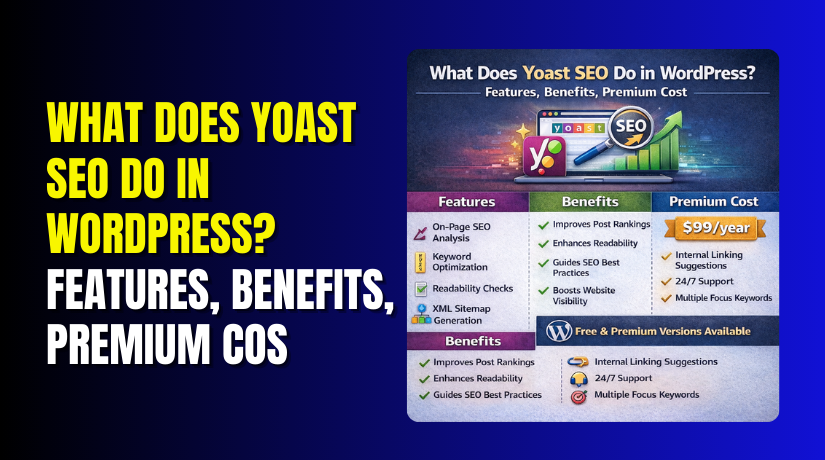
What Does Yoast SEO Do in WordPress? Features, Benefits, Premium Cost, and More
Table of Contents
- Introduction: What Does Yoast SEO Do in WordPress?
- What Is Yoast SEO and Why Do WordPress Users Use It?
- Main Things Yoast SEO Helps You Do in WordPress
- How Yoast SEO Helps Website SEO Performance
- Key Benefits of Using Yoast SEO in WordPress
- Is Yoast SEO Free? What You Get in the Free Version
- What Yoast SEO Premium Adds
- Yoast SEO Premium Cost and Pricing Considerations
- Is Yoast SEO a Good SEO Tool for WordPress Users?
- Conclusion
Introduction: What Does Yoast SEO Do in WordPress?
If you run a WordPress website, SEO matters from day one. Good SEO helps your pages appear in search results. It also helps more people find your website naturally. That is where Yoast SEO becomes useful for many site owners.
So, what does Yoast SEO do in WordPress? In simple words, it helps you improve important SEO settings inside your dashboard. It gives guidance while you write content. It also helps manage search titles, meta descriptions, readability, and other basic SEO tasks. This makes Yoast SEO for WordPress helpful for beginners and experienced users alike.
Many website owners install the Yoast SEO WordPress plugin because it makes SEO easier to understand. You do not need to be an expert to start using it. The plugin gives clear suggestions that help you improve pages and posts step by step. It also helps you avoid common SEO mistakes during content publishing.
In this guide, you will learn what Yoast SEO is, why WordPress users use it, and how it supports better website optimization. You will also understand where it helps most and why it remains a popular choice for many WordPress websites.
What Is Yoast SEO and Why Do WordPress Users Use It?
Yoast SEO is a plugin made for WordPress websites. It helps users handle SEO work directly inside the admin panel. Instead of doing many tasks manually, users get one place to manage important optimization settings.
The plugin is popular because it turns complex SEO work into simple steps. Many WordPress users want better search visibility. At the same time, they do not want hard technical work. Yoast helps bridge that gap. It gives helpful checks, clear settings, and easy content tips.
The main goal of Yoast SEO for WordPress is simple. It helps users build pages and posts that are easier for search engines to understand. It also helps make content more useful for readers. Both of these things matter for long-term SEO growth.
WordPress users often choose Yoast SEO for these reasons:
- It works inside the WordPress dashboard
- It helps with on-page SEO tasks
- It offers writing and readability suggestions
- It supports search preview editing
- It makes basic SEO settings easier to manage
This is one reason the Yoast SEO WordPress plugin is widely used on blogs, business sites, and online stores. It gives structure to the publishing process. It also helps website owners stay more consistent with SEO work.
It Helps Beginners Understand SEO Better
Many people start WordPress without deep SEO knowledge. They know they need SEO, but they do not know where to begin. Yoast helps by giving simple guidance during content creation. This makes the process less confusing.
For example, when writing a blog post, users can review SEO suggestions before publishing. They can also improve titles, descriptions, and content structure from one screen. That saves time and reduces guesswork.
It Makes Daily SEO Work Easier
Website owners often publish pages, blog posts, products, and updates regularly. Doing SEO manually for each one can feel slow. Yoast makes that routine easier by placing useful settings right where content is created.
Instead of switching between tools, users can manage key items in one place. This helps keep the workflow simple and organized. For busy site owners, that ease of use is a major reason to install Yoast.
It Supports Different Types of WordPress Websites
Yoast is not only for blogs. It is useful for many website types, including:
- Personal blogs
- Small business websites
- Service-based websites
- Content-heavy websites
- WooCommerce stores
This wide use case is another reason many users search for what does Yoast SEO do before choosing an SEO plugin. They want a tool that works across different content types and business goals.
In short, Yoast SEO is used because it makes WordPress SEO more practical, more manageable, and easier to follow. It does not replace strategy or quality content. But it gives users a strong starting point inside WordPress.
Main Things Yoast SEO Helps You Do in WordPress
After understanding the plugin, the next question becomes practical. What work does it actually handle inside WordPress every day? This is where Yoast becomes useful for content teams, bloggers, businesses, and store owners. The plugin does not do SEO for you automatically. Instead, it helps you manage important on-page and technical tasks in a simpler way. If someone asks how does Yoast SEO help SEO, this section gives the clearest answer. It supports better page setup, stronger content structure, cleaner search previews, and improved publishing habits. These functions make the Yoast SEO WordPress plugin useful for both new and experienced WordPress users.
- Optimize Page Titles and Meta Descriptions
One of the most important jobs in SEO is controlling how your page appears in search results. Yoast helps you manage this directly inside the WordPress editor. You can write a custom SEO title and meta description for each page or post. This gives you more control over search appearance.
A strong title can improve relevance and attract more clicks. A clear meta description can help searchers understand the page quickly. Yoast makes this easier by showing a preview area while you edit. This helps users shape better search snippets before publishing content.
This feature is useful because many WordPress themes do not give strong SEO controls by default. Yoast adds that missing layer inside the dashboard. For many site owners, this is one of the first reasons to install Yoast SEO for WordPress.
Why this feature matters
- It helps write cleaner SEO titles
- It improves control over page summaries
- It supports better search result presentation
- It reduces the chance of weak default snippets
What Yoast helps you manage
| Element | What it controls | Why it matters |
| SEO Title | The blue clickable search title | Helps relevance and clicks |
| Meta Description | The short text under the title | Gives page context to users |
| Search Preview | A sample view of the snippet | Helps improve presentation |
This feature does not promise higher rankings alone. Still, it helps users present pages better in search. That makes it an important part of daily optimization work.
- Improve Content for Focus Keywords
Another key feature is content analysis around a chosen keyword. When writing a post or page, users can set a focus phrase. Yoast then checks how well the content matches that topic. This helps writers review their page before it goes live.
The plugin looks at several useful content signals. It checks whether the keyword appears in the title, introduction, headings, and other important areas. It also looks at content balance and basic on-page structure. These checks help users spot missing areas early.
This is one of the most recognized features of the Yoast SEO WordPress plugin. It gives a clear workflow for page optimization. That is also why many users ask what does Yoast SEO do when starting WordPress SEO work.
Yoast may review things like:
- Keyword use in the main title
- Keyword placement near the beginning
- Use of the keyword in headings
- Keyword use in the meta description
- Balance between natural writing and SEO relevance
This feature is helpful because many users either ignore keywords or overuse them. Yoast encourages a more balanced approach. It pushes writers to stay focused on the topic without making the content sound forced.
Why this matters for content writing
When content matches a clear topic, search engines understand it better. Readers also get a more focused page. That improves the chance of better engagement and stronger content quality. This is one practical way how does Yoast SEO help SEO in real publishing work.
- Improve Readability
Good SEO is not only about keywords. Content also needs to be easy to read. Yoast includes readability checks that help users improve the writing experience. This is helpful because clear content usually performs better for real readers.
The plugin reviews parts of the writing that affect clarity. It may flag long sentences, large paragraphs, weak transitions, or difficult flow. These suggestions do not replace good writing judgment. Still, they help users spot problems that reduce readability.
This feature is especially useful for blogs, service pages, and support content. If readers can scan and understand content easily, they are more likely to stay on the page. That improves user experience, which supports long-term SEO value.
Readability checks may focus on:
- Sentence length
- Paragraph size
- Transition word use
- Subheading distribution
- Overall reading flow
For beginners, this tool is very useful. Many users know their topic well, but struggle with structure. Yoast helps shape content into a format that feels cleaner and easier to follow. That makes Yoast SEO for WordPress practical for daily publishing.
How readability support helps users
| Readability area | What Yoast checks | User benefit |
| Sentences | Very long or hard-to-read lines | Easier reading |
| Paragraphs | Blocks that feel too long | Better scanning |
| Transitions | Smooth movement between ideas | Better content flow |
| Subheadings | Content structure and breaks | Improved organization |
Readability support is important because search success begins with user-friendly content. Even strong keywords cannot save content that feels confusing or heavy.
- Manage Technical SEO Basics
Technical SEO often sounds complex to beginners. Yoast helps by handling several important basics inside WordPress. It does not cover every technical need, but it supports many common tasks that website owners should not ignore.
One example is XML sitemaps. These help search engines find important pages on the website. Yoast can also support canonical settings, which help reduce duplicate content confusion. It also gives control over index settings for certain content types. These tools help search engines understand the site more clearly.
Another helpful area is structured data support. This helps create better content signals for search engines. While users may not see these elements directly, they still matter behind the scenes. This is one reason the Yoast SEO WordPress plugin is valued by many WordPress users.
Technical basics Yoast helps manage
- XML sitemaps
- Canonical URL support
- Index and noindex controls
- Basic schema support
- Cleaner technical setup inside WordPress
This matters because many website owners do not want to edit code. They still need core SEO settings to be in place. Yoast makes these settings easier to manage through the dashboard instead of manual edits.
Why these technical features matter
- They help search engines find your pages
- They reduce confusion around duplicate content
- They improve basic crawl and indexing setup
- They support a stronger site structure
For many users, these features answer the real value behind what does Yoast SEO do. It helps with both visible content tasks and important background SEO work.
- Control Social Sharing Appearance
When content is shared on social platforms, appearance matters. A poor title, weak image, or missing description can make a page look unprofessional. Yoast helps users manage how content may appear when shared across social channels.
This feature gives more control over page presentation beyond search engines. Users can improve the social title, description, and preview behavior in supported cases. That helps create a cleaner brand image when content is shared by visitors, teams, or clients.
This is useful for websites that depend on content marketing or regular sharing. A page should not only look good in Google. It should also look clear when shared on Facebook, X, or other platforms. That makes social appearance another practical part of Yoast SEO for WordPress.
Social preview support helps with:
- Cleaner shared page titles
- Better content descriptions
- Stronger content presentation
- Improved brand consistency
How Yoast SEO Helps Website SEO Performance
Many WordPress users install an SEO plugin with one hope. They want better rankings and more search traffic. That is understandable. But it is important to know what Yoast really does. The plugin does not send pages to the top automatically. It does not replace strategy, content quality, or website speed. Instead, it supports the work that helps strong SEO grow over time.
So, how does Yoast SEO help SEO in real terms? It helps users handle important SEO tasks in a more organized way. It guides content setup, improves on-page structure, and supports better search presentation. This makes SEO work easier to manage inside WordPress.
Yoast helps performance by supporting these areas:
- Better page titles and descriptions
- Stronger keyword focus in content
- Cleaner content structure
- Easier readability improvements
- Better control over indexing basics
These areas matter because SEO often fails from inconsistency. One page may have a weak title. Another may miss a clear description. A third may have poor structure. Over time, these small problems add up. The Yoast SEO WordPress plugin helps reduce that problem by giving users a repeatable workflow.
Yoast Supports Good SEO Habits, Not Shortcuts
A lot of users think SEO tools create rankings by themselves. That is not how search works. Search engines still judge page quality, usefulness, trust, speed, and intent match. Yoast cannot do those things for you. But it can help you build pages in a better way.
For example, Yoast encourages users to review important page elements before publishing. That means content is less likely to go live with missing titles, weak descriptions, poor heading use, or hard-to-read paragraphs. These checks help improve quality control.
That is why Yoast SEO for WordPress is useful for site owners. It supports a stronger publishing process. It does not guarantee success, but it helps users avoid common mistakes.
It Improves Content Consistency Across the Website
SEO is not only about one great page. It is also about keeping quality steady across the whole website. If one post is well-optimized but ten others are weak, the overall content quality feels uneven. Yoast helps solve this by keeping optimization checks visible during content creation.
This helps teams and solo site owners stay more consistent. They can follow the same basic review process on every post, page, or product. That improves structure and keeps the website more organized over time.
How Yoast supports consistency
| Area | How Yoast helps | Why it matters |
| Titles | Encourages custom SEO titles | Keeps pages more relevant |
| Descriptions | Prompts better summaries | Improves search presentation |
| Readability | Flags hard-to-read content | Helps user experience |
| Structure | Supports better headings and flow | Makes pages easier to scan |
This consistency is one practical answer to what does Yoast SEO do for WordPress users. It turns scattered SEO work into a more repeatable process.
It Helps Search Engines Understand Pages Better
Search engines need clear signals. They look at titles, content structure, metadata, and page setup to understand what a page is about. Yoast helps users improve many of these signals without touching code.
For example, a better SEO title tells search engines the topic clearly. A focused meta description supports search presentation. Good heading structure improves content clarity. Technical basics like sitemaps and canonical settings also reduce confusion.
This does not mean the plugin controls rankings directly. It means the plugin helps website owners present content in a clearer and more search-friendly way. That is an important difference.
Key Benefits of Using Yoast SEO in WordPress
The features of Yoast are useful, but benefits explain the real value. Features tell you what the plugin does. Benefits show why those tools matter in daily website work. For many site owners, that is the real reason to install the plugin.
Below are the main benefits of using Yoast SEO for WordPress.
- Easier SEO Management Inside WordPress
Yoast places many useful SEO settings right inside the editor. Users do not need to manage basic on-page SEO in separate places. This saves time and keeps work simple.
Instead of guessing what to review, users can follow the plugin checks while writing. That makes SEO feel less confusing, especially for beginners.


Why this benefit matters
- Less manual work
- Better workflow inside WordPress
- Faster page review before publishing
- More control without coding
This benefit is one reason the Yoast SEO WordPress plugin remains widely used.
- Helpful for Beginners and Non-Technical Users
Many website owners know they need SEO, but they do not know where to start. Yoast helps by turning complex tasks into clear actions. It gives guidance in a format that feels easier to follow.
Users can review content, improve structure, and update important search settings from one screen. That lowers the learning barrier and makes SEO more approachable.
This is especially useful for:
- New bloggers
- Small business owners
- First-time WordPress users
- Content teams without SEO experts
For these users, Yoast acts like a practical support tool inside WordPress.
- Better Control Over Search Appearance
Search appearance affects whether users notice and click a page. Yoast helps site owners improve titles, descriptions, and snippet setup. That means pages can look more polished in search results.
Without this control, some pages may use weak default text. That can reduce clicks and make pages look unfinished. Yoast helps avoid that problem by giving users direct editing access.
Search appearance benefits
| Element | Benefit to the website |
| SEO title | Clearer topic targeting |
| Meta description | Better summary for users |
| Snippet preview | Easier review before publishing |
This makes the content look stronger in search, even before a visitor lands on the page.
- Supports Better Content Quality
Good SEO content must also be good reader content. Yoast supports this by checking readability and basic content structure. It helps users notice long sentences, large paragraphs, and weak content flow.
This matters because readers leave quickly when a page feels hard to read. Better structure keeps users engaged and makes content easier to scan. That supports both user experience and content quality goals.
This benefit is also part of the answer to how does Yoast SEO help SEO. Better pages usually begin with better writing structure.
- Helps with Regular Content Publishing
Many websites publish often. They add blog posts, landing pages, service pages, or product content each month. In that kind of workflow, consistency matters a lot. Yoast helps by giving users a repeatable SEO process for each new page.
That means teams can review the same core items every time:
- Page title
- Meta description
- Keyword focus
- Readability
- Basic page structure
This makes content publishing more organized. It also helps reduce missed SEO details during busy work periods.
Is Yoast SEO Free? What You Get in the Free Version
One of the most common questions from WordPress users is simple. Is Yoast SEO free? The answer is yes. Yoast offers a free version that users can install from the WordPress plugin area. This version includes many core SEO tools that help website owners improve pages and posts without paying at the start.
For many small websites, the free version is enough. It gives useful settings for content publishing, search appearance, and basic technical SEO work. This is why many beginners start with the free plugin before thinking about any paid upgrade.
The free version of Yoast SEO for WordPress is useful because it covers daily SEO needs inside the dashboard. It does not include every advanced feature, but it gives a strong starting point for blogs, business websites, and small WooCommerce stores.
What the Free Version Includes
The free plugin includes several important tools that support regular SEO work. These tools help users manage pages more clearly and improve content before publishing.
Main features in the free version
- SEO title editing
- Meta description editing
- Focus keyword analysis
- Readability checks
- XML sitemap support
- Basic schema output
- Canonical URL support
- Indexing controls for some content areas
These features make the free plugin valuable for many WordPress users. Instead of working with scattered settings, users get a clearer SEO workflow inside one plugin.
Why the Free Version Works for Many Websites
Not every website needs advanced SEO tools on day one. Some website owners only want the basics done well. They want to edit page titles, improve descriptions, review content, and manage simple technical settings. The free version handles these needs well.
This is especially useful for:
- New blogs
- Small business websites
- Service websites
- Personal websites
- Small content teams
For these users, the free plugin can support a solid SEO base without extra cost. That is one reason many people first search is Yoast SEO free before choosing an SEO plugin.
Free Version at a Glance
| Free Yoast feature | What it helps with |
| SEO title editor | Improves page title control |
| Meta description editor | Helps shape search snippets |
| Focus keyword checks | Supports topic-focused content |
| Readability analysis | Improves content clarity |
| XML sitemaps | Helps search engines find pages |
| Canonical support | Reduces duplicate content issues |
The free version is not weak or limited in a useless way. It is a practical toolset for users who want to improve WordPress SEO step by step. For many websites, it offers enough value to handle basic on-page and technical needs with confidence.
What Yoast SEO Premium Adds
After using the free plugin, some website owners want more advanced support. That is where Yoast Premium comes in. The paid version builds on the free plugin and adds more tools for content teams, busy publishers, agencies, and website owners who want a smoother workflow.
The free version gives a strong base. Premium adds convenience, deeper support, and extra features that can save time. This matters most for websites that publish often or manage many pages.
When users compare free and paid versions, they usually want to know one thing. What extra value does premium really add? That is the right question. Premium should not be judged only by price. It should be judged by whether the added tools match the website’s daily needs.
Main Features Added in Yoast Premium
Yoast Premium includes tools that go beyond the core free setup. These tools aim to make SEO work more flexible and efficient.
Premium features often include:
- Internal linking suggestions
- Redirect manager
- Support for related keyphrases
- Broader optimization support
- Social preview improvements
- Content insights tools
These features are useful because they reduce extra manual work. Instead of using several separate tools, users can handle more SEO tasks from one place.
- Internal Linking Suggestions
Internal links help users move across a website. They also help search engines understand page relationships. Premium can suggest internal linking opportunities while you work on content. This saves time and helps improve content connections across the website.
For websites with many blog posts or service pages, this feature becomes very useful. It helps users find linking options faster without checking older pages one by one.
- Redirect Manager
Redirects matter when URLs change or pages are removed. Without redirects, visitors may land on broken pages. That creates a poor experience and may waste SEO value.
Premium includes a redirect manager that helps users handle this inside WordPress. This is especially helpful during content updates, page cleanup, or site restructuring.
Why this feature matters
- Helps reduce broken page visits
- Supports cleaner user experience
- Makes URL changes easier to manage
- Reduces manual redirect handling
- Support for Related Keyphrases
The free plugin focuses more narrowly on a main target phrase. Premium gives broader support for related phrases. This helps users optimize content with a wider topic view instead of relying on only one keyword.
That can be useful for pages covering larger topics with natural keyword variation. It supports more flexible writing while still keeping the page focused.
- Better Workflow for Active Publishers
Premium is often more useful for websites that publish often. If a team creates many pages each month, time-saving tools become more valuable. Features like linking suggestions and redirect support can make daily SEO work faster and more organized.
This makes premium useful for:
- Content-heavy blogs
- Large business websites
- Growing WooCommerce stores
- Agencies managing client sites
- Teams publishing regular support content
Free vs Premium: Basic Difference
| Area | Free Version | Premium Version |
| Title and meta editing | Yes | Yes |
| Readability checks | Yes | Yes |
| Focus keyword checks | Yes | Yes |
| XML sitemaps | Yes | Yes |
| Internal linking suggestions | No | Yes |
| Redirect manager | No | Yes |
| Related keyphrase support | No | Yes |
Yoast SEO Premium adds useful advanced SEO tools for WordPress users. However, WooCommerce-specific SEO features come through Yoast WooCommerce SEO, which is a separate paid product. That package includes Yoast SEO Premium along with extra WooCommerce SEO tools made for product pages and online stores.
Who May Benefit Most from Premium
Premium is not required for every WordPress website. Many users do very well with the free plugin. But premium may be helpful for users who need more than basic controls.
Premium often fits best for users who:
- Publish content regularly
- Manage many URLs
- Need redirect support often
- Want faster internal linking help
- Prefer a more complete SEO workflow
This is where the free and paid difference becomes clear. The free plugin helps with the core work. Premium adds efficiency, flexibility, and stronger workflow tools.
So, is Yoast SEO free? Yes, and the free version is useful. But premium exists for users who want more support beyond the basics. That is the main difference WordPress users should understand before choosing between the two.
Yoast SEO Premium Cost and Pricing Considerations
Before buying any SEO plugin, most users ask about price. That is a fair question. The current Yoast SEO premium cost shown on Yoast’s official product page is $118.80 per year, billed annually, excluding VAT. Yoast also presents this as $9.90 per month, billed yearly.
The Yoast SEO premium price matters, but price alone should not decide the choice. Users should compare cost with the features they actually need. Yoast positions Premium as a paid upgrade for users who want more guidance, workflow help, updates, and support beyond the free plugin.
What users should consider before paying
- How often the website publishes new content
- Whether redirect tools are needed often
- Whether internal linking help will save time
- Whether the free version already covers daily needs
- Whether the site owner wants a smoother SEO workflow
For many small websites, the free version may still be enough. For active publishers, the yearly price may feel easier to justify if the extra tools save time and reduce manual work. Yoast’s official shop also lists Yoast WooCommerce SEO separately at $178.80 per year, excluding VAT, and says it includes Yoast SEO Premium plus WooCommerce-focused features.
Pricing view at a glance
| Product | Official pricing shown by Yoast | Best fit for |
| Yoast SEO Free | Free | Beginners and small websites |
| Yoast SEO Premium | $118.80 per year | Users needing advanced SEO workflow tools |
| Yoast WooCommerce SEO | $178.80 per year | WooCommerce stores needing store-specific SEO tools |
The most important point is simple. Always check Yoast’s official website before publishing pricing details, because plans and product bundles can change over time.
Is Yoast SEO a Good SEO Tool for WordPress Users?
A lot of WordPress users ask one direct question: is Yoast a good SEO tool? For many websites, the answer is yes. Yoast is a well-known WordPress SEO plugin built to help users improve content, structure, readability, and basic technical SEO from inside the dashboard. Yoast’s own product pages describe tools for SEO analysis, readability analysis, schema output, and search appearance controls.
Still, it is important to stay realistic. Yoast is not a magic ranking tool. It will not rank weak pages by itself. It works best as a support tool that helps users follow better SEO habits while publishing content. That is the real value behind Yoast SEO for WordPress. It gives guidance, structure, and a more organized workflow inside WordPress.
Why many users think Yoast is a good tool
- It is easy to use inside WordPress
- It helps improve on-page SEO work
- It supports readability and structure checks
- It helps manage search snippets more clearly
- It includes useful free features for many sites
When Yoast is a strong fit
Yoast is often a good choice for:
- Bloggers
- Small business websites
- Content teams
- Service websites
- WordPress beginners
- Site owners who want guided SEO help
The tool feels most useful for users who want help during publishing. It is also helpful for people who prefer handling SEO inside the WordPress editor instead of relying on manual setup.
Balanced view of Yoast SEO
| Question | Practical answer |
| Is it beginner-friendly? | Yes, for most WordPress users |
| Does it help with SEO tasks? | Yes, especially on-page and technical basics |
| Does it guarantee rankings? | No, it supports process, not automatic success |
| Is the free version useful? | Yes, for many smaller websites |
| Is Premium always needed? | No, only when extra tools add value |
So, is Yoast a good SEO tool? Yes, for many WordPress users it is. But it works best when paired with strong content, clear search intent, a fast website, and a good publishing strategy.
Conclusion
By now, the answer to what does Yoast SEO do should feel much clearer. Yoast helps WordPress users manage titles, descriptions, readability, page structure, and important SEO basics from one place. It also gives a more guided publishing process, which is why the Yoast SEO WordPress plugin remains popular with bloggers, businesses, and store owners.
The free version gives many users a strong starting point. Premium adds more advanced workflow tools, and WooCommerce users can also look at the separate WooCommerce SEO package if they need store-specific features.
In simple words, Yoast does not replace SEO strategy. It helps users apply that strategy better inside WordPress. That is why many site owners continue to see it as a practical and trusted SEO tool.
If you need help setting up Yoast SEO, improving your WordPress SEO settings, or fixing SEO-related issues on your website, contact WooHelpDesk for expert WordPress support and guidance.



