Divi vs Avada: Which WordPress Theme Is Better for a Website? Complete Comparison
Table of Contents
- Introduction
- What is Divi?
- What are the Key Features, Pros and Cons of Divi?
- What is Avada?
- What are the Key Features, Pros and Cons of Avada?
- Is Divi better than Avada?
- When to Choose Divi?
- When to Choose Avada?
- Final Verdict
Introduction
Choosing the right WordPress theme is one of the most important decisions you will make for your website. Your theme determines how your site looks, how it functions, and how fast it loads. It impacts your user experience, your search engine rankings, and your bottom line.
Divi and Avada are two of the most popular and powerful WordPress themes available today. Together, they power millions of websites worldwide. Divi, developed by Elegant Themes, has over 900,000 users and is known for its intuitive visual builder and flexible licensing. Avada is the best-selling theme of all time on ThemeForest with over 950,000 sales, offering an all-in-one package with hundreds of features.
Both themes promise drag-and-drop simplicity and professional results. Both have passionate communities and extensive documentation. But they take fundamentally different approaches to design, pricing, and performance.
This choice affects everything. Your design options. Your costs. Your site speed. Your long-term scalability.
This guide provides a comprehensive, unbiased comparison of Divi and Avada in 2026. You will learn exactly what each theme offers. You will understand their key features, advantages, and limitations. You will see real performance data from controlled tests. You will discover which one delivers better value for your specific needs.
By the end, you will know whether Divi or Avada is the right foundation for your website.
What is Divi?
Divi is a premium WordPress theme and visual page builder developed by Elegant Themes. It was one of the first themes to bring true WYSIWYG (what you see is what you get) editing to WordPress, allowing users to build websites visually without touching code.
Divi takes an all-in-one approach. Unlike themes that rely on separate page builders, Divi includes its own powerful visual builder as part of the package. You get everything needed to design stunning websites without installing additional plugins.
The theme is designed for users of all skill levels, from complete beginners to professional developers. Its visual builder lets you create complex layouts with drag-and-drop simplicity, while its code quality satisfies experienced developers.
Unlimited Licensing Model
One of Divi’s most distinctive features is its licensing. A single annual subscription ($89/year) or lifetime license ($249 one-time) gives you unlimited website usage. You can build as many sites as you want for yourself or clients without paying per site.
This model is particularly valuable for agencies, freelancers, and anyone managing multiple websites.
Included Features
Beyond the builder, Divi includes:


- 200+ layout packs with thousands of pre-built page designs
- 1,100+ individual page layouts to mix and match
- Theme Builder for creating global templates
- Split testing to optimize conversions
- WooCommerce modules for e-commerce customization
What are the Key Features, Pros and Cons of Divi?
Key Features of Divi
- Visual Drag-and-Drop Builder: Build pages visually with real-time previews. No code required. Sections, rows, and modules provide infinite design combinations.
- 200+ Layout Packs and 1,100+ Individual Pages: Hundreds of pre-made designs for every industry. Import complete websites or individual pages with one click.
- Theme Builder: Create global templates for headers, footers, blog posts, and product pages. Apply across your entire site or specific categories.
- Split Testing (Divi Leads): Built-in A/B testing helps you optimize page elements for conversions. Test headlines, buttons, and layouts without third-party tools.
- WooCommerce Integration: 25+ dedicated WooCommerce modules for product pages, shop builders, and checkout customization.
- Global Presets and Styles: Set colors, fonts, and design tokens globally. Changes propagate across your entire site instantly.
- Responsive Editing: Customize designs separately for desktop, tablet, and mobile. Preview changes on all devices while you work.
- Built-in Performance Features: Dynamic CSS generation, static CSS file creation, critical CSS support, and minification options.
- Live Chat Support: Direct access to support via live chat. Users praise the “wonderful, responsive support” with typical response times in minutes to hours.
- Unlimited Site License: One license covers unlimited websites. No per-site fees, no renewal costs (with lifetime option).
Pros of Divi
- Exceptional Value for Multiple Sites: The unlimited licensing model saves agencies and freelancers thousands of dollars compared to per-site pricing. Building 10 sites costs $89/year with Divi versus $690 with Avada.
- Intuitive Visual Builder: Divi’s builder is widely considered more beginner-friendly. The visual interface helps new users understand web design concepts naturally. Users rate ease-of-use at 4.6/5 on Software Advice.
- Massive Layout Library: With over 2,300 pre-built layouts, you will always find inspiration. The variety allows for unique designs across multiple projects.
- Live Chat Support: Unique among WordPress themes, Divi offers live chat support. Users consistently praise response times and helpfulness.
- Strong Performance After Optimization: Since the major 2021 performance update, Divi loads 32% faster than previous versions. With proper optimization, it achieves excellent PageSpeed scores.
- No ThemeForest Bottlenecks: Direct updates without Envato review delays. Critical security fixes deploy immediately.
- Large Ecosystem: A massive community of third-party developers creates add-ons, child themes, and tutorials. Divi Marketplace offers official extensions.
- Built-in Marketing Tools: Includes Bloom for email opt-in and Monarch for social sharing.
- Better for Design Uniqueness: Divi sites tend to look more original. Less dependency on pre-built demos leads to more custom designs.
- Efficient Workflow: Users report building sites 25-50% faster with Divi compared to Avada, thanks to library features and presets.
Cons of Divi
- Performance Issues on Large Sites: Divi can slow down on complex websites with many pages and modules. Resource usage increases with scale.
- Shortcode Lock-In: Divi uses shortcodes in content. Switching themes later requires extensive cleanup or leaves broken shortcodes behind.
- Plugin Conflicts: Some users report conflicts with other plugins, especially on complex installations.
- Mobile Responsiveness Issues: Mobile layouts sometimes require manual adjustments. Not always perfect out of the box.
- Slower Out-of-Box Speed: Without optimization, Divi loads in 3.2 seconds according to WP Rocket tests. Requires caching and performance plugins for best results.
- Steep Learning Curve for Advanced Features: While basic use is simple, mastering the theme builder and advanced options takes time.
- Heavier Code Base: Divi adds more code than lightweight framework themes. Pages have larger file sizes and more HTTP requests.
- Divi-Specific Knowledge Required: Learning Divi means learning a proprietary system. Skills do not transfer directly to other WordPress tools.
What is Avada?
Avada is a premium multipurpose WordPress theme developed by ThemeFusion. It is the best-selling WordPress theme of all time on ThemeForest, with over 950,000 sales and near-perfect ratings.
Avada takes an “everything included” approach. It is designed as a complete website building solution with hundreds of features built-in. The philosophy is that you should never need another plugin for common functionality.
The theme includes its own Fusion Builder (formerly Fusion Builder), a comprehensive theme options panel, and a library of over 110 pre-built complete websites.
Avada includes both front-end and back-end editing options . The Fusion Builder Live editor provides visual front-end building, while the classic back-end editor offers a different workflow for experienced users.
The builder uses a container/column/module structure with over 120 design elements. It includes features like:
- Wireframe view for layout structure
- Global options for reusable styling
- Conditional layouts based on page types
- Off-canvas content for special elements
What are the Key Features, Pros and Cons of Avada?
Key Features of Avada
- 110+ Pre-Built Complete Website Demos: Full websites with multiple pages, configured settings, and cohesive designs. Import with one click and replace content.
- Fusion Builder Live Editor: Front-end visual building with real-time previews. Also includes a back-end editor option for faster workflow on complex pages.
- 120+ Design Elements: Comprehensive collection of modules for every need. Charts, modal dialogs, mega menus, off-canvas content, and specialized WooCommerce elements.
- Theme Options Panel: Massive centralized settings panel with hundreds of controls for every aspect of your site. Powerful but overwhelming for beginners.
- Bundled Premium Plugins: Includes Slider Revolution ($26 value), LayerSlider ($25 value), ACF Pro ($49 value), and Convert Plus ($25 value). Total “value” of over $125.
- Performance Wizard: Built-in tool to help optimize settings for better page speed. Guides users through performance improvements.
- WooCommerce Integration: Complete shop demos, product layouts, and 15+ WooCommerce elements. Deep integration with theme styling.
- 6 Months Support Included: Support extends to 12 months for approximately $21 additional. Ticket-based support system through ThemeForest.
- Lifetime Updates: One payment includes updates forever, even after support expires.
- Global Options for Site-Wide Control: Change colors, fonts, or layouts once and apply everywhere. Systematic approach to site management.
Pros of Avada
- Everything Included Philosophy: You rarely need additional plugins. The bundled slider, page builder, and custom fields tools cover most needs.
- Comprehensive Demo Library: 110+ complete websites save enormous time. Import a fully designed site and customize rather than building from scratch.
- Powerful for Single Sites: For one website, the $69 one-time payment is excellent value. No recurring costs after the first 6 months unless you renew support.
- Deep Customization Options: Hundreds of theme options give developers precise control. Every aspect of your site can be tweaked.
- Mature and Stable: With over 950,000 sales, Avada is battle-tested. Bugs are rare, and updates are regular.
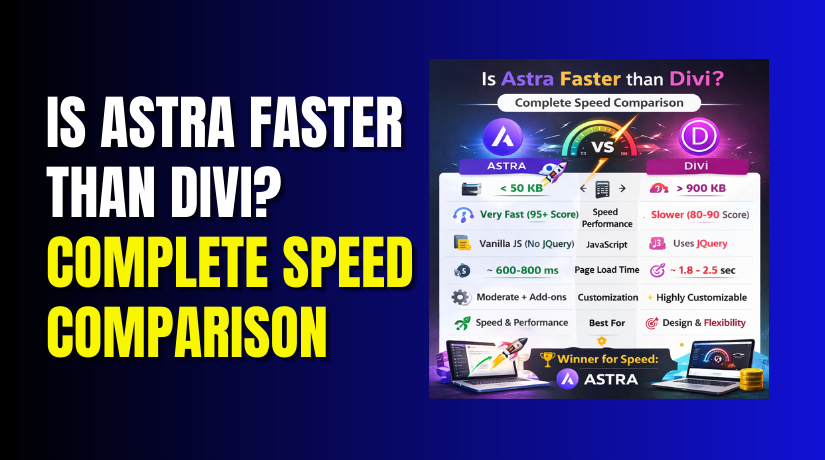
- Good Out-of-Box Performance: With optimization, Avada achieves 2.3-second load times and 87/100 mobile scores, making it the fastest multipurpose theme with a page builder.
- Back-End Builder Option: Experienced users can build faster using the classic editor interface rather than front-end visual building.
- Complete WooCommerce Shops: The 27 pre-built shop demos provide excellent starting points for e-commerce stores.
- Strong Documentation: Over 550 knowledge base articles and 200+ video tutorials.
- No Upsells. Once you buy, everything is included. No recurring subscription for features.
Cons of Avada
- Per-Site Pricing: Each website requires its own $69 license. For agencies or freelancers building multiple sites, costs escalate quickly.
- Support Renewal Fees: After 6 months, support renewal costs approximately $18 per site per year. Over 3 years, this adds significant cost.
- Steep Learning Curve: New users often feel overwhelmed by hundreds of options. Many give up before mastering the theme.
- ThemeForest Update Delays: Updates must be approved by Envato, causing 3-7 day delays. Critical security fixes cannot deploy instantly.
- Plugin Bloat: Bundled plugins load code whether you use them or not. This impacts performance even when features are disabled.
- Recognizable “Avada Look”: Sites built from demos often look similar. The distinctive Avada style becomes recognizable across the web.
- Less Unique Design Freedom: The demo dependency can limit creativity. Customizing heavily requires undoing much of what the demo provides.
- Heavier Code Base: Out of the box, Avada loads 998 KB page size with 19 HTTP requests. More than lightweight alternatives.
- Smaller Ecosystem: Limited third-party add-ons compared to Divi’s massive community. Fewer specialized extensions available.
- Ticket Support Only: No live chat. Support response times can stretch to days, especially on weekends.
Is Divi better than Avada?
This is the central question. The answer depends entirely on your specific needs, how many sites you build, and what you value most.
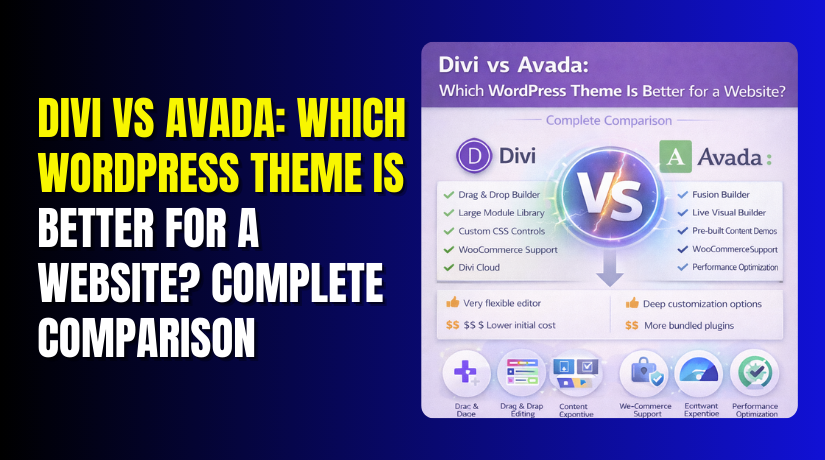
| Comparison Factor | Divi | Avada | Better |
| Fully Loaded Time | 3.2 seconds | 2.3 seconds | Avada |
| Mobile Performance Score | 84/100 | 87/100 | Avada |
| Page Size | 1.2 MB | 998 KB | Avada |
| HTTP Requests | 18 | 19 | Divi |
| Single Site Cost (3 Years) | $89/year × 3 = $267 | $69 + ($18 × 2.5) = $114 | Avada |
| 5 Sites Cost (3 Years) | $89 × 3 = $267 | ($69 × 5) + ($18 × 5 × 2.5) = $570 | Divi |
| 10 Sites Cost (3 Years) | $89 × 3 = $267 | ($69 × 10) + ($18 × 10 × 2.5) = $1,140 | Divi |
| Lifetime License Available | Yes ($249 one-time) | No | Divi |
| Builder Interface | Intuitive, front-end only | Front-end + back-end options | Divi |
| Learning Curve | Moderate, gentler | Steep, overwhelming | Divi |
| Workflow Speed | Faster (25-50% time savings) | Slower due to complexity | Divi |
| Complete Website Demos | 200+ layout packs | 110+ full websites | Divi |
| Individual Page Layouts | 1,100+ | 600+ content blocks | Divi |
| Design Uniqueness | More original, less recognizable | Often recognizable “Avada look” | Divi |
| WooCommerce Modules | 25+ | 15+ | Divi |
| Shop Demos | Many | 27 complete shops | Tie |
| Support Type | Live chat + tickets | Tickets only | Divi |
| Support Response Time | Minutes to hours | Hours to days | Divi |
| Update Speed | Instant | 3-7 day delay (ThemeForest) | Divi |
| Third-Party Ecosystem | Massive (Divi Marketplace) | Limited | Divi |
| Bundled Premium Plugins | Bloom, Monarch (included) | Slider Revolution, ACF Pro, Convert Plus | Avada |
| Theme Options Panel | Modern, streamlined | Comprehensive but overwhelming | Tie |
| Out-of-Box Performance | Requires optimization | Stronger out of the box | Avada |
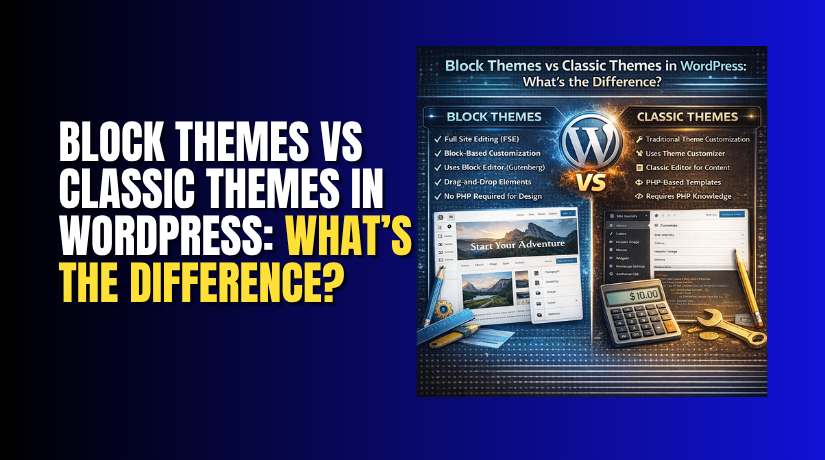
| Best For | Agencies, freelancers, multi-site builders | Single site owners, hobbyists | Depends on needs |
When to Choose Divi?
- You build multiple websites: For agencies, freelancers, or anyone managing client sites, Divi’s unlimited licensing saves thousands of dollars. The economics become overwhelming in Divi’s favor at 2+ sites.
- You value workflow speed: Divi’s intuitive builder and library features help you build sites 25-50% faster. Over many projects, this time savings translates to significant income.
- You want unique designs: Divi’s massive layout library and easier customization help you create original sites. You are not locked into recognizable templates.
- You need responsive support: Live chat access with fast response times is invaluable when client sites break. Divi’s support consistently receives high praise.
- You prioritize future-proofing: Direct updates without ThemeForest delays mean critical fixes deploy immediately. No waiting a week for security patches.
- You want maximum design control: With more modules, global presets, and advanced theme builder capabilities, Divi offers greater creative freedom.
- You are building an e-commerce store requiring custom layouts: 25+ WooCommerce modules give you more control over product displays.
- You value community resources: Divi’s massive ecosystem means tutorials, add-ons, and help are always available.
When to Choose Avada?
- You are building a single website: For a personal blog, small business site, or one-off project, Avada’s $69 one-time payment is excellent value. You pay once and never think about renewals.
- You want to launch quickly with a complete design: Avada’s 110+ full website demos let you import a professional site and replace content. If a demo matches your needs perfectly, you save enormous design time.
- You prefer a traditional options panel: Some developers prefer the systematic organization of Avada’s massive theme options panel over visual building. Everything in one place.
- You want bundled premium plugins included: The included Slider Revolution, ACF Pro, and Convert Plus provide functionality you would otherwise purchase separately.
- You are comfortable with ticket support: If you do not need instant responses and can wait days for help, Avada’s support system works well.
- You value out-of-box performance: Avada scores higher than Divi in most speed tests without extensive optimization. It is the fastest multipurpose theme with a page builder.
- You want deep integration without plugin hunting: Avada’s all-in-one approach means you rarely need additional plugins. Everything works together seamlessly.
- You need specific demo layouts: If Avada has a perfect demo for your industry, it can save weeks of design work. The 27 shop demos are particularly strong.
Final Verdict
Divi and Avada are both excellent premium themes, but they serve fundamentally different audiences. Divi is the clear winner for agencies, freelancers, and anyone building multiple websites. The unlimited licensing model saves thousands of dollars compared to Avada’s per-site pricing—building 10 client sites costs $267 with Divi versus $1,140 with Avada over three years.
The intuitive visual builder helps you work 25-50% faster, and live chat support resolves issues in minutes rather than days. With over 2,300 layout options, a massive third-party ecosystem, and instant updates, Divi delivers superior value for professional web designers.
Avada is the better choice for single site owners who want a complete, all-in-one package. At $69 one-time, it offers genuine value for a personal blog, small business site, or one-off project. The 110+ pre-built demos let you launch quickly with a professional design, and bundled premium plugins like Slider Revolution and ACF Pro save you from purchasing separately.
Avada’s out-of-box performance is stronger, loading in 2.3 seconds compared to Divi’s 3.2 seconds. For a single website where you won’t build others, Avada is a solid, cost-effective choice.
Have questions before starting with WooCommerce & WordPress? Get support here at WooHelpDesk.