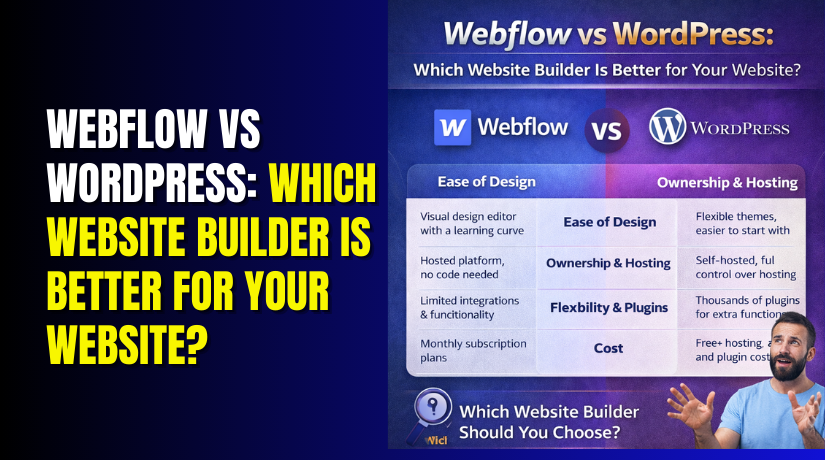
Webflow vs WordPress: Which Website Builder Is Better for Your Website?
Table of Contents
- Introduction
- Quick Comparison Snapshot
- Webflow vs WordPress at a Glance
- Ease of Use and Learning Curve
- Design and Customization
- Blogging and Content Management
- SEO and Marketing Features
- Performance and Site Speed
- Security, Maintenance, and Ownership
- Pricing and Total Cost of Ownership
- Who Should Choose What
- Conclsuion
- FAQs
Introduction
Choosing a website builder is not only about design. It also affects your budget, speed, and future upgrades. Many website owners compare Webflow vs WordPress because both tools can create modern, good-looking sites. Still, they work in very different ways.
Webflow is a hosted website builder with a strong visual editor. It helps you design pages with fine control over layout, spacing, and styles. WordPress is an open-source platform that runs on your own hosting. It is widely used for blogs, business sites, and content-heavy websites. That is why many users search WordPress vs Webflow when they want a clear and practical answer.
This guide is written for website owners, small teams, and agencies. It explains the key differences in simple terms. It also helps you choose based on your goals, not hype. If you want to know Webflow vs WordPress which is better, the answer depends on what you want your website to do today and how you plan to grow later.
Quick Comparison Snapshot
Webflow works best when your site is design-first. It is a strong option for marketing websites, landing pages, and brand-focused pages. The editor is visual, and the hosting is included. This reduces setup steps and keeps many things managed in one place.
WordPress works best when your site is content-first and growth-focused. It is a top choice for blogging, long-term SEO content, and websites that need more features over time. You can choose from many themes and plugins. You can also pick hosting that matches your performance and budget needs.
If you are deciding Webflow vs WordPress for beginners, think about your comfort level. Webflow is easier for people who like design tools and layout control. WordPress is easier for people who want a simple dashboard for publishing and editing content, but it may need plugin decisions.
If you are deciding Webflow vs WordPress for small business, think about your main goal. A simple brochure site can fit Webflow well. A business that wants to publish regular blog content may prefer WordPress. This is also important for Webflow vs WordPress for blogging, because WordPress was built around publishing and content workflows.
Here is the easiest way to view the difference:
- Webflow feels like a managed platform with built-in structure.
- WordPress feels like a flexible system you can expand anytime.
Webflow vs WordPress at a Glance
| Factor | Webflow | WordPress |
| Best for | Design-led marketing sites and landing pages | Blogs, business sites, and scalable content sites |
| Ease of start | Visual builder with hosting included | Install + theme + plugins, more setup choices |
| Design control | Strong layout and style control | Strong with themes, builders, and custom options |
| Blogging strength | Good CMS for smaller blogs | Excellent for blogging and content publishing |
| Maintenance | Mostly platform-managed | You manage updates, backups, and security |
| Flexibility | Powerful but inside platform limits | Very flexible with plugins and custom work |
Ease of Use and Learning Curve
Ease of use depends on how you like working. Some people think visually. Others prefer simple menus and settings. That is why Webflow vs WordPress for beginners can feel different for each user.
Webflow feels like a design tool first. You build pages by placing sections, containers, and elements. You control spacing, fonts, and layout from the start. This is great if you enjoy design control. But it may feel heavy on day one. You must learn basic layout rules like padding and margins. You also need to understand responsive views for mobile.
WordPress feels like a publishing tool first. You start by choosing a theme. Then you add pages, posts, and menus. You can use the built-in editor for content changes. Many beginners feel comfortable fast with this flow. But you will face more choices during setup. You may need plugins for forms, SEO, and backups. Too many plugins can also confuse new users.
A simple way to compare the learning curve:
- Webflow teaches you “how design works” while building pages.
- WordPress teaches you “how websites run” with themes and plugins.
Here is what the first week often looks like with each option.
Webflow first-week experience
- You spend time learning layout and style panels.
- You build a clean design without extra tools.
- You use Webflow hosting, so setup is quicker.
- You work inside one platform for most tasks.
WordPress first-week experience
- You install WordPress and choose a theme.
- You set menus, pages, and basic site settings.
- You add plugins for needed features and tools.
- You may adjust the theme to match your brand.
If your goal is fast design control, Webflow feels direct. If your goal is fast publishing, WordPress feels more natural. This is why people search WordPress vs Webflow when they feel stuck early.
For a business website, the team matters too. A designer may love Webflow workflows. A content writer may prefer WordPress screens and editing. That difference can impact Webflow vs WordPress for small business decisions.
Design and Customization
Design is where this comparison becomes very clear. Webflow offers deep visual control by default. WordPress offers wide options through themes and tools. Both can create modern sites. But the path is different.
Webflow design strengths
Webflow gives you control over layout at a very detailed level. You can build consistent styles across your pages. You can also create reusable components for sections. This helps when you want a clean marketing site. It also helps when you want strong brand consistency.
Webflow is a great pick when you want:
- Pixel-level control without custom coding.
- Consistent styles across every page section.
- Smooth animations and modern design effects.
- A structured design system that stays organized.
WordPress design strengths
WordPress gives you more ways to design, based on your setup. You can pick from many themes. You can also use page builders if you want visual control. You can even build a custom theme if needed. This flexibility is a big reason WordPress stays popular.
WordPress is a great pick when you want:
- Many theme choices for any business type.
- Easy site changes without redesigning everything.
- Extra design tools through builders and plugins.
- Full control for custom features and layouts.
Here is the key point many people miss. Webflow’s control is built into the platform. WordPress control often depends on your theme and tools. That is why one WordPress site feels easy. Another WordPress site feels complex. It depends on what you install and how it is built.
This also links to Webflow vs WordPress performance in real projects. Webflow sites can stay clean because fewer add-ons are needed. WordPress sites can be fast too, but tool choices matter. Heavy themes and extra scripts can slow things down.
If you are comparing for content websites, design is not the only factor. Blogging also matters, and we will cover that next. Many users who care about publishing often compare Webflow vs WordPress for blogging before deciding.
Blogging and Content Management
Blogging is not just writing posts and pressing publish. It includes categories, updates, internal links, and content planning. That is why Webflow vs WordPress for blogging is a major decision point. The right platform makes publishing easier every week.
Webflow CMS for blogging works well for clean, structured websites. You create a blog template once, then reuse it for posts. You can add fields like author name, post date, and featured image. You can also create categories and basic collections. This setup feels smooth when your blog is smaller. It also works well when design consistency is your top goal.
Webflow blogging is a good fit when you want:
- A modern blog design with strong layout control.
- A smaller blog with limited content types.
- A simple workflow with fewer moving parts.
- A blog that supports a marketing site structure.
Still, Webflow has limits for deeper publishing needs. Some advanced workflows may feel harder to manage. Large content teams may want more editorial tools. Multi-author content workflows can also feel restricted for some sites.
WordPress for blogging is built around publishing and content growth. It supports posts, pages, categories, tags, and media management. It also supports revisions and scheduling. Many teams like WordPress because it scales well. You can start with a small blog and grow into a large library. That long-term fit matters for businesses chasing search traffic.
WordPress blogging is a strong fit when you want:
- A content-first workflow for frequent publishing.
- Better tools for categories, tags, and content structure.
- Strong editing, scheduling, and revision support.
- Easy expansion for guides, resources, and knowledge bases.
This difference is why many users compare WordPress vs Webflow when planning content growth. If you plan to publish weekly and build SEO pages, WordPress often feels easier. If your blog supports a brand site with fewer posts, Webflow may be enough.
A simple decision rule helps here:
- Webflow fits design-led blogs with lighter publishing needs.
- WordPress fits growth-led blogs with ongoing content plans.
SEO and Marketing Features
SEO is not one setting you turn on. It is a mix of structure, content, and site health. Many people ask Webflow vs WordPress which is better for SEO. The honest answer depends on how you will grow the site.
Webflow SEO features cover most basics well. You can edit page titles and meta descriptions. You can set clean URLs and redirects. You can also manage image alt text and open graph settings. Many Webflow sites do well because the setup stays clean. You often need fewer add-ons, which helps keep things simple.
Webflow is strong for SEO when you need:
- Clean marketing pages with clear on-page settings.
- Simple site structure and controlled templates.
- Fewer plugins and fewer technical conflicts.
WordPress SEO features can go much further over time. WordPress has a large SEO plugin ecosystem. These tools can help with sitemaps, schema, and content checks. WordPress is also built for internal linking and content grouping. This can help when you build many blog posts and landing pages.
WordPress is strong for SEO when you need:
- A large content library and ongoing publishing.
- More control over schema and site structure.
- Better tools for on-page content workflows.
- Options to improve SEO with flexible add-ons.
For many businesses, content is the main traffic driver. That is why WordPress often wins for long-term SEO growth. But Webflow can still rank well for marketing sites. The key is your plan, not just the tool.
Here are practical SEO factors you should focus on:
- Clear site structure with strong internal links.
- Fast loading pages and optimized images.
- Helpful content that matches search intent.
- Clean URLs and proper redirects during updates.
- Consistent publishing schedule with quality standards.
If your site depends on content growth, WordPress fits well. If your site depends on design-led marketing pages, Webflow fits well. This is the real meaning behind Webflow vs WordPress for SEO decisions.
Performance and Site Speed
Site speed affects user trust and Google rankings. It also affects sales and lead form completions. Many people search Webflow vs WordPress performance because speed feels confusing. The truth is simple. Webflow speed is more consistent by default. WordPress speed depends on how you build and host it.


Webflow performance is usually stable and predictable. Webflow includes hosting and many platform optimizations. You do not need to pick a server provider. You also do not need to set up caching tools. This reduces common mistakes that slow down websites. It is a strong reason some teams choose Webflow.
Webflow tends to perform well because:
- Hosting is managed inside the same platform.
- Site files are delivered in an optimized way.
- You use fewer add-ons for basic features.
- Design changes do not add heavy plugin scripts.
WordPress performance can be excellent, but it varies more. WordPress runs on the hosting you choose. The theme you install matters a lot too. Plugin choices also impact speed. A clean build on strong hosting can be very fast. A heavy theme with many plugins can feel slow.
WordPress speed depends heavily on:
- Hosting quality and server resources.
- Theme code quality and page builder load.
- Number of plugins and third-party scripts.
- Caching setup and image optimization.
This is why WordPress vs Webflow speed debates can feel mixed. Two WordPress sites may perform very differently. Two Webflow sites often feel more consistent.
Here are real-world speed problems that affect both platforms:
- Large images that are not compressed.
- Too many fonts or heavy animation effects.
- Tracking tools loading from many outside services.
- Popups, chat widgets, and marketing scripts.
If you want a fast website in either option, follow these basics:
- Compress images before uploading them.
- Keep your page layout clean and focused.
- Limit third-party scripts to what you really need.
- Avoid adding features that do not add value.
If you are deciding Webflow vs WordPress for small business, speed matters. A slow site loses leads and sales quickly. Webflow can be easier for stable speed. WordPress can match it with good setup choices.
Security, Maintenance, and Ownership
Security is not only about hackers and malware. It is also about updates, backups, and safe changes. This area is a major difference in Webflow vs WordPress decisions.
Webflow security and maintenance are mostly handled for you. Webflow manages the platform, hosting, and core updates. This reduces routine tasks for the site owner. It also reduces the risk of missing updates. Many small teams like this because it saves time.
Webflow is easier to manage because:
- Platform updates happen in the background.
- Hosting security is managed by Webflow.
- You do not manage plugin updates.
- Fewer moving parts reduce common risks.
WordPress security and maintenance require more attention. WordPress is very secure when managed well. But you must keep it updated. You also must update plugins and themes. You should set regular backups too. This work is not hard, but it must be consistent.
WordPress needs routine care, such as:
- Update WordPress core, themes, and plugins.
- Use strong passwords and secure admin access.
- Run backups and test restores sometimes.
- Add basic security tools and monitoring.
Ownership is also part of this decision. With WordPress, you own your site setup fully. You can move hosts and change tools anytime. You can also add custom features without platform limits. With Webflow, you work inside one platform’s system. It is smooth, but it has more platform dependence.
This matters when you compare long-term plans:
- Webflow fits teams that want low maintenance.
- WordPress fits teams that want full control and freedom.
This also connects to Webflow vs WordPress cost over time. Webflow can save time on maintenance tasks. WordPress can reduce platform limits but may need ongoing care.
Pricing and Total Cost of Ownership
Price is more than a monthly number on a pricing page. You also pay with time, tools, and support needs. That is why people compare Webflow vs WordPress cost before they build. It is also why Webflow vs WordPress pricing searches are so common.
Webflow pricing is usually plan-based and predictable. You pick a site plan that includes hosting. You may also need a workspace plan for team roles. Your cost grows based on features, CMS needs, and scale. Many business owners like this because it feels clear. It also reduces surprise costs from plugins.
Webflow costs often include:
- A plan that includes hosting and platform access.
- Optional upgrades for CMS or advanced features.
- Optional costs for ecommerce or extra tools.
- Time saved because many tasks are managed.
WordPress pricing works in a different way. WordPress software is free to use. But you pay for hosting, themes, and plugins if needed. Your cost can be very low at the start. It can also grow when you add premium tools. The final cost depends on what you build and how you manage it.
WordPress costs often include:
- Hosting (shared, managed, or VPS based on needs).
- A theme or page builder, if you want faster design.
- Plugins for SEO, forms, backups, and security.
- Maintenance time or paid support for updates.
This matters for businesses, because budgets vary. A small local business may want a simple setup. A growing brand may want content, tools, and custom features. That difference impacts Webflow vs WordPress for small business decisions.
Here is the key point about total cost. Webflow bundles more into the platform. WordPress gives you choice, but choices require planning. If you want predictable billing, Webflow can feel easier. If you want long-term control, WordPress can be more flexible.
Cost Comparison Summary
| Cost Item | Webflow | WordPress |
| Platform / software | Paid plans tied to the platform | Free core software |
| Hosting | Included in most plans | Paid separately (varies by host) |
| Themes / design | Built-in design tools | Free or paid themes, builders optional |
| Plugins / apps | Fewer add-ons needed for basics | Many plugins, free and paid options |
| Maintenance / updates | Mostly handled by the platform | You manage updates, backups, security |
| Scaling costs | Plan upgrades as needs grow | Hosting + tools grow with site needs |
Who Should Choose What
The right choice depends on your website job. It also depends on your team and workflow. If you are deciding Webflow vs WordPress for beginners, use these simple checks.
Choose Webflow if you want these outcomes
- You want strong design control without custom coding.
- You want a managed setup with fewer tech tasks.
- You want a clean marketing site with stable updates.
- You prefer predictable plans and fewer tool choices.
Choose WordPress if you want these outcomes
- You want full control and long-term flexibility.
- You want strong publishing tools and content growth.
- You need many features through plugins and integrations.
- You want the best fit for Webflow vs WordPress for blogging needs.
If you still feel unsure, use this rule. Webflow fits design-led teams and quick launch sites. WordPress fits content-led teams and long-term growth plans.
Conclsuion
So, Webflow vs WordPress which is better for your website? Webflow is best when you want a managed platform with strong design control. WordPress is best when you want flexibility, content growth, and full ownership. For many businesses, WordPress wins for blogging and SEO scale. For clean marketing sites with low maintenance, Webflow is a strong pick.
If you want expert help choosing the right setup, WooHelpDesk can guide you. We help website owners plan, build, and improve WordPress sites. We also help fix performance, SEO, and plugin issues. This keeps your website fast, secure, and ready to grow.
FAQs
1) Is Webflow better than WordPress?
It depends on your goal. Webflow is better for design-led sites. WordPress is better for flexible sites and content growth.
2) Which is easier for beginners, Webflow or WordPress?
WordPress feels easier for basic publishing and pages. Webflow feels easier if you enjoy design control and layout work.
3) Which is cheaper: Webflow or WordPress?
Webflow is plan-based with hosting included. WordPress is free software, but you pay for hosting and tools.
4) Which is better for blogging: Webflow or WordPress?
WordPress is usually better for blogging. It offers better content tools, workflows, and scaling options.
5) Which platform performs better for site speed?
Webflow speed is often consistent due to managed hosting. WordPress can be very fast with good hosting and a clean setup.



