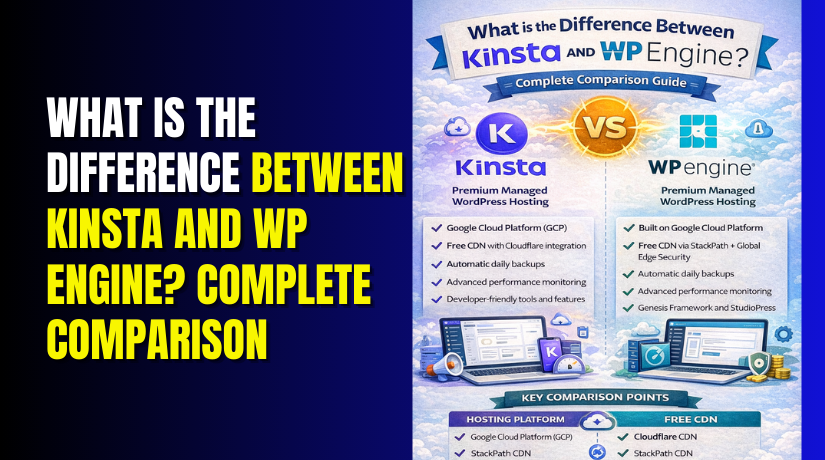
What is the Difference Between Kinsta and WP Engine? Complete Comparison
Table of Contents
- Introduction
- What is Kinsta WordPress?
- What are the Key Features of Kinsta?
- What are the Advantages of Kinsta?
- What are the Limitations of Kinsta?
- What is Kinsta Used for?
- What is WP Engine?
- What are the Key Features of WP Engine?
- What are the Advantages of WP Engine?
- What are the Limitations of WP Engine?
- What is the Difference Between Kinsta and WP Engine?
- Final Verdict
Introduction
Choosing the right hosting provider is one of the most critical decisions for any website owner. Your hosting choice directly impacts site speed, security, uptime, and scalability. Two names consistently top the list of premium managed WordPress hosts: Kinsta and WP Engine.
Both companies offer specialized WordPress hosting with enterprise-level infrastructure. Both promise exceptional performance and expert support. Both charge premium prices for their services.
But they are not the same. Kinsta focuses relentlessly on speed and developer-friendly tools with a custom dashboard. WP Engine emphasizes security, reliability, and comprehensive support with added value like StudioPress themes.
This choice affects your daily workflow, your site’s performance, and your budget. Understanding the differences helps you make the right decision for your specific needs.
This guide provides a complete, unbiased comparison of Kinsta and WP Engine in 2026. You will learn exactly what each platform offers. You will understand their key features, advantages, and limitations. You will see real performance data and user experiences.
By the end, you will know which premium host is right for your website.
What is Kinsta WordPress?
Kinsta is a premium managed WordPress hosting provider founded in 2013. It has built a strong reputation for exceptional speed, scalability, and developer-friendly features.
Kinsta runs entirely on the Google Cloud Platform’s Premium Tier network. This ensures your website benefits from Google’s global infrastructure and low-latency connections.
All sites are hosted in their own isolated Linux containers with dedicated resources. This container technology prevents other sites from affecting your performance.
Kinsta offers 37 data center locations worldwide across four continents. You can host your site closer to your audience for faster loading times.
Kinsta now serves over 230,000 customers in 128 countries. It processes more than 125,000 GB of traffic daily for WordPress sites. In 2026, G2 named Kinsta the #1 Web Hosting Product based on customer satisfaction.
Kinsta caters to developers, agencies, and businesses that prioritize performance. Its tools and dashboard are designed for users comfortable with technical concepts but wanting a streamlined experience.
What are the Key Features of Kinsta?
Kinsta offers a comprehensive feature set focused on performance, security, and ease of management.
- Google Cloud Platform Infrastructure
Every Kinsta site runs on Google Cloud’s fastest C2 and C3D virtual machines. The Premium Tier network routes traffic through Google’s private fiber backbone for optimal speed.
- MyKinsta Dashboard
Kinsta replaces traditional cPanel with its custom MyKinsta dashboard. This intuitive interface provides:
- Website analytics including resource usage, CDN performance, and visitor data
- One-click staging environments for testing changes safely
- User activity logs tracking all account actions
- Notifications about important events
The dashboard is available in 10 languages including English, Spanish, French, German, and Japanese.
- Cloudflare Integration
Enterprise-level Cloudflare integration comes standard with all plans. This includes:
- Global CDN with 260+ points of presence
- DDoS protection
- Web Application Firewall (WAF)
- Edge caching for faster content delivery
- Application Performance Monitoring
Built-in APM tools help you identify and fix performance bottlenecks. You can monitor PHP processes, database queries, and external requests.
- Automatic Daily Backups
Kinsta performs automatic daily backups of every site. You can also create manual backup points before making major changes. All backups are stored off-site for safety.
- Free Site Migrations
Professional migration experts handle unlimited free site transfers. The team proactively identifies and resolves potential conflicts during migration.
- DevKinsta Local Development Tool
This free local WordPress environment lets you build and test sites on your computer. Powered by Docker, it includes one-click deployment to staging.
- Hack Repair Pledge
Kinsta offers a malware removal guarantee. If your site gets hacked, their team will clean it free of charge.
- Powerful API
The Kinsta API allows you to automate site creation, manage backups, and retrieve analytics programmatically.
What are the Advantages of Kinsta?
- Exceptional Speed and Performance
Kinsta’s infrastructure delivers lightning-fast load times. The combination of Google Cloud C2 machines, Premium Tier network, and Cloudflare CDN ensures optimal performance globally. Users consistently praise the platform’s speed and stability.
- Intuitive MyKinsta Dashboard
The custom dashboard is widely considered best-in-class. Users describe it as “clean, intuitive, and powerful without being overwhelming”. All management tasks flow smoothly without technical complexity.
- Developer-Friendly Tools
Built-in APM, staging environments, and Git integration give developers granular control. The powerful API enables sophisticated automation workflows.
- Exceptional Support Quality
Kinsta support averages under two minutes for first response with a 97% satisfaction rate. Support staff are WordPress experts who genuinely solve problems. Users praise the “knowledgeable and friendly customer service”.
- Proactive Security Monitoring
Kinsta checks your site every three minutes for uptime issues. This means 480 checks daily per site. Problems are often identified and addressed before customers notice.
- ISO and SOC2 Compliance
Kinsta meets rigorous security standards including ISO 27001, ISO 27017, ISO 27018, SOC 2, GDPR, and CCPA. This enterprise-grade compliance matters for regulated industries.
- Free Local Development Tool
DevKinsta is a unique value-add. You can develop locally, test in staging, and deploy to production with one click.
- No Long-Term Contracts
All plans are month-to-month with a 30-day money-back guarantee. You can cancel anytime without termination fees.
What are the Limitations of Kinsta?
- Premium Pricing
Kinsta plans start at $35 per month, significantly higher than shared hosting alternatives . Multiple user reviews note the “high price is an important factor in the customer’s decision to use its services”.
- Plugin Restrictions
Kinsta restricts certain WordPress plugins that could harm performance or security. While this ensures optimal operation, it may limit your ability to use specific tools.
- Storage Limits
Entry-level plans include only 10-15 GB of storage. Sites with large media libraries may quickly exceed these limits. Additional storage is available as a $20 per month add-on for 20 GB increments.
- No Phone Support
Support is available 24/7 via live chat and email only. Some users prefer phone conversations for complex issues.
- No Email Hosting
Kinsta does not provide email hosting. You must use a third-party service like Google Workspace or MXRoute for professional email.
- PHP Worker Limitations
The number of PHP workers determines concurrent processing capacity. Some users report needing more workers during traffic spikes, with no easy way to add them on demand.
- No Domain Registration
Kinsta does not offer domain registration services. You must purchase domains separately from registrars like Namecheap or GoDaddy.
- Limited WordPress Multisite Support
Multisite networks require higher-tier plans. Lower plans may not accommodate multisite installations.
What is Kinsta Used for?
- High-Traffic Business Websites
Companies with significant traffic choose Kinsta for its scalability. The infrastructure handles traffic spikes without performance degradation . One user noted: “For high-traffic WooCommerce sites, that reliability is crucial”.
- E-commerce Stores
WooCommerce sites benefit from Kinsta’s performance optimization. A customer reported: “Kinsta has completely solved the performance problems we had with WooCommerce on busy days”.
- Agency Client Management
Agencies managing multiple client sites appreciate the MyKinsta dashboard. One reviewer said: “The UX/UI is exceptionally well designed… managing backups, staging environments, domains and performance tools is effortless”.
- Developer Workflows
Developers use Kinsta for its Git integration, staging environments, and powerful API. The platform streamlines deployment and testing processes.
- Mission-Critical Applications
Organizations requiring 99.9% uptime choose Kinsta. Users report “never experienced any downtime in seven years, which is invaluable for client websites”.


- International Websites
With 37 global data centers, Kinsta serves audiences worldwide. Sites load quickly regardless of visitor location.
Is Kinsta worth it?
Kinsta is worth it for businesses that:
- Generate significant revenue from their website
- Require 99.9% uptime guarantees
- Need expert WordPress support
- Value developer tools and workflow efficiency
- Serve international audiences
- Cannot tolerate security breaches
What is WP Engine?
WP Engine is a pioneer in managed WordPress hosting, founded in 2010. It has grown into one of the most trusted names in the industry, powering sites for businesses, agencies, and enterprises worldwide.
WP Engine utilizes robust infrastructure leveraging both Google Cloud Platform and AWS. Their proprietary EverCache® system delivers WordPress content quickly while handling massive scalability.
WP Engine positions itself as a “WordPress Digital Experience Platform” rather than just hosting. The company focuses on providing solutions that drive business results, not just technical infrastructure.
WP Engine caters heavily to businesses, enterprises, agencies, and developers who prioritize security, reliability, and comprehensive support. The platform is trusted by major brands including Bamboo Clothing and many Fortune 500 companies.
What are the Key Features of WP Engine?
- EverCache® Technology
WP Engine’s proprietary caching system is specifically engineered for WordPress. It delivers content quickly and handles traffic surges without performance degradation.
- Global CDN
An integrated content delivery network ensures fast loading times for international visitors. Content is cached at edge locations worldwide.
- StudioPress Themes and Genesis Framework
All WP Engine plans include the premium Genesis Framework and over 35 StudioPress professional themes. This represents significant value for businesses needing professional design.
- Automated WordPress Updates
WP Engine automatically applies WordPress core and PHP updates, ensuring your site stays secure and compatible.
- Daily Backups
Automatic daily backups protect your data. You can restore your site with one click if something goes wrong.
- One-Click Staging
Test changes safely in a staging environment before pushing to production. This prevents breaking live sites during updates.
- Git Integration
Developers can deploy code directly using Git, streamlining version control workflows.
- Free Automated Migrations
The WP Engine Automated Migration plugin transfers your existing site quickly and easily.
- Transferable Sites
You can transfer site ownership to clients directly through the dashboard. This is invaluable for agencies building sites for customers.
- 24/7 Support
WP Engine offers round-the-clock support via chat and phone on higher-tier plans. Support teams are WordPress experts who help with theme, plugin, and core issues.
- Threat Detection
Platform-level security monitoring identifies and blocks malicious activity before it reaches your site.
What are the Advantages of WP Engine?
- Established Reputation and Trust
WP Engine pioneered managed WordPress hosting and has a 15+ year track record. The platform is proven and trusted by major brands and agencies worldwide.
- Included Premium Themes
The Genesis Framework and StudioPress themes alone represent significant value. These professionally designed themes would cost hundreds of dollars separately.
- Strong Security Posture
Multiple layers of security including platform-level threat detection, DDoS mitigation, and free SSL certificates protect your site. Security is baked into every aspect of the platform.
- Developer Workflow Tools
Git integration, one-click staging, and transferable sites streamline agency operations. The platform is built with professional workflows in mind.
- EverCache Performance
The proprietary caching system is specifically optimized for WordPress. It delivers excellent performance even during traffic spikes.
- Expert Support Availability
Phone support is available on higher-tier plans, a feature Kinsta lacks. Users can speak directly to WordPress experts when needed.
- Transferable Sites Feature
Agencies can build sites and transfer ownership to clients seamlessly. This eliminates manual handoff processes.
- 60-Day Money-Back Guarantee
WP Engine offers two full months to test their service risk-free. This is double the industry standard.
- Free Automated Migrations
The migration plugin makes moving existing sites simple and fast. No technical expertise required.
What are the Limitations of WP Engine?
- High Starting Price
WP Engine plans start at $25 per month billed yearly, or $20 per month for annual commitment. This is significantly higher than shared hosting alternatives.
- No Email Hosting
Like Kinsta, WP Engine does not provide email services. You need separate solutions for professional email.
- Traffic Limits
Plans include specific monthly visitor caps. Exceeding these limits requires upgrading or paying overage fees.
- WooCommerce Requires Separate Plan
E-commerce functionality is not included in standard WordPress plans. You must purchase more expensive WooCommerce-specific plans to sell online.
- No Free Domain
WP Engine does not include domain registration or free domains. This must be purchased separately.
- No File Manager
The dashboard lacks a built-in file manager. You must use SFTP clients like FileZilla to manage server files.
- Add-On Costs
Many security features are locked behind higher-tier paywalls. The cheapest plans lack advanced security options.
- Performance Concerns for Media-Heavy Sites
Some users report that site speed can suffer on media-heavy websites. One Gartner reviewer noted: “Adding features is simple but site speed remains a significant concern”.
- Steeper Learning Curve
The comprehensive dashboard may overwhelm absolute beginners compared to simpler interfaces like MyKinsta.
What is the Difference Between Kinsta and WP Engine?
| Comparison Factor | Kinsta | WP Engine |
| Cloud Infrastructure | Google Cloud Platform exclusively | Google Cloud Platform + AWS |
| Data Centers | 37 global locations across 4 continents | Multiple locations (unspecified count) |
| Container Technology | Isolated Linux containers with dedicated resources | Proprietary container architecture |
| Caching System | Cloudflare Enterprise CDN + Edge Caching | EverCache® proprietary WordPress caching |
| Dashboard Experience | MyKinsta – clean, intuitive, modern interface | WP Engine Portal – comprehensive but steeper learning curve |
| Starting Price | $35/month | $20-25/month (billed annually) |
| Monthly Visitors (Entry Plan) | 25,000 visits | 75,000 visits |
| Storage (Entry Plan) | 10-15 GB | 10-15 GB |
| WooCommerce Hosting | Same infrastructure, no separate plan | Separate WooCommerce plans ($30-63/month) |
| Included Premium Themes | No | Yes – Genesis Framework + 35+ StudioPress themes |
| Built-in APM Tools | Yes – application performance monitoring | No |
| Local Development Tool | Yes – DevKinsta (free Docker-based tool) | No |
| Phone Support | No – 24/7 live chat and email only | Yes – on Professional, Growth, and Scale plans |
| Support Response Time | Average under 2 minutes first response | Fast but varies by plan |
| Support Satisfaction | 97% customer satisfaction rate | Highly rated but no published percentage |
| Git Integration | Yes | Yes |
| Transferable Sites | No | Yes – ideal for agencies building client sites |
| Free Site Migrations | Yes – unlimited free migrations | Yes – free automated migration plugin |
| Daily Backups | Yes – automatic with manual backup points | Yes – automatic with one-click restore |
| Staging Environments | Yes – one-click staging | Yes – one-click staging |
| Money-Back Guarantee | 30 days | 60 days |
| Email Hosting | No | No |
| Domain Registration | No | No |
| WordPress Multisite | Higher-tier plans only | Higher-tier plans only |
| Hack Repair Pledge | Yes – free malware removal | Yes – free hack repair |
| Security Compliance | ISO 27001, 27017, 27018, SOC 2, GDPR, CCPA | Enterprise-grade security with threat detection |
| CDN Included | Cloudflare Enterprise (260+ edge locations) | Global CDN included |
| API Access | Powerful Kinsta API for automation | Limited API functionality |
| Market Position | 2.0% mindshare in web hosting | 0.8% mindshare in web hosting |
| Founded | 2013 | 2010 |
| Best For | Speed-obsessed users, developers, international sites | Agencies, businesses wanting included themes, phone support |
Final Verdict
Choosing between Kinsta and WP Engine ultimately depends on your specific priorities as a website owner. Kinsta is the clear winner for those who prioritize raw speed, developer experience, and an intuitive dashboard. Its exclusive use of Google Cloud’s fastest C2 machines, Premium Tier network, and Cloudflare Enterprise CDN delivers exceptional performance that’s hard to beat.
The MyKinsta dashboard is widely considered the best in the industry for its clean, powerful interface. With 37 global data centers and built-in APM tools, Kinsta is ideal for international businesses, performance-obsessed site owners, and developers who want granular control without complexity.
WP Engine is the better choice if you value established reputation, included premium themes, and phone support availability. The inclusion of the Genesis Framework and 35+ StudioPress themes represents significant value for businesses needing professional design without additional costs.
Agencies will appreciate transferable sites and Git integration that streamline client workflows. The 60-day money-back guarantee gives you twice the testing time compared to Kinsta. Both platforms deliver exceptional uptime and performance that justify their premium pricing. Your choice comes down to whether you prioritize Kinsta’s cutting-edge speed and dashboard experience or WP Engine’s comprehensive feature set and phone support. Test both with their money-back guarantees to experience the difference firsthand.
Have questions before starting with WooCommerce & WordPress? Get support here at WooHelpDesk.



