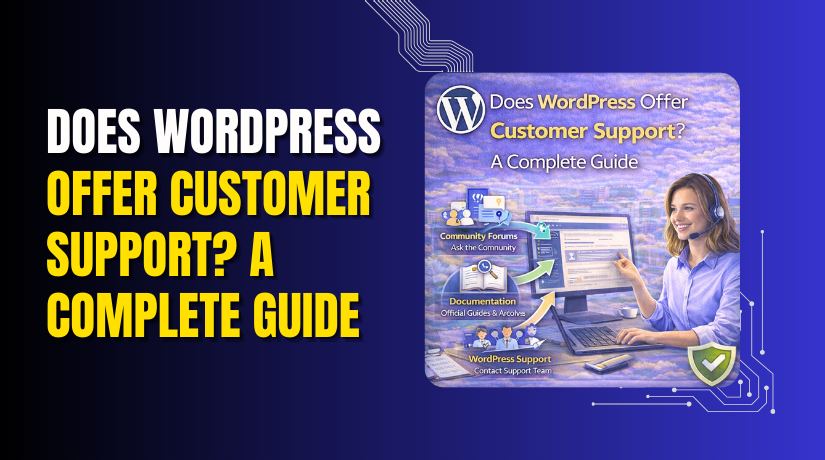
Does WordPress Offer Customer Support? A Complete Guide
Table of Contents
- Overview of WordPress and Its Popularity
- Setting the Stage for Understanding WordPress Customer Support
- The Scope of Customer Support for WordPress Users
- Does WordPress Have a Help Desk?
- How WordPress Offers Customer Support for Business Users
- WordPress Customer Service Through Hosting Providers
- How to contact WordPress support on WordPress.com:
- Third-Party WordPress Support Services
- Conclusion
Overview of WordPress and Its Popularity
WordPress is the world’s most popular website platform. It powers over 40% of all websites globally. Whether you want to create a personal blog, an online store, or a business website, WordPress offers flexibility, ease of use, and scalability. It’s available in two versions: WordPress.org (self-hosted) and WordPress.com (hosted), which cater to different user needs.
Importance of Customer Support for Website Owners
Customer support is crucial for website owners using WordPress. As websites grow, issues like plugin conflicts, theme bugs, and security breaches may arise. Having quick access to reliable support helps you keep your website running smoothly. This guide will help you understand how WordPress customer support works and the available options for users.
Setting the Stage for Understanding WordPress Customer Support
In this guide, we will cover:
- Does WordPress offer customer support?
We’ll explore the types of support WordPress offers and the resources available for troubleshooting. - How to contact WordPress support?
Learn the different ways to get help with WordPress issues, whether you’re using WordPress.com or WordPress.org. - WordPress help desk options
We’ll look into community-driven support, paid services, and the options available for premium users of WordPress.com. - WordPress support system
Understand the tools available to resolve common issues and where to turn for assistance.
Understanding WordPress customer service and help desk services is essential for users who want to make the most of their websites. Whether you’re new to WordPress or an experienced user, knowing how to contact WordPress support services can save you time and frustration.
The Scope of Customer Support for WordPress Users
WordPress offers customer support, but the level of service depends on the platform you use—WordPress.org (self-hosted) or WordPress.com (hosted). Each version has different support options and resources available to users.
For self-hosted WordPress (WordPress.org), the support system is largely community-driven. Users rely on forums, online documentation, and tutorials to find solutions to issues. This support is free but may take longer to get a response, depending on the issue. Users can also seek help from hosting providers or third-party professionals for more urgent issues.
For WordPress.com, users on paid plans have access to premium customer service. This includes live chat, email support, and dedicated support teams. However, the free plans on WordPress.com have limited support, primarily relying on documentation and forums.
Does WordPress Have a Help Desk?
No, WordPress.org does not have a centralized help desk for all users. Instead, users are directed to community forums and resources where they can ask questions and find solutions. WordPress forums are a valuable resource for self-hosted WordPress users, where they can interact with other users and WordPress experts.
On the other hand, WordPress.com offers help desk support for premium users. This means users on paid plans have direct access to support staff for troubleshooting. WordPress.com’s help desk services are much more responsive and personalized compared to the community-driven model of WordPress.org.
WordPress Support Services for Different Types of Users
Support services vary greatly depending on which version of WordPress you are using. Here’s how they differ:
- Self-hosted WordPress (WordPress.org):
- Forums: The primary source of support for most users.
- Documentation: The WordPress Codex provides extensive guides and troubleshooting steps.
- Third-party Support: Users can also reach out to third-party providers or hire professionals for complex issues.
- com:
- Free Plan: Limited support options, mostly relying on forums and FAQs.
- Paid Plans: Access to premium support with live chat, email support, and dedicated help desks.
- VIP Plans: For high-traffic sites, offering the best support with 24/7 assistance.
For users of WordPress.com, premium plans provide much faster resolution times and more direct assistance. In contrast, self-hosted WordPress users have to depend on their hosting provider or WordPress forums for help.
How WordPress Offers Customer Support for Business Users
If you’re running a business, choosing the right support is crucial. WordPress customer service for business users varies depending on the plan:
- com Business and VIP Plans offer the highest level of support, including priority handling and personal assistance. This is especially useful for large websites with frequent technical needs.
- Self-hosted WordPress requires businesses to rely on their hosting provider’s support or external help from WordPress developers. Many hosting companies, like Bluehost and SiteGround, offer WordPress-specific customer support for technical issues related to the platform.
Accessing WordPress Customer Support: A Summary
- For WordPress.com users: Paid plans offer direct access to customer service, including email and live chat. Free plans mostly use forums and documentation.
- For WordPress.org users: Community-driven support through forums and third-party providers.
Does WordPress Offer Help Desk Services?
For self-hosted WordPress, there are no official help desk services. Instead, users must rely on the community and their hosting provider for support. WordPress.com, however, offers robust help desk services for premium users. These services are tailored to provide faster and more efficient support.
Types of WordPress Help Desk Options Available
WordPress offers various support options depending on the version you are using. Whether you are on WordPress.org (self-hosted) or WordPress.com, different help desk services are available.
- Community Forums:
- For self-hosted WordPress users, the primary support source is the WordPress.org forums.
- Users can search for existing solutions or ask new questions.
- Many users and experts offer solutions, making the forum a valuable resource.
- Official Documentation:
- org offers extensive documentation in the form of guides, tutorials, and troubleshooting steps.
- This self-service option is ideal for users who prefer solving issues independently.
- It includes information on everything from installation to advanced configuration.
- Paid Support Services:
- Many third-party companies offer WordPress support, either via live chat, email, or phone support.
- This option is ideal for users who need quick, expert assistance with complex issues.
- Companies like WPBeginner and WooHelpDesk offer comprehensive support packages.
- com Premium Support:
- For users on WordPress.com’s paid plans, WordPress customer service includes live chat, email support, and direct assistance.
- Premium users receive priority attention for their issues, often resolving them faster than free plan users.
WordPress Customer Service Through Hosting Providers
Another key source of WordPress support comes from the hosting provider. Many WordPress hosting providers offer specialized customer support tailored to WordPress websites. Here’s how hosting providers contribute:
- Managed WordPress Hosting:
- Hosting companies like SiteGround and Bluehost offer managed hosting, which includes WordPress-specific support.
- These services handle technical issues, security updates, backups, and performance optimization.
- WordPress-Specific Support:
- Hosting support teams are familiar with WordPress issues and can provide faster, more accurate help.
- They often assist with server-related issues that might affect WordPress performance, such as PHP errors or database problems.
WordPress.com Support Options for Paid Plans
For users of WordPress.com, the support experience is significantly better on the paid plans. Here’s what the support system looks like for premium users:
- Live Chat and Email Support:
- Paid plans, such as Business and VIP, offer 24/7 live chat support and dedicated email assistance.
- This gives users access to WordPress experts who can resolve issues quickly and professionally.
- Dedicated Help Desk:
- com provides a personalized support experience for paid plan users.
- Users have direct access to a help desk, making it easier to resolve issues without waiting for community responses.
Third-Party WordPress Support Solutions
In addition to WordPress’s official support channels, users can turn to third-party support services. These services can assist with various issues that WordPress’s community forums or official help channels might not cover.
- Paid WordPress Support Services:
Many companies provide WordPress customer support for a fee, offering expertise beyond the community-driven forums. These services often include:

- Troubleshooting plugin or theme issues.
- Fixing site performance or security problems.
- Helping with migration and server-related issues.
- Examples of Third-Party WordPress Support:
- WooHelpDesk: It specializes in providing expert support for WooCommerce It offers services like troubleshooting, theme/plugin support, and performance optimization, ensuring smooth e-commerce operations. WooHelpDesk is perfect for store owners who need dedicated, round-the-clock assistance.
- 24x7WP Support: offers comprehensive WordPress assistance, including troubleshooting, maintenance, security, and performance optimization. With 24/7 availability, it ensures quick solutions to any issues, making it ideal for both personal and business WordPress sites.
- WP Beginner: A well-known service that offers WordPress support, including troubleshooting, setup, and maintenance for all types of WordPress websites.
- Specialized WordPress Support Providers:
These companies specialize in particular areas, such as:- WooCommerce-specific support for e-commerce sites.
- Security-focused support to keep sites protected from malware and hacks.
These third-party services can be invaluable for businesses or users who need dedicated, expert help and don’t want to rely on the community forum or free support options. Many of these services provide WordPress support services via live chat, phone, or email, ensuring fast resolution for urgent issues.
WordPress Support for Business Websites
For business websites, having fast and reliable support is critical. Many businesses opt for WordPress support services that go beyond the basics. Premium hosting, dedicated support teams, and third-party services ensure that businesses get timely help whenever an issue arises. The higher-tier plans on WordPress.com and managed hosting services make it easier for business owners to maintain their sites without interruption.
Methods for Contacting WordPress Support
When you need help with your WordPress site, there are several methods to get in touch with WordPress customer support. Depending on whether you’re using WordPress.com or self-hosted WordPress (WordPress.org), your support options may vary.
For WordPress.com Users:
If you’re using WordPress.com, there are direct ways to contact support depending on your plan. Here’s how you can get assistance:
- Free Plan Support:
com users on the free plan have limited support options. They rely mostly on documentation and community forums to resolve issues. While support is not available via direct contact, the WordPress.com help desk provides answers to common queries in their extensive help section. - Paid Plan Support:
Users who upgrade to a paid plan, such as the Business or VIP plans, gain access to live chat and email support. For WordPress customer service, you can quickly reach out to the support team. Premium plans come with dedicated assistance, ensuring faster responses and more personalized help.
How to contact WordPress support on WordPress.com:
- Log in to your WordPress.com account.
- Go to the “Help & Support” section in the menu.
- Click on “Contact Support” to chat with a live representative or submit a support ticket.
For WordPress.org Users:
For self-hosted WordPress sites, you won’t have a direct help desk, but there are still several ways to seek help:
- org Forums:
WordPress.org has a large community of users, developers, and experts who actively help resolve issues. The WordPress support system is mostly based on forums, where users can post their queries and receive solutions from other community members.
How to use WordPress.org forums:
- Visit the WordPress.org support forums.
- Search for your issue to see if it’s already been resolved.
- If not, create a new topic detailing your problem.
- Documentation and Tutorials:
The WordPress Codex is an official source of detailed guides and troubleshooting instructions. This resource is ideal for users who prefer solving problems independently. - Paid Third-Party Support:
If the community forums and documentation don’t resolve your issue, third-party services can help. WooHelpDesk and 24×7 WP Support offer professional WordPress support. These services provide expert assistance on a variety of issues, from plugin conflicts to performance optimization. You can get assistance via email, live chat, or phone support, depending on the service package.
Contacting Support Through Hosting Providers
For self-hosted WordPress sites, your hosting provider often plays a key role in resolving issues. Many hosting companies offer WordPress-specific support to assist with server or hosting issues. For example:
- Managed WordPress Hosting:
Companies like SiteGround, Bluehost, and WP Engine offer managed WordPress hosting, which includes premium customer support. These services provide help with technical issues such as PHP errors, database problems, and server configurations.
How to contact hosting support:
- Visit your hosting provider’s support page.
- Choose the relevant category (e.g., WordPress issues).
- Contact them via live chat, phone, or email.
Third-Party WordPress Support Services
As mentioned earlier, third-party support services like WooHelpDesk and 24×7 WP Support are excellent for users who need expert assistance. These services provide tailored solutions, helping with complex issues that the WordPress forums may not address. They ensure faster response times and more personalized support.
- How to get help from WooHelpDesk or 24×7 WP Support:
- Visit their websites to check available plans and services.
- Sign up for a plan that suits your needs.
- Contact support via chat or ticket submission for immediate assistance.
Getting Help from WordPress Support
Whether you’re using WordPress.com or self-hosted WordPress, getting the right support is essential for maintaining your website. WordPress customer service can help you address issues quickly and efficiently. If you’re unable to resolve an issue through the official channels, don’t hesitate to reach out to third-party experts who specialize in WordPress support.
When Should You Seek Third-Party Help Desk Services for WordPress Websites?
Third-party help desk services can be a valuable resource for WordPress users who need more personalized or immediate support. Here are some situations when you should consider using them:
- Complex or Time-Sensitive Issues: If you’re facing an issue that requires immediate attention or is beyond basic troubleshooting, a third-party support service like WooHelpDesk or 24×7 WP Support can resolve it quickly.
- Business or E-commerce Sites: Websites that are critical for business or sales should have quick access to support. Downtime or technical issues can affect revenue, so premium support ensures fast resolutions.
- Custom Development and Site Customization: When dealing with custom themes, plugins, or specific functionality, third-party experts can provide the needed expertise.
- Ongoing Maintenance and Updates: If you need continuous support for updates, security checks, and troubleshooting, third-party services can handle all technical aspects, allowing you to focus on growing your business.
Conclusion
WordPress offers several support options, from community forums to premium services. While WordPress.com provides direct support for paid plans, self-hosted WordPress users often rely on community-driven resources. However, third-party services like WooHelpDesk and 24×7 WP Support provide faster, expert solutions for more complex issues.
If you want reliable, professional support for your WordPress site, consider WooHelpDesk. Their expert team is ready to assist with any issues, ensuring your site runs smoothly and efficiently.
Visit WooHelpDesk today to get started with premium WordPress support!



