Skip to content
Get Expert WooCommerce & WordPress Support – Call Us Toll-Free: +1 888 602 0119 (US & Canada)
Live Chat
  • Home
  • Service
    • WordPress Service
    • Woocommerce Services
    • Dedicated WordPress Developer
    • Dedicated Woocommerce Developer
    • WordPress Development Services
    • WP Care Plan
  • Blog
    • WP Theme Club
    • WP Theme
  • Contact
    • Our Guarantee
    • Our Delivery Model
    • 24/7 WooCommerce Emergency Support
    • Safe Update Pipeline
    • Commerce-Safe
    • Guest Post
site mode button

October 2025

How to remove a category from a WordPress site
  • WordPress

How to remove a category from a WordPress site

9 months ago9 months ago Mike0

In WordPress, categories are an essential element for organizing your content.Using categories to organize your posts makes it easier for search engines and users to navigate and comprehend your website. Sometimes, though, you might need to delete a WordPress category.This...

Continue Reading the Full Article
16 mins read
How to Install WordPress on DigitalOcean: Fast Setup for Beginners
  • WordPress

How to Install WordPress on DigitalOcean: Fast Setup for Beginners

9 months ago9 months ago Mike0

Starting your WordPress website can feel challenging at first. But with DigitalOcean, the process becomes smooth and beginner-friendly. It’s one of the most trusted cloud hosting providers, offering speed, control, and affordability in one place. If you’re looking to install...

Continue Reading the Full Article
12 mins read
Fixing Beaver Builder Buttons Not Working: Complete Troubleshooting Guide
  • WordPress errors

Fixing Beaver Builder Buttons Not Working: Complete Troubleshooting Guide

9 months ago9 months ago Mike0

Beaver Builder is a popular page builder for WordPress. It allows users to build beautiful websites using a drag-and-drop interface. Its user-friendliness makes it a favorite among website developers and owners. However, sometimes the buttons in Beaver Builder stop working....

Continue Reading the Full Article
14 mins read
Beaver Builder Not Saving Changes? Try These Fixes That Actually Work
  • WordPress

Beaver Builder Not Saving Changes? Try These Fixes That Actually Work

9 months ago9 months ago Mike0

Beaver Builder is a popular page builder for WordPress. It helps users create custom pages without coding. But sometimes, it stops working as expected. Many users report a common issue — their changes are not saving. Nothing occurs even if...

Continue Reading the Full Article
14 mins read
How to Fix the White Screen Issue in Beaver Builder (With Proven Solutions)?
  • WordPress errors

How to Fix the White Screen Issue in Beaver Builder (With Proven Solutions)?

9 months ago9 months ago Mike0

The white screen issue in Beaver Builder is a common frustration. When you attempt to launch the editor, nothing loads. Instead of seeing your content, you see a blank white screen. Sometimes, it shows a spinning circle that never stops....
Continue Reading the Full Article
15 mins read
How to Quickly Install WordPress On IONOS and Launch Your Website
  • WordPress

How to Quickly Install WordPress On IONOS and Launch Your Website

9 months ago9 months ago Mike0

Building a website is now quick and easy for everyone. Complex tools or knowledge of coding are not necessary to get started. A professional website may be quickly created by anyone using WordPress and IONOS hosting. IONOS is one of...
Continue Reading the Full Article
13 mins read
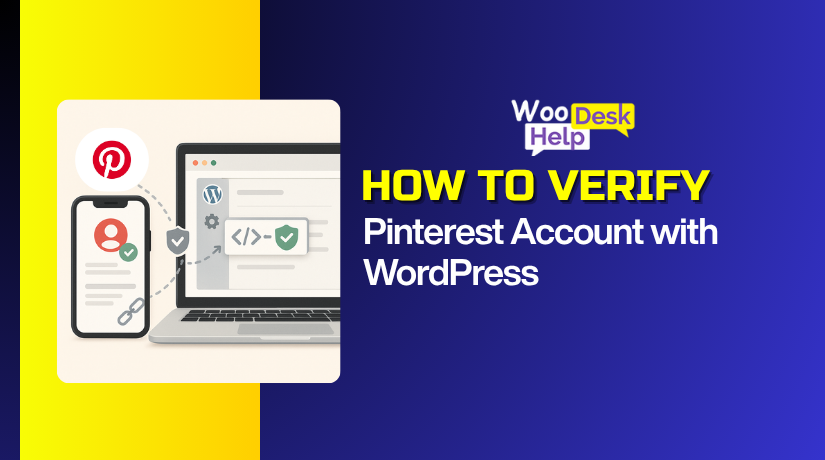
How to Verify Your Pinterest Account with WordPress
  • Social Media

How to Verify Your Pinterest Account with WordPress

9 months ago9 months ago Mike0

Pinterest website verification in WordPress proves you own the domain. It adds trust and unlocks Pinterest analytics for your brand. It also enables Rich Pins for products and blog posts. Your pins can reach more people in Pinterest search. This...

Continue Reading the Full Article
19 mins read
How to Install WordPress on Namecheap: Complete Setup Tutorial?
  • WordPress

How to Install WordPress on Namecheap: Complete Setup Tutorial?

9 months ago9 months ago Mike0

If you are new, setting up WordPress may sound complicated. But with Namecheap WordPress hosting, the process becomes quick and beginner-friendly. Namecheap offers simple tools and dashboards that save you time.To begin, no sophisticated technical knowledge is required. You will...

Continue Reading the Full Article
10 mins read

Posts pagination

Previous 1 … 8 9
Support Live Chat

Subscribe to Our Newsletter

Let’s Connect – Follow!

Get the latest updates on WordPress, WooCommerce, SEO, plugins, and more technical content to elevate your website!

Recent Posts

  • Cage Colocation: what it is and when businesses need it
  • Clock Widgets and Online Timers Worth Running in Your Browser
  • Why Every Growing Business Needs a Professional Translation Agency
  • How to Display WooCommerce Reviews Outside of Tabs (Step-by-Step Guide)
  • How to Create a Custom Taxonomy in WooCommerce (Step-by-Step Guide)

Archives

  • June 2026
  • May 2026
  • April 2026
  • March 2026
  • February 2026
  • January 2026
  • December 2025
  • November 2025
  • October 2025
  • September 2025
  • August 2025
  • July 2025
  • June 2025
  • May 2025
  • April 2025
  • March 2025
  • February 2025
  • January 2025
  • May 2024
  • October 2023

Categories

  • BlueHost
  • Development
  • Digital Marketing
  • GoDaddy
  • HostGator
  • Hosting
  • Hostinger
  • Payment Gateway
  • Plugin
  • SEO
  • Social Media
  • Software
  • WooCommerce
  • Woocommerce Integration
  • Woocommerce Issues
  • WooCommerce Plugin
  • WordPress
  • WordPress errors
  • WordPress Theme
  • WordPress Theme Club
Copyright © woohelpdesk 2026 Proudly powered by WordPress | Theme: ogma-blog by Mystery Themes.
  • Sample Page

Cookies remember your preferences and favorite content so that you don’t have to set them repeatedly, making your experience smoother.

Powered by  GDPR Cookie Compliance
Privacy Overview

This website uses cookies so that we can provide you with the best user experience possible. Cookie information is stored in your browser and performs functions such as recognising you when you return to our website and helping our team to understand which sections of the website you find most interesting and useful.

Strictly Necessary Cookies

Strictly Necessary Cookie should be enabled at all times so that we can save your preferences for cookie settings.