Skip to content
Get Expert WooCommerce & WordPress Support – Call Us Toll-Free: +1 888 602 0119 (US & Canada)
Live Chat
  • Home
  • Service
    • WordPress Service
    • Woocommerce Services
    • Dedicated WordPress Developer
    • Dedicated Woocommerce Developer
    • WordPress Development Services
    • WP Care Plan
  • Blog
    • WP Theme Club
    • WP Theme
  • Contact
    • Our Guarantee
    • Our Delivery Model
    • 24/7 WooCommerce Emergency Support
    • Safe Update Pipeline
    • Commerce-Safe
    • Guest Post
site mode button

April 2025

How to Setup Email Customizer for WooCommerce to Design Branded Emails
  • WooCommerce Plugin

How to Setup Email Customizer for WooCommerce to Design Branded Emails

1 year ago10 months ago Mike0

When customers place an order, they expect clear email updates. WooCommerce sends default emails for order updates, invoices, and more. However, these emails frequently have a simple, unbranded appearance. Generic emails don't build trust or reflect your brand style. A...
Continue Reading the Full Article
13 mins read
Product Filters Not Working on WooCommerce Shop Page? Here’s How to Fix It
  • Woocommerce Issues

Product Filters Not Working on WooCommerce Shop Page? Here’s How to Fix It

1 year ago10 months ago Mike0

Product filters are a big part of online shopping. They help users narrow down products quickly. With a few clicks, customers can find what they want. Filters improve user experience and increase sales. So, when filters stop working, it can...
Continue Reading the Full Article
14 mins read
WooCommerce Shop Page Images Not Displaying? Here’s How to Fix It
  • Woocommerce Issues

WooCommerce Shop Page Images Not Displaying? Here’s How to Fix It

1 year ago8 months ago Mike0

Your online store's shop page serves as its public face. All of your products are shown in one location. This page helps customers browse and choose what to buy. The product images here are more important than you may think....
Continue Reading the Full Article
15 mins read
How to Set Up Lightspeed POS with WooCommerce
  • WooCommerce Plugin

How to Set Up Lightspeed POS with WooCommerce

1 year ago9 months ago Mike0

Managing both in-store and online sales can be hard. When inventory updates happen in one place, they need to reflect everywhere. That’s where the Lightspeed POS for WooCommerce plugin comes in. This plugin connects your WooCommerce store to your Lightspeed...

Continue Reading the Full Article
16 mins read
How to Fix Shop Page Pagination Error in WooCommerce
  • WordPress errors

How to Fix Shop Page Pagination Error in WooCommerce

1 year ago9 months ago Mike0

WooCommerce is a popular tool for building online stores with WordPress. It's trusted by small shops and large brands alike. It offers powerful features and is easy to manage. But even simple features can sometimes stop working. One of the...
Continue Reading the Full Article
14 mins read
How to Fix “This Site Ahead Contains Harmful Programs” in WordPress
  • WordPress errors

How to Fix “This Site Ahead Contains Harmful Programs” in WordPress

1 year ago10 months ago Mike0

The phrase "This site ahead contains harmful programs" is a warning shown by Google Chrome and other web browsers. It appears when Google detects that a website may harm users or their devices. This warning is part of the Google...
Continue Reading the Full Article
22 mins read
How to Set Up Custom Fields in WooCommerce Using the “Custom Fields for WooCommerce” Plugin
  • WooCommerce Plugin

How to Set Up Custom Fields in WooCommerce Using the “Custom Fields for WooCommerce” Plugin

1 year ago10 months ago Mike0

Running a WooCommerce store means meeting many customer needs. Sometimes, the default product or checkout fields just aren’t enough. Whether you're selling to individuals or businesses, collecting extra details becomes important. That’s where the Custom Fields for WooCommerce plugin helps....
Continue Reading the Full Article
12 mins read
How to Setup the Hide Price & Add to Cart Button Plugin for WooCommerce
  • WooCommerce Plugin

How to Setup the Hide Price & Add to Cart Button Plugin for WooCommerce

1 year ago8 months ago Mike0

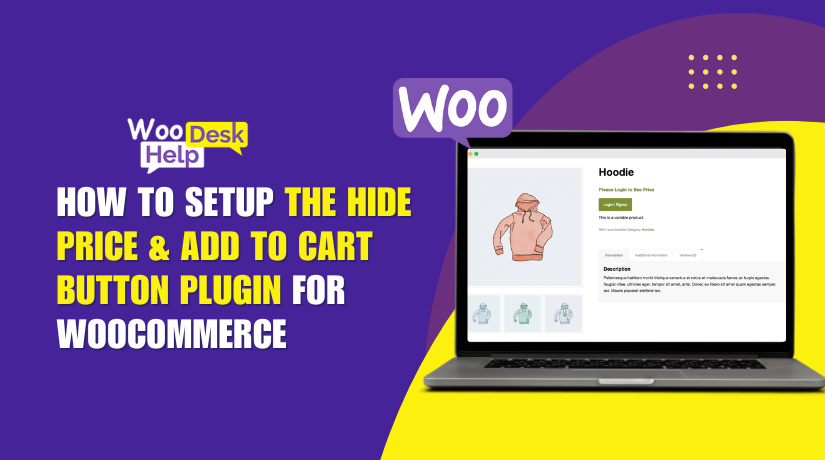
In online stores, showing or hiding product prices is a smart strategy. Sometimes, you want to keep prices visible for everyone. Other times, hiding them makes more sense. This is common in B2B, wholesale, or custom product stores. Additionally, hiding...

Continue Reading the Full Article
10 mins read
How to Set up “Tab Manager for WooCommerce” to Customize Product Pages Easily
  • WooCommerce Plugin

How to Set up “Tab Manager for WooCommerce” to Customize Product Pages Easily

1 year ago10 months ago Mike0

Managing product pages in WooCommerce can be a challenge. You want to show key product details, but the default tabs are often too limited. That's where the Tab Manager for WooCommerce comes in. This plugin helps you take full control...

Continue Reading the Full Article
12 mins read
How to Use “Extra Fees for WooCommerce” Plugin to Add Custom Charges Easily
  • WooCommerce Plugin

How to Use “Extra Fees for WooCommerce” Plugin to Add Custom Charges Easily

1 year ago10 months ago Mike0

Running a WooCommerce store means thinking about more than just products. You may also need to add extra charges like handling fees, payment processing costs, or shipping surcharges. These costs help cover your store's real-world expenses and keep your profits...

Continue Reading the Full Article
13 mins read

Posts pagination

Previous 1 … 6 7 8 Next
Support Live Chat

Subscribe to Our Newsletter

Let’s Connect – Follow!

Get the latest updates on WordPress, WooCommerce, SEO, plugins, and more technical content to elevate your website!

Recent Posts

  • Clock Widgets and Online Timers Worth Running in Your Browser
  • Why Every Growing Business Needs a Professional Translation Agency
  • How to Display WooCommerce Reviews Outside of Tabs (Step-by-Step Guide)
  • How to Create a Custom Taxonomy in WooCommerce (Step-by-Step Guide)
  • How to Display Color Options and Size Chart in WooCommerce Products (Complete Guide)

Archives

  • May 2026
  • April 2026
  • March 2026
  • February 2026
  • January 2026
  • December 2025
  • November 2025
  • October 2025
  • September 2025
  • August 2025
  • July 2025
  • June 2025
  • May 2025
  • April 2025
  • March 2025
  • February 2025
  • January 2025
  • May 2024
  • October 2023

Categories

  • BlueHost
  • Development
  • Digital Marketing
  • GoDaddy
  • HostGator
  • Hosting
  • Hostinger
  • Payment Gateway
  • Plugin
  • SEO
  • Social Media
  • Software
  • WooCommerce
  • Woocommerce Integration
  • Woocommerce Issues
  • WooCommerce Plugin
  • WordPress
  • WordPress errors
  • WordPress Theme
  • WordPress Theme Club
Copyright © woohelpdesk 2026 Proudly powered by WordPress | Theme: ogma-blog by Mystery Themes.
  • Sample Page

Cookies remember your preferences and favorite content so that you don’t have to set them repeatedly, making your experience smoother.

Powered by  GDPR Cookie Compliance
Privacy Overview

This website uses cookies so that we can provide you with the best user experience possible. Cookie information is stored in your browser and performs functions such as recognising you when you return to our website and helping our team to understand which sections of the website you find most interesting and useful.

Strictly Necessary Cookies

Strictly Necessary Cookie should be enabled at all times so that we can save your preferences for cookie settings.