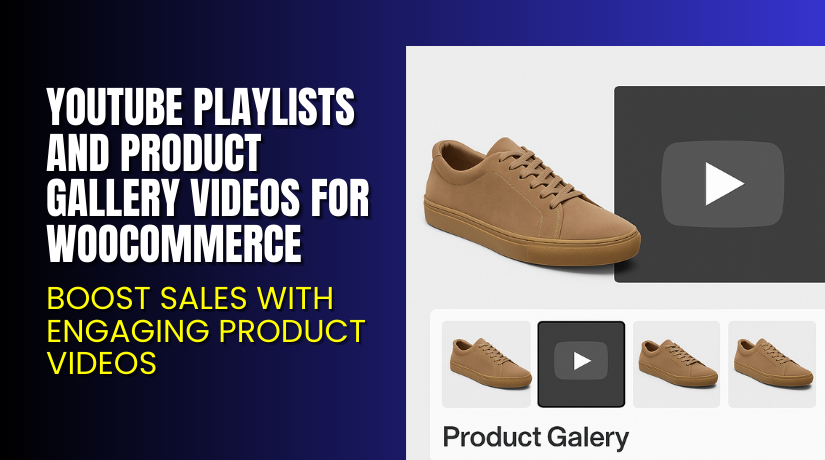
YouTube Playlists and Product Gallery Videos for WooCommerce – Boost Sales with Engaging Product Videos
Table of Contents
- Introduction
- What is YouTube Playlists and Product Gallery Videos for WooCommerce?
- Key Features of YouTube Playlists and Product Gallery Videos for WooCommerce
- How to Install and Configure YouTube Playlists and Product Gallery Videos?
- Pricing & Plans
- My Experience with the Plugin
- Who Should Use This Plugin?
- Final Verdict
- FAQ
Introduction
Running a WooCommerce store means juggling many plugins to improve sales. One of the biggest challenges is showing your products clearly and convincingly. Photos can only do so much. Most online shoppers want to see products in action before they buy.
If your store lacks product videos, you’re likely losing conversions. That’s where YouTube Playlists and Product Gallery Videos for WooCommerce becomes important. This plugin helps you add single or multiple videos directly to your product pages. You can also display full YouTube playlists, Vimeo clips, or self-hosted MP4 files.
In this guide, you’ll learn about the plugin’s features, installation process, pricing, pros and cons, and how it compares with alternatives.
If you ever need expert help to install or configure plugins, you can try our Installation & Troubleshooting Services.
What is YouTube Playlists and Product Gallery Videos for WooCommerce?
YouTube Playlists and Product Gallery Videos for WooCommerce is a video enhancement plugin developed by TheCodeFish. It’s designed to add engaging video content to WooCommerce product galleries.
With this plugin, store owners can embed:
- YouTube playlists
- Single videos from YouTube, Vimeo, Dailymotion
- Self-hosted MP4 videos
This improves product display and helps users make better decisions. The plugin supports a wide range of layout options and works well with most WooCommerce-compatible themes.
Official Plugin Website: thecodefish.com
Plugin Page: YouTube Product Gallery Plugin
Documentation: Plugin Docs
Support Page: Contact Support
Key Features of YouTube Playlists and Product Gallery Videos for WooCommerce
| Feature | Description | Why It Matters |
| Multiple Video Support | Add single or multiple videos to product galleries. | Helps show product in different angles and contexts. |
| YouTube Playlist Integration | Import entire YouTube playlists. | Useful for tutorial series or multi-part demos. |
| Self-hosted & External Video Support | Use videos from Dropbox, Google Drive, etc. | Offers full control over video hosting. |
| Custom Thumbnails | Add image previews for all video types. | Keeps gallery neat and visually appealing. |
| Shop & Category Video Display | Show featured videos even on listing pages. | Grabs attention and increases click-throughs. |
| Layout Flexibility | Display videos as sliders, popups, or standalone. | Tailors user experience based on your theme. |
| Responsive Design | Videos adjust to screen sizes on all devices. | Ensures seamless mobile and tablet viewing. |
| Advanced Settings Panel | Centralized settings under WooCommerce. | Saves time and simplifies configuration. |
How to Install and Configure YouTube Playlists and Product Gallery Videos?
Follow these steps to install the plugin:
- Download the plugin from WooCommerce Marketplace.
- Go to your WordPress Dashboard → Plugins → Add New.
- Upload the plugin ZIP file and activate it.
- Navigate to Settings → Playlist Product Gallery.
- Configure options like video type, autoplay, loop, gallery layout.
- Add videos to product pages via the Product Data section.
Use custom thumbnails and choose between popup or inline display. You can also define video size, layout, and enable videos on category or archive pages.
If you need help setting it up, use our Installation & Troubleshooting Services.
Pricing & Plans
| Plan | Price (USD) | Includes |
| 1-Year Plan | $49/year | Full plugin, support, and updates |
| Monthly | $4.09/month (billed annually) | All premium features, billed yearly |
The price includes:
- 1 year of updates
- Support from the developer
- 30-day money-back guarantee
There is no free version available. However, the premium plan offers strong value with full functionality.
Buy YouTube Playlists and Product Gallery Videos for WooCommerce
Ready to enhance your store’s product pages with video content?
You can get the plugin now using this affiliate link: Buy YouTube Product Video Plugin Now
Your purchase supports the plugin developers and helps us write more tutorials like this.


My Experience with the Plugin
I tested this plugin on a live WooCommerce store and here’s what I found:
Pros:
- Easy to install and configure
- Clean video layout with sliders and carousels
- Works with YouTube playlists, not just single videos
- Supports external and self-hosted video files
- Compatible with major themes like Divi, Flatsome, Avada
Cons:
- No free version to try before buying
- Some advanced users may need YouTube API key
- Thumbnail customization requires manual input
Overall, the plugin worked smoothly and didn’t conflict with other plugins.
Who Should Use This Plugin?
This plugin is ideal for:
- Store owners wanting to show product demos via video.
- Agencies managing WooCommerce stores with rich media.
- Beginners who need an easy video solution with plugin support.
- Digital product sellers who rely on walkthroughs or explainer videos.
- Fashion or gadget stores that benefit from showing usage videos.
Useful Resources
Here are important links related to the plugin:
- Official Plugin Page
- Official Documentation
- Contact Plugin Support
- Installation & Troubleshooting Services
Final Verdict
If you want to upgrade your WooCommerce product galleries with engaging videos, this plugin is worth every dollar. The ability to add single, multiple, or full YouTube playlists helps build trust and increases conversions.
It works well across all major themes and devices. The plugin is easy to configure, even for beginners.
Use the link below to buy and start adding high-converting videos today.
Need help installing or configuring it? We’ve got your back: Visit our WooHelpDesk Services Page.
FAQ
Q1. Is the plugin compatible with all WooCommerce themes?
Yes. It supports popular themes like Flatsome, Avada, Divi, Storefront, and more.
Q2. Can I use both self-hosted and YouTube videos?
Yes. You can add MP4 files or YouTube, Vimeo, and Dailymotion content.
Q3. Where do I get help or support?
Use the official support page to contact the plugin team.



