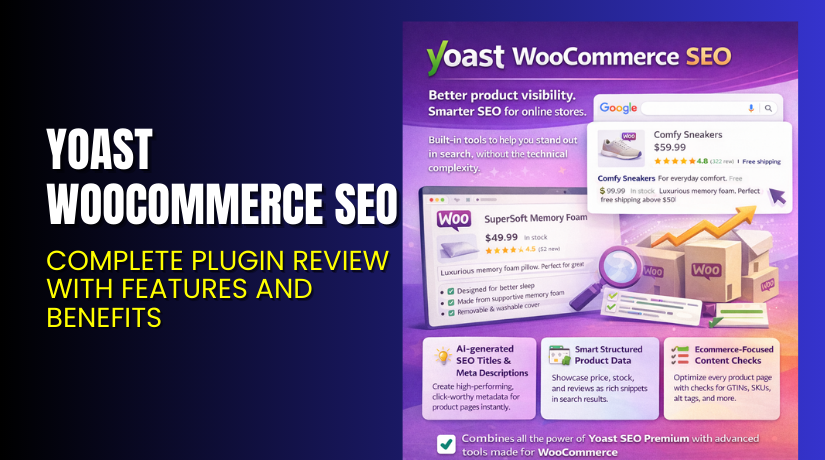
Yoast WooCommerce SEO – Complete Plugin Review with Features and Benefits
Table of Contents
- Introduction
- What is Yoast WooCommerce SEO?
- Features of Yoast WooCommerce SEO
- How to Install and Configure Yoast WooCommerce SEO
- Yoast WooCommerce SEO – Pricing & Plans
- My Experience with Yoast WooCommerce SEO
- Who Should Use This Plugin?
- Final Verdict
- FAQ
Introduction
Running a WooCommerce store requires strong SEO support for better growth. Many store owners struggle because WooCommerce does not offer deep SEO tools by default. Product pages often miss key metadata. Category pages sometimes lack proper structure. Store owners also struggle with breadcrumbs, schema issues, and product visibility on Google Shopping. These SEO gaps affect traffic and overall sales.
Most store owners try multiple plugins to solve these SEO problems. But too many tools slow the site and create conflict issues. This leads to confusion and poor search performance. A simple and strong solution is needed to manage these SEO challenges.
Yoast WooCommerce SEO helps solve these issues in one place. It improves product SEO, organizes product details, and boosts overall visibility. It also handles structured data, breadcrumbs, rich results, and social previews.
In this article, we explore Yoast WooCommerce SEO, its features, setup process, pricing, pros and cons, and who should use it. This review will help you understand if this plugin fits your WooCommerce store’s needs.
👉 If you ever need help installing or troubleshooting plugins, you can try our Installation & Troubleshooting Services for fast support.
What is Yoast WooCommerce SEO?
Yoast WooCommerce SEO is an SEO optimization plugin designed for WooCommerce stores. It extends Yoast SEO features to product pages and shop pages. This plugin helps store owners improve search rankings and product visibility. It adds missing metadata, improves product schema, and enhances product sharing previews.
The plugin is created by Yoast, a well-known SEO software company. It is available only as a premium extension. It works with Yoast SEO to provide a complete SEO system for your online store.
The plugin improves product titles, product descriptions, structured data, and internal linking. It also helps optimize category archives and product filters. Social sharing details on Facebook and Twitter has also become more accurate.
Store owners use this plugin to create clean product snippets in Google results. It helps Google understand product price, stock, ratings, and features. This improves CTR and helps drive more targeted traffic.
Official Plugin Page:
Support Page:
Features of Yoast WooCommerce SEO
| Feature | Description | Why It Matters |
| Enhanced Product Schema | Adds detailed structured data for product pages | Helps Google show rich results |
| Optimized Breadcrumbs | Replaces WooCommerce breadcrumbs with Yoast versions | Improves navigation and SEO clarity |
| Cleaner Product URLs | Removes unnecessary variables from product URLs | Improves user experience and crawlability |
| Better Social Sharing | Custom social previews for products | Boosts share quality and brand trust |
| Extra Yoast SEO Analysis for Products | Tailored SEO analysis for WooCommerce pages | Helps improve product content quality |
| Improved Internal Linking | Shows product-related suggestions | Helps users and search engines navigate pages |
How to Install and Configure Yoast WooCommerce SEO
- Download the plugin from the Yoast WooCommerce SEO purchase page.
- Go to WordPress Dashboard → Plugins → Add New → Upload Plugin.
- Upload the ZIP file and click Install Now.
- After installation, click Activate Plugin.
- Open SEO → WooCommerce SEO
- Configure metadata options, product schema, and breadcrumb settings.
- Test the plugin with your theme to ensure proper layout and compatibility.
- Review product pages to confirm schema and SEO fields appear correctly.
💡 If you face any configuration or compatibility issues, you can try our Installation & Troubleshooting Services for quick setup.
Yoast WooCommerce SEO – Pricing & Plans
| Monthly | Annually |
| $14.90 | $178.80 |
| What’s included?
All the value of Yoast SEO WooCommerce, including:
Plus:
|
What’s included?
All the value of Yoast SEO WooCommerce, including:  
Plus:
|
Buy Yoast WooCommerce SEO Now
Purchase Here → Buy Yoast WooCommerce SEO Premium Now
💡 Your purchase supports the Yoast development team and helps me create more tutorials like this.
My Experience with Yoast WooCommerce SEO
After testing Yoast WooCommerce SEO on a live WooCommerce store, here are my findings:
Pros
- Simple setup with guided steps.
- Strong product schema support.
- Improves product visibility in Google Search.
- Smooth integration with Yoast SEO.
- Lightweight and well-coded.
- Offers strong internal linking for products.
- Helpful support and documentation.
Cons
- No free version is available.
- Price may feel high for small stores.
- Requires Yoast SEO to work properly.
- Does not offer visual layout tools.
Who Should Use This Plugin?
- WooCommerce store owners want stronger product SEO
- Agencies managing multiple WordPress and WooCommerce clients
- Beginners who want simple SEO tools without a complex setup
- Stores targeting rich results like price, stock, and rating
- Business owners want clean breadcrumbs and structured data
Useful Resources
- Official Plugin Page
- Support Page
- Developer Documentation
- WooHelpDesk Installation & Troubleshooting Services
Final Verdict
If you want a reliable SEO tool for your WooCommerce store, Yoast WooCommerce SEO is a strong choice. It offers clean, structured data, better search previews, and smart linking features. It also reduces the need for multiple SEO plugins.
The plugin is stable, lightweight, and built by an established SEO company. It helps improve product ranking and visibility without a complex setup.
👉 Buy Yoast WooCommerce SEO Premium Now
💡 Need help installing or fixing it? Try our Installation & Troubleshooting Services for fast assistance.
FAQ
Q1. Is Yoast WooCommerce SEO compatible with all WooCommerce themes?
Yes, it works with most standard WooCommerce themes. Always test before going live.
Q2. Can I use both free and premium versions together?
No. Deactivate the free version of Yoast SEO before installing the premium package.
Q3. How do I get support?
You can contact the official Yoast support team through the plugin support page.



