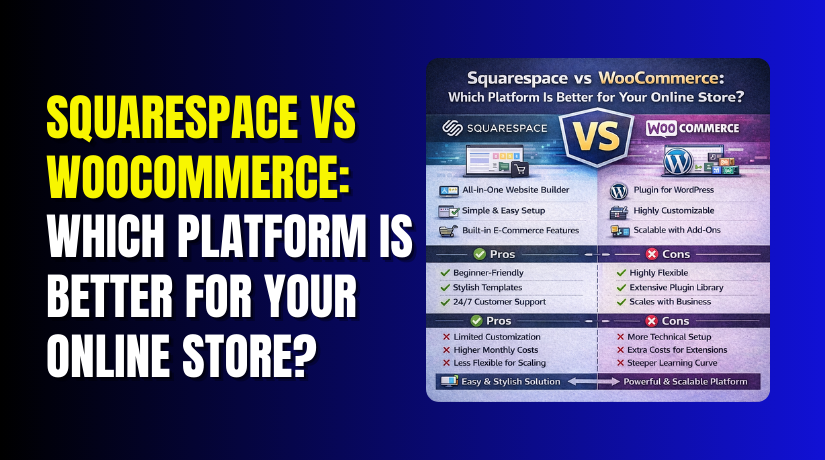
Squarespace vs WooCommerce: Which Platform Is Better for Your Online Store?
Table of Contents
- Introduction
- What Is Squarespace?
- Features of Squarespace: Key Store and Website Tools You Get
- Pros and Cons of Squarespace: What Works Well and What Feels Limited
- What Is WooCommerce?
- Features of WooCommerce: Powerful Store Tools You Can Expand Anytime
- Pros and Cons of WooCommerce: Best for Control, But Needs Maintenance
- Differences Between WooCommerce and Squarespace (Detailed Explained)
- Which Platform Should You Choose for Your Online Store Goals
- Conclusion
Introduction
Choosing your store platform decides how fast you can grow. In this Squarespace vs WooCommerce guide, we compare real store needs. This Squarespace vs WooCommerce comparison focuses on setup, features, and limits. Many beginners ask, Is Squarespace better than WooCommerce for selling online. The answer depends on your control needs and future plans. If you feel stuck choosing Squarespace or WooCommerce, you are not alone. This guide helps you choose with clear and practical points.
What Is Squarespace?
Squarespace is a hosted platform that lets you build sites fast. It includes hosting, templates, and basic store tools in one plan. You manage your site from one dashboard with simple controls. You do not manage server updates, backups, or technical setup. Squarespace works best for simple stores and clean design needs. It suits creators, small brands, and service businesses selling online.
Features of Squarespace: Key Store and Website Tools You Get
Squarespace gives you an all-in-one setup with fewer steps. It focuses on design, speed, and easy daily store management. Here are the main features most store owners use.
- You get hosted website tools with simple page editing controls.
- You get modern templates made for clean and fast store pages.
- You get SSL security included, without extra setup steps.
- You can add products, manage inventory, and track orders easily.
- You can set shipping options and basic tax settings quickly.
- You can offer discounts and promo codes for store campaigns.
- You get basic SEO fields for titles, descriptions, and URLs.
- You get built-in analytics to track visits, sales, and trends.
- You can connect email tools and run simple marketing campaigns.
- You can manage your store from mobile-friendly admin screens easily.
Pros and Cons of Squarespace: What Works Well and What Feels Limited
Squarespace is great when you want simple tools and design. It can feel limiting when you need deeper store control. This matters in WooCommerce vs Squarespace for ecommerce growth plans.
Pros of Squarespace for Online Stores
- Setup is fast, and you can launch your store quickly.
- Hosting and security are included, so you manage fewer things.
- Templates look premium and help stores feel more trustworthy.
- Daily store tasks stay simple for non-technical store owners.
- You avoid plugin conflicts because most tools are built-in.
Cons of Squarespace for Online Stores
- Advanced store features can feel limited as your store grows.
- Checkout changes are limited, so testing conversions is harder.
- Payment options can be fewer, based on your region.
- Add-on choices are smaller than large plugin-based platforms today.
- Deep SEO control and technical tuning options are more limited.
What Is WooCommerce?
WooCommerce is an eCommerce plugin made for WordPress websites. It turns a WordPress site into a full online store. You install WooCommerce on your hosting and manage everything yourself. This means you control design, features, and how the store works. Many store owners choose it for long-term growth and control. In a Squarespace vs WooCommerce comparison, WooCommerce stands out for flexibility. If you want full store ownership, Squarespace or WooCommerce often becomes clear here.
Features of WooCommerce: Powerful Store Tools You Can Expand Anytime
WooCommerce gives you strong selling features from the start. You can also add more tools using plugins and extensions. This makes it a top pick in WooCommerce vs Squarespace for ecommerce growth. Here are the main features store owners use most often.
- You can sell physical, digital, and downloadable products easily.
- You can create variable products with sizes, colors, and options.
- You can manage stock, backorders, and low stock alerts smoothly.
- You can manage orders, refunds, and customer notes in one place.
- You can add many payment gateways, including local payment options.
- You can set shipping zones, rates, and shipping classes quickly.
- You can configure taxes by country, state, or even city rules.
- You can use coupons, free shipping rules, and cart discounts easily.
- You can customize the checkout experience with plugins or code.
- You can connect SEO plugins for better on-page SEO control.
- You can integrate email tools, CRM tools, and automation platforms.
- You can scale performance using caching, CDN, and better hosting.
Pros and Cons of WooCommerce: Best for Control, But Needs Maintenance
WooCommerce gives you control that hosted platforms cannot match. But it also needs care, updates, and smart plugin choices. This is a key point in Squarespace vs WooCommerce decisions.
Pros of WooCommerce for Online Stores
- You own your website, data, and full store setup.
- You can build almost any store feature with plugins.
- Checkout, cart, and product pages can be customized deeply.
- SEO control is strong with WordPress and SEO plugins.
- It supports scaling from small shops to large catalogs.
- It supports subscriptions, memberships, and B2B selling with add-ons.
Cons of WooCommerce for Online Stores


- You must manage hosting, updates, and regular backups yourself.
- Too many plugins can slow the store without proper tuning.
- Setup can take longer than a hosted store platform.
- You may need expert help for speed and security tasks.
- Costs vary based on hosting, themes, and paid extensions needed.
Differences Between WooCommerce and Squarespace (Detailed Explained)
This section makes the Squarespace vs WooCommerce choice easier. It highlights real differences that affect cost, control, and growth. If you are doing a Squarespace vs WooCommerce comparison, focus on these points. Many store owners ask, Is Squarespace better than WooCommerce for ecommerce. The truth depends on control, features, and how fast you scale. Use this WooCommerce vs Squarespace for ecommerce list to decide faster.
WooCommerce Differences
- WooCommerce runs on WordPress and gives you full ownership control.
- You can choose any hosting based on speed and budget.
- You can add advanced features using plugins and extensions anytime.
- You can change checkout layouts and fields for better conversions.
- You can support many payment gateways, including local payment options.
- You can create complex shipping rules using zones and classes.
- You can manage taxes with more control using tax extensions.
- You can improve SEO with strong WordPress SEO plugin support.
- You can scale stores using caching, CDN, and better server setup.
- You can build custom workflows using code or store plugins easily.
Squarespace Differences
- Squarespace is fully hosted, so setup stays simple and fast.
- You do not manage hosting, updates, or server-level security tasks.
- You get premium templates that look clean and professional quickly.
- You manage store pages using simple visual editing tools easily.
- Checkout customization is limited compared to WooCommerce stores.
- Payment gateways and extensions are fewer than WooCommerce options.
- It works best for smaller catalogs and simple selling needs.
- SEO control is basic, with fewer deep tuning options.
- Scaling is easy, but advanced control stays limited.
- It suits users who want design and low maintenance first.
Which Platform Should You Choose for Your Online Store Goals
Choosing between Squarespace vs WooCommerce depends on your goals. Your budget, time, and skills also shape the best choice. This Squarespace vs WooCommerce comparison becomes easier with clear use cases. If you still wonder, Is Squarespace better than WooCommerce, use the points below. They match real store needs and common growth paths.
Choose Squarespace If You Want Simple Setup and Easy Store Management
Squarespace is best when you want a clean store fast. It works well when you sell a small product range. It is also good when you want fewer technical tasks. Choose Squarespace or WooCommerce based on how much control you need.
- You want to launch your store quickly with fewer steps.
- You want hosting, SSL, and updates managed for you.
- You sell a small catalog with simple product options.
- You want strong design templates with easy editing controls.
- You prefer one dashboard and fewer moving parts daily.
Choose WooCommerce If You Want Full Control and Long-Term Store Growth
WooCommerce is best when you want full store control. It fits stores that need advanced tools and custom rules. It also suits brands planning serious scaling and marketing. In WooCommerce vs Squarespace for ecommerce, WooCommerce wins on flexibility.
- You want full control over design and store features.
- You need advanced options like subscriptions or B2B pricing.
- You want deeper checkout changes to improve conversions.
- You need more payment gateways, including local payment methods.
- You want stronger SEO control and content-driven traffic growth.
- You plan to scale products, traffic, and integrations over time.
Conclusion
In this Squarespace vs WooCommerce guide, the difference is clear. Squarespace is simpler, faster, and easier to manage daily. WooCommerce is flexible, powerful, and built for long-term scaling. If you want a quick store with basic needs, pick Squarespace. If you want full control and growth tools, pick WooCommerce. When choosing Squarespace or WooCommerce, match the platform to your plan. Need help setting up, fixing, or optimizing WooCommerce store performance? Contact WooHelpDesk for expert support, speed tuning, and store improvements.
