Elementor vs Astra: Which is Better for WordPress Sites?
Table of Contents
- Introduction
- What is Elementor?
- What is Astra?
- Elementor vs Astra: Key Differences
- Performance Comparison: Elementor vs Astra
- Which One Is Better for Beginners?
- Best Page Builder: Astra or Elementor?
- Pricing: Elementor vs Astra
- Pros and Cons of Elementor and Astra
- Conclusion
Introduction
Choosing the right theme and page builder is key to WordPress success. These tools shape your site’s look, speed, and ease of use. The best choice helps you build a professional site quickly and easily.
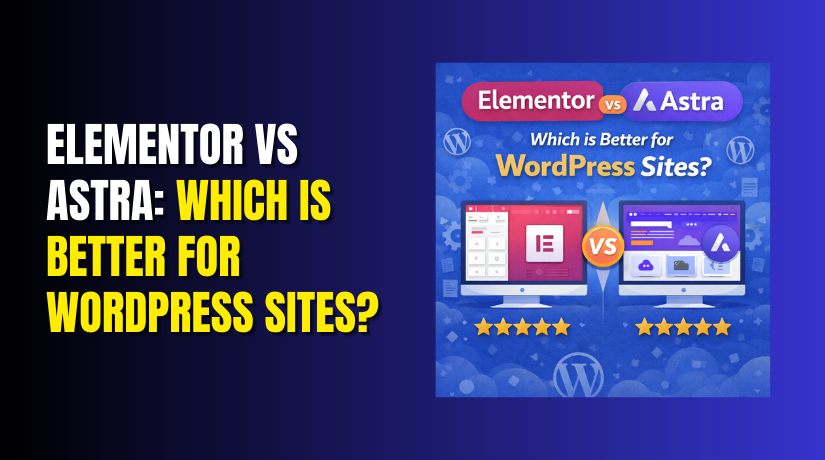
Many users search for this: Which is better Elementor or Astra for WordPress? Both are excellent but serve different main purposes. Elementor shines in creative design work. Astra excels in fast performance and clean structure.
This article compares them in detail. You will learn their features, benefits, and best use cases. Whether you want stunning designs or lightning fast speed, this guide will help you decide. Let’s dive into the comparison and find the right fit for you.
What is Elementor?
Elementor is a powerful drag-and-drop page builder plugin. It allows you to design full pages visually on the front end. You move elements around with simple mouse actions. Live preview shows changes instantly.
The tool offers high flexibility and tons of customization options. Beginners love its easy interface. Advanced users enjoy its deep design controls.
Elementor has a strong free version with many widgets and templates.
- Free version: Basic widgets, ready templates, and core tools.
- Pro version: Theme builder, popup builder, dynamic content, and custom CSS.
It is one of the most used page builders today.
What is Astra?
Astra is a lightweight and fast WordPress theme. It focuses mainly on performance and speed. The theme uses minimal code so your site loads quickly for visitors.
Astra is highly versatile. It works perfectly with popular page builders like Elementor. This combination gives you both speed and design freedom.
You can choose from free and pro versions.
- Free version: Clean code, basic customization, and starter templates.
- Pro version: Premium starter templates, advanced headers, and extra modules.
Many users pick it for blogs, businesses, and online stores.
Elementor vs Astra: Key Differences
Many users wonder about Astra vs Elementor for website design. These two tools work in different ways. Elementor acts as a full page builder plugin. Astra serves as a lightweight WordPress theme. Together they create powerful results.
Elementor gives you complete drag-and-drop control. You see changes live on the page. Move text, images, buttons, and sections with your mouse. It includes hundreds of ready widgets. You pick colors, fonts, spacing, and animations easily. The free version starts strong. Pro adds advanced tools like theme builder and motion effects.
Astra focuses on clean structure and fast setup. It stays super light so your site feels quick right away. You customize headers, footers, and layouts through simple options. It works great with any page builder. Many users pair it with Elementor for the best mix.
Here are the main differences at a glance:
- Elementor shines in visual design freedom and creative widgets.
- Astra wins with built-in speed and minimal code.
- Elementor templates are rich and ready for quick pages.
- Astra offers starter sites that load instantly.
- Elementor handles complex layouts without extra plugins.
- Astra gives smooth compatibility and easy updates.
In short, choose Elementor when you need deep design power. Pick Astra when you want a fast foundation. Most smart users combine both. Astra handles the speed base. Elementor adds beautiful layers on top. This combo delivers stunning sites that still load fast.
Performance Comparison: Elementor vs Astra
Speed matters for every website. Slow pages lose visitors fast. This section looks at Elementor vs Astra performance side by side.
Astra is built for speed from day one. Its code stays very small and clean. Sites often load in under one second. It scores high in all speed tests. Less code means fewer server requests. Your visitors enjoy smooth browsing on mobile or desktop. This fast loading helps SEO a lot. Google loves quick sites and ranks them higher.
Elementor brings powerful design tools. These tools add extra code when you use many widgets or animations. A simple page stays fast. But heavy designs with lots of effects can slow things down. Load times may rise to two or three seconds if not optimized. You can fix this with caching plugins and image compression.
Here is how they compare in real use:
- Astra keeps sites light and quick even with heavy traffic.
- Elementor needs careful setup to match that speed.
- Astra improves user experience with instant page loads.
- Elementor delivers rich visuals but demands optimization work.
- Both affect SEO through speed and mobile scores.
- Astra often wins pure speed tests out of the box.
The best approach? Use Astra as your theme and Elementor for designs. You get top performance plus creative freedom. Test your site with free tools like GTmetrix. Keep designs simple where possible. Clean code always wins for long-term success.
Which One Is Better for Beginners?
Many people ask this question: Elementor or Astra theme for beginners? The answer depends on what you need most.
Astra makes starting very easy. Install it and activate in minutes. The theme is light and simple. It does not confuse you with too many settings. Your site runs fast from day one. Beginners with zero technical skills can set it up quickly. You get a clean base to build upon.


Elementor is also great for new users. It gives you a visual drag-and-drop editor. You can see changes instantly as you work. Move elements around with your mouse. Add beautiful sections without writing any code. The interface is friendly and fun to learn.
Let us compare them for beginners:
- Astra offers super simple and fast setup.
- Elementor provides powerful visual page building.
- Astra feels less overwhelming at first.
- Elementor has a short learning curve but gives more creative power.
- Both free versions help you practice safely.
The best choice for most beginners is using Astra and Elementor together. Astra handles the speed and basic structure. Elementor handles the actual page design. This way you get an easy start and stunning results. Start small. Test both tools. You will quickly discover which one feels more comfortable.
Best Page Builder: Astra or Elementor?
Now let us answer this common question: Best page builder Astra or Elementor?
Elementor is a real page builder. It lets you design full pages with complete freedom. You control every detail visually. Astra is a WordPress theme. It provides a fast and clean foundation for your site.
These two tools serve different purposes. Elementor excels at creative design work. Astra excels at performance and stability. They work best when used together.
Here is how to decide:
- Choose Elementor if design and visuals are your top priority.
- Choose Astra if speed and light weight matter most to you.
- Use both for the perfect balance of beauty and performance.
- Designers and marketers usually prefer Elementor.
- Bloggers and business owners often start with Astra.
Astra is not a page builder. Elementor clearly wins that title. However Astra makes Elementor even better by keeping your website fast. Most successful sites today use this powerful combination.
Pick what matches your main goal. Want maximum design control? Go for Elementor. Want better speed and simplicity? Start with Astra. For most users the winning formula is Astra plus Elementor.
Pricing: Elementor vs Astra
Pricing plays a big role in your final choice. Both Elementor and Astra offer good free versions. They also have paid plans with extra features.
Elementor gives a strong free version. It includes many widgets and basic templates. The Pro version starts at around $59 per year. This Essential plan supports one website. Higher plans cost more for multiple sites. Pro unlocks advanced tools like Theme Builder, Popup Builder, and WooCommerce widgets.
Astra also has a powerful free theme. The Pro version starts at about $59 to $69 per year. It supports up to 3 websites on the basic Pro plan. You get premium starter templates, advanced header options, and extra customization modules.
Here is a quick comparison:
- Elementor Pro: Starts at $59/year – Great for design-heavy users.
- Astra Pro: Starts at $59–69/year – Excellent value for speed lovers.
- Both offer yearly plans and lifetime options.
- Free versions are enough to test and build basic sites.
The paid versions give strong value. Elementor Pro adds huge design power. Astra Pro adds more speed and templates. Choose based on your main needs and budget.
Pros and Cons of Elementor and Astra
It helps to see the pros and cons clearly before deciding. Here is a simple side-by-side look at both tools.
Elementor Pros:
- Offers huge design flexibility and creative freedom.
- Comes with hundreds of beautiful ready templates.
- Drag-and-drop editor makes building pages very easy.
- Regular updates bring new powerful features.
Elementor Cons:
- Can make websites slower if not optimized properly.
- Advanced features need time to learn fully.
- Heavy pages may affect loading speed.
Astra Pros:
- Loads websites very fast and keeps them light.
- Focuses strongly on performance and speed.
- Works perfectly with Elementor and other builders.
- Uses clean code and simple settings.
Astra Cons:
- Offers less direct design control than Elementor.
- Needs a page builder for complex page layouts.
- Some advanced features are only in Pro version.
Elementor wins on pure design power. Astra wins on speed and lightness. Many users combine both to enjoy the best of both worlds.
Conclusion
We compared Elementor and Astra in detail across this full guide. Elementor delivers powerful design flexibility and creative options. Astra focuses on fast loading speeds and clean performance. Both tools offer strong free versions to begin with ease. Your choice depends on your main priorities and goals. Select Astra when speed matters most to you. Pick Elementor for complete visual design control. Many users combine both tools for perfect results. Astra provides the light and fast foundation. Elementor adds beautiful pages and advanced features on top. Test the free versions on a test site first. This simple step helps you discover the best fit.
Need professional support for your website design? Visit WooHelpDesk right now. Our team offers complete website design services and expert support. We help you build beautiful sites that load fast and perform well.